 f2370cd1ba
* feat: supports plugin to add skills

* fix tests

* fix: fs tools

* Add tests for plugin skills handling and improve skill management

- Implement test for restricted local member reading plugin skill inventory even if the plugin is inactive.
- Ensure that the skill synchronization process retains built-in skills when local skills are empty, including proper handling of plugin paths.
- Update dashboard tests to verify that plugin details include components when requested.
- Enhance skill metadata enrichment tests to include inactive plugin-provided skills for inventory.
- Add filtering tests for plugin skills based on current configuration, ensuring only allowed plugins are considered and inactive plugins are skipped.

Co-authored-by: Copilot <copilot@github.com>

* fix: handle PPIO platform context-length error messages (#7888)

* fix: 压缩算法删除 user 消息 Bug 修复

* perf: improve truncate algo

* fix: improve context length error detection for PPIO platform compatibility

- Extend error detection to handle PPIO's error message format:
  'The input is longer than the model's context length'
- Add case-insensitive matching using .lower() for robustness
- Maintain backward compatibility with existing 'maximum context length' check

This fixes the issue where PPIO platform models (e.g., ppio/zai-org/glm-5-turbo)
would fail with AgentState.ERROR due to unrecognized context length errors.

---------

Co-authored-by: Soulter <905617992@qq.com>

* fix: 支持微信客服文件消息 (#7923)

* fix: 支持微信客服文件消息

* fix: remove WeCom file message placeholder

* fix(provider): fix Anthropic custom headers and system prompt compatibility (#7587)

* fix(provider): fix Anthropic custom headers and system prompt compatibility

- Pass custom_headers via AsyncAnthropic's `default_headers` parameter
  instead of creating a separate httpx.AsyncClient. This avoids
  `isinstance` check failures when multiple httpx installations exist
  on sys.path (e.g. bundled Python + system Python).

- Use list format for the `system` parameter (`[{"type": "text", ...}]`)
  instead of a plain string. The list format is supported by the official
  Anthropic API and is also compatible with third-party API proxies that
  reject the string format.

Co-Authored-By: Claude Opus 4.6 <noreply@anthropic.com>

* fix(provider): fix Anthropic custom headers and system prompt compatibility

- Pass custom_headers via AsyncAnthropic's `default_headers` parameter
  instead of creating a separate httpx.AsyncClient. This avoids
  `isinstance` check failures when multiple httpx installations exist
  on sys.path (e.g. bundled Python + system Python).

- Use list format for the `system` parameter (`[{"type": "text", ...}]`)
  instead of a plain string. The list format is supported by the official
  Anthropic API and is also compatible with third-party API proxies that
  reject the string format.

Co-Authored-By: Claude Opus 4.6 <noreply@anthropic.com>

* Add test unit

---------

Co-authored-by: Claude Opus 4.6 <noreply@anthropic.com>

* perf: improve logic of adding models

Co-authored-by: piexian <piexian@users.noreply.github.com>

* chore: remove redundant logger messages and improve log clarity

Co-authored-by: Copilot <copilot@github.com>

* chore: ruff format

* docs: update knowledge base docs

closes: #7962

* fix(#7907): send_message_to_user cron 场景下 session 容错 (#7911)

* fix: send_message_to_user cron 场景下 session 容错 (#7907)

- LLM 在主动场景可能只传 session_id 而非完整三段式,
from_str 失败时用 current_session 补全前两段。

Co-authored-by: Copilot <copilot@github.com>

* fix: 限制 session 补全仅对裸 session_id 生效,避免误修带冒号的错误输入 (#7907)

* feat: add session information to cron job payload

Co-authored-by: Copilot <copilot@github.com>

* fix: improve clarity and consistency of safety mode prompts

Co-authored-by: Copilot <copilot@github.com>

---------

Co-authored-by: Copilot <copilot@github.com>
Co-authored-by: Weilong Liao <37870767+Soulter@users.noreply.github.com>
Co-authored-by: Soulter <905617992@qq.com>

* perf: tool rendering in conversation page (#7937)

* fix(dashboard): route conversation history tool messages through ToolCallCard

When viewing conversation history, large tool outputs (e.g. a single
git log --stat producing tens of KB) caused the browser renderer to
freeze. Root cause: formattedMessages mapped every role (including
tool / system / _checkpoint) into user/bot bubbles, and bot plain
strings went through markstream-vue's MarkdownRender. Single 88KB
tool messages plus 88-of-them adding up to ~349KB of synchronous
markdown parsing was enough to block the main thread for 5+ seconds.

This patch:

- Indexes tool-role messages by tool_call_id
- Filters formattedMessages to user/assistant only — tool, system and
  _checkpoint roles no longer render as standalone bubbles
- Converts assistant.tool_calls (OpenAI shape, with tc.name/tc.arguments
  fallbacks) into the existing tool_call MessagePart, attaching the
  paired result so MessageList's ToolCallCard renders it (default
  collapsed, no longer feeds large strings into the markdown renderer)
- Drops empty placeholder plain parts when an assistant message only
  carries tool_calls
- Sets ts/finished_ts to 0 as a sentinel: ToolCallCard.toolCallDuration
  returns "" when startTime <= 0, suppressing a misleading "0ms"
  duration that would otherwise appear because conversation history
  has no real timing data

Behavior change: tool results are now embedded in their assistant's
ToolCallCard.result instead of appearing as separate bot bubbles.
This matches the main chat UI's behavior.

Fixes #7929
Refs #7372 #7456

* style(dashboard): use single scrollbar in conversation history preview

ToolCallCard's result/args panes have their own max-height + overflow,
which produced a nested scrollbar when nested inside the history
preview's already-scrollable .conversation-messages-container. Override
those constraints inside the preview only — the outer 500px-bounded
container already provides scroll bounds, so a single scrollbar feels
cleaner. The main chat UI is unaffected.

---------

Co-authored-by: wanger <wanger@example.com>

* fix: ruff format

* feat: add python tool timeout param (#7953)

* feat: add python tool timeout param

* Update python.py

---------

Co-authored-by: Weilong Liao <37870767+Soulter@users.noreply.github.com>

* fix: 钉钉连接超时后自动重连失败 (#7924)

* fix: improve DingTalk adapter error handling in run() method

* fix: add retry logic for DingTalk SDK task unexpected exit

* fix: use task.add_done_callback to wake thread on task completion, handle UnboundLocalError

* refactor: extract retry logic into handle_retry helper function

---------

Co-authored-by: Blueteemo <Blueteemo@users.noreply.github.com>

---------

Co-authored-by: Copilot <copilot@github.com>
Co-authored-by: leonforcode <leonbeyourside01@gmail.com>
Co-authored-by: AstralSolipsism <134063164+AstralSolipsism@users.noreply.github.com>
Co-authored-by: Pink YuDeer <wer00001@outlook.com>
Co-authored-by: Claude Opus 4.6 <noreply@anthropic.com>
Co-authored-by: piexian <piexian@users.noreply.github.com>
Co-authored-by: NayukiMeko <ChibaNayuki@163.com>
Co-authored-by: wanger <122891289+10knamesmore@users.noreply.github.com>
Co-authored-by: wanger <wanger@example.com>
Co-authored-by: Haoran Xu <3230105281@zju.edu.cn>
Co-authored-by: 千岚之夏 <108566281+Blueteemo@users.noreply.github.com>
Co-authored-by: Blueteemo <Blueteemo@users.noreply.github.com>
6.4 KiB
outline
| outline |
|---|
| deep |
AstrBot Plugin Development Guide 🌠
Welcome to the AstrBot Plugin Development Guide! This section will guide you through developing AstrBot plugins. Before we begin, we hope you have the following foundational knowledge:
- Some experience with Python programming.
- Some experience with Git and GitHub.
Environment Setup
Obtain the Plugin Template
- Open the AstrBot plugin template: helloworld
- Click
Use this templatein the upper right corner - Then click
Create new repository. - Fill in your plugin name in the
Repository namefield. Plugin naming conventions:- Recommended to start with
astrbot_plugin_; - Must not contain spaces;
- Keep all letters lowercase;
- Keep it concise.
- Recommended to start with
- Click
Create repositoryin the lower right corner.
Clone the Project Locally
Clone both the AstrBot main project and the plugin repository you just created to your local machine.
git clone https://github.com/AstrBotDevs/AstrBot
mkdir -p AstrBot/data/plugins
cd AstrBot/data/plugins
git clone <your-plugin-repository-url>
Then, use VSCode to open the AstrBot project. Navigate to the data/plugins/<your-plugin-name> directory.
Update the metadata.yaml file with your plugin's metadata information.
Warning
Please make sure to modify this file, as AstrBot relies on the
metadata.yamlfile to recognize plugin metadata.
Set Plugin Logo (Optional)
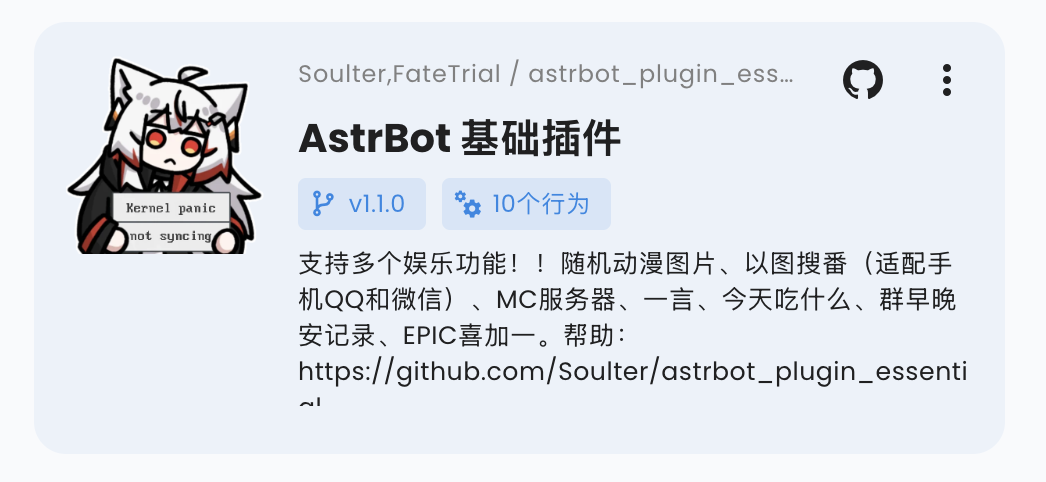
You can add a logo.png file in the plugin directory as the plugin's logo. Please maintain an aspect ratio of 1:1, with a recommended size of 256x256.
Plugin Display Name (Optional)
You can modify (or add) the display_name field in the metadata.yaml file to serve as the plugin's display name in scenarios like the plugin marketplace, making it easier for users to read.
Plugin display names and descriptions can follow the WebUI language. See Plugin Internationalization.
Plugin Short Description (Optional)
You can add a short_desc field to metadata.yaml as the short description shown on plugin marketplace cards. Keep it to a concise one-sentence summary. If it is not provided, cards fall back to desc.
short_desc: A one-line summary of your plugin.
Bundle Skills with a Plugin (Optional)
Plugins can provide a skills/ directory. After AstrBot loads the plugin, valid Skills inside that directory are automatically included in the Skill Manager, with their source shown as the plugin.
For multiple Skills, use this structure:
your_plugin/
  metadata.yaml
  main.py
  skills/
    web-search-helper/
      SKILL.md
    report-writer/
      SKILL.md
If skills/ itself is one Skill, you can also place SKILL.md directly under it:
your_plugin/
  skills/
    SKILL.md
In that case, the Skill name uses the plugin directory name. Plugin-provided Skills are managed by the plugin and appear as read-only sources in the WebUI Skills page. They can be enabled or disabled, but cannot be deleted or edited from Local Skills. When the plugin is uninstalled or updated, its bundled Skills change with the plugin files.
Declare Supported Platforms (Optional)
You can add a support_platforms field (list[str]) to metadata.yaml to declare which platform adapters your plugin supports. The WebUI plugin page will display this field.
support_platforms:
  - telegram
  - discord
The values in support_platforms must be keys from ADAPTER_NAME_2_TYPE. Currently supported:
aiocqhttpqq_officialtelegramwecomlarkdingtalkdiscordslackkookvocechatweixin_official_accountsatorimisskeyline
Declare AstrBot Version Range (Optional)
You can add an astrbot_version field in metadata.yaml to declare the required AstrBot version range for your plugin. The format follows dependency specifiers in pyproject.toml (PEP 440), and must not include a v prefix.
astrbot_version: ">=4.16,<5"
Examples:
>=4.17.0>=4.16,<5~=4.17
If you only want to declare a minimum version, use:
>=4.17.0
If the current AstrBot version does not satisfy this range, the plugin will be blocked from loading with a compatibility error. In the WebUI installation flow, you can choose to "Ignore Warning and Install" to bypass this check.
Debugging Plugins
AstrBot uses a runtime plugin injection mechanism. Therefore, when debugging plugins, you need to start the AstrBot main application.
You can use AstrBot's hot reload feature to streamline the development process.
After modifying the plugin code, you can find your plugin in the AstrBot WebUI's plugin management section, click the ... button in the upper right corner, and select Reload Plugin.
If the plugin fails to load due to code errors or other reasons, you can also click "Try one-click reload fix" in the error prompt on the admin panel to reload it.
Plugin Dependency Management
Currently, AstrBot manages plugin dependencies using pip's built-in requirements.txt file. If your plugin requires third-party libraries, please be sure to create a requirements.txt file in the plugin directory and list the dependencies used, to prevent Module Not Found errors when users install your plugin.
For the complete format of
requirements.txt, please refer to the pip official documentation.
Development Principles
Thank you for contributing to the AstrBot ecosystem. Please follow these principles when developing plugins, which are also good programming practices:
- Features must be tested.
- Include comprehensive comments.
- Store persistent data in the
datadirectory, not in the plugin's own directory, to prevent data loss when updating/reinstalling the plugin. - Implement robust error handling mechanisms; don't let a single error crash the plugin.
- Before committing, please use the ruff tool to format your code.
- Do not use the
requestslibrary for network requests; use asynchronous network request libraries such asaiohttporhttpx. - If you're extending functionality for an existing plugin, please prioritize submitting a PR to that plugin rather than creating a separate one (unless the original plugin author has stopped maintaining it).