mirror of
https://github.com/AstrBotDevs/AstrBot
synced 2026-07-05 04:10:15 +08:00
Compare commits
1 Commits
pr-5943-de
...
features/s
| Author | SHA1 | Date | |
|---|---|---|---|

|
38486bc5aa |
@@ -1,9 +1,9 @@
|
||||
# Covers JetBrains IDEs: IntelliJ, RubyMine, PhpStorm, AppCode, PyCharm, CLion, Android Studio and WebStorm
|
||||
# Reference: https://intellij-support.jetbrains.com/hc/en-us/articles/206544839
|
||||
# github actions
|
||||
.git
|
||||
# github acions
|
||||
.github/
|
||||
.*ignore
|
||||
.git/
|
||||
# User-specific stuff
|
||||
.idea/
|
||||
# Byte-compiled / optimized / DLL files
|
||||
@@ -15,9 +15,10 @@ env/
|
||||
venv*/
|
||||
ENV/
|
||||
.conda/
|
||||
README*.md
|
||||
dashboard/
|
||||
data/
|
||||
changelogs/
|
||||
tests/
|
||||
.ruff_cache/
|
||||
.astrbot
|
||||
astrbot.lock
|
||||
.astrbot
|
||||
184
.env.example
184
.env.example
@@ -1,184 +0,0 @@
|
||||
# ==========================================
|
||||
# AstrBot Instance Configuration: ${INSTANCE_NAME}
|
||||
# AstrBot 实例配置文件:${INSTANCE_NAME}
|
||||
# ==========================================
|
||||
# 将此文件复制为 .env 并根据需要修改。
|
||||
# Copy this file to .env and modify as needed.
|
||||
# 注意:在此处设置的变量将覆盖默认配置。
|
||||
# Note: Variables set here override application defaults.
|
||||
|
||||
# ------------------------------------------
|
||||
# 实例标识 / Instance Identity
|
||||
# ------------------------------------------
|
||||
|
||||
# 实例名称(用于日志和服务名)
|
||||
# Instance name (used in logs/service names)
|
||||
INSTANCE_NAME="${INSTANCE_NAME}"
|
||||
|
||||
# ------------------------------------------
|
||||
# 核心配置 / Core Configuration
|
||||
# ------------------------------------------
|
||||
|
||||
# AstrBot 根目录路径
|
||||
# AstrBot root directory path
|
||||
# 默认 Default: 当前工作目录,桌面客户端为 ~/.astrbot,服务器为 /var/lib/astrbot/<instance>/
|
||||
# 示例 Example: /var/lib/astrbot/mybot
|
||||
ASTRBOT_ROOT="${ASTRBOT_ROOT}"
|
||||
|
||||
# 日志等级
|
||||
# Log level
|
||||
# 可选值 Values: DEBUG, INFO, WARNING, ERROR, CRITICAL
|
||||
# 默认 Default: INFO
|
||||
# ASTRBOT_LOG_LEVEL=INFO
|
||||
|
||||
# 启用插件热重载(开发时有用)
|
||||
# Enable plugin hot reload (useful for development)
|
||||
# 可选值 Values: 0 (禁用 disabled), 1 (启用 enabled)
|
||||
# 默认 Default: 0
|
||||
# ASTRBOT_RELOAD=0
|
||||
|
||||
# 禁用匿名使用统计
|
||||
# Disable anonymous usage statistics
|
||||
# 可选值 Values: 0 (启用统计 enabled), 1 (禁用统计 disabled)
|
||||
# 默认 Default: 0
|
||||
ASTRBOT_DISABLE_METRICS=0
|
||||
|
||||
# 覆盖 Python 可执行文件路径(用于本地代码执行功能)
|
||||
# Override Python executable path (for local code execution)
|
||||
# 示例 Example: /usr/bin/python3, /home/user/.pyenv/shims/python
|
||||
# PYTHON=/usr/bin/python3
|
||||
|
||||
# 启用演示模式(可能限制部分功能)
|
||||
# Enable demo mode (may restrict certain features)
|
||||
# 可选值 Values: True, False
|
||||
# 默认 Default: False
|
||||
# DEMO_MODE=False
|
||||
|
||||
# 启用测试模式(影响日志和部分行为)
|
||||
# Enable testing mode (affects logging and behavior)
|
||||
# 可选值 Values: True, False
|
||||
# 默认 Default: False
|
||||
# TESTING=False
|
||||
|
||||
# 标记:是否通过桌面客户端执行(主要用于内部)
|
||||
# Flag: running via desktop client (internal use)
|
||||
# 可选值 Values: 0, 1
|
||||
# ASTRBOT_DESKTOP_CLIENT=0
|
||||
|
||||
# 标记:是否通过 systemd 服务执行
|
||||
# Flag: running via systemd service
|
||||
# 可选值 Values: 0, 1
|
||||
ASTRBOT_SYSTEMD=1
|
||||
|
||||
# ------------------------------------------
|
||||
# 管理面板配置 / Dashboard Configuration
|
||||
# ------------------------------------------
|
||||
|
||||
# 启用或禁用 WebUI 管理面板
|
||||
# Enable or disable WebUI dashboard
|
||||
# 可选值 Values: True, False
|
||||
# 默认 Default: True
|
||||
ASTRBOT_DASHBOARD_ENABLE=True
|
||||
|
||||
# ------------------------------------------
|
||||
# 国际化配置 / Internationalization Configuration
|
||||
# ------------------------------------------
|
||||
|
||||
# CLI 界面语言
|
||||
# CLI interface language
|
||||
# 可选值 Values: zh (中文), en (英文)
|
||||
# 默认 Default: zh (跟随系统 locale / follows system locale)
|
||||
# ASTRBOT_CLI_LANG=zh
|
||||
|
||||
# TUI 界面语言
|
||||
# TUI interface language
|
||||
# 可选值 Values: zh (中文), en (英文)
|
||||
# 默认 Default: zh
|
||||
# ASTRBOT_TUI_LANG=zh
|
||||
|
||||
# ------------------------------------------
|
||||
# 网络配置 / Network Configuration
|
||||
# ------------------------------------------
|
||||
|
||||
# API 绑定主机
|
||||
# API bind host
|
||||
# 示例 Example: 0.0.0.0 (所有接口 all interfaces), 127.0.0.1 (仅本地 localhost only)
|
||||
ASTRBOT_HOST="${ASTRBOT_HOST}"
|
||||
|
||||
# API 绑定端口
|
||||
# API bind port
|
||||
# 示例 Example: 3000, 6185, 8080
|
||||
ASTRBOT_PORT="${ASTRBOT_PORT}"
|
||||
|
||||
# 是否为 API 启用 SSL/TLS
|
||||
# Enable SSL/TLS for API
|
||||
# 可选值 Values: true, false
|
||||
# 默认 Default: false
|
||||
ASTRBOT_SSL_ENABLE=false
|
||||
|
||||
# SSL 证书路径(PEM 格式)
|
||||
# SSL certificate path (PEM format)
|
||||
# 示例 Example: /etc/astrbot/certs/myinstance/fullchain.pem
|
||||
ASTRBOT_SSL_CERT=""
|
||||
|
||||
# SSL 私钥路径(PEM 格式)
|
||||
# SSL private key path (PEM format)
|
||||
# 示例 Example: /etc/astrbot/certs/myinstance/privkey.pem
|
||||
ASTRBOT_SSL_KEY=""
|
||||
|
||||
# SSL CA 证书链路径(可选,用于客户端验证)
|
||||
# SSL CA certificates bundle (optional, for client verification)
|
||||
# 示例 Example: /etc/ssl/certs/ca-certificates.crt
|
||||
ASTRBOT_SSL_CA_CERTS=""
|
||||
|
||||
# ------------------------------------------
|
||||
# 代理配置 / Proxy Configuration
|
||||
# ------------------------------------------
|
||||
|
||||
# HTTP 代理地址
|
||||
# HTTP proxy URL
|
||||
# 示例 Example: http://127.0.0.1:7890, socks5://127.0.0.1:1080
|
||||
# http_proxy=
|
||||
|
||||
# HTTPS 代理地址
|
||||
# HTTPS proxy URL
|
||||
# 示例 Example: http://127.0.0.1:7890, socks5://127.0.0.1:1080
|
||||
# https_proxy=
|
||||
|
||||
# 不走代理的主机列表(逗号分隔)
|
||||
# Hosts to bypass proxy (comma-separated)
|
||||
# 示例 Example: localhost,127.0.0.1,192.168.0.0/16,.local
|
||||
# no_proxy=localhost,127.0.0.1
|
||||
|
||||
# ------------------------------------------
|
||||
# 第三方集成 / Third-party Integrations
|
||||
# ------------------------------------------
|
||||
|
||||
# 阿里云 DashScope API 密钥(用于 Rerank 服务)
|
||||
# Alibaba DashScope API Key (for Rerank service)
|
||||
# 获取地址 Get from: https://dashscope.console.aliyun.com/
|
||||
# 示例 Example: sk-xxxxxxxxxxxx
|
||||
# DASHSCOPE_API_KEY=
|
||||
|
||||
# Coze 集成
|
||||
# Coze integration
|
||||
# 获取地址 Get from: https://www.coze.com/
|
||||
# COZE_API_KEY=
|
||||
# COZE_BOT_ID=
|
||||
|
||||
# 计算机控制相关的数据目录(用于截图/文件存储)
|
||||
# Computer control data directory (for screenshots/file storage)
|
||||
# 示例 Example: /var/lib/astrbot/bay_data
|
||||
# BAY_DATA_DIR=
|
||||
|
||||
# ------------------------------------------
|
||||
# 平台特定配置 / Platform-specific Configuration
|
||||
# ------------------------------------------
|
||||
|
||||
# QQ 官方机器人测试模式开关
|
||||
# QQ official bot test mode
|
||||
# 可选值 Values: on, off
|
||||
# 默认 Default: off
|
||||
# TEST_MODE=off
|
||||
|
||||
# End of template / 模板结束
|
||||
9
.github/ISSUE_TEMPLATE/PLUGIN_PUBLISH.yml
vendored
9
.github/ISSUE_TEMPLATE/PLUGIN_PUBLISH.yml
vendored
@@ -16,7 +16,7 @@ body:
|
||||
|
||||
请将插件信息填写到下方的 JSON 代码块中。其中 `tags`(插件标签)和 `social_link`(社交链接)选填。
|
||||
|
||||
不熟悉 JSON ?可以从 [此站](https://plugins.astrbot.app) 右下角提交。
|
||||
不熟悉 JSON ?现在可以从 [这里](https://plugins.astrbot.app/#/submit) 获取你的 JSON 啦!获取到了记得复制粘贴过来哦!
|
||||
|
||||
- type: textarea
|
||||
id: plugin-info
|
||||
@@ -26,13 +26,12 @@ body:
|
||||
value: |
|
||||
```json
|
||||
{
|
||||
"name": "插件名,请以 astrbot_plugin_ 开头",
|
||||
"display_name": "用于展示的插件名,方便人类阅读",
|
||||
"desc": "插件的简短介绍",
|
||||
"name": "插件名",
|
||||
"desc": "插件介绍",
|
||||
"author": "作者名",
|
||||
"repo": "插件仓库链接",
|
||||
"tags": [],
|
||||
"social_link": "",
|
||||
"social_link": ""
|
||||
}
|
||||
```
|
||||
validations:
|
||||
|
||||
44
.github/ISSUE_TEMPLATE/bug-report.yml
vendored
44
.github/ISSUE_TEMPLATE/bug-report.yml
vendored
@@ -1,44 +1,46 @@
|
||||
name: '🐛 Report Bug / 报告 Bug'
|
||||
name: '🐛 报告 Bug'
|
||||
title: '[Bug]'
|
||||
description: Submit bug report to help us improve. / 提交报告帮助我们改进。
|
||||
description: 提交报告帮助我们改进。
|
||||
labels: [ 'bug' ]
|
||||
body:
|
||||
- type: markdown
|
||||
attributes:
|
||||
value: |
|
||||
Thank you for taking the time to report this issue! Please describe your problem accurately. If possible, please provide a reproducible snippet (this will help resolve the issue more quickly). Please note that issues that are not detailed or have no logs will be closed immediately. Thank you for your understanding. / 感谢您抽出时间报告问题!请准确解释您的问题。如果可能,请提供一个可复现的片段(这有助于更快地解决问题)。请注意,不详细 / 没有日志的 issue 会被直接关闭,谢谢理解。
|
||||
感谢您抽出时间报告问题!请准确解释您的问题。如果可能,请提供一个可复现的片段(这有助于更快地解决问题)。
|
||||
- type: textarea
|
||||
attributes:
|
||||
label: What happened / 发生了什么
|
||||
description: Description
|
||||
label: 发生了什么
|
||||
description: 描述你遇到的异常
|
||||
placeholder: >
|
||||
Please provide a clear and specific description of what this exception is. Please note that issues that are not detailed or have no logs will be closed immediately. Thank you for your understanding. / 一个清晰且具体的描述这个异常是什么。请注意,不详细 / 没有日志的 issue 会被直接关闭,谢谢理解。
|
||||
一个清晰且具体的描述这个异常是什么。
|
||||
validations:
|
||||
required: true
|
||||
|
||||
- type: textarea
|
||||
attributes:
|
||||
label: Reproduce / 如何复现?
|
||||
label: 如何复现?
|
||||
description: >
|
||||
The steps to reproduce the issue. / 复现该问题的步骤
|
||||
复现该问题的步骤
|
||||
placeholder: >
|
||||
Example: 1. Open '...'
|
||||
如: 1. 打开 '...'
|
||||
validations:
|
||||
required: true
|
||||
|
||||
- type: textarea
|
||||
attributes:
|
||||
label: AstrBot version, deployment method (e.g., Windows Docker Desktop deployment), provider used, and messaging platform used. / AstrBot 版本、部署方式(如 Windows Docker Desktop 部署)、使用的提供商、使用的消息平台适配器
|
||||
label: AstrBot 版本、部署方式(如 Windows Docker Desktop 部署)、使用的提供商、使用的消息平台适配器
|
||||
description: >
|
||||
请提供您的 AstrBot 版本和部署方式。
|
||||
placeholder: >
|
||||
Example: 4.5.7 Docker, 3.1.7 Windows Launcher
|
||||
如: 3.1.8 Docker, 3.1.7 Windows启动器
|
||||
validations:
|
||||
required: true
|
||||
|
||||
- type: dropdown
|
||||
attributes:
|
||||
label: OS
|
||||
label: 操作系统
|
||||
description: |
|
||||
On which operating system did you encounter this problem? / 你在哪个操作系统上遇到了这个问题?
|
||||
你在哪个操作系统上遇到了这个问题?
|
||||
multiple: false
|
||||
options:
|
||||
- 'Windows'
|
||||
@@ -51,30 +53,30 @@ body:
|
||||
|
||||
- type: textarea
|
||||
attributes:
|
||||
label: Logs / 报错日志
|
||||
label: 报错日志
|
||||
description: >
|
||||
Please provide complete Debug-level logs, such as error logs and screenshots. Don't worry if they're long! Please note that issues with insufficient details or no logs will be closed immediately. Thank you for your understanding. / 如报错日志、截图等。请提供完整的 Debug 级别的日志,不要介意它很长!请注意,不详细 / 没有日志的 issue 会被直接关闭,谢谢理解。
|
||||
如报错日志、截图等。请提供完整的 Debug 级别的日志,不要介意它很长!
|
||||
placeholder: >
|
||||
Please provide a complete error log or screenshot. / 请提供完整的报错日志或截图。
|
||||
请提供完整的报错日志或截图。
|
||||
validations:
|
||||
required: true
|
||||
|
||||
- type: checkboxes
|
||||
attributes:
|
||||
label: Are you willing to submit a PR? / 你愿意提交 PR 吗?
|
||||
label: 你愿意提交 PR 吗?
|
||||
description: >
|
||||
This is not required, but we would be happy to provide guidance during the contribution process, especially if you already have a good understanding of how to implement the fix. / 这不是必需的,但我们很乐意在贡献过程中为您提供指导特别是如果你已经很好地理解了如何实现修复。
|
||||
这不是必需的,但我们很乐意在贡献过程中为您提供指导特别是如果你已经很好地理解了如何实现修复。
|
||||
options:
|
||||
- label: Yes!
|
||||
- label: 是的,我愿意提交 PR!
|
||||
|
||||
- type: checkboxes
|
||||
attributes:
|
||||
label: Code of Conduct
|
||||
options:
|
||||
- label: >
|
||||
I have read and agree to abide by the project's [Code of Conduct](https://docs.github.com/zh/site-policy/github-terms/github-community-code-of-conduct)。
|
||||
我已阅读并同意遵守该项目的 [行为准则](https://docs.github.com/zh/site-policy/github-terms/github-community-code-of-conduct)。
|
||||
required: true
|
||||
|
||||
- type: markdown
|
||||
attributes:
|
||||
value: "Thank you for filling out our form! / 感谢您填写我们的表单!"
|
||||
value: "感谢您填写我们的表单!"
|
||||
|
||||
26
.github/ISSUE_TEMPLATE/feature-request.yml
vendored
26
.github/ISSUE_TEMPLATE/feature-request.yml
vendored
@@ -1,40 +1,42 @@
|
||||
|
||||
name: '🎉 Feature Request / 功能建议'
|
||||
name: '🎉 功能建议'
|
||||
title: "[Feature]"
|
||||
description: Submit a suggestion to help us improve. / 提交建议帮助我们改进。
|
||||
description: 提交建议帮助我们改进。
|
||||
labels: [ "enhancement" ]
|
||||
body:
|
||||
- type: markdown
|
||||
attributes:
|
||||
value: |
|
||||
Thank you for taking the time to suggest a new feature! Please explain your idea clearly and accurately. / 感谢您抽出时间提出新功能建议,请准确解释您的想法。
|
||||
感谢您抽出时间提出新功能建议,请准确解释您的想法。
|
||||
|
||||
- type: textarea
|
||||
attributes:
|
||||
label: Description / 描述
|
||||
description: Please describe the feature you want to be added in detail. / 请详细描述您希望添加的功能。
|
||||
label: 描述
|
||||
description: 简短描述您的功能建议。
|
||||
|
||||
- type: textarea
|
||||
attributes:
|
||||
label: Use Case / 使用场景
|
||||
description: Please describe the use case for this feature. / 请描述这个功能的使用场景。
|
||||
label: 使用场景
|
||||
description: 你想要发生什么?
|
||||
placeholder: >
|
||||
一个清晰且具体的描述这个功能的使用场景。
|
||||
|
||||
- type: checkboxes
|
||||
attributes:
|
||||
label: Willing to Submit PR? / 是否愿意提交PR?
|
||||
label: 你愿意提交PR吗?
|
||||
description: >
|
||||
This is not required, but if you are willing to submit a PR to implement this feature, it would be greatly appreciated! / 这不是必需的,但如果您愿意提交 PR 来实现这个功能,我们将不胜感激!
|
||||
这不是必须的,但我们欢迎您的贡献。
|
||||
options:
|
||||
- label: Yes, I am willing to submit a PR. / 是的,我愿意提交 PR。
|
||||
- label: 是的, 我愿意提交PR!
|
||||
|
||||
- type: checkboxes
|
||||
attributes:
|
||||
label: Code of Conduct
|
||||
options:
|
||||
- label: >
|
||||
I have read and agree to abide by the project's [Code of Conduct](https://docs.github.com/zh/site-policy/github-terms/github-community-code-of-conduct). /
|
||||
我已阅读并同意遵守该项目的 [行为准则](https://docs.github.com/zh/site-policy/github-terms/github-community-code-of-conduct)。
|
||||
required: true
|
||||
|
||||
- type: markdown
|
||||
attributes:
|
||||
value: "Thank you for filling out our form!"
|
||||
value: "感谢您填写我们的表单!"
|
||||
39
.github/PULL_REQUEST_TEMPLATE.md
vendored
39
.github/PULL_REQUEST_TEMPLATE.md
vendored
@@ -1,34 +1,19 @@
|
||||
<!--Please describe the motivation for this change: What problem does it solve? (e.g., Fixes XX issue, adds YY feature)-->
|
||||
<!--请描述此项更改的动机:它解决了什么问题?(例如:修复了 XX issue,添加了 YY 功能)-->
|
||||
<!-- 如果有的话,指定这个 PR 要解决的 ISSUE -->
|
||||
解决了 #XYZ
|
||||
|
||||
### Modifications / 改动点
|
||||
### Motivation
|
||||
|
||||
<!--Please summarize your changes: What core files were modified? What functionality was implemented?-->
|
||||
<!--请总结你的改动:哪些核心文件被修改了?实现了什么功能?-->
|
||||
<!--解释为什么要改动-->
|
||||
|
||||
- [x] This is NOT a breaking change. / 这不是一个破坏性变更。
|
||||
<!-- If your changes is a breaking change, please uncheck the checkbox above -->
|
||||
### Modifications
|
||||
|
||||
### Screenshots or Test Results / 运行截图或测试结果
|
||||
<!--简单解释你的改动-->
|
||||
|
||||
<!--Please paste screenshots, GIFs, or test logs here as evidence of executing the "Verification Steps" to prove this change is effective.-->
|
||||
<!--请粘贴截图、GIF 或测试日志,作为执行“验证步骤”的证据,证明此改动有效。-->
|
||||
### Check
|
||||
|
||||
---
|
||||
<!--如果分支被合并,您的代码将服务于数万名用户!在提交前,请核查一下几点内容-->
|
||||
|
||||
### Checklist / 检查清单
|
||||
|
||||
<!--If merged, your code will serve tens of thousands of users! Please double-check the following items before submitting.-->
|
||||
<!--如果分支被合并,您的代码将服务于数万名用户!在提交前,请核查一下几点内容。-->
|
||||
|
||||
- [ ] 😊 If there are new features added in the PR, I have discussed it with the authors through issues/emails, etc.
|
||||
/ 如果 PR 中有新加入的功能,已经通过 Issue / 邮件等方式和作者讨论过。
|
||||
|
||||
- [ ] 👀 My changes have been well-tested, **and "Verification Steps" and "Screenshots" have been provided above**.
|
||||
/ 我的更改经过了良好的测试,**并已在上方提供了“验证步骤”和“运行截图”**。
|
||||
|
||||
- [ ] 🤓 I have ensured that no new dependencies are introduced, OR if new dependencies are introduced, they have been added to the appropriate locations in `requirements.txt` and `pyproject.toml`.
|
||||
/ 我确保没有引入新依赖库,或者引入了新依赖库的同时将其添加到 `requirements.txt` 和 `pyproject.toml` 文件相应位置。
|
||||
|
||||
- [ ] 😮 My changes do not introduce malicious code.
|
||||
/ 我的更改没有引入恶意代码。
|
||||
- [ ] 😊 我的 Commit Message 符合良好的[规范](https://www.conventionalcommits.org/en/v1.0.0/#summary)
|
||||
- [ ] 👀 我的更改经过良好的测试
|
||||
- [ ] 🤓 我确保没有引入新依赖库,或者引入了新依赖库的同时将其添加到了 `requirements.txt` 和 `pyproject.toml` 文件相应位置。
|
||||
- [ ] 😮 我的更改没有引入恶意代码
|
||||
|
||||
38
.github/auto_assign.yml
vendored
38
.github/auto_assign.yml
vendored
@@ -1,38 +0,0 @@
|
||||
# Set to true to add reviewers to pull requests
|
||||
addReviewers: true
|
||||
|
||||
# Set to true to add assignees to pull requests
|
||||
addAssignees: false
|
||||
|
||||
# A list of reviewers to be added to pull requests (GitHub user name)
|
||||
reviewers:
|
||||
- Soulter
|
||||
- Raven95676
|
||||
- Larch-C
|
||||
- anka-afk
|
||||
- advent259141
|
||||
- Fridemn
|
||||
- LIghtJUNction
|
||||
# - zouyonghe
|
||||
|
||||
# A number of reviewers added to the pull request
|
||||
# Set 0 to add all the reviewers (default: 0)
|
||||
numberOfReviewers: 2
|
||||
|
||||
# A list of assignees, overrides reviewers if set
|
||||
# assignees:
|
||||
# - assigneeA
|
||||
|
||||
# A number of assignees to add to the pull request
|
||||
# Set to 0 to add all of the assignees.
|
||||
# Uses numberOfReviewers if unset.
|
||||
# numberOfAssignees: 2
|
||||
|
||||
# A list of keywords to be skipped the process that add reviewers if pull requests include it
|
||||
skipKeywords:
|
||||
- wip
|
||||
- draft
|
||||
|
||||
# A list of users to be skipped by both the add reviewers and add assignees processes
|
||||
# skipUsers:
|
||||
# - dependabot[bot]
|
||||
3
.github/copilot-instructions.md
vendored
3
.github/copilot-instructions.md
vendored
@@ -15,6 +15,7 @@ Always reference these instructions first and fallback to search or bash command
|
||||
### Running the Application
|
||||
- Run main application: `uv run main.py` -- starts in ~3 seconds
|
||||
- Application creates WebUI on http://localhost:6185 (default credentials: `astrbot`/`astrbot`)
|
||||
- Application loads plugins automatically from `packages/` and `data/plugins/` directories
|
||||
|
||||
### Dashboard Build (Vue.js/Node.js)
|
||||
- **Prerequisites**: Node.js 20+ and npm 10+ required
|
||||
@@ -34,7 +35,7 @@ Always reference these instructions first and fallback to search or bash command
|
||||
- **ALWAYS** run `uv run ruff check .` and `uv run ruff format .` before committing changes
|
||||
|
||||
### Plugin Development
|
||||
- Plugins load from `astrbot/builtin_stars/` (built-in) and `data/plugins/` (user-installed)
|
||||
- Plugins load from `packages/` (built-in) and `data/plugins/` (user-installed)
|
||||
- Plugin system supports function tools and message handlers
|
||||
- Key plugins: python_interpreter, web_searcher, astrbot, reminder, session_controller
|
||||
|
||||
|
||||
92
.github/workflows/auto_release.yml
vendored
Normal file
92
.github/workflows/auto_release.yml
vendored
Normal file
@@ -0,0 +1,92 @@
|
||||
on:
|
||||
push:
|
||||
tags:
|
||||
- 'v*'
|
||||
workflow_dispatch:
|
||||
|
||||
name: Auto Release
|
||||
|
||||
jobs:
|
||||
build-and-publish-to-github-release:
|
||||
runs-on: ubuntu-latest
|
||||
permissions:
|
||||
contents: write
|
||||
steps:
|
||||
- name: Checkout repository
|
||||
uses: actions/checkout@v5
|
||||
|
||||
- name: Dashboard Build
|
||||
run: |
|
||||
cd dashboard
|
||||
npm install
|
||||
npm run build
|
||||
echo "COMMIT_SHA=$(git rev-parse HEAD)" >> $GITHUB_ENV
|
||||
echo ${{ github.ref_name }} > dist/assets/version
|
||||
zip -r dist.zip dist
|
||||
|
||||
- name: Upload to Cloudflare R2
|
||||
env:
|
||||
R2_ACCOUNT_ID: ${{ secrets.R2_ACCOUNT_ID }}
|
||||
R2_ACCESS_KEY_ID: ${{ secrets.R2_ACCESS_KEY_ID }}
|
||||
R2_SECRET_ACCESS_KEY: ${{ secrets.R2_SECRET_ACCESS_KEY }}
|
||||
R2_BUCKET_NAME: "astrbot"
|
||||
R2_OBJECT_NAME: "astrbot-webui-latest.zip"
|
||||
VERSION_TAG: ${{ github.ref_name }}
|
||||
run: |
|
||||
echo "Installing rclone..."
|
||||
curl https://rclone.org/install.sh | sudo bash
|
||||
|
||||
echo "Configuring rclone remote..."
|
||||
mkdir -p ~/.config/rclone
|
||||
cat <<EOF > ~/.config/rclone/rclone.conf
|
||||
[r2]
|
||||
type = s3
|
||||
provider = Cloudflare
|
||||
access_key_id = $R2_ACCESS_KEY_ID
|
||||
secret_access_key = $R2_SECRET_ACCESS_KEY
|
||||
endpoint = https://${R2_ACCOUNT_ID}.r2.cloudflarestorage.com
|
||||
EOF
|
||||
|
||||
echo "Uploading dist.zip to R2 bucket: $R2_BUCKET_NAME/$R2_OBJECT_NAME"
|
||||
mv dashboard/dist.zip dashboard/$R2_OBJECT_NAME
|
||||
rclone copy dashboard/$R2_OBJECT_NAME r2:$R2_BUCKET_NAME --progress
|
||||
mv dashboard/$R2_OBJECT_NAME dashboard/astrbot-webui-${VERSION_TAG}.zip
|
||||
rclone copy dashboard/astrbot-webui-${VERSION_TAG}.zip r2:$R2_BUCKET_NAME --progress
|
||||
mv dashboard/astrbot-webui-${VERSION_TAG}.zip dashboard/dist.zip
|
||||
|
||||
- name: Fetch Changelog
|
||||
run: |
|
||||
echo "changelog=changelogs/${{github.ref_name}}.md" >> "$GITHUB_ENV"
|
||||
|
||||
- name: Create GitHub Release
|
||||
uses: ncipollo/release-action@v1
|
||||
with:
|
||||
bodyFile: ${{ env.changelog }}
|
||||
artifacts: "dashboard/dist.zip"
|
||||
|
||||
build-and-publish-to-pypi:
|
||||
# 构建并发布到 PyPI
|
||||
runs-on: ubuntu-latest
|
||||
needs: build-and-publish-to-github-release
|
||||
steps:
|
||||
- name: Checkout repository
|
||||
uses: actions/checkout@v5
|
||||
|
||||
- name: Set up Python
|
||||
uses: actions/setup-python@v5
|
||||
with:
|
||||
python-version: '3.10'
|
||||
|
||||
- name: Install uv
|
||||
run: |
|
||||
python -m pip install uv
|
||||
|
||||
- name: Build package
|
||||
run: |
|
||||
uv build
|
||||
|
||||
- name: Publish to PyPI
|
||||
env:
|
||||
UV_PUBLISH_TOKEN: ${{ secrets.PYPI_TOKEN }}
|
||||
run: |
|
||||
uv publish
|
||||
43
.github/workflows/build-docs.yml
vendored
43
.github/workflows/build-docs.yml
vendored
@@ -1,43 +0,0 @@
|
||||
name: release
|
||||
|
||||
on:
|
||||
push:
|
||||
tags:
|
||||
- 'v*'
|
||||
workflow_dispatch:
|
||||
|
||||
jobs:
|
||||
build:
|
||||
runs-on: ubuntu-latest # 运行环境
|
||||
steps:
|
||||
- name: checkout
|
||||
uses: actions/checkout@v6
|
||||
- name: nodejs installation
|
||||
uses: actions/setup-node@v6
|
||||
with:
|
||||
node-version: "18"
|
||||
- name: npm install
|
||||
run: npm add -D vitepress
|
||||
working-directory: './docs' # working-directory 指定 shell 命令运行目录
|
||||
- name: npm run build
|
||||
run: npm run docs:build
|
||||
working-directory: './docs'
|
||||
- name: scp
|
||||
uses: appleboy/scp-action@v1.0.0
|
||||
with:
|
||||
host: ${{ secrets.HOST_NEKO }}
|
||||
username: ${{ secrets.USERNAME }}
|
||||
password: ${{ secrets.PASSWORDNEKO }}
|
||||
source: 'docs/.vitepress/dist/*'
|
||||
target: '/tmp/'
|
||||
- name: script
|
||||
uses: appleboy/ssh-action@v1.2.5
|
||||
with:
|
||||
host: ${{ secrets.HOST_NEKO }}
|
||||
username: ${{ secrets.USERNAME }}
|
||||
password: ${{ secrets.PASSWORDNEKO }}
|
||||
script: |
|
||||
mkdir -p /root/docker_data/caddy/caddy_data/static_site/abv4/
|
||||
rm -rf /root/docker_data/caddy/caddy_data/static_site/abv4/*
|
||||
mv /tmp/docs/.vitepress/dist/* /root/docker_data/caddy/caddy_data/static_site/abv4/
|
||||
rm -rf /tmp/docs/
|
||||
34
.github/workflows/code-format.yml
vendored
34
.github/workflows/code-format.yml
vendored
@@ -1,34 +0,0 @@
|
||||
name: Code Format Check
|
||||
|
||||
on:
|
||||
pull_request:
|
||||
branches: [ master ]
|
||||
push:
|
||||
branches: [ master ]
|
||||
|
||||
jobs:
|
||||
format-check:
|
||||
runs-on: ubuntu-latest
|
||||
|
||||
steps:
|
||||
- name: Checkout code
|
||||
uses: actions/checkout@v6
|
||||
|
||||
- name: Set up Python
|
||||
uses: actions/setup-python@v6
|
||||
with:
|
||||
python-version: '3.12'
|
||||
|
||||
- name: Install UV
|
||||
run: pip install uv
|
||||
|
||||
- name: Install dependencies
|
||||
run: uv sync
|
||||
|
||||
- name: Check code formatting with ruff
|
||||
run: |
|
||||
uv run ruff format --check .
|
||||
|
||||
- name: Check code style with ruff
|
||||
run: |
|
||||
uv run ruff check .
|
||||
6
.github/workflows/codeql.yml
vendored
6
.github/workflows/codeql.yml
vendored
@@ -56,11 +56,11 @@ jobs:
|
||||
# your codebase is analyzed, see https://docs.github.com/en/code-security/code-scanning/creating-an-advanced-setup-for-code-scanning/codeql-code-scanning-for-compiled-languages
|
||||
steps:
|
||||
- name: Checkout repository
|
||||
uses: actions/checkout@v6
|
||||
uses: actions/checkout@v5
|
||||
|
||||
# Initializes the CodeQL tools for scanning.
|
||||
- name: Initialize CodeQL
|
||||
uses: github/codeql-action/init@v4
|
||||
uses: github/codeql-action/init@v3
|
||||
with:
|
||||
languages: ${{ matrix.language }}
|
||||
build-mode: ${{ matrix.build-mode }}
|
||||
@@ -88,6 +88,6 @@ jobs:
|
||||
exit 1
|
||||
|
||||
- name: Perform CodeQL Analysis
|
||||
uses: github/codeql-action/analyze@v4
|
||||
uses: github/codeql-action/analyze@v3
|
||||
with:
|
||||
category: "/language:${{matrix.language}}"
|
||||
|
||||
7
.github/workflows/coverage_test.yml
vendored
7
.github/workflows/coverage_test.yml
vendored
@@ -17,12 +17,12 @@ jobs:
|
||||
runs-on: ubuntu-latest
|
||||
steps:
|
||||
- name: Checkout
|
||||
uses: actions/checkout@v6
|
||||
uses: actions/checkout@v5
|
||||
with:
|
||||
fetch-depth: 0
|
||||
|
||||
- name: Set up Python
|
||||
uses: actions/setup-python@v6
|
||||
uses: actions/setup-python@v5
|
||||
|
||||
- name: Install dependencies
|
||||
run: |
|
||||
@@ -37,10 +37,9 @@ jobs:
|
||||
mkdir -p data/temp
|
||||
export TESTING=true
|
||||
export ZHIPU_API_KEY=${{ secrets.OPENAI_API_KEY }}
|
||||
pytest --cov=astrbot -v -o log_cli=true -o log_level=DEBUG
|
||||
pytest --cov=. -v -o log_cli=true -o log_level=DEBUG
|
||||
|
||||
- name: Upload results to Codecov
|
||||
if: github.repository == 'AstrBotDevs/AstrBot'
|
||||
uses: codecov/codecov-action@v5
|
||||
with:
|
||||
token: ${{ secrets.CODECOV_TOKEN }}
|
||||
|
||||
21
.github/workflows/dashboard_ci.yml
vendored
21
.github/workflows/dashboard_ci.yml
vendored
@@ -8,24 +8,16 @@ on:
|
||||
|
||||
jobs:
|
||||
build:
|
||||
if: github.repository == 'AstrBotDevs/AstrBot'
|
||||
runs-on: ubuntu-latest
|
||||
steps:
|
||||
- name: Checkout repository
|
||||
uses: actions/checkout@v6
|
||||
|
||||
- name: Setup Node.js
|
||||
uses: actions/setup-node@v6
|
||||
with:
|
||||
node-version: '24.13.0'
|
||||
uses: actions/checkout@v5
|
||||
|
||||
- name: npm install, build
|
||||
run: |
|
||||
cd dashboard
|
||||
npm install pnpm -g
|
||||
pnpm install
|
||||
pnpm i --save-dev @types/markdown-it
|
||||
pnpm run build
|
||||
npm install
|
||||
npm run build
|
||||
|
||||
- name: Inject Commit SHA
|
||||
id: get_sha
|
||||
@@ -37,7 +29,7 @@ jobs:
|
||||
zip -r dist.zip dist
|
||||
|
||||
- name: Archive production artifacts
|
||||
uses: actions/upload-artifact@v7
|
||||
uses: actions/upload-artifact@v4
|
||||
with:
|
||||
name: dist-without-markdown
|
||||
path: |
|
||||
@@ -45,12 +37,11 @@ jobs:
|
||||
!dist/**/*.md
|
||||
|
||||
- name: Create GitHub Release
|
||||
if: github.event_name == 'push'
|
||||
uses: ncipollo/release-action@v1.21.0
|
||||
uses: ncipollo/release-action@v1
|
||||
with:
|
||||
tag: release-${{ github.sha }}
|
||||
owner: AstrBotDevs
|
||||
repo: astrbot-release-harbour
|
||||
body: "Automated release from commit ${{ github.sha }}"
|
||||
token: ${{ secrets.ASTRBOT_HARBOUR_TOKEN }}
|
||||
artifacts: "dashboard/dist.zip"
|
||||
artifacts: "dashboard/dist.zip"
|
||||
170
.github/workflows/docker-image.yml
vendored
170
.github/workflows/docker-image.yml
vendored
@@ -3,125 +3,18 @@ name: Docker Image CI/CD
|
||||
on:
|
||||
push:
|
||||
tags:
|
||||
- "v*"
|
||||
schedule:
|
||||
# Run at 00:00 UTC every day
|
||||
- cron: "0 0 * * *"
|
||||
- 'v*'
|
||||
workflow_dispatch:
|
||||
|
||||
jobs:
|
||||
build-nightly-image:
|
||||
if: github.repository == 'AstrBotDevs/AstrBot' && github.event_name == 'schedule'
|
||||
publish-docker:
|
||||
runs-on: ubuntu-latest
|
||||
env:
|
||||
DOCKER_HUB_USERNAME: ${{ secrets.DOCKER_HUB_USERNAME }}
|
||||
GHCR_OWNER: astrbotdevs
|
||||
HAS_GHCR_TOKEN: ${{ secrets.GHCR_GITHUB_TOKEN != '' }}
|
||||
|
||||
steps:
|
||||
- name: Checkout
|
||||
uses: actions/checkout@v6
|
||||
- name: Pull The Codes
|
||||
uses: actions/checkout@v5
|
||||
with:
|
||||
fetch-depth: 1
|
||||
fetch-tag: true
|
||||
|
||||
- name: Check for new commits today
|
||||
if: github.event_name == 'schedule'
|
||||
id: check-commits
|
||||
run: |
|
||||
# Get commits from the last 24 hours
|
||||
commits=$(git log --since="24 hours ago" --oneline)
|
||||
if [ -z "$commits" ]; then
|
||||
echo "No commits in the last 24 hours, skipping build"
|
||||
echo "has_commits=false" >> $GITHUB_OUTPUT
|
||||
else
|
||||
echo "Found commits in the last 24 hours:"
|
||||
echo "$commits"
|
||||
echo "has_commits=true" >> $GITHUB_OUTPUT
|
||||
fi
|
||||
|
||||
- name: Exit if no commits
|
||||
if: github.event_name == 'schedule' && steps.check-commits.outputs.has_commits == 'false'
|
||||
run: exit 0
|
||||
|
||||
- name: Build Dashboard
|
||||
run: |
|
||||
cd dashboard
|
||||
npm install
|
||||
npm run build
|
||||
mkdir -p dist/assets
|
||||
echo $(git rev-parse HEAD) > dist/assets/version
|
||||
cd ..
|
||||
mkdir -p data
|
||||
cp -r dashboard/dist data/
|
||||
|
||||
- name: Determine test image tags
|
||||
id: test-meta
|
||||
run: |
|
||||
short_sha=$(echo "${GITHUB_SHA}" | cut -c1-12)
|
||||
build_date=$(date +%Y%m%d)
|
||||
echo "short_sha=$short_sha" >> $GITHUB_OUTPUT
|
||||
echo "build_date=$build_date" >> $GITHUB_OUTPUT
|
||||
|
||||
- name: Set QEMU
|
||||
uses: docker/setup-qemu-action@v4.0.0
|
||||
|
||||
- name: Set Docker Buildx
|
||||
uses: docker/setup-buildx-action@v4.0.0
|
||||
|
||||
- name: Log in to DockerHub
|
||||
uses: docker/login-action@v4.0.0
|
||||
with:
|
||||
username: ${{ secrets.DOCKER_HUB_USERNAME }}
|
||||
password: ${{ secrets.DOCKER_HUB_PASSWORD }}
|
||||
|
||||
- name: Login to GitHub Container Registry
|
||||
if: env.HAS_GHCR_TOKEN == 'true'
|
||||
uses: docker/login-action@v4.0.0
|
||||
with:
|
||||
registry: ghcr.io
|
||||
username: ${{ env.GHCR_OWNER }}
|
||||
password: ${{ secrets.GHCR_GITHUB_TOKEN }}
|
||||
|
||||
- name: Build nightly image tags list
|
||||
id: test-tags
|
||||
run: |
|
||||
TAGS="${{ env.DOCKER_HUB_USERNAME }}/astrbot:nightly-latest
|
||||
${{ env.DOCKER_HUB_USERNAME }}/astrbot:nightly-${{ steps.test-meta.outputs.build_date }}-${{ steps.test-meta.outputs.short_sha }}"
|
||||
if [ "${{ env.HAS_GHCR_TOKEN }}" = "true" ]; then
|
||||
TAGS="$TAGS
|
||||
ghcr.io/${{ env.GHCR_OWNER }}/astrbot:nightly-latest
|
||||
ghcr.io/${{ env.GHCR_OWNER }}/astrbot:nightly-${{ steps.test-meta.outputs.build_date }}-${{ steps.test-meta.outputs.short_sha }}"
|
||||
fi
|
||||
echo "tags<<EOF" >> $GITHUB_OUTPUT
|
||||
echo "$TAGS" >> $GITHUB_OUTPUT
|
||||
echo "EOF" >> $GITHUB_OUTPUT
|
||||
|
||||
- name: Build and Push Nightly Image
|
||||
uses: docker/build-push-action@v7.0.0
|
||||
with:
|
||||
context: .
|
||||
platforms: linux/amd64,linux/arm64
|
||||
push: true
|
||||
tags: ${{ steps.test-tags.outputs.tags }}
|
||||
|
||||
- name: Post build notifications
|
||||
run: echo "Test Docker image has been built and pushed successfully"
|
||||
|
||||
build-release-image:
|
||||
if: github.repository == 'AstrBotDevs/AstrBot' && (github.event_name == 'workflow_dispatch' || (github.event_name == 'push' && startsWith(github.ref, 'refs/tags/v')))
|
||||
runs-on: ubuntu-latest
|
||||
env:
|
||||
DOCKER_HUB_USERNAME: ${{ secrets.DOCKER_HUB_USERNAME }}
|
||||
GHCR_OWNER: astrbotdevs
|
||||
HAS_GHCR_TOKEN: ${{ secrets.GHCR_GITHUB_TOKEN != '' }}
|
||||
|
||||
steps:
|
||||
- name: Checkout
|
||||
uses: actions/checkout@v6
|
||||
with:
|
||||
fetch-depth: 1
|
||||
fetch-tag: true
|
||||
fetch-depth: 0 # Must be 0 so we can fetch tags
|
||||
|
||||
- name: Get latest tag (only on manual trigger)
|
||||
id: get-latest-tag
|
||||
@@ -134,65 +27,36 @@ jobs:
|
||||
if: github.event_name == 'workflow_dispatch'
|
||||
run: git checkout ${{ steps.get-latest-tag.outputs.latest_tag }}
|
||||
|
||||
- name: Compute release metadata
|
||||
id: release-meta
|
||||
run: |
|
||||
if [ "${{ github.event_name }}" = "workflow_dispatch" ]; then
|
||||
version="${{ steps.get-latest-tag.outputs.latest_tag }}"
|
||||
else
|
||||
version="${GITHUB_REF#refs/tags/}"
|
||||
fi
|
||||
if [[ "$version" == *"beta"* ]] || [[ "$version" == *"alpha"* ]]; then
|
||||
echo "is_prerelease=true" >> $GITHUB_OUTPUT
|
||||
echo "Version $version marked as pre-release"
|
||||
else
|
||||
echo "is_prerelease=false" >> $GITHUB_OUTPUT
|
||||
echo "Version $version marked as stable"
|
||||
fi
|
||||
echo "version=$version" >> $GITHUB_OUTPUT
|
||||
|
||||
- name: Build Dashboard
|
||||
run: |
|
||||
cd dashboard
|
||||
npm install
|
||||
npm run build
|
||||
mkdir -p dist/assets
|
||||
echo $(git rev-parse HEAD) > dist/assets/version
|
||||
cd ..
|
||||
mkdir -p data
|
||||
cp -r dashboard/dist data/
|
||||
|
||||
- name: Set QEMU
|
||||
uses: docker/setup-qemu-action@v4.0.0
|
||||
uses: docker/setup-qemu-action@v3
|
||||
|
||||
- name: Set Docker Buildx
|
||||
uses: docker/setup-buildx-action@v4.0.0
|
||||
uses: docker/setup-buildx-action@v3
|
||||
|
||||
- name: Log in to DockerHub
|
||||
uses: docker/login-action@v4.0.0
|
||||
uses: docker/login-action@v3
|
||||
with:
|
||||
username: ${{ secrets.DOCKER_HUB_USERNAME }}
|
||||
password: ${{ secrets.DOCKER_HUB_PASSWORD }}
|
||||
|
||||
- name: Login to GitHub Container Registry
|
||||
if: env.HAS_GHCR_TOKEN == 'true'
|
||||
uses: docker/login-action@v4.0.0
|
||||
uses: docker/login-action@v3
|
||||
with:
|
||||
registry: ghcr.io
|
||||
username: ${{ env.GHCR_OWNER }}
|
||||
username: Soulter
|
||||
password: ${{ secrets.GHCR_GITHUB_TOKEN }}
|
||||
|
||||
- name: Build and Push Release Image
|
||||
uses: docker/build-push-action@v7.0.0
|
||||
- name: Build and Push Docker to DockerHub and Github GHCR
|
||||
uses: docker/build-push-action@v6
|
||||
with:
|
||||
context: .
|
||||
platforms: linux/amd64,linux/arm64
|
||||
push: true
|
||||
tags: |
|
||||
${{ steps.release-meta.outputs.is_prerelease == 'false' && format('{0}/astrbot:latest', env.DOCKER_HUB_USERNAME) || '' }}
|
||||
${{ steps.release-meta.outputs.is_prerelease == 'false' && env.HAS_GHCR_TOKEN == 'true' && format('ghcr.io/{0}/astrbot:latest', env.GHCR_OWNER) || '' }}
|
||||
${{ format('{0}/astrbot:{1}', env.DOCKER_HUB_USERNAME, steps.release-meta.outputs.version) }}
|
||||
${{ env.HAS_GHCR_TOKEN == 'true' && format('ghcr.io/{0}/astrbot:{1}', env.GHCR_OWNER, steps.release-meta.outputs.version) || '' }}
|
||||
${{ secrets.DOCKER_HUB_USERNAME }}/astrbot:latest
|
||||
${{ secrets.DOCKER_HUB_USERNAME }}/astrbot:${{ github.event_name == 'workflow_dispatch' && steps.get-latest-tag.outputs.latest_tag || github.ref_name }}
|
||||
ghcr.io/soulter/astrbot:latest
|
||||
ghcr.io/soulter/astrbot:${{ github.event_name == 'workflow_dispatch' && steps.get-latest-tag.outputs.latest_tag || github.ref_name }}
|
||||
|
||||
- name: Post build notifications
|
||||
run: echo "Release Docker image has been built and pushed successfully"
|
||||
run: echo "Docker image has been built and pushed successfully"
|
||||
|
||||
54
.github/workflows/pr-title-check.yml
vendored
54
.github/workflows/pr-title-check.yml
vendored
@@ -1,54 +0,0 @@
|
||||
name: PR Title Check
|
||||
|
||||
on:
|
||||
pull_request_target:
|
||||
types: [opened, edited, reopened, synchronize]
|
||||
|
||||
jobs:
|
||||
title-format:
|
||||
if: github.repository == 'AstrBotDevs/AstrBot'
|
||||
runs-on: ubuntu-latest
|
||||
permissions:
|
||||
pull-requests: write
|
||||
issues: write
|
||||
|
||||
steps:
|
||||
- name: Validate PR title
|
||||
uses: actions/github-script@v8
|
||||
with:
|
||||
script: |
|
||||
const title = (context.payload.pull_request.title || "").trim();
|
||||
// allow only:
|
||||
// feat: xxx
|
||||
// feat(scope): xxx
|
||||
const pattern = /^(feat)(\([a-z0-9-]+\))?:\s.+$/i;
|
||||
const isValid = pattern.test(title);
|
||||
const isSameRepo =
|
||||
context.payload.pull_request.head.repo.full_name === context.payload.repository.full_name;
|
||||
|
||||
if (!isValid) {
|
||||
if (isSameRepo) {
|
||||
try {
|
||||
await github.rest.issues.createComment({
|
||||
owner: context.repo.owner,
|
||||
repo: context.repo.repo,
|
||||
issue_number: context.payload.pull_request.number,
|
||||
body: [
|
||||
"⚠️ PR title format check failed.",
|
||||
"Required formats:",
|
||||
"- `feat: xxx`",
|
||||
"- `feat(scope): xxx`",
|
||||
"Please update your PR title and push again."
|
||||
].join("\n")
|
||||
});
|
||||
} catch (e) {
|
||||
core.warning(`Failed to post PR title comment: ${e.message}`);
|
||||
}
|
||||
} else {
|
||||
core.warning("Fork PR: comment permission is restricted; skip posting review comment.");
|
||||
}
|
||||
}
|
||||
|
||||
if (!isValid) {
|
||||
core.setFailed("Invalid PR title. Expected format: feat: xxx or feat(scope): xxx.");
|
||||
}
|
||||
248
.github/workflows/release.yml
vendored
248
.github/workflows/release.yml
vendored
@@ -1,248 +0,0 @@
|
||||
name: Release
|
||||
|
||||
on:
|
||||
push:
|
||||
tags:
|
||||
- "v*"
|
||||
workflow_dispatch:
|
||||
inputs:
|
||||
ref:
|
||||
description: "Git ref to build (branch/tag/SHA)"
|
||||
required: false
|
||||
default: "master"
|
||||
tag:
|
||||
description: "Release tag to publish assets to (for example: v4.14.6)"
|
||||
required: false
|
||||
|
||||
permissions:
|
||||
contents: write
|
||||
|
||||
jobs:
|
||||
build-dashboard:
|
||||
name: Build Dashboard
|
||||
if: github.repository == 'AstrBotDevs/AstrBot'
|
||||
runs-on: ubuntu-24.04
|
||||
env:
|
||||
R2_ACCOUNT_ID: ${{ secrets.R2_ACCOUNT_ID }}
|
||||
R2_ACCESS_KEY_ID: ${{ secrets.R2_ACCESS_KEY_ID }}
|
||||
R2_SECRET_ACCESS_KEY: ${{ secrets.R2_SECRET_ACCESS_KEY }}
|
||||
steps:
|
||||
- name: Checkout repository
|
||||
uses: actions/checkout@v6
|
||||
with:
|
||||
fetch-depth: 0
|
||||
ref: ${{ inputs.ref || github.ref }}
|
||||
|
||||
- name: Resolve tag
|
||||
id: tag
|
||||
shell: bash
|
||||
run: |
|
||||
if [ "${{ github.event_name }}" = "push" ]; then
|
||||
tag="${GITHUB_REF_NAME}"
|
||||
elif [ -n "${{ inputs.tag }}" ]; then
|
||||
tag="${{ inputs.tag }}"
|
||||
else
|
||||
tag="$(git describe --tags --abbrev=0)"
|
||||
fi
|
||||
if [ -z "$tag" ]; then
|
||||
echo "Failed to resolve tag." >&2
|
||||
exit 1
|
||||
fi
|
||||
echo "tag=$tag" >> "$GITHUB_OUTPUT"
|
||||
|
||||
- name: Setup pnpm
|
||||
uses: pnpm/action-setup@v5.0.0
|
||||
with:
|
||||
version: 10.28.2
|
||||
|
||||
- name: Setup Node.js
|
||||
uses: actions/setup-node@v6
|
||||
with:
|
||||
node-version: '24.13.0'
|
||||
cache: "pnpm"
|
||||
cache-dependency-path: dashboard/pnpm-lock.yaml
|
||||
|
||||
- name: Build dashboard dist
|
||||
shell: bash
|
||||
run: |
|
||||
pnpm --dir dashboard install --frozen-lockfile
|
||||
pnpm --dir dashboard run build
|
||||
echo "${{ steps.tag.outputs.tag }}" > dashboard/dist/assets/version
|
||||
cd dashboard
|
||||
zip -r "AstrBot-${{ steps.tag.outputs.tag }}-dashboard.zip" dist
|
||||
|
||||
- name: Upload dashboard artifact
|
||||
uses: actions/upload-artifact@v7
|
||||
with:
|
||||
name: Dashboard-${{ steps.tag.outputs.tag }}
|
||||
if-no-files-found: error
|
||||
path: dashboard/AstrBot-${{ steps.tag.outputs.tag }}-dashboard.zip
|
||||
|
||||
- name: Upload dashboard package to Cloudflare R2
|
||||
if: ${{ env.R2_ACCOUNT_ID != '' && env.R2_ACCESS_KEY_ID != '' && env.R2_SECRET_ACCESS_KEY != '' }}
|
||||
env:
|
||||
R2_BUCKET_NAME: "astrbot"
|
||||
R2_OBJECT_NAME: "astrbot-webui-latest.zip"
|
||||
VERSION_TAG: ${{ steps.tag.outputs.tag }}
|
||||
shell: bash
|
||||
run: |
|
||||
curl https://rclone.org/install.sh | sudo bash
|
||||
|
||||
mkdir -p ~/.config/rclone
|
||||
cat <<EOF > ~/.config/rclone/rclone.conf
|
||||
[r2]
|
||||
type = s3
|
||||
provider = Cloudflare
|
||||
access_key_id = $R2_ACCESS_KEY_ID
|
||||
secret_access_key = $R2_SECRET_ACCESS_KEY
|
||||
endpoint = https://${R2_ACCOUNT_ID}.r2.cloudflarestorage.com
|
||||
EOF
|
||||
|
||||
cp "dashboard/AstrBot-${VERSION_TAG}-dashboard.zip" "dashboard/${R2_OBJECT_NAME}"
|
||||
rclone copy "dashboard/${R2_OBJECT_NAME}" "r2:${R2_BUCKET_NAME}" --progress
|
||||
cp "dashboard/AstrBot-${VERSION_TAG}-dashboard.zip" "dashboard/astrbot-webui-${VERSION_TAG}.zip"
|
||||
rclone copy "dashboard/astrbot-webui-${VERSION_TAG}.zip" "r2:${R2_BUCKET_NAME}" --progress
|
||||
|
||||
publish-release:
|
||||
name: Publish GitHub Release
|
||||
if: github.repository == 'AstrBotDevs/AstrBot'
|
||||
runs-on: ubuntu-24.04
|
||||
needs:
|
||||
- build-dashboard
|
||||
steps:
|
||||
- name: Checkout repository
|
||||
uses: actions/checkout@v6
|
||||
with:
|
||||
fetch-depth: 0
|
||||
ref: ${{ inputs.ref || github.ref }}
|
||||
|
||||
- name: Resolve tag
|
||||
id: tag
|
||||
shell: bash
|
||||
run: |
|
||||
if [ "${{ github.event_name }}" = "push" ]; then
|
||||
tag="${GITHUB_REF_NAME}"
|
||||
elif [ -n "${{ inputs.tag }}" ]; then
|
||||
tag="${{ inputs.tag }}"
|
||||
else
|
||||
tag="$(git describe --tags --abbrev=0)"
|
||||
fi
|
||||
if [ -z "$tag" ]; then
|
||||
echo "Failed to resolve tag." >&2
|
||||
exit 1
|
||||
fi
|
||||
echo "tag=$tag" >> "$GITHUB_OUTPUT"
|
||||
|
||||
- name: Download dashboard artifact
|
||||
uses: actions/download-artifact@v8
|
||||
with:
|
||||
name: Dashboard-${{ steps.tag.outputs.tag }}
|
||||
path: release-assets
|
||||
|
||||
|
||||
- name: Resolve release notes
|
||||
id: notes
|
||||
shell: bash
|
||||
run: |
|
||||
note_file="changelogs/${{ steps.tag.outputs.tag }}.md"
|
||||
if [ ! -f "$note_file" ]; then
|
||||
note_file="$(mktemp)"
|
||||
echo "Release ${{ steps.tag.outputs.tag }}" > "$note_file"
|
||||
fi
|
||||
echo "file=$note_file" >> "$GITHUB_OUTPUT"
|
||||
|
||||
- name: Ensure release exists
|
||||
env:
|
||||
GH_TOKEN: ${{ github.token }}
|
||||
shell: bash
|
||||
run: |
|
||||
tag="${{ steps.tag.outputs.tag }}"
|
||||
if ! gh release view "$tag" >/dev/null 2>&1; then
|
||||
gh release create "$tag" --title "$tag" --notes-file "${{ steps.notes.outputs.file }}"
|
||||
fi
|
||||
|
||||
- name: Remove stale assets from release
|
||||
env:
|
||||
GH_TOKEN: ${{ github.token }}
|
||||
shell: bash
|
||||
run: |
|
||||
tag="${{ steps.tag.outputs.tag }}"
|
||||
while IFS= read -r asset; do
|
||||
case "$asset" in
|
||||
*.AppImage|*.dmg|*.zip|*.exe|*.blockmap)
|
||||
gh release delete-asset "$tag" "$asset" -y || true
|
||||
;;
|
||||
esac
|
||||
done < <(gh release view "$tag" --json assets --jq '.assets[].name')
|
||||
|
||||
- name: Upload assets to release
|
||||
env:
|
||||
GH_TOKEN: ${{ github.token }}
|
||||
shell: bash
|
||||
run: |
|
||||
tag="${{ steps.tag.outputs.tag }}"
|
||||
gh release upload "$tag" release-assets/* --clobber
|
||||
|
||||
publish-pypi:
|
||||
name: Publish PyPI
|
||||
if: github.repository == 'AstrBotDevs/AstrBot'
|
||||
runs-on: ubuntu-24.04
|
||||
needs:
|
||||
- publish-release
|
||||
steps:
|
||||
- name: Checkout repository
|
||||
uses: actions/checkout@v6
|
||||
with:
|
||||
fetch-depth: 0
|
||||
ref: ${{ inputs.ref || github.ref }}
|
||||
|
||||
- name: Resolve tag
|
||||
id: tag
|
||||
shell: bash
|
||||
run: |
|
||||
if [ "${{ github.event_name }}" = "push" ]; then
|
||||
tag="${GITHUB_REF_NAME}"
|
||||
elif [ -n "${{ inputs.tag }}" ]; then
|
||||
tag="${{ inputs.tag }}"
|
||||
else
|
||||
tag="$(git describe --tags --abbrev=0)"
|
||||
fi
|
||||
if [ -z "$tag" ]; then
|
||||
echo "Failed to resolve tag." >&2
|
||||
exit 1
|
||||
fi
|
||||
echo "tag=$tag" >> "$GITHUB_OUTPUT"
|
||||
|
||||
- name: Download dashboard artifact
|
||||
uses: actions/download-artifact@v8
|
||||
with:
|
||||
name: Dashboard-${{ steps.tag.outputs.tag }}
|
||||
path: dashboard-artifact
|
||||
|
||||
- name: Unpack dashboard dist into package tree
|
||||
shell: bash
|
||||
run: |
|
||||
mkdir -p astrbot/dashboard/dist
|
||||
unzip -q "dashboard-artifact/AstrBot-${{ steps.tag.outputs.tag }}-dashboard.zip" -d dashboard-artifact/unpacked
|
||||
cp -r dashboard-artifact/unpacked/dist/. astrbot/dashboard/dist/
|
||||
|
||||
- name: Set up Python
|
||||
uses: actions/setup-python@v6
|
||||
with:
|
||||
python-version: "3.10"
|
||||
|
||||
- name: Install uv
|
||||
shell: bash
|
||||
run: python -m pip install uv
|
||||
|
||||
- name: Build package
|
||||
shell: bash
|
||||
# Dashboard assets are already in astrbot/dashboard/dist/;
|
||||
# ASTRBOT_BUILD_DASHBOARD is intentionally unset so the hatch hook skips npm.
|
||||
run: uv build
|
||||
|
||||
- name: Publish to PyPI
|
||||
env:
|
||||
UV_PUBLISH_TOKEN: ${{ secrets.PYPI_TOKEN }}
|
||||
shell: bash
|
||||
run: uv publish
|
||||
61
.github/workflows/smoke_test.yml
vendored
61
.github/workflows/smoke_test.yml
vendored
@@ -1,61 +0,0 @@
|
||||
name: Smoke Test
|
||||
|
||||
on:
|
||||
push:
|
||||
branches:
|
||||
- master
|
||||
paths-ignore:
|
||||
- "README*.md"
|
||||
- "changelogs/**"
|
||||
- "dashboard/**"
|
||||
pull_request:
|
||||
workflow_dispatch:
|
||||
|
||||
jobs:
|
||||
smoke-test:
|
||||
name: Run smoke tests
|
||||
runs-on: ubuntu-latest
|
||||
timeout-minutes: 10
|
||||
|
||||
steps:
|
||||
- name: Checkout
|
||||
uses: actions/checkout@v6
|
||||
with:
|
||||
fetch-depth: 0
|
||||
|
||||
- name: Set up Python
|
||||
uses: actions/setup-python@v6
|
||||
with:
|
||||
python-version: "3.12"
|
||||
|
||||
- name: Install UV package manager
|
||||
run: |
|
||||
pip install uv
|
||||
|
||||
- name: Install dependencies
|
||||
run: |
|
||||
uv sync
|
||||
timeout-minutes: 15
|
||||
|
||||
- name: Run smoke tests
|
||||
run: |
|
||||
uv run main.py &
|
||||
# uv tool install -e . --force
|
||||
# astrbot init -y
|
||||
# astrbot run --backend-only &
|
||||
APP_PID=$!
|
||||
|
||||
echo "Waiting for application to start..."
|
||||
for i in {1..60}; do
|
||||
if curl -f http://localhost:6185 > /dev/null 2>&1; then
|
||||
echo "Application started successfully!"
|
||||
kill $APP_PID
|
||||
exit 0
|
||||
fi
|
||||
sleep 1
|
||||
done
|
||||
|
||||
echo "Application failed to start within 30 seconds"
|
||||
kill $APP_PID 2>/dev/null || true
|
||||
exit 1
|
||||
timeout-minutes: 2
|
||||
68
.github/workflows/stale.yml
vendored
68
.github/workflows/stale.yml
vendored
@@ -1,65 +1,27 @@
|
||||
# 本工作流用于标记并关闭长期不活跃的 Issue。
|
||||
# 目前仅针对带 `bug` 标签的 Issue 生效,不会处理 PR。
|
||||
# This workflow warns and then closes issues and PRs that have had no activity for a specified amount of time.
|
||||
#
|
||||
# 文档: https://github.com/actions/stale
|
||||
name: Mark stale bug issues
|
||||
# You can adjust the behavior by modifying this file.
|
||||
# For more information, see:
|
||||
# https://github.com/actions/stale
|
||||
name: Mark stale issues and pull requests
|
||||
|
||||
on:
|
||||
schedule:
|
||||
# 每天 UTC 08:30 执行 (北京时间 16:30)
|
||||
- cron: '30 8 * * *'
|
||||
workflow_dispatch:
|
||||
inputs:
|
||||
dry-run:
|
||||
description: '仅预览, 不实际执行 (Dry run mode)'
|
||||
required: false
|
||||
default: true
|
||||
type: boolean
|
||||
- cron: '21 23 * * *'
|
||||
|
||||
jobs:
|
||||
stale:
|
||||
if: github.repository == 'AstrBotDevs/AstrBot'
|
||||
|
||||
runs-on: ubuntu-latest
|
||||
permissions:
|
||||
issues: write
|
||||
pull-requests: write
|
||||
|
||||
steps:
|
||||
- uses: actions/stale@v10
|
||||
with:
|
||||
repo-token: ${{ secrets.GITHUB_TOKEN }}
|
||||
operations-per-run: 200
|
||||
|
||||
# 只处理带 bug 标签的 Issue
|
||||
any-of-labels: 'bug'
|
||||
|
||||
# 不处理 PR
|
||||
days-before-pr-stale: -1
|
||||
days-before-pr-close: -1
|
||||
|
||||
# 不活跃判定与关闭策略: 先标记 stale, 再延迟关闭
|
||||
days-before-issue-stale: 60
|
||||
days-before-issue-close: 30
|
||||
|
||||
stale-issue-label: 'stale'
|
||||
stale-issue-message: |
|
||||
This issue has been automatically marked as **stale** because it has not had any activity.
|
||||
It will be closed in a certain period of time if no further activity occurs.
|
||||
If this issue is still relevant, please leave a comment.
|
||||
|
||||
---
|
||||
|
||||
该 Issue 已较长时间无活动, 已被标记为 `stale`。
|
||||
如无后续活动, 将在一段时间后自动关闭。
|
||||
如仍需跟进, 请回复评论。
|
||||
close-issue-message: |
|
||||
This issue has been automatically closed due to inactivity.
|
||||
If the problem still exists, feel free to reopen or create a new issue with updated information.
|
||||
|
||||
---
|
||||
|
||||
该 Issue 因长期无活动已自动关闭。
|
||||
如问题仍存在, 欢迎补充复现信息并重新打开或新建 Issue。
|
||||
|
||||
remove-stale-when-updated: true
|
||||
|
||||
debug-only: ${{ github.event_name == 'workflow_dispatch' && inputs.dry-run }}
|
||||
- uses: actions/stale@v9
|
||||
with:
|
||||
repo-token: ${{ secrets.GITHUB_TOKEN }}
|
||||
stale-issue-message: 'Stale issue message'
|
||||
stale-pr-message: 'Stale pull request message'
|
||||
stale-issue-label: 'no-issue-activity'
|
||||
stale-pr-label: 'no-pr-activity'
|
||||
|
||||
69
.github/workflows/sync-wiki.yml
vendored
69
.github/workflows/sync-wiki.yml
vendored
@@ -1,69 +0,0 @@
|
||||
name: sync wiki
|
||||
|
||||
on:
|
||||
workflow_dispatch:
|
||||
push:
|
||||
branches:
|
||||
- master
|
||||
paths:
|
||||
- '.github/workflows/sync-wiki.yml'
|
||||
- 'docs/scripts/sync_docs_to_wiki.py'
|
||||
- 'docs/tests/test_sync_docs_to_wiki.py'
|
||||
- 'docs/zh/**'
|
||||
- 'docs/en/**'
|
||||
|
||||
concurrency:
|
||||
group: sync-wiki-${{ github.ref }}
|
||||
cancel-in-progress: true
|
||||
|
||||
jobs:
|
||||
sync:
|
||||
if: github.repository == 'AstrBotDevs/AstrBot'
|
||||
runs-on: ubuntu-latest
|
||||
permissions:
|
||||
contents: read
|
||||
|
||||
steps:
|
||||
- name: Validate manual ref
|
||||
if: github.event_name == 'workflow_dispatch' && github.ref != 'refs/heads/master'
|
||||
run: |
|
||||
echo "This workflow only publishes from refs/heads/master. Re-run it from the master branch."
|
||||
exit 1
|
||||
|
||||
- name: Check out docs repository
|
||||
uses: actions/checkout@v6
|
||||
|
||||
- name: Set up Python
|
||||
uses: actions/setup-python@v6
|
||||
with:
|
||||
python-version: '3.11'
|
||||
|
||||
- name: Run sync unit tests
|
||||
working-directory: docs
|
||||
run: python -m unittest discover -s tests -p 'test_sync_docs_to_wiki.py' -v
|
||||
|
||||
- name: Validate internal doc links
|
||||
run: python docs/scripts/sync_docs_to_wiki.py --source-root docs --check-links-only
|
||||
|
||||
- name: Clone AstrBot wiki
|
||||
env:
|
||||
WIKI_TOKEN: ${{ secrets.ASTRBOT_WIKI_TOKEN }}
|
||||
run: |
|
||||
test -n "$WIKI_TOKEN"
|
||||
git clone "https://x-access-token:${WIKI_TOKEN}@github.com/AstrBotDevs/AstrBot.wiki.git" wiki
|
||||
|
||||
- name: Generate wiki pages
|
||||
run: python docs/scripts/sync_docs_to_wiki.py --source-root docs --wiki-root wiki
|
||||
|
||||
- name: Commit and push wiki changes
|
||||
working-directory: wiki
|
||||
run: |
|
||||
git config user.name "github-actions[bot]"
|
||||
git config user.email "41898282+github-actions[bot]@users.noreply.github.com"
|
||||
git add .
|
||||
if git diff --cached --quiet; then
|
||||
echo "No wiki changes to push"
|
||||
exit 0
|
||||
fi
|
||||
git commit -m "docs: sync wiki from AstrBot-1/docs"
|
||||
git push
|
||||
37
.github/workflows/unit_tests.yml
vendored
37
.github/workflows/unit_tests.yml
vendored
@@ -1,37 +0,0 @@
|
||||
name: Unit Tests
|
||||
|
||||
on:
|
||||
push:
|
||||
branches:
|
||||
- master
|
||||
paths-ignore:
|
||||
- 'README*.md'
|
||||
- 'changelogs/**'
|
||||
- 'dashboard/**'
|
||||
pull_request:
|
||||
workflow_dispatch:
|
||||
|
||||
jobs:
|
||||
unit-tests:
|
||||
name: Run pytest suite
|
||||
runs-on: ubuntu-latest
|
||||
timeout-minutes: 30
|
||||
|
||||
steps:
|
||||
- name: Checkout
|
||||
uses: actions/checkout@v6
|
||||
|
||||
- name: Set up Python
|
||||
uses: actions/setup-python@v6
|
||||
with:
|
||||
python-version: '3.12'
|
||||
|
||||
- name: Install uv
|
||||
run: |
|
||||
python -m pip install --upgrade pip
|
||||
python -m pip install uv
|
||||
|
||||
- name: Run tests
|
||||
run: |
|
||||
chmod +x scripts/run_pytests_ci.sh
|
||||
bash ./scripts/run_pytests_ci.sh ./tests
|
||||
85
.gitignore
vendored
85
.gitignore
vendored
@@ -1,80 +1,33 @@
|
||||
# Python related
|
||||
__pycache__
|
||||
.mypy_cache
|
||||
.venv*
|
||||
.conda/
|
||||
uv.lock
|
||||
.coverage
|
||||
|
||||
# IDE and editors
|
||||
.vscode
|
||||
.idea
|
||||
|
||||
# Logs and temporary files
|
||||
botpy.log
|
||||
logs/
|
||||
temp
|
||||
cookies.json
|
||||
|
||||
# Data files
|
||||
.vscode
|
||||
.venv*
|
||||
.idea
|
||||
data_v2.db
|
||||
data_v3.db
|
||||
data
|
||||
configs/session
|
||||
configs/config.yaml
|
||||
**/.DS_Store
|
||||
temp
|
||||
cmd_config.json
|
||||
|
||||
# Plugins
|
||||
data
|
||||
cookies.json
|
||||
logs/
|
||||
addons/plugins
|
||||
astrbot/builtin_stars/python_interpreter/workplace
|
||||
tests/astrbot_plugin_openai
|
||||
.coverage
|
||||
|
||||
# Dashboard
|
||||
|
||||
tests/astrbot_plugin_openai
|
||||
chroma
|
||||
dashboard/node_modules/
|
||||
dashboard/dist/
|
||||
.pnpm-store/
|
||||
package-lock.json
|
||||
yarn.lock
|
||||
|
||||
# Bundled dashboard dist (generated by hatch_build.py during pip wheel build)
|
||||
astrbot/dashboard/dist/
|
||||
|
||||
# Operating System
|
||||
**/.DS_Store
|
||||
.DS_Store
|
||||
|
||||
# AstrBot specific
|
||||
.astrbot
|
||||
astrbot.lock
|
||||
|
||||
# Other
|
||||
chroma
|
||||
package-lock.json
|
||||
package.json
|
||||
venv/*
|
||||
packages/python_interpreter/workplace
|
||||
.venv/*
|
||||
.conda/
|
||||
.idea
|
||||
pytest.ini
|
||||
AGENTS.md
|
||||
IFLOW.md
|
||||
|
||||
# genie_tts data
|
||||
CharacterModels/
|
||||
GenieData/
|
||||
.agent/
|
||||
.codex/
|
||||
.claude/
|
||||
.opencode/
|
||||
.kilocode/
|
||||
.serena
|
||||
.worktrees/
|
||||
|
||||
.astrbot_sdk_testing/
|
||||
.env
|
||||
dashboard/warker.js
|
||||
dashboard/bun.lock
|
||||
.pua/
|
||||
|
||||
# Rust build artifacts
|
||||
rust/target/
|
||||
|
||||
# Build outputs
|
||||
dist/
|
||||
*.whl
|
||||
*.so
|
||||
.astrbot
|
||||
@@ -7,19 +7,7 @@ ci:
|
||||
autoupdate_commit_msg: ":balloon: pre-commit autoupdate"
|
||||
repos:
|
||||
- repo: https://github.com/astral-sh/ruff-pre-commit
|
||||
# Ruff version.
|
||||
rev: v0.15.7
|
||||
rev: v0.11.2
|
||||
hooks:
|
||||
# Run the linter.
|
||||
- id: ruff-check
|
||||
types_or: [python, pyi]
|
||||
args: [--fix]
|
||||
# Run the formatter.
|
||||
- id: ruff
|
||||
- id: ruff-format
|
||||
types_or: [python, pyi]
|
||||
|
||||
- repo: https://github.com/asottile/pyupgrade
|
||||
rev: v3.21.2
|
||||
hooks:
|
||||
- id: pyupgrade
|
||||
args: [--py312-plus]
|
||||
|
||||
@@ -1 +1 @@
|
||||
3.12
|
||||
3.10
|
||||
59
AGENTS.md
59
AGENTS.md
@@ -1,59 +0,0 @@
|
||||
## Setup commands
|
||||
|
||||
### Core
|
||||
|
||||
```
|
||||
uv tool install -e . --force
|
||||
astrbot init
|
||||
astrbot run # start the bot
|
||||
astrbot run --backend-only # start the backend only
|
||||
```
|
||||
|
||||
Exposed an API server on `http://localhost:6185` by default.
|
||||
|
||||
### Dashboard(WebUI)
|
||||
|
||||
```
|
||||
cd dashboard
|
||||
bun install # First time only.
|
||||
bun dev
|
||||
```
|
||||
|
||||
Runs on `http://localhost:3000` by default.
|
||||
|
||||
## Dev environment tips
|
||||
|
||||
1. When modifying the WebUI, be sure to maintain componentization and clean code. Avoid duplicate code.
|
||||
2. Do not add any report files such as xxx_SUMMARY.md.
|
||||
3. After finishing, use `ruff format .` and `ruff check .` to format and check the code.
|
||||
4. When committing, ensure to use conventional commits messages, such as `feat: add new agent for data analysis` or `fix: resolve bug in provider manager`.
|
||||
5. Use English for all new comments.
|
||||
6. For path handling, use `pathlib.Path` instead of string paths, and use `astrbot.core.utils.path_utils` to get the AstrBot data and temp directory.
|
||||
7. Use Python 3.12+ type hinting syntax (e.g., `list[str]` over `List[str]`, `int | None` over `Optional[int]`). Avoid using `Any` and `cast()` - use proper TypedDict, dataclass, or Protocol instead. When encountering dict access issues (e.g., `msg.get("key")` where ty infers wrong type), define a TypedDict with `total=False` to explicitly declare allowed keys.
|
||||
|
||||
Good example:
|
||||
```python
|
||||
class MessageComponent(TypedDict, total=False):
|
||||
type: str
|
||||
text: str
|
||||
path: str
|
||||
```
|
||||
|
||||
Bad example (avoid):
|
||||
```python
|
||||
msg: Any = something
|
||||
msg = cast(dict, msg)
|
||||
```
|
||||
8. When introducing new environment variables:
|
||||
- Use the `ASTRBOT_` prefix for naming (e.g., `ASTRBOT_ENABLE_FEATURE`).
|
||||
- Add the variable and description to `.env.example`.
|
||||
- Update `astrbot/cli/commands/cmd_run.py`:
|
||||
- Add to the module docstring under "Environment Variables Used in Project".
|
||||
- Add to the `keys_to_print` list in the `run` function for debug output.
|
||||
9. To check all available CLI commands and their usage recursively, run `astrbot help --all`.
|
||||
10. uv sync --group dev && uv run pytest --cov=astrbot tests/
|
||||
|
||||
## PR instructions
|
||||
|
||||
1. Title format: use conventional commit messages
|
||||
2. Use English to write PR title and descriptions.
|
||||
180
CLAUDE.md
180
CLAUDE.md
@@ -1,180 +0,0 @@
|
||||
# AstrBot - Claude Code Guidelines
|
||||
|
||||
AstrBot is an open-source, all-in-one Agentic personal and group chat assistant supporting multiple IM platforms (QQ, Telegram, Discord, etc.) and LLM providers.
|
||||
|
||||
## Project Overview
|
||||
|
||||
- **Main entry**: `astrbot/__main__.py` or via CLI `astrbot run`
|
||||
- **CLI commands**: `astrbot/cli/commands/`
|
||||
- **Core modules**: `astrbot/core/`
|
||||
- **Platform adapters**: `astrbot/core/platform/sources/`
|
||||
- **Star plugins**: `astrbot/builtin_stars/`
|
||||
- **Dashboard**: `dashboard/` (Vue.js frontend)
|
||||
|
||||
## Development Setup
|
||||
|
||||
```bash
|
||||
# Install dependencies
|
||||
uv tool install -e . --force
|
||||
|
||||
# Initialize AstrBot
|
||||
astrbot init
|
||||
|
||||
# Run development
|
||||
astrbot run
|
||||
|
||||
# Backend only (no WebUI)
|
||||
astrbot run --backend-only
|
||||
|
||||
# Dashboard frontend
|
||||
cd dashboard && bun dev
|
||||
|
||||
# Run tests
|
||||
uv sync --group dev && uv run pytest --cov=astrbot tests/
|
||||
```
|
||||
|
||||
## Code Style
|
||||
|
||||
### Python
|
||||
|
||||
1. **Type hints required** - Use Python 3.12+ syntax:
|
||||
- `list[str]` not `List[str]`
|
||||
- `int | None` not `Optional[int]`
|
||||
- Avoid `Any` when possible
|
||||
|
||||
2. **Path handling** - Always use `pathlib.Path`:
|
||||
```python
|
||||
from pathlib import Path
|
||||
# Use astrbot.core.utils.path_utils for data/temp directories
|
||||
from astrbot.core.utils.path_utils import get_astrbot_data_path
|
||||
```
|
||||
|
||||
3. **Formatting** - Run before committing:
|
||||
```bash
|
||||
ruff format .
|
||||
ruff check .
|
||||
```
|
||||
|
||||
4. **Comments** - Use English for all comments and docstrings
|
||||
|
||||
5. **Imports** - Use absolute imports via `astrbot.` prefix
|
||||
|
||||
### Environment Variables
|
||||
|
||||
When adding new environment variables:
|
||||
|
||||
1. Use `ASTRBOT_` prefix: `ASTRBOT_ENABLE_FEATURE`
|
||||
2. Add to `.env.example` with description
|
||||
3. Update `astrbot/cli/commands/cmd_run.py`:
|
||||
- Add to module docstring under "Environment Variables Used in Project"
|
||||
- Add to `keys_to_print` list for debug output
|
||||
|
||||
## Architecture
|
||||
|
||||
### Core Components
|
||||
|
||||
- `astrbot/core/` - Core bot functionality
|
||||
- `astrbot/core/platform/` - Platform adapter system
|
||||
- `astrbot/core/agent/` - Agent execution logic
|
||||
- `astrbot/core/star/` - Plugin/Star handler system
|
||||
- `astrbot/core/pipeline/` - Message processing pipeline
|
||||
- `astrbot/cli/` - Command-line interface
|
||||
|
||||
### Important Utilities
|
||||
|
||||
```python
|
||||
from astrbot.core.utils.astrbot_path import (
|
||||
get_astrbot_root, # AstrBot root directory
|
||||
get_astrbot_data_path, # Data directory
|
||||
get_astrbot_config_path, # Config directory
|
||||
get_astrbot_plugin_path, # Plugin directory
|
||||
get_astrbot_temp_path, # Temp directory
|
||||
get_astrbot_skills_path, # Skills directory
|
||||
)
|
||||
```
|
||||
|
||||
### Platform Adapters
|
||||
|
||||
Platform adapters are in `astrbot/core/platform/sources/`:
|
||||
- Each adapter extends base platform classes
|
||||
- Use `@register_platform_adapter` decorator
|
||||
- Events flow through `commit_event()` to message queue
|
||||
|
||||
### Star (Plugin) System
|
||||
|
||||
Stars are plugins in `astrbot/builtin_stars/`:
|
||||
- Extend `Star` base class
|
||||
- Use decorators for command handlers: `@star.on_command`, `@star.on_message`, etc.
|
||||
- Access via `context` object
|
||||
|
||||
## Testing
|
||||
|
||||
1. Tests go in `tests/` directory
|
||||
2. Use `pytest` with `pytest-asyncio`
|
||||
3. Coverage target: `uv run pytest --cov=astrbot tests/`
|
||||
4. Test files: `test_*.py` or `*_test.py`
|
||||
|
||||
## Git Conventions
|
||||
|
||||
### Commit Messages
|
||||
|
||||
Use conventional commits:
|
||||
```
|
||||
feat: add new feature
|
||||
fix: resolve bug
|
||||
docs: update documentation
|
||||
refactor: restructure code
|
||||
test: add tests
|
||||
chore: maintenance tasks
|
||||
```
|
||||
|
||||
### PR Guidelines
|
||||
|
||||
1. Title: conventional commit format
|
||||
2. Description: English
|
||||
3. Target branch: `dev`
|
||||
4. Keep changes focused and atomic
|
||||
|
||||
## Project-Specific Guidelines
|
||||
|
||||
1. **No report files** - Do not add `xxx_SUMMARY.md` or similar
|
||||
2. **Componentization** - Maintain clean code, avoid duplication in WebUI
|
||||
3. **Backward compatibility** - When deprecating, add warnings
|
||||
4. **CLI help** - Run `astrbot help --all` to see all commands
|
||||
|
||||
## File Organization
|
||||
|
||||
```
|
||||
astrbot/
|
||||
├── __main__.py # Main entry point
|
||||
├── __init__.py # Package init, exports
|
||||
├── cli/ # CLI commands
|
||||
│ └── commands/ # Individual command modules
|
||||
├── core/ # Core functionality
|
||||
│ ├── agent/ # Agent execution
|
||||
│ ├── platform/ # Platform adapters
|
||||
│ ├── pipeline/ # Message processing
|
||||
│ ├── star/ # Plugin system
|
||||
│ └── config/ # Configuration
|
||||
├── builtin_stars/ # Built-in plugins
|
||||
├── dashboard/ # Vue.js frontend
|
||||
└── utils/ # Utilities
|
||||
```
|
||||
|
||||
## Common Tasks
|
||||
|
||||
### Adding a new platform adapter
|
||||
1. Create adapter in `astrbot/core/platform/sources/`
|
||||
2. Extend `Platform` base class
|
||||
3. Use `@register_platform_adapter` decorator
|
||||
4. Implement required methods: `run()`, `convert_message()`, `meta()`
|
||||
|
||||
### Adding a new command
|
||||
1. Add to appropriate module in `cli/commands/`
|
||||
2. Register with `@click.command()`
|
||||
3. Update `astrbot/cli/__main__.py` to add command
|
||||
|
||||
### Adding a new Star handler
|
||||
1. Create in `astrbot/builtin_stars/` or as plugin
|
||||
2. Extend `Star` class
|
||||
3. Use decorators: `@star.on_command()`, `@star.on_schedule()`, etc.
|
||||
142
CONTRIBUTING.md
142
CONTRIBUTING.md
@@ -1,142 +0,0 @@
|
||||
# CONTRIBUTING
|
||||
|
||||
## 贡献指南
|
||||
|
||||
首先,感谢您花时间做出贡献!❤️
|
||||
|
||||
所有类型的贡献都受到鼓励和重视。有关不同的帮助方式和处理方式的详细信息,请参阅[目录](#目录)。在做出贡献之前,请确保阅读相关部分。这将使我们维护人员的工作变得更加容易,并为所有参与者带来顺畅的体验。社区期待您的贡献。🎉
|
||||
|
||||
### 目录
|
||||
|
||||
- [报告问题](#报告问题)
|
||||
- [提交代码更改](#提交代码更改)
|
||||
|
||||
### 报告问题
|
||||
|
||||
如果您在使用 AstrBot 时遇到任何问题,请按照以下步骤报告:
|
||||
|
||||
1. **检查现有问题**:在提交新问题之前,请先检查 [Issues](https://github.com/AstrBotDevs/AstrBot/issues) 中是否已经存在类似的问题。
|
||||
2. **创建新问题**:如果没有类似的问题,请创建一个新问题。请确保提供以下信息:
|
||||
- 问题的简要描述
|
||||
- 重现问题的步骤
|
||||
- 预期结果和实际结果
|
||||
- 相关日志或错误消息
|
||||
|
||||
### 提交代码更改
|
||||
|
||||
#### 分支命名
|
||||
|
||||
我们使用 `fix/` 前缀来修复错误,使用 `feat/` 前缀来添加新功能。对于 `fix/` 分支,请使用简短的描述,或者直接使用 Issue 编号。例如:`fix/1234` 或者 `fix/1234-login-typo`。对于 `feat/` 分支,请使用简短的描述,例如:`feat/add-user-profile`。
|
||||
|
||||
#### PR 描述
|
||||
|
||||
- 请使用英文描述您的 PR。
|
||||
- 标题请使用 `fix: `, `feat: `, `docs: `, `style: `, `refactor: `, `test: `, `chore: ` 等语义化前缀,并简要描述更改内容。如:`fix: correct login page typo`。
|
||||
|
||||
#### 代码规范
|
||||
|
||||
##### Core
|
||||
|
||||
我们使用 Ruff 作为代码格式化和静态分析工具。在提交代码之前,请运行以下命令以确保代码符合规范:
|
||||
|
||||
```bash
|
||||
ruff format .
|
||||
ruff check .
|
||||
```
|
||||
|
||||
如果您使用 VSCode,可以安装 `Ruff` 插件。
|
||||
|
||||
##### PR 功能完整性验证(推荐)
|
||||
|
||||
如果您希望在本地做一套接近 CI 的完整验证,可使用:
|
||||
|
||||
```bash
|
||||
make pr-test-neo
|
||||
```
|
||||
|
||||
该命令会执行:
|
||||
- `uv sync --group dev`
|
||||
- `ruff format --check .` 与 `ruff check .`
|
||||
- Neo 相关关键测试
|
||||
- `main.py` 启动 smoke test(检测 `http://localhost:6185`)
|
||||
|
||||
需要全量验证时可使用:
|
||||
|
||||
```bash
|
||||
make pr-test-full
|
||||
```
|
||||
|
||||
如果只想快速重复执行(跳过依赖同步和 dashboard 构建):
|
||||
|
||||
```bash
|
||||
make pr-test-full-fast
|
||||
```
|
||||
|
||||
|
||||
## Contributing Guide
|
||||
|
||||
First off, thanks for taking the time to contribute! ❤️
|
||||
|
||||
All types of contributions are encouraged and valued. See the [Table of Contents](#table-of-contents) for different ways to help and details about how this project handles them. Please make sure to read the relevant section before making your contribution. It will make it a lot easier for us maintainers and smooth out the experience for all involved. The community looks forward to your contributions. 🎉
|
||||
|
||||
### Table of Contents
|
||||
|
||||
- [Reporting Issues](#reporting-issues)
|
||||
- [Pull Requests](#pull-requests)
|
||||
|
||||
### Reporting Issues
|
||||
|
||||
If you encounter any issues while using AstrBot, please follow these steps to report them:
|
||||
1. **Check Existing Issues**: Before submitting a new issue, please check if a similar issue already exists in the [Issues](https://github.com/AstrBotDevs/AstrBot/issues) section of the repository.
|
||||
2. **Create a New Issue**: If no similar issue exists, please create a new issue. Make sure to provide the following information:
|
||||
- A brief description of the issue
|
||||
- Steps to reproduce the issue
|
||||
- Expected and actual results
|
||||
- Relevant logs or error messages
|
||||
|
||||
### Pull Requests
|
||||
|
||||
#### Branch Naming
|
||||
|
||||
We use the `fix/` prefix for bug fixes and the `feat/` prefix for new features. For `fix/` branches, please use a short description or directly use the Issue number, e.g., `fix/1234` or `fix/1234-login-typo`. For `feat/` branches, please use a short description, e.g., `feat/add-user-profile`.
|
||||
|
||||
#### PR Description
|
||||
- Please use English to describe your PR.
|
||||
- Use semantic prefixes like `fix: `, `feat: `, `docs: `, `style: `, `refactor: `, `test: `, `chore: ` in the title, followed by a brief description of the changes, e.g., `fix: correct login page typo`.
|
||||
|
||||
#### Code Style
|
||||
|
||||
##### Core
|
||||
|
||||
We use Ruff as our code formatter and static analysis tool. Before submitting your code, please run the following commands to ensure your code adheres to the style guidelines:
|
||||
|
||||
```bash
|
||||
ruff format .
|
||||
ruff check .
|
||||
```
|
||||
|
||||
##### PR completeness checks (recommended)
|
||||
|
||||
To run a local validation flow close to CI, use:
|
||||
|
||||
```bash
|
||||
make pr-test-neo
|
||||
```
|
||||
|
||||
This command runs:
|
||||
- `uv sync --group dev`
|
||||
- `ruff format --check .` and `ruff check .`
|
||||
- Neo-related critical tests
|
||||
- a startup smoke test against `http://localhost:6185`
|
||||
|
||||
For full validation, use:
|
||||
|
||||
```bash
|
||||
make pr-test-full
|
||||
```
|
||||
|
||||
For faster repeated runs (skip dependency sync and dashboard build), use:
|
||||
|
||||
```bash
|
||||
make pr-test-full-fast
|
||||
```
|
||||
35
Dockerfile
35
Dockerfile
@@ -1,9 +1,11 @@
|
||||
FROM python:3.12-slim
|
||||
FROM python:3.11-slim
|
||||
WORKDIR /AstrBot
|
||||
|
||||
COPY . /AstrBot/
|
||||
|
||||
RUN apt-get update && apt-get install -y --no-install-recommends \
|
||||
nodejs \
|
||||
npm \
|
||||
gcc \
|
||||
build-essential \
|
||||
python3-dev \
|
||||
@@ -11,22 +13,23 @@ RUN apt-get update && apt-get install -y --no-install-recommends \
|
||||
libssl-dev \
|
||||
ca-certificates \
|
||||
bash \
|
||||
ffmpeg \
|
||||
curl \
|
||||
gnupg \
|
||||
git \
|
||||
&& curl -fsSL https://deb.nodesource.com/setup_lts.x | bash - \
|
||||
&& apt-get install -y --no-install-recommends nodejs \
|
||||
&& apt-get clean \
|
||||
&& rm -rf /var/lib/apt/lists/* /tmp/* /var/tmp/*
|
||||
&& rm -rf /var/lib/apt/lists/*
|
||||
|
||||
RUN python -m pip install uv
|
||||
RUN uv pip install -r requirements.txt --no-cache-dir --system
|
||||
RUN uv pip install socksio uv pyffmpeg pilk --no-cache-dir --system
|
||||
|
||||
# 释出 ffmpeg
|
||||
RUN python -c "from pyffmpeg import FFmpeg; ff = FFmpeg();"
|
||||
|
||||
# add /root/.pyffmpeg/bin/ffmpeg to PATH, inorder to use ffmpeg
|
||||
RUN echo 'export PATH=$PATH:/root/.pyffmpeg/bin' >> ~/.bashrc
|
||||
|
||||
EXPOSE 6185
|
||||
EXPOSE 6186
|
||||
|
||||
CMD [ "python", "main.py" ]
|
||||
|
||||
RUN python -m pip install uv \
|
||||
&& echo "3.12" > .python-version \
|
||||
&& uv lock \
|
||||
&& uv export --format requirements.txt --output-file requirements.txt --frozen \
|
||||
&& uv pip install -r requirements.txt --no-cache-dir --system \
|
||||
&& uv pip install socksio uv pilk --no-cache-dir --system
|
||||
|
||||
EXPOSE 6185
|
||||
|
||||
CMD ["python", "main.py"]
|
||||
|
||||
35
Dockerfile_with_node
Normal file
35
Dockerfile_with_node
Normal file
@@ -0,0 +1,35 @@
|
||||
FROM python:3.10-slim
|
||||
|
||||
WORKDIR /AstrBot
|
||||
|
||||
COPY . /AstrBot/
|
||||
|
||||
RUN apt-get update && apt-get install -y --no-install-recommends \
|
||||
gcc \
|
||||
build-essential \
|
||||
python3-dev \
|
||||
libffi-dev \
|
||||
libssl-dev \
|
||||
curl \
|
||||
unzip \
|
||||
ca-certificates \
|
||||
bash \
|
||||
&& apt-get clean \
|
||||
&& rm -rf /var/lib/apt/lists/*
|
||||
|
||||
# Installation of Node.js
|
||||
ENV NVM_DIR="/root/.nvm"
|
||||
RUN curl -o- https://raw.githubusercontent.com/nvm-sh/nvm/v0.40.2/install.sh | bash && \
|
||||
. "$NVM_DIR/nvm.sh" && \
|
||||
nvm install 22 && \
|
||||
nvm use 22
|
||||
RUN /bin/bash -c ". \"$NVM_DIR/nvm.sh\" && node -v && npm -v"
|
||||
|
||||
RUN python -m pip install uv
|
||||
RUN uv pip install -r requirements.txt --no-cache-dir --system
|
||||
RUN uv pip install socksio uv pyffmpeg --no-cache-dir --system
|
||||
|
||||
EXPOSE 6185
|
||||
EXPOSE 6186
|
||||
|
||||
CMD ["python", "main.py"]
|
||||
244
EULA.md
244
EULA.md
@@ -1,244 +0,0 @@
|
||||
# 最终用户许可协议(EULA)
|
||||
|
||||
> 我们热爱开源软件,并始终致力于为所有用户提供健康、安全、可靠的使用体验。 ❤️
|
||||
|
||||
For English edition, please refer to the section below the Chinese version.
|
||||
|
||||
**最后更新:** 2026-01-12
|
||||
|
||||
感谢您使用 **AstrBot**。
|
||||
在使用本项目之前,请仔细阅读以下声明内容。
|
||||
|
||||
**您一旦安装、运行或使用本项目,即表示您已阅读、理解并同意本声明中的全部内容。**
|
||||
|
||||
## 1. 项目性质
|
||||
|
||||
AstrBot 是一个遵循 **GNU Affero General Public License v3(AGPLv3)** 协议发布的**免费开源软件项目**。
|
||||
|
||||
* 截至目前,AstrBot 项目未开展任何形式的商业化服务,AstrBot 团队也未通过本项目向用户提供任何收费服务。若您因使用 AstrBot 被要求付费,请务必提高警惕,谨防诈骗行为。
|
||||
* AstrBot 的代码实现未对任何第三方系统进行逆向工程、破解、反编译或绕过安全机制等行为。AstrBot 仅使用并支持各即时通讯(IM)平台官方公开提供的机器人接入接口、开放平台能力或相关通信协议进行集成与通信。
|
||||
|
||||
## 2. 无担保声明
|
||||
|
||||
AstrBot 按“**现状(as is)**”提供,不附带任何形式的明示或暗示担保。
|
||||
|
||||
AstrBot 团队不对以下内容作出任何保证:
|
||||
|
||||
* 系统本身的安全性、可靠性或稳定性;
|
||||
* 任何第三方插件的安全性、正确性或可信度;
|
||||
* 任何第三方 AI 模型或外部服务 API 的可用性、质量、准确性或安全性;
|
||||
* 本软件对任何特定用途的适用性。
|
||||
|
||||
**您使用本软件所产生的一切风险均由您自行承担。**
|
||||
|
||||
## 3. 第三方插件与服务
|
||||
|
||||
* AstrBot 支持第三方插件及外部 AI 服务接入;
|
||||
* AstrBot 团队**不对任何第三方插件、扩展或服务进行审计、控制、背书或担保**;
|
||||
* 因使用第三方插件或服务所产生的任何风险、损失、数据泄露或法律后果,均由用户自行承担。
|
||||
* 第三方插件指代的是非 AstrBot 自带的插件,AstrBot 自带的插件指代的是插件实现代码已经包含在 AstrBotDevs/AstrBot 代码库中的插件。插件市场中的插件都是第三方插件。
|
||||
|
||||
## 4. 使用与内容限制
|
||||
|
||||
您同意不会将 AstrBot 用于以下行为:
|
||||
|
||||
* 输入、生成、传播或处理任何违法、极端、暴力、色情、仇恨、辱骂或其他有害内容;
|
||||
* 从事违反您所在国家或地区法律法规,或任何适用国际法律的行为;
|
||||
* 试图绕过、关闭、削弱或破坏本系统内置的安全机制或内容限制。
|
||||
* 任何侵犯他人合法权益、损害他人和自己身心健康、涉及个人隐私、个人信息等敏感内容的内容。
|
||||
|
||||
## 5. 项目用途说明
|
||||
|
||||
AstrBot 是一个**工具型对话与 Agent 系统**,在**安全、健康、友善**的前提下提供有限的人性化交互能力。
|
||||
|
||||
项目的主要目标是:
|
||||
|
||||
* 提供 Agent 能力与自动化辅助;
|
||||
* 帮助用户提升工作、学习和信息处理效率;
|
||||
* 在合理范围内提供友好的人机交互体验。
|
||||
* 辅助用户成长,提供有益于用户身心健康的内容。
|
||||
|
||||
## 6. 安全措施说明
|
||||
|
||||
AstrBot 团队**已尽合理努力在技术和策略层面设置安全与内容约束机制**,以引导系统输出健康、友善、安全的内容。
|
||||
|
||||
但请理解:
|
||||
|
||||
* 世界上任何的系统均无法保证完全无误、绝对安全或无法被滥用;
|
||||
* 用户仍有责任自行合理配置、监督并正确使用本系统。
|
||||
|
||||
如果您要关闭 AstrBot 默认启用的“健康模式”,请在 cmd_config.json 中将 `provider_settings.llm_safety_mode` 设置为 `False`。但请注意,关闭健康模式不是推荐的使用方式,可能导致系统输出不安全或不适当的内容。关闭该功能所产生的任何风险与后果,均由用户自行承担,AstrBot 团队不对此承担任何责任。
|
||||
|
||||
## 7. 心理健康提示
|
||||
|
||||
如果您在使用本项目过程中因系统输出内容而感到心理不适、情绪困扰,
|
||||
或您本身正处于心理压力较大、情绪不稳定、焦虑、抑郁等状态并因此使用本项目,
|
||||
请优先考虑寻求来自专业人士的帮助,例如心理咨询师、心理医生或当地心理援助机构。
|
||||
|
||||
如遇紧急情况(例如存在自伤或他伤风险),请立即联系当地的紧急救助电话或专业机构。
|
||||
|
||||
## 8. 统计信息与隐私说明
|
||||
|
||||
AstrBot 可能会收集有限的匿名统计信息,用于了解系统使用情况、发现问题以及持续改进项目。
|
||||
|
||||
所收集的统计信息仅包括与系统运行和功能使用相关的基础技术指标,例如功能使用频率、错误信息等。
|
||||
|
||||
AstrBot **不会收集、上传或存储您的对话内容、消息正文、输入文本,或任何能够识别您个人身份的敏感信息**。
|
||||
|
||||
您可以手动关闭此项功能,通过在系统环境变量中设置 `ASTRBOT_DISABLE_METRICS=1` 来禁用匿名统计信息收集。
|
||||
|
||||
## 9. 责任限制
|
||||
|
||||
在法律允许的最大范围内,AstrBot 团队不对因以下原因导致的任何直接或间接损失承担责任,包括但不限于:
|
||||
|
||||
* 使用或无法使用本软件;
|
||||
* 使用第三方插件或服务;
|
||||
* 系统生成的内容或输出;
|
||||
* 数据丢失、服务中断或安全事件。
|
||||
|
||||
## 10. 条款的接受
|
||||
|
||||
您一旦安装、运行、修改或使用 AstrBot,即确认:
|
||||
|
||||
* 您已阅读并理解本声明内容;
|
||||
* 您同意并接受上述所有条款;
|
||||
* 您对自身使用行为承担全部责任。
|
||||
|
||||
如您不同意本声明的任何内容,请勿使用本项目。
|
||||
|
||||
## 11. 许可与版权
|
||||
|
||||
AstrBot 的源代码、文档及相关内容受版权法及相关法律保护。
|
||||
|
||||
在遵守本声明及 AGPLv3 协议的前提下,AstrBot 授予您一项非独占、不可转让、不可再许可的许可,用于下载、安装、运行、修改和分发本软件。
|
||||
|
||||
除非法律另有规定或本声明另有明确说明,AstrBot 团队保留本项目的所有未明确授予的权利。
|
||||
|
||||
## 12. 适用法律
|
||||
|
||||
本声明的解释与适用应遵循您所在地或项目发布地适用的法律法规。
|
||||
|
||||
如本声明的任何条款被认定为无效或不可执行,其余条款仍然有效。
|
||||
|
||||
---
|
||||
|
||||
# EULA
|
||||
|
||||
> We love open-source software and are always committed to providing all users with a healthy, safe, and reliable experience. ❤️
|
||||
|
||||
**Last updated:** January 12, 2026
|
||||
|
||||
Thank you for using **AstrBot**.
|
||||
Please read the following notice carefully before using this project.
|
||||
|
||||
**By installing, running, or using this project, you acknowledge that you have read, understood, and agreed to all the terms stated below.**
|
||||
|
||||
## 1. Nature of the Project
|
||||
|
||||
AstrBot is a **free and open-source software project** released under the **GNU Affero General Public License v3 (AGPLv3)**.
|
||||
|
||||
* AstrBot does not constitute any form of commercial service;
|
||||
* The AstrBot Team does not provide any paid services through this project;
|
||||
* AstrBot’s implementation does not involve reverse engineering, cracking, decompilation, or circumvention of security mechanisms of any third-party systems. AstrBot only uses and supports officially published bot integration interfaces, open platform capabilities, or related communication protocols provided by instant messaging (IM) platforms for integration and communication.
|
||||
|
||||
## 2. No Warranty
|
||||
|
||||
AstrBot is provided **“as is”**, without any express or implied warranties.
|
||||
|
||||
The AstrBot Team makes no guarantees regarding:
|
||||
|
||||
* The security, reliability, or stability of the system;
|
||||
* The security, correctness, or trustworthiness of any third-party plugins;
|
||||
* The availability, quality, accuracy, or safety of any third-party AI model APIs or external services;
|
||||
* The fitness of the software for any particular purpose.
|
||||
|
||||
**All risks arising from the use of this software are borne solely by the user.**
|
||||
|
||||
## 3. Third-Party Plugins and Services
|
||||
|
||||
* AstrBot supports third-party plugins and external AI services;
|
||||
* The AstrBot Team does **not audit, control, endorse, or guarantee** any third-party plugins, extensions, or services;
|
||||
* Any risks, losses, data leaks, or legal consequences arising from the use of third-party plugins or services are solely the responsibility of the user;
|
||||
* “Third-party plugins” refer to plugins that are not built into AstrBot. Built-in plugins are those whose implementation code is included in the AstrBotDevs/AstrBot repository. All plugins available in the plugin marketplace are third-party plugins.
|
||||
|
||||
## 4. Usage and Content Restrictions
|
||||
|
||||
You agree not to use AstrBot for any of the following activities:
|
||||
|
||||
* Inputting, generating, distributing, or processing any illegal, extremist, violent, pornographic, hateful, abusive, or otherwise harmful content;
|
||||
* Engaging in activities that violate the laws or regulations of your country or region, or any applicable international laws;
|
||||
* Attempting to bypass, disable, weaken, or undermine the built-in safety mechanisms or content restrictions of the system;
|
||||
* Any activities that infringe upon the legitimate rights and interests of others, harm the physical or mental well-being of yourself or others, or involve personal privacy or sensitive personal information.
|
||||
|
||||
## 5. Intended Use
|
||||
|
||||
AstrBot is a **tool-oriented conversational and agent system** that provides limited human-like interaction capabilities under the principles of **safety, health, and friendliness**.
|
||||
|
||||
The primary goals of the project are to:
|
||||
|
||||
* Provide agent capabilities and automation assistance;
|
||||
* Help users improve efficiency in work, study, and information processing;
|
||||
* Offer a friendly human–computer interaction experience within reasonable boundaries;
|
||||
* Support user growth and provide content beneficial to users’ physical and mental well-being.
|
||||
|
||||
## 6. Safety Measures
|
||||
|
||||
The AstrBot Team has made **reasonable efforts** at both technical and policy levels to implement safety and content restriction mechanisms, guiding the system to produce healthy, friendly, and safe outputs.
|
||||
|
||||
However, please understand that:
|
||||
|
||||
* No system in the world can be guaranteed to be completely error-free, absolutely secure, or immune to misuse;
|
||||
* Users remain responsible for properly configuring, supervising, and using the system.
|
||||
|
||||
If you wish to disable AstrBot’s default “Safety Mode,” please set `provider_settings.llm_safety_mode` to `False` in `cmd_config.json`. However, please note that disabling Safety Mode is not recommended and may lead to unsafe or inappropriate outputs. Any risks or consequences arising from disabling this feature are solely borne by the user, and the AstrBot Team assumes no responsibility.
|
||||
|
||||
## 7. Mental Health Notice
|
||||
|
||||
If you experience psychological discomfort or emotional distress due to system outputs during use,
|
||||
or if you are experiencing significant psychological stress, emotional instability, anxiety, or depression and are using this project for such reasons,
|
||||
please prioritize seeking help from qualified professionals, such as psychologists, psychiatrists, or local mental health support services.
|
||||
|
||||
In case of emergency (for example, if there is a risk of self-harm or harm to others), please immediately contact your local emergency number or professional crisis support services.
|
||||
|
||||
## 8. Metrics and Privacy
|
||||
|
||||
AstrBot may collect a limited amount of anonymous usage statistics to understand system usage, identify issues, and continuously improve the project.
|
||||
|
||||
Collected metrics are limited to basic technical indicators related to system operation and feature usage, such as feature usage frequency and error information.
|
||||
|
||||
AstrBot **does not collect, upload, or store your conversation content, message bodies, input text, or any personally identifiable or sensitive information**.
|
||||
|
||||
You may manually disable this feature by setting the environment variable `ASTRBOT_DISABLE_METRICS=1` to turn off anonymous metrics collection.
|
||||
|
||||
## 9. Limitation of Liability
|
||||
|
||||
To the maximum extent permitted by law, the AstrBot Team shall not be liable for any direct or indirect losses arising from, including but not limited to:
|
||||
|
||||
* The use or inability to use this software;
|
||||
* The use of third-party plugins or services;
|
||||
* Generated content or system outputs;
|
||||
* Data loss, service interruptions, or security incidents.
|
||||
|
||||
## 10. Acceptance of Terms
|
||||
|
||||
By installing, running, modifying, or using AstrBot, you confirm that:
|
||||
|
||||
* You have read and understood this Notice;
|
||||
* You agree to and accept all the terms stated above;
|
||||
* You assume full responsibility for your use of the software.
|
||||
|
||||
If you do not agree with any part of this Notice, please do not use this project.
|
||||
|
||||
## 11. License and Copyright
|
||||
|
||||
The source code, documentation, and related materials of AstrBot are protected by copyright laws and applicable regulations.
|
||||
|
||||
Subject to compliance with this Notice and the AGPLv3 license, AstrBot grants you a non-exclusive, non-transferable, non-sublicensable license to download, install, run, modify, and distribute this software.
|
||||
|
||||
Unless otherwise required by law or expressly stated in this Notice, the AstrBot Team reserves all rights not expressly granted.
|
||||
|
||||
## 12. Governing Law
|
||||
|
||||
The interpretation and application of this Notice shall be governed by the laws and regulations applicable in your jurisdiction or the jurisdiction where the project is released.
|
||||
|
||||
If any provision of this Notice is held to be invalid or unenforceable, the remaining provisions shall remain in full force and effect.
|
||||
@@ -1,14 +0,0 @@
|
||||
## Welcome to AstrBot
|
||||
|
||||
🌟 Thank you for using AstrBot!
|
||||
|
||||
AstrBot is an Agentic AI assistant for personal and group chats, with support for multiple IM platforms and a wide range of built-in features. We hope it brings you an efficient and enjoyable experience. ❤️
|
||||
|
||||
Important notice:
|
||||
|
||||
AstrBot is a **free and open-source software project** protected by the AGPLv3 license. You can find the full source code and related resources on our [**official website**](https://astrbot.app) and [**GitHub**](https://github.com/astrbotdevs/astrbot).
|
||||
As of now, AstrBot has **no commercial services of any kind**, and the official team **will never charge users any fees** under any name.
|
||||
|
||||
If anyone asks you to pay while using AstrBot, **you are likely being scammed**. Please request a refund immediately and report it to us by email.
|
||||
|
||||
📮 Official email: [community@astrbot.app](mailto:community@astrbot.app)
|
||||
@@ -1,14 +0,0 @@
|
||||
## 欢迎使用 AstrBot
|
||||
|
||||
🌟 感谢您使用 AstrBot!
|
||||
|
||||
AstrBot 是一款可接入多种 IM 平台的 Agentic AI 个人 / 群聊助手,内置多项强大功能,希望能为您带来高效、愉快的使用体验。❤️
|
||||
|
||||
我们想特别说明:
|
||||
|
||||
AstrBot 是受 AGPLv3 开源协议保护的**免费开源软件项目**,您可以在[**官方网站**](https://astrbot.app)、[**GitHub**](https://github.com/astrbotdevs/astrbot) 上找到 AstrBot 的全部源代码及相关资源。
|
||||
截至目前,AstrBot 项目**未开展任何形式的商业化服务**,官方**不会以任何名义向用户收取费用**。
|
||||
|
||||
如果您在使用 AstrBot 的过程中被要求付费,**表明您已经遭遇诈骗行为**。请立即向相关方申请退款,并及时通过邮件向我们反馈。
|
||||
|
||||
📮 官方邮箱:[community@astrbot.app](mailto:community@astrbot.app)
|
||||
41
Makefile
41
Makefile
@@ -1,41 +0,0 @@
|
||||
.PHONY: worktree worktree-add worktree-rm pr-test-neo pr-test-full pr-test-full-fast
|
||||
|
||||
WORKTREE_DIR ?= ../astrbot_worktree
|
||||
BRANCH ?= $(word 2,$(MAKECMDGOALS))
|
||||
BASE ?= $(word 3,$(MAKECMDGOALS))
|
||||
BASE ?= master
|
||||
|
||||
worktree:
|
||||
@echo "Usage:"
|
||||
@echo " make worktree-add <branch> [base-branch]"
|
||||
@echo " make worktree-rm <branch>"
|
||||
|
||||
worktree-add:
|
||||
ifeq ($(strip $(BRANCH)),)
|
||||
$(error Branch name required. Usage: make worktree-add <branch> [base-branch])
|
||||
endif
|
||||
@mkdir -p $(WORKTREE_DIR)
|
||||
git worktree add $(WORKTREE_DIR)/$(BRANCH) -b $(BRANCH) $(BASE)
|
||||
|
||||
worktree-rm:
|
||||
ifeq ($(strip $(BRANCH)),)
|
||||
$(error Branch name required. Usage: make worktree-rm <branch>)
|
||||
endif
|
||||
@if [ -d "$(WORKTREE_DIR)/$(BRANCH)" ]; then \
|
||||
git worktree remove $(WORKTREE_DIR)/$(BRANCH); \
|
||||
else \
|
||||
echo "Worktree $(WORKTREE_DIR)/$(BRANCH) not found."; \
|
||||
fi
|
||||
|
||||
pr-test-neo:
|
||||
./scripts/pr_test_env.sh --profile neo
|
||||
|
||||
pr-test-full:
|
||||
./scripts/pr_test_env.sh --profile full
|
||||
|
||||
pr-test-full-fast:
|
||||
./scripts/pr_test_env.sh --profile full --skip-sync --no-dashboard
|
||||
|
||||
# Swallow extra args (branch/base) so make doesn't treat them as targets
|
||||
%:
|
||||
@true
|
||||
391
README.md
391
README.md
@@ -1,307 +1,226 @@
|
||||
<img width="430" height="31" alt="image" src="https://github.com/user-attachments/assets/474c822c-fab7-41be-8c23-6dae252823ed" /><p align="center">
|
||||
|
||||

|
||||
|
||||
</p>
|
||||
|
||||
<div align="center">
|
||||
|
||||
<a href="https://github.com/AstrBotDevs/AstrBot/blob/master/README_zh.md">中文</a> |
|
||||
<a href="https://github.com/AstrBotDevs/AstrBot/blob/master/README_zh-TW.md">繁體中文</a> |
|
||||
<a href="https://github.com/AstrBotDevs/AstrBot/blob/master/README_ja.md">日本語</a> |
|
||||
<a href="https://github.com/AstrBotDevs/AstrBot/blob/master/README_fr.md">Français</a> |
|
||||
<a href="https://github.com/AstrBotDevs/AstrBot/blob/master/README_ru.md">Русский</a>
|
||||
_✨ 易上手的多平台 LLM 聊天机器人及开发框架 ✨_
|
||||
|
||||
<div>
|
||||
<a href="https://trendshift.io/repositories/12875" target="_blank"><img src="https://trendshift.io/api/badge/repositories/12875" alt="Soulter%2FAstrBot | Trendshift" style="width: 250px; height: 55px;" width="250" height="55"/></a>
|
||||
<a href="https://hellogithub.com/repository/AstrBotDevs/AstrBot" target="_blank"><img src="https://api.hellogithub.com/v1/widgets/recommend.svg?rid=d127d50cd5e54c5382328acc3bb25483&claim_uid=ZO9by7qCXgSd6Lp&t=2" alt="Featured|HelloGitHub" style="width: 250px; height: 54px;" width="250" height="54" /></a>
|
||||
|
||||
[](https://github.com/Soulter/AstrBot/releases/latest)
|
||||
<img src="https://img.shields.io/badge/python-3.10+-blue.svg?style=for-the-badge&color=76bad9" alt="python">
|
||||
<a href="https://hub.docker.com/r/soulter/astrbot"><img alt="Docker pull" src="https://img.shields.io/docker/pulls/soulter/astrbot.svg?style=for-the-badge&color=76bad9"/></a>
|
||||
<a href="https://qm.qq.com/cgi-bin/qm/qr?k=wtbaNx7EioxeaqS9z7RQWVXPIxg2zYr7&jump_from=webapi&authKey=vlqnv/AV2DbJEvGIcxdlNSpfxVy+8vVqijgreRdnVKOaydpc+YSw4MctmEbr0k5"><img alt="QQ_community" src="https://img.shields.io/badge/QQ群-775869627-purple?style=for-the-badge&color=76bad9"></a>
|
||||
<a href="https://t.me/+hAsD2Ebl5as3NmY1"><img alt="Telegram_community" src="https://img.shields.io/badge/Telegram-AstrBot-purple?style=for-the-badge&color=76bad9"></a>
|
||||
[](https://wakatime.com/badge/user/915e5316-99c6-4563-a483-ef186cf000c9/project/018e705a-a1a7-409a-a849-3013485e6c8e)
|
||||

|
||||

|
||||
|
||||
<a href="https://github.com/Soulter/AstrBot/blob/master/README_en.md">English</a> |
|
||||
<a href="https://github.com/Soulter/AstrBot/blob/master/README_ja.md">日本語</a> |
|
||||
<a href="https://astrbot.app/">查看文档</a> |
|
||||
<a href="https://github.com/Soulter/AstrBot/issues">问题提交</a>
|
||||
</div>
|
||||
|
||||
<br>
|
||||
AstrBot 是一个开源的一站式 Agentic 聊天机器人平台及开发框架。
|
||||
|
||||
<div>
|
||||
<img src="https://img.shields.io/github/v/release/AstrBotDevs/AstrBot?color=76bad9" href="https://github.com/AstrBotDevs/AstrBot/releases/latest">
|
||||
<img src="https://img.shields.io/badge/python-3.10+-blue.svg" alt="python">
|
||||
<img src="https://deepwiki.com/badge.svg" href="https://deepwiki.com/AstrBotDevs/AstrBot">
|
||||
<a href="https://zread.ai/AstrBotDevs/AstrBot" target="_blank"><img src="https://img.shields.io/badge/Ask_Zread-_.svg?style=flat&color=00b0aa&labelColor=000000&logo=data%3Aimage%2Fsvg%2Bxml%3Bbase64%2CPHN2ZyB3aWR0aD0iMTYiIGhlaWdodD0iMTYiIHZpZXdCb3g9IjAgMCAxNiAxNiIgZmlsbD0ibm9uZSIgeG1sbnM9Imh0dHA6Ly93d3cudzMub3JnLzIwMDAvc3ZnIj4KPHBhdGggZD0iTTQuOTYxNTYgMS42MDAxSDIuMjQxNTZDMS44ODgxIDEuNjAwMSAxLjYwMTU2IDEuODg2NjQgMS42MDE1NiAyLjI0MDFWNC45NjAxQzEuNjAxNTYgNS4zMTM1NiAxLjg4ODEgNS42MDAxIDIuMjQxNTYgNS42MDAxSDQuOTYxNTZDNS4zMTUwMiA1LjYwMDEgNS42MDE1NiA1LjMxMzU2IDUuNjAxNTYgNC45NjAxVjIuMjQwMUM1LjYwMTU2IDEuODg2NjQgNS4zMTUwMiAxLjYwMDEgNC45NjE1NiAxLjYwMDFaIiBmaWxsPSIjZmZmIi8%2BCjxwYXRoIGQ9Ik00Ljk2MTU2IDEwLjM5OTlIMi4yNDE1NkMxLjg4ODEgMTAuMzk5OSAxLjYwMTU2IDEwLjY4NjQgMS42MDE1NiAxMS4wMzk5VjEzLjc1OTlDMS42MDE1NiAxNC4xMTM0IDEuODg4MSAxNC4zOTk5IDIuMjQxNTYgMTQuMzk5OUg0Ljk2MTU2QzUuMzE1MDIgMTQuMzk5OSA1LjYwMTU2IDE0LjExMzQgNS42MDE1NiAxMy43NTk5VjExLjAzOTlDNS42MDE1NiAxMC42ODY0IDUuMzE1MDIgMTAuMzk5OSA0Ljk2MTU2IDEwLjM5OTlaIiBmaWxsPSIjZmZmIi8%2BCjxwYXRoIGQ9Ik0xMy43NTg0IDEuNjAwMUgxMS4wMzg0QzEwLjY4NSAxLjYwMDEgMTAuMzk4NCAxLjg4NjY0IDEwLjM5ODQgMi4yNDAxVjQuOTYwMUMxMC4zOTg0IDUuMzEzNTYgMTAuNjg1IDUuNjAwMSAxMS4wMzg0IDUuNjAwMUgxMy43NTk0QzE0LjExMTkgNS42MDAxIDE0LjM5ODQgNS4zMTM1NiAxNC4zOTg0IDQuOTYwMVYyLjI0MDFDMTQuMzk4NCAxLjg4NjY0IDE0LjExMTkgMS42MDAxIDEzLjc1ODQgMS42MDAxWiIgZmlsbD0iI2ZmZiIvPgo8cGF0aCBkPSJNNCAxMkwxMiA0TDQgMTJaIiBmaWxsPSIjZmZmIi8%2BCjxwYXRoIGQ9Ik00IDEyTDEyIDQiIHN0cm9rZT0iI2ZmZiIgc3Ryb2tlLXdpZHRoPSIxLjUiIHN0cm9rZS1saW5lY2FwPSJyb3VuZCIvPgo8L3N2Zz4K&logoColor=ffffff" alt="zread"/></a>
|
||||
<a href="https://hub.docker.com/r/soulter/astrbot"><img alt="Docker pull" src="https://img.shields.io/docker/pulls/soulter/astrbot.svg?color=76bad9"/></a>
|
||||
<img src="https://img.shields.io/badge/dynamic/json?url=https%3A%2F%2Fapi.soulter.top%2Fastrbot%2Fplugin-num&query=%24.result&suffix=%20Plugins&label=Marketplace&cacheSeconds=3600">
|
||||
<img src="https://gitcode.com/Soulter/AstrBot/star/badge.svg" href="https://gitcode.com/Soulter/AstrBot">
|
||||
</div>
|
||||
## ✨ 主要功能
|
||||
|
||||
<br>
|
||||
1. **大模型对话**。支持接入多种大模型服务。支持多模态、工具调用、MCP、原生知识库、人设等功能。
|
||||
2. **多消息平台支持**。支持接入 QQ、企业微信、微信公众号、飞书、Telegram、钉钉、Discord、KOOK 等平台。支持速率限制、白名单、百度内容审核。
|
||||
3. **Agent**。完善适配的 Agentic 能力。支持多轮工具调用、内置沙盒代码执行器、网页搜索等功能。
|
||||
4. **插件扩展**。深度优化的插件机制,支持[开发插件](https://astrbot.app/dev/plugin.html)扩展功能,社区插件生态丰富。
|
||||
5. **WebUI**。可视化配置和管理机器人,功能齐全。
|
||||
|
||||
<a href="https://astrbot.app/">Home</a> |
|
||||
<a href="https://astrbot.app/">Docs</a> |
|
||||
<a href="https://blog.astrbot.app/">Blog</a> |
|
||||
<a href="https://astrbot.featurebase.app/roadmap">Roadmap</a> |
|
||||
<a href="https://github.com/AstrBotDevs/AstrBot/issues">Issue Tracker</a> |
|
||||
<a href="mailto:community@astrbot.app">Email Support</a>
|
||||
</div>
|
||||
## ✨ 使用方式
|
||||
|
||||
AstrBot is an open-source, all-in-one Agentic personal and group chat assistant that can be deployed on dozens of mainstream instant messaging platforms such as QQ, Telegram, WeCom, Lark, DingTalk, Slack, and more. It also features a built-in lightweight ChatUI similar to OpenWebUI, creating a reliable and scalable conversational AI infrastructure for individuals, developers, and teams. Whether it's a personal AI companion, smart customer service, automated assistant, or enterprise knowledge base, AstrBot enables you to quickly build AI applications within the workflow of your instant messaging platforms.
|
||||
#### Docker 部署
|
||||
|
||||

|
||||
推荐使用 Docker / Docker Compose 方式部署 AstrBot。
|
||||
|
||||
## Key Features
|
||||
请参阅官方文档 [使用 Docker 部署 AstrBot](https://astrbot.app/deploy/astrbot/docker.html#%E4%BD%BF%E7%94%A8-docker-%E9%83%A8%E7%BD%B2-astrbot) 。
|
||||
|
||||
1. 💯 Free & Open Source.
|
||||
2. ✨ Large Language Model (LLM) dialogue, Multimodal, Agent, MCP, Skills, Knowledge Base, Persona settings, automatic dialogue compression.
|
||||
3. 🤖 Supports integration with agent platforms such as Dify, Alibaba Bailian, Coze, etc.
|
||||
4. 🌐 Multi-platform support: QQ, WeCom, Lark, DingTalk, WeChat Official Account, Telegram, Slack, and [more](#supported-message-platforms).
|
||||
5. 📦 Plugin extension: 1000+ plugins available for one-click installation.
|
||||
6. 🛡️ [Agent Sandbox](https://docs.astrbot.app/use/astrbot-agent-sandbox.html): Isolated environment for safely executing any code, calling Shell commands, and reusing session-level resources.
|
||||
7. 💻 WebUI support.
|
||||
8. 🌈 Web ChatUI support: Built-in proxy sandbox, web search, etc. within ChatUI.
|
||||
9. 🌐 Internationalization (i18n) support.
|
||||
#### 宝塔面板部署
|
||||
|
||||
<br>
|
||||
AstrBot 与宝塔面板合作,已上架至宝塔面板。
|
||||
|
||||
<table align="center">
|
||||
<tr align="center">
|
||||
<th>💙 Roleplay & Companionship</th>
|
||||
<th>✨ Proactive Agent</th>
|
||||
<th>🚀 General Agentic Capabilities</th>
|
||||
<th>🧩 1000+ Community Plugins</th>
|
||||
</tr>
|
||||
<tr>
|
||||
<td align="center"><p align="center"><img width="984" height="1746" alt="99b587c5d35eea09d84f33e6cf6cfd4f" src="https://github.com/user-attachments/assets/89196061-3290-458d-b51f-afa178049f84" /></p></td>
|
||||
<td align="center"><p align="center"><img width="976" height="1612" alt="c449acd838c41d0915cc08a3824025b1" src="https://github.com/user-attachments/assets/f75368b4-e022-41dc-a9e0-131c3e73e32e" /></p></td>
|
||||
<td align="center"><p align="center"><img width="974" height="1732" alt="image" src="https://github.com/user-attachments/assets/e22a3968-87d7-4708-a7cd-e7f198c7c32e" /></p></td>
|
||||
<td align="center"><p align="center"><img width="976" height="1734" alt="image" src="https://github.com/user-attachments/assets/0952b395-6b4a-432a-8a50-c294b7f89750" /></p></td>
|
||||
</tr>
|
||||
</table>
|
||||
请参阅官方文档 [宝塔面板部署](https://astrbot.app/deploy/astrbot/btpanel.html) 。
|
||||
|
||||
## Quick Start
|
||||
#### 1Panel 部署
|
||||
|
||||
### One-Click Deployment
|
||||
AstrBot 已由 1Panel 官方上架至 1Panel 面板。
|
||||
|
||||
For users who want to experience AstrBot quickly, are familiar with the command line, and can install the `uv` environment themselves, we recommend using `uv` for one-click deployment ⚡️.
|
||||
请参阅官方文档 [1Panel 部署](https://astrbot.app/deploy/astrbot/1panel.html) 。
|
||||
|
||||
```bash
|
||||
uv tool install astrbot
|
||||
astrbot init # Execute this command only for the first time to initialize the environment
|
||||
astrbot run # astrbot run --backend-only starts only the backend service
|
||||
#### 在 雨云 上部署
|
||||
|
||||
# Install development version (more fixes and new features, but less stable; suitable for developers)
|
||||
uv tool install git+https://github.com/AstrBotDevs/AstrBot@dev
|
||||
```
|
||||
|
||||
> Requires [uv](https://docs.astral.sh/uv/) installed.
|
||||
|
||||
> [!NOTE]
|
||||
> For macOS users: Due to macOS security checks, the first execution of the `astrbot` command may take a longer time (about 10-20 seconds).
|
||||
|
||||
Update `astrbot`:
|
||||
|
||||
```bash
|
||||
uv tool upgrade astrbot
|
||||
```
|
||||
|
||||
### Docker Deployment
|
||||
|
||||
For users familiar with containers who prefer a more stable deployment suitable for production environments, we recommend using Docker / Docker Compose to deploy AstrBot.
|
||||
|
||||
Please refer to the official documentation [Deploy AstrBot with Docker](https://astrbot.app/deploy/astrbot/docker.html).
|
||||
|
||||
### Deploy on RainYun
|
||||
|
||||
For users who want to deploy AstrBot with one click and do not want to manage servers themselves, we recommend RainYun's one-click cloud deployment service ☁️:
|
||||
AstrBot 已由雨云官方上架至云应用平台,可一键部署。
|
||||
|
||||
[](https://app.rainyun.com/apps/rca/store/5994?ref=NjU1ODg0)
|
||||
|
||||
### Desktop Client Deployment
|
||||
#### 在 Replit 上部署
|
||||
|
||||
For users who wish to use AstrBot on the desktop with ChatUI as the main interface, we recommend using the AstrBot App.
|
||||
社区贡献的部署方式。
|
||||
|
||||
Go to [AstrBot-desktop](https://github.com/AstrBotDevs/AstrBot-desktop) to download and install; this method is intended for desktop use and is not recommended for server scenarios.
|
||||
[](https://repl.it/github/Soulter/AstrBot)
|
||||
|
||||
### Launcher Deployment
|
||||
#### Windows 一键安装器部署
|
||||
|
||||
Also for desktop, users who want quick deployment and isolated environments for multiple instances can use the AstrBot Launcher.
|
||||
请参阅官方文档 [使用 Windows 一键安装器部署 AstrBot](https://astrbot.app/deploy/astrbot/windows.html) 。
|
||||
|
||||
Go to [AstrBot Launcher](https://github.com/Raven95676/astrbot-launcher) to download and install.
|
||||
#### CasaOS 部署
|
||||
|
||||
### Deploy on Replit
|
||||
社区贡献的部署方式。
|
||||
|
||||
Replit deployment is maintained by the community, suitable for online demos and lightweight trials.
|
||||
请参阅官方文档 [CasaOS 部署](https://astrbot.app/deploy/astrbot/casaos.html) 。
|
||||
|
||||
[](https://repl.it/github/AstrBotDevs/AstrBot)
|
||||
#### 手动部署
|
||||
|
||||
### AUR
|
||||
> 推荐使用 `uv`。
|
||||
|
||||
The AUR method is for Arch Linux users who wish to install AstrBot via the system package manager.
|
||||
|
||||
Execute the following command in the terminal to install the `astrbot-git` package. You can start using it after installation completes.
|
||||
首先,安装 uv:
|
||||
|
||||
```bash
|
||||
yay -S astrbot-git
|
||||
pip install uv
|
||||
```
|
||||
|
||||
**More Deployment Methods**
|
||||
|
||||
If you need panel-based or highly customized deployment, you can refer to [BT Panel](https://astrbot.app/deploy/astrbot/btpanel.html) (BT Panel App Store), [1Panel](https://astrbot.app/deploy/astrbot/1panel.html) (1Panel App Store), [CasaOS](https://astrbot.app/deploy/astrbot/casaos.html) (NAS / Home Server visual deployment), and [Manual Deployment](https://astrbot.app/deploy/astrbot/cli.html) (Full custom installation based on source code and `uv`).
|
||||
|
||||
## Supported Message Platforms
|
||||
|
||||
Connect AstrBot to your favorite chat platforms.
|
||||
|
||||
| Platform | Maintainer |
|
||||
|---------|---------------|
|
||||
| **QQ** | Official |
|
||||
| **OneBot v11** | Official |
|
||||
| **Telegram** | Official |
|
||||
| **WeCom App & Bot** | Official |
|
||||
| **WeChat Customer Service & Official Account** | Official |
|
||||
| **Lark (Feishu)** | Official |
|
||||
| **DingTalk** | Official |
|
||||
| **Slack** | Official |
|
||||
| **Discord** | Official |
|
||||
| **LINE** | Official |
|
||||
| **Satori** | Official |
|
||||
| **Misskey** | Official |
|
||||
| **Whatsapp (Coming Soon)** | Official |
|
||||
| [**Matrix**](https://github.com/stevessr/astrbot_plugin_matrix_adapter) | Community |
|
||||
| [**KOOK**](https://github.com/wuyan1003/astrbot_plugin_kook_adapter) | Community |
|
||||
| [**VoceChat**](https://github.com/HikariFroya/astrbot_plugin_vocechat) | Community |
|
||||
|
||||
## Supported Model Providers
|
||||
|
||||
| Provider | Type |
|
||||
|---------|---------------|
|
||||
| Custom | Any OpenAI API compatible service |
|
||||
| OpenAI | LLM |
|
||||
| Anthropic | LLM |
|
||||
| Google Gemini | LLM |
|
||||
| Moonshot AI | LLM |
|
||||
| Zhipu AI | LLM |
|
||||
| DeepSeek | LLM |
|
||||
| Ollama (Local) | LLM |
|
||||
| LM Studio (Local) | LLM |
|
||||
| [AIHubMix](https://aihubmix.com/?aff=4bfH) | LLM (API Gateway, supports all models) |
|
||||
| [Compshare](https://www.compshare.cn/?ytag=GPU_YY-gh_astrbot&referral_code=FV7DcGowN4hB5UuXKgpE74) | LLM (API Gateway, supports all models) |
|
||||
| [SiliconFlow](https://docs.siliconflow.cn/cn/usercases/use-siliconcloud-in-astrbot) | LLM (API Gateway, supports all models) |
|
||||
| [PPIO](https://ppio.com/user/register?invited_by=AIOONE) | LLM (API Gateway, supports all models) |
|
||||
| [302.AI](https://share.302.ai/rr1M3l) | LLM (API Gateway, supports all models)|
|
||||
| [TokenPony](https://www.tokenpony.cn/3YPyf) | LLM (API Gateway, supports all models)|
|
||||
| ModelScope | LLM |
|
||||
| OneAPI | LLM |
|
||||
| Dify | LLMOps Platform |
|
||||
| Alibaba Bailian | LLMOps Platform |
|
||||
| Coze | LLMOps Platform |
|
||||
| OpenAI Whisper | Speech-to-Text |
|
||||
| SenseVoice | Speech-to-Text |
|
||||
| OpenAI TTS | Text-to-Speech |
|
||||
| Gemini TTS | Text-to-Speech |
|
||||
| GPT-Sovits-Inference | Text-to-Speech |
|
||||
| GPT-Sovits | Text-to-Speech |
|
||||
| FishAudio | Text-to-Speech |
|
||||
| Edge TTS | Text-to-Speech |
|
||||
| Alibaba Bailian TTS | Text-to-Speech |
|
||||
| Azure TTS | Text-to-Speech |
|
||||
| Minimax TTS | Text-to-Speech |
|
||||
| Volcano Engine TTS | Text-to-Speech |
|
||||
|
||||
## ❤️ Sponsors
|
||||
|
||||
<p align="center">
|
||||
<img alt="sponsors" src="https://sponsors.astrbot.app/?v=1">
|
||||
</p>
|
||||
|
||||
|
||||
## ❤️ Contribution
|
||||
|
||||
Welcome any Issues/Pull Requests! Just submit your changes to this project :)
|
||||
|
||||
### How to Contribute
|
||||
|
||||
You can contribute by viewing issues or helping to review PRs (Pull Requests). Any issues or PRs are welcome to promote community contribution. Of course, these are just suggestions; you can contribute in any way. For new feature additions, please discuss via Issue first.
|
||||
It is recommended to merge functional PRs into the `dev` branch, which will be merged into the main branch and released as a new version after testing.
|
||||
To reduce conflicts, we suggest:
|
||||
1. Create your working branch based on the `dev` branch, avoid working directly on the `main` branch.
|
||||
2. When submitting a PR, select the `dev` branch as the target.
|
||||
3. Regularly sync the `dev` branch to your local environment; use `git pull` frequently.
|
||||
|
||||
### Development Environment
|
||||
|
||||
AstrBot uses `ruff` for code formatting and checking.
|
||||
通过 Git Clone 安装 AstrBot:
|
||||
|
||||
```bash
|
||||
git clone https://github.com/AstrBotDevs/AstrBot
|
||||
git switch dev # Switch to dev branch
|
||||
pip install pre-commit # or uv tool install pre-commit
|
||||
git clone https://github.com/AstrBotDevs/AstrBot && cd AstrBot
|
||||
uv run main.py
|
||||
```
|
||||
|
||||
或者请参阅官方文档 [通过源码部署 AstrBot](https://astrbot.app/deploy/astrbot/cli.html) 。
|
||||
|
||||
## ⚡ 消息平台支持情况
|
||||
|
||||
| 平台 | 支持性 |
|
||||
| -------- | ------- |
|
||||
| QQ(官方机器人接口) | ✔ |
|
||||
| QQ(OneBot) | ✔ |
|
||||
| Telegram | ✔ |
|
||||
| 企业微信 | ✔ |
|
||||
| 微信客服 | ✔ |
|
||||
| 微信公众号 | ✔ |
|
||||
| 飞书 | ✔ |
|
||||
| 钉钉 | ✔ |
|
||||
| Slack | ✔ |
|
||||
| Discord | ✔ |
|
||||
| [KOOK](https://github.com/wuyan1003/astrbot_plugin_kook_adapter) | ✔ |
|
||||
| [VoceChat](https://github.com/HikariFroya/astrbot_plugin_vocechat) | ✔ |
|
||||
| 微信对话开放平台 | 🚧 |
|
||||
| WhatsApp | 🚧 |
|
||||
| 小爱音响 | 🚧 |
|
||||
|
||||
## ⚡ 提供商支持情况
|
||||
|
||||
| 名称 | 支持性 | 类型 | 备注 |
|
||||
| -------- | ------- | ------- | ------- |
|
||||
| OpenAI API | ✔ | 文本生成 | 也支持 DeepSeek、Gemini、Kimi、xAI 等兼容 OpenAI API 的服务 |
|
||||
| Claude API | ✔ | 文本生成 | |
|
||||
| Google Gemini API | ✔ | 文本生成 | |
|
||||
| Dify | ✔ | LLMOps | |
|
||||
| 阿里云百炼应用 | ✔ | LLMOps | |
|
||||
| Ollama | ✔ | 模型加载器 | 本地部署 DeepSeek、Llama 等开源语言模型 |
|
||||
| LM Studio | ✔ | 模型加载器 | 本地部署 DeepSeek、Llama 等开源语言模型 |
|
||||
| LLMTuner | ✔ | 模型加载器 | 本地加载 lora 等微调模型 |
|
||||
| [优云智算](https://www.compshare.cn/?ytag=GPU_YY-gh_astrbot&referral_code=FV7DcGowN4hB5UuXKgpE74) | ✔ | 模型 API 及算力服务平台 | |
|
||||
| [302.AI](https://share.302.ai/rr1M3l) | ✔ | 模型 API 服务平台 | |
|
||||
| 硅基流动 | ✔ | 模型 API 服务平台 | |
|
||||
| PPIO 派欧云 | ✔ | 模型 API 服务平台 | |
|
||||
| OneAPI | ✔ | LLM 分发系统 | |
|
||||
| Whisper | ✔ | 语音转文本 | 支持 API、本地部署 |
|
||||
| SenseVoice | ✔ | 语音转文本 | 本地部署 |
|
||||
| OpenAI TTS API | ✔ | 文本转语音 | |
|
||||
| GSVI | ✔ | 文本转语音 | GPT-Sovits-Inference |
|
||||
| GPT-SoVITs | ✔ | 文本转语音 | GPT-Sovits-Inference |
|
||||
| FishAudio | ✔ | 文本转语音 | GPT-Sovits 作者参与的项目 |
|
||||
| Edge TTS | ✔ | 文本转语音 | Edge 浏览器的免费 TTS |
|
||||
| 阿里云百炼 TTS | ✔ | 文本转语音 | |
|
||||
| Azure TTS | ✔ | 文本转语音 | Microsoft Azure TTS |
|
||||
|
||||
|
||||
## ❤️ 贡献
|
||||
|
||||
欢迎任何 Issues/Pull Requests!只需要将你的更改提交到此项目 :)
|
||||
|
||||
### 如何贡献
|
||||
|
||||
你可以通过查看问题或帮助审核 PR(拉取请求)来贡献。任何问题或 PR 都欢迎参与,以促进社区贡献。当然,这些只是建议,你可以以任何方式进行贡献。对于新功能的添加,请先通过 Issue 讨论。
|
||||
|
||||
### 开发环境
|
||||
|
||||
AstrBot 使用 `ruff` 进行代码格式化和检查。
|
||||
|
||||
```bash
|
||||
git clone https://github.com/Soulter/AstrBot
|
||||
pip install pre-commit
|
||||
pre-commit install
|
||||
```
|
||||
|
||||
We recommend using `uv` for local installation and testing:
|
||||
## 🌟 支持
|
||||
|
||||
```bash
|
||||
uv tool install -e . --force
|
||||
astrbot init
|
||||
astrbot run
|
||||
```
|
||||
- Star 这个项目!
|
||||
- 在[爱发电](https://afdian.com/a/soulter)支持我!
|
||||
|
||||
Frontend Debugging:
|
||||
## ✨ Demo
|
||||
|
||||
```bash
|
||||
astrbot run --backend-only
|
||||
cd dashboard
|
||||
bun install # or pnpm, etc.
|
||||
bun dev
|
||||
```
|
||||
<details><summary>👉 点击展开多张 Demo 截图 👈</summary>
|
||||
|
||||
### QQ Groups
|
||||
<div align='center'>
|
||||
|
||||
- Group 9: 1076659624 (New)
|
||||
- Group 10: 1078079676 (New)
|
||||
- Group 1: 322154837
|
||||
- Group 3: 630166526
|
||||
- Group 5: 822130018
|
||||
- Group 6: 753075035
|
||||
- Group 7: 743746109
|
||||
- Group 8: 1030353265
|
||||
- Developer Group (Casual): 975206796
|
||||
- Developer Group (Official): 1039761811
|
||||
<img src="https://github.com/user-attachments/assets/4ee688d9-467d-45c8-99d6-368f9a8a92d8" width="600">
|
||||
|
||||
### Discord Channel
|
||||
_✨基于 Docker 的沙箱化代码执行器(Beta 测试)✨_
|
||||
|
||||
<img src="https://github.com/user-attachments/assets/0378f407-6079-4f64-ae4c-e97ab20611d2" height=500>
|
||||
|
||||
_✨ 多模态、网页搜索、长文本转图片(可配置) ✨_
|
||||
|
||||
<img src="https://github.com/user-attachments/assets/e137a9e1-340a-4bf2-bb2b-771132780735" height=150>
|
||||
<img src="https://github.com/user-attachments/assets/480f5e82-cf6a-4955-a869-0d73137aa6e1" height=150>
|
||||
|
||||
_✨ 插件系统——部分插件展示 ✨_
|
||||
|
||||
<img src="https://github.com/user-attachments/assets/0cdbf564-2f59-4da5-b524-ce0e7ef3d978" width=600>
|
||||
|
||||
_✨ WebUI ✨_
|
||||
|
||||
</div>
|
||||
|
||||
</details>
|
||||
|
||||
- [Discord](https://discord.gg/hAVk6tgV36)
|
||||
|
||||
## ❤️ Special Thanks
|
||||
|
||||
Special thanks to all Contributors and plugin developers for their contributions to AstrBot ❤️
|
||||
特别感谢所有 Contributors 和插件开发者对 AstrBot 的贡献 ❤️
|
||||
|
||||
<a href="https://github.com/AstrBotDevs/AstrBot/graphs/contributors">
|
||||
<img src="https://contrib.rocks/image?repo=AstrBotDevs/AstrBot&max=200&columns=14" />
|
||||
<img src="https://contrib.rocks/image?repo=AstrBotDevs/AstrBot" />
|
||||
</a>
|
||||
|
||||
In addition, the birth of this project cannot be separated from the help of the following open-source projects:
|
||||
此外,本项目的诞生离不开以下开源项目:
|
||||
|
||||
- [NapNeko/NapCatQQ](https://github.com/NapNeko/NapCatQQ) - Great Cat Framework
|
||||
|
||||
Open Source Project Friendly Links:
|
||||
|
||||
- [NoneBot2](https://github.com/nonebot/nonebot2) - Excellent Python Asynchronous ChatBot Framework
|
||||
- [Koishi](https://github.com/koishijs/koishi) - Excellent Node.js ChatBot Framework
|
||||
- [MaiBot](https://github.com/Mai-with-u/MaiBot) - Excellent Anthropomorphic AI ChatBot
|
||||
- [nekro-agent](https://github.com/KroMiose/nekro-agent) - Excellent Agent ChatBot
|
||||
- [LangBot](https://github.com/langbot-app/LangBot) - Excellent Multi-platform AI ChatBot
|
||||
- [ChatLuna](https://github.com/ChatLunaLab/chatluna) - Excellent Multi-platform AI ChatBot Koishi Plugin
|
||||
- [Operit AI](https://github.com/AAswordman/Operit) - Excellent AI Assistant Android APP
|
||||
- [NapNeko/NapCatQQ](https://github.com/NapNeko/NapCatQQ) - 伟大的猫猫框架
|
||||
- [wechatpy/wechatpy](https://github.com/wechatpy/wechatpy)
|
||||
|
||||
## ⭐ Star History
|
||||
|
||||
> [!TIP]
|
||||
> If this project helps your life/work, or you are concerned about the future development of this project, please Star the project. This is our motivation to maintain this open-source project <3
|
||||
> [!TIP]
|
||||
> 如果本项目对您的生活 / 工作产生了帮助,或者您关注本项目的未来发展,请给项目 Star,这是我维护这个开源项目的动力 <3
|
||||
|
||||
<div align="center">
|
||||
|
||||
[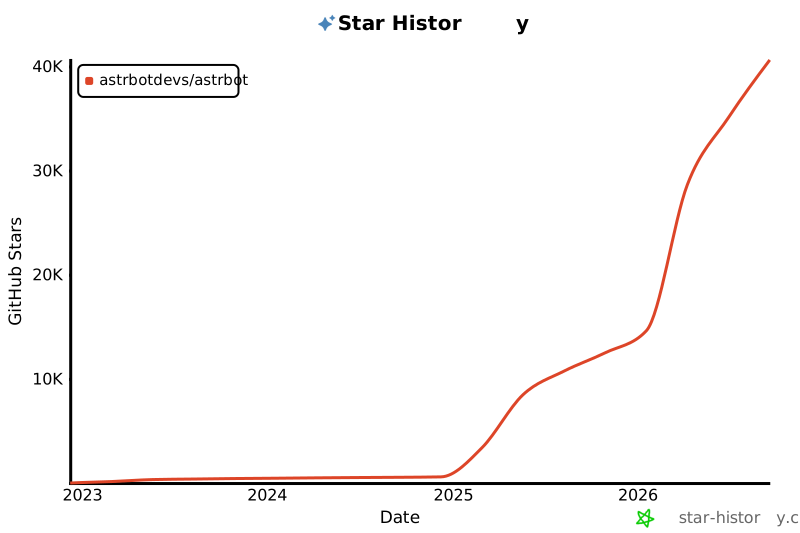](https://star-history.com/#astrbotdevs/astrbot&Date)
|
||||
|
||||
[](https://star-history.com/#soulter/astrbot&Date)
|
||||
|
||||
</div>
|
||||
|
||||
<div align="center">
|
||||

|
||||
|
||||
_Companionship and capability should never be opposites. We hope to create a robot that can both understand emotions, provide companionship, and reliably complete tasks._
|
||||
|
||||
_私は、高性能ですから!_
|
||||
|
||||
<img src="https://files.astrbot.app/watashiwa-koseino-desukara.gif" width="100"/>
|
||||
|
||||
</div>
|
||||
|
||||
182
README_en.md
Normal file
182
README_en.md
Normal file
@@ -0,0 +1,182 @@
|
||||
<p align="center">
|
||||
|
||||

|
||||
|
||||
</p>
|
||||
|
||||
<div align="center">
|
||||
|
||||
_✨ Easy-to-use Multi-platform LLM Chatbot & Development Framework ✨_
|
||||
|
||||
<a href="https://trendshift.io/repositories/12875" target="_blank"><img src="https://trendshift.io/api/badge/repositories/12875" alt="Soulter%2FAstrBot | Trendshift" style="width: 250px; height: 55px;" width="250" height="55"/></a>
|
||||
|
||||
[](https://github.com/Soulter/AstrBot/releases/latest)
|
||||
<img src="https://img.shields.io/badge/python-3.10+-blue.svg" alt="python">
|
||||
<a href="https://hub.docker.com/r/soulter/astrbot"><img alt="Docker pull" src="https://img.shields.io/docker/pulls/soulter/astrbot.svg"/></a>
|
||||
<a href="https://qm.qq.com/cgi-bin/qm/qr?k=wtbaNx7EioxeaqS9z7RQWVXPIxg2zYr7&jump_from=webapi&authKey=vlqnv/AV2DbJEvGIcxdlNSpfxVy+8vVqijgreRdnVKOaydpc+YSw4MctmEbr0k5"><img alt="Static Badge" src="https://img.shields.io/badge/QQ群-630166526-purple"></a>
|
||||
[](https://wakatime.com/badge/user/915e5316-99c6-4563-a483-ef186cf000c9/project/018e705a-a1a7-409a-a849-3013485e6c8e)
|
||||

|
||||
[](https://codecov.io/gh/Soulter/AstrBot)
|
||||
|
||||
<a href="https://astrbot.app/">Documentation</a> |
|
||||
<a href="https://github.com/Soulter/AstrBot/issues">Issue Tracking</a>
|
||||
</div>
|
||||
|
||||
AstrBot is a loosely coupled, asynchronous chatbot and development framework that supports multi-platform deployment, featuring an easy-to-use plugin system and comprehensive Large Language Model (LLM) integration capabilities.
|
||||
|
||||
## ✨ Key Features
|
||||
|
||||
1. **LLM Conversations** - Supports various LLMs including OpenAI API, Google Gemini, Llama, Deepseek, ChatGLM, etc. Enables local model deployment via Ollama/LLMTuner. Features multi-turn dialogues, personality contexts, multimodal capabilities (image understanding), and speech-to-text (Whisper).
|
||||
2. **Multi-platform Integration** - Supports QQ (OneBot), QQ Channels, WeChat (Gewechat), Feishu, and Telegram. Planned support for DingTalk, Discord, WhatsApp, and Xiaomi Smart Speakers. Includes rate limiting, whitelisting, keyword filtering, and Baidu content moderation.
|
||||
3. **Agent Capabilities** - Native support for code execution, natural language TODO lists, web search. Integrates with [Dify Platform](https://dify.ai/) for easy access to Dify assistants/knowledge bases/workflows.
|
||||
4. **Plugin System** - Optimized plugin mechanism with minimal development effort. Supports multiple installed plugins.
|
||||
5. **Web Dashboard** - Visual configuration management, plugin controls, logging, and WebChat interface for direct LLM interaction.
|
||||
6. **High Stability & Modularity** - Event bus and pipeline architecture ensures high modularization and loose coupling.
|
||||
|
||||
> [!TIP]
|
||||
> Dashboard Demo: [https://demo.astrbot.app/](https://demo.astrbot.app/)
|
||||
> Username: `astrbot`, Password: `astrbot` (LLM not configured for chat page)
|
||||
|
||||
## ✨ Deployment
|
||||
|
||||
#### Docker Deployment
|
||||
|
||||
See docs: [Deploy with Docker](https://astrbot.app/deploy/astrbot/docker.html#docker-deployment)
|
||||
|
||||
#### Windows Installer
|
||||
|
||||
Requires Python (>3.10). See docs: [Windows Installer Guide](https://astrbot.app/deploy/astrbot/windows.html)
|
||||
|
||||
#### Replit Deployment
|
||||
|
||||
[](https://repl.it/github/Soulter/AstrBot)
|
||||
|
||||
#### CasaOS Deployment
|
||||
|
||||
Community-contributed method.
|
||||
See docs: [CasaOS Deployment](https://astrbot.app/deploy/astrbot/casaos.html)
|
||||
|
||||
#### Manual Deployment
|
||||
|
||||
See docs: [Source Code Deployment](https://astrbot.app/deploy/astrbot/cli.html)
|
||||
|
||||
## ⚡ Platform Support
|
||||
|
||||
| Platform | Status | Details | Message Types |
|
||||
| -------------------------------------------------------------- | ------ | ------------------- | ------------------- |
|
||||
| QQ (Official Bot) | ✔ | Private/Group chats | Text, Images |
|
||||
| QQ (OneBot) | ✔ | Private/Group chats | Text, Images, Voice |
|
||||
| WeChat (Personal) | ✔ | Private/Group chats | Text, Images, Voice |
|
||||
| [Telegram](https://github.com/Soulter/astrbot_plugin_telegram) | ✔ | Private/Group chats | Text, Images |
|
||||
| [WeChat Work](https://github.com/Soulter/astrbot_plugin_wecom) | ✔ | Private chats | Text, Images, Voice |
|
||||
| Feishu | ✔ | Group chats | Text, Images |
|
||||
| WeChat Open Platform | 🚧 | Planned | - |
|
||||
| Discord | 🚧 | Planned | - |
|
||||
| WhatsApp | 🚧 | Planned | - |
|
||||
| Xiaomi Speakers | 🚧 | Planned | - |
|
||||
|
||||
## Provider Support Status
|
||||
|
||||
| Name | Support | Type | Notes |
|
||||
|---------------------------|---------|------------------------|-----------------------------------------------------------------------|
|
||||
| OpenAI API | ✔ | Text Generation | Supports all OpenAI API-compatible services including DeepSeek, Google Gemini, GLM, Moonshot, Alibaba Cloud Bailian, Silicon Flow, xAI, etc. |
|
||||
| Claude API | ✔ | Text Generation | |
|
||||
| Google Gemini API | ✔ | Text Generation | |
|
||||
| Dify | ✔ | LLMOps | |
|
||||
| DashScope (Alibaba Cloud) | ✔ | LLMOps | |
|
||||
| Ollama | ✔ | Model Loader | Local deployment for open-source LLMs (DeepSeek, Llama, etc.) |
|
||||
| LM Studio | ✔ | Model Loader | Local deployment for open-source LLMs (DeepSeek, Llama, etc.) |
|
||||
| LLMTuner | ✔ | Model Loader | Local loading of fine-tuned models (e.g. LoRA) |
|
||||
| OneAPI | ✔ | LLM Distribution | |
|
||||
| Whisper | ✔ | Speech-to-Text | Supports API and local deployment |
|
||||
| SenseVoice | ✔ | Speech-to-Text | Local deployment |
|
||||
| OpenAI TTS API | ✔ | Text-to-Speech | |
|
||||
| Fishaudio | ✔ | Text-to-Speech | Project involving GPT-Sovits author |
|
||||
|
||||
# 🦌 Roadmap
|
||||
|
||||
> [!TIP]
|
||||
> Suggestions welcome via Issues <3
|
||||
|
||||
- [ ] Ensure feature parity across all platform adapters
|
||||
- [ ] Optimize plugin APIs
|
||||
- [ ] Add default TTS services (e.g., GPT-Sovits)
|
||||
- [ ] Enhance chat features with persistent memory
|
||||
- [ ] i18n Planning
|
||||
|
||||
## ❤️ Contributions
|
||||
|
||||
All Issues/PRs welcome! Simply submit your changes to this project :)
|
||||
|
||||
For major features, please discuss via Issues first.
|
||||
|
||||
## 🌟 Support
|
||||
|
||||
- Star this project!
|
||||
- Support via [Afdian](https://afdian.com/a/soulter)
|
||||
- WeChat support: [QR Code](https://drive.soulter.top/f/pYfA/d903f4fa49a496fda3f16d2be9e023b5.png)
|
||||
|
||||
## ✨ Demos
|
||||
|
||||
> [!NOTE]
|
||||
> Code executor file I/O currently tested with Napcat(QQ)/Lagrange(QQ)
|
||||
|
||||
<div align='center'>
|
||||
|
||||
<img src="https://github.com/user-attachments/assets/4ee688d9-467d-45c8-99d6-368f9a8a92d8" width="600">
|
||||
|
||||
_✨ Docker-based Sandboxed Code Executor (Beta) ✨_
|
||||
|
||||
<img src="https://github.com/user-attachments/assets/0378f407-6079-4f64-ae4c-e97ab20611d2" height=500>
|
||||
|
||||
_✨ Multimodal Input, Web Search, Text-to-Image ✨_
|
||||
|
||||
<img src="https://github.com/user-attachments/assets/8ec12797-e70f-460a-959e-48eca39ca2bb" height=100>
|
||||
|
||||
_✨ Natural Language TODO Lists ✨_
|
||||
|
||||
<img src="https://github.com/user-attachments/assets/e137a9e1-340a-4bf2-bb2b-771132780735" height=150>
|
||||
<img src="https://github.com/user-attachments/assets/480f5e82-cf6a-4955-a869-0d73137aa6e1" height=150>
|
||||
|
||||
_✨ Plugin System Showcase ✨_
|
||||
|
||||
<img src="https://github.com/user-attachments/assets/592a8630-14c7-4e06-b496-9c0386e4f36c" width=600>
|
||||
|
||||
_✨ Web Dashboard ✨_
|
||||
|
||||
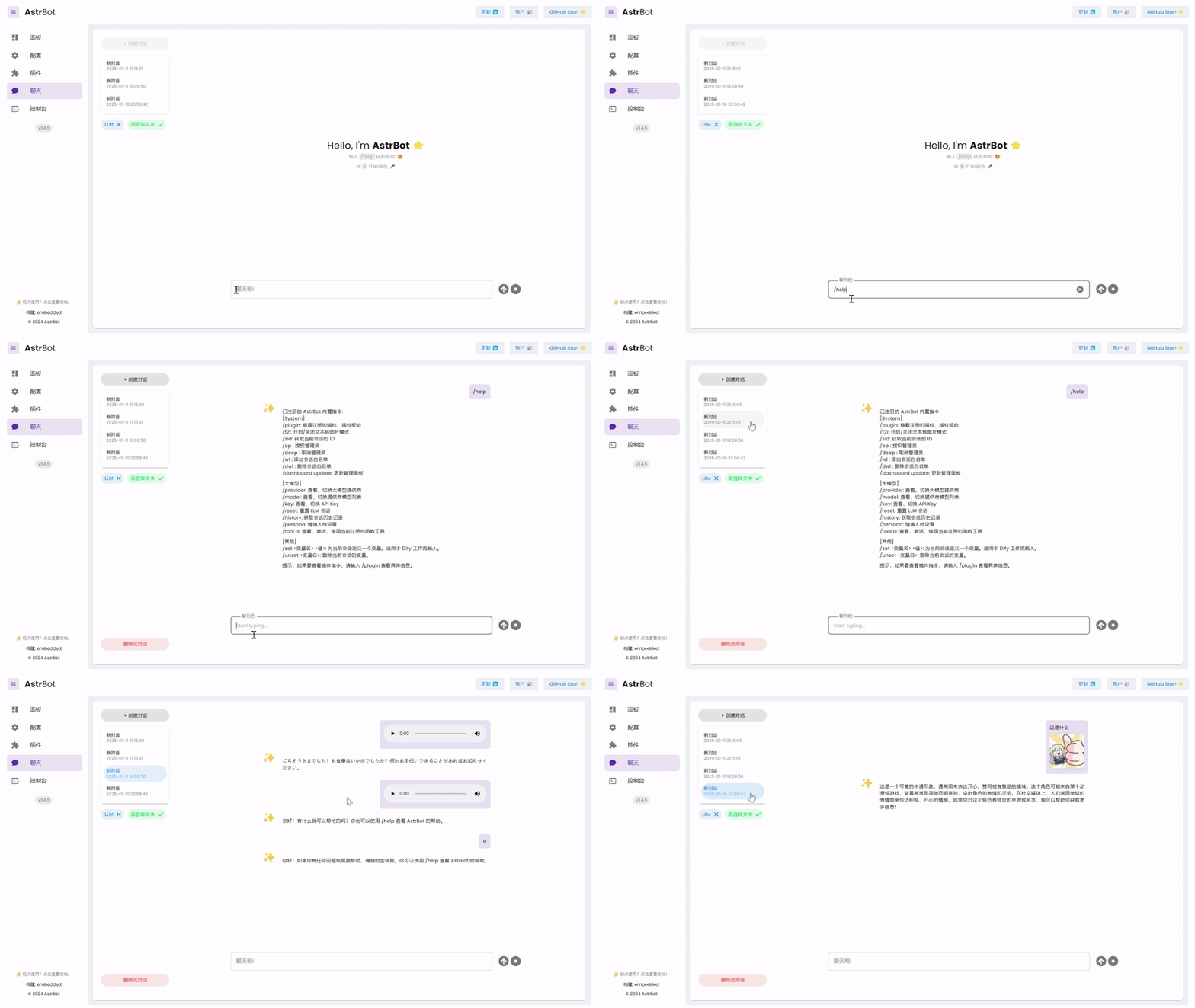
|
||||
|
||||
_✨ Built-in Web Chat Interface ✨_
|
||||
|
||||
</div>
|
||||
|
||||
## ⭐ Star History
|
||||
|
||||
> [!TIP]
|
||||
> If this project helps you, please give it a star <3
|
||||
|
||||
<div align="center">
|
||||
|
||||
[](https://star-history.com/#soulter/astrbot&Date)
|
||||
|
||||
</div>
|
||||
|
||||
## Disclaimer
|
||||
|
||||
1. Licensed under `AGPL-v3`.
|
||||
2. WeChat integration uses [Gewechat](https://github.com/Devo919/Gewechat). Use at your own risk with non-critical accounts.
|
||||
3. Users must comply with local laws and regulations.
|
||||
|
||||
<!-- ## ✨ ATRI [Beta]
|
||||
|
||||
Available as plugin: [astrbot_plugin_atri](https://github.com/Soulter/astrbot_plugin_atri)
|
||||
|
||||
1. Qwen1.5-7B-Chat Lora model fine-tuned with ATRI character data
|
||||
2. Long-term memory
|
||||
3. Meme understanding & responses
|
||||
4. TTS integration
|
||||
-->
|
||||
|
||||
|
||||
_私は、高性能ですから!_
|
||||
|
||||
304
README_fr.md
304
README_fr.md
@@ -1,304 +0,0 @@
|
||||

|
||||
|
||||
<div align="center">
|
||||
|
||||
<a href="https://github.com/AstrBotDevs/AstrBot/blob/master/README.md">English</a> |
|
||||
<a href="https://github.com/AstrBotDevs/AstrBot/blob/master/README_zh-TW.md">繁體中文</a> |
|
||||
<a href="https://github.com/AstrBotDevs/AstrBot/blob/master/README_ja.md">日本語</a> |
|
||||
<a href="https://github.com/AstrBotDevs/AstrBot/blob/master/README_zh.md">简体中文</a> |
|
||||
<a href="https://github.com/AstrBotDevs/AstrBot/blob/master/README_ru.md">Русский</a>
|
||||
|
||||
<div>
|
||||
<a href="https://trendshift.io/repositories/12875" target="_blank"><img src="https://trendshift.io/api/badge/repositories/12875" alt="Soulter%2FAstrBot | Trendshift" style="width: 250px; height: 55px;" width="250" height="55"/></a>
|
||||
<a href="https://hellogithub.com/repository/AstrBotDevs/AstrBot" target="_blank"><img src="https://api.hellogithub.com/v1/widgets/recommend.svg?rid=d127d50cd5e54c5382328acc3bb25483&claim_uid=ZO9by7qCXgSd6Lp&t=2" alt="Featured|HelloGitHub" style="width: 250px; height: 54px;" width="250" height="54" /></a>
|
||||
</div>
|
||||
|
||||
<br>
|
||||
|
||||
<div>
|
||||
<img src="https://img.shields.io/github/v/release/AstrBotDevs/AstrBot?color=76bad9" href="https://github.com/AstrBotDevs/AstrBot/releases/latest">
|
||||
<img src="https://img.shields.io/badge/python-3.10+-blue.svg" alt="python">
|
||||
<img src="https://deepwiki.com/badge.svg" href="https://deepwiki.com/AstrBotDevs/AstrBot">
|
||||
<a href="https://zread.ai/AstrBotDevs/AstrBot" target="_blank"><img src="https://img.shields.io/badge/Ask_Zread-_.svg?style=flat&color=00b0aa&labelColor=000000&logo=data%3Aimage%2Fsvg%2Bxml%3Bbase64%2CPHN2ZyB3aWR0aD0iMTYiIGhlaWdodD0iMTYiIHZpZXdCb3g9IjAgMCAxNiAxNiIgZmlsbD0ibm9uZSIgeG1sbnM9Imh0dHA6Ly93d3cudzMub3JnLzIwMDAvc3ZnIj4KPHBhdGggZD0iTTQuOTYxNTYgMS42MDAxSDIuMjQxNTZDMS44ODgxIDEuNjAwMSAxLjYwMTU2IDEuODg2NjQgMS42MDE1NiAyLjI0MDFWNC45NjAxQzEuNjAxNTYgNS4zMTM1NiAxLjg4ODEgNS42MDAxIDIuMjQxNTYgNS42MDAxSDQuOTYxNTZDNS4zMTUwMiA1LjYwMDEgNS42MDE1NiA1LjMxMzU2IDUuNjAxNTYgNC45NjAxVjIuMjQwMUM1LjYwMTU2IDEuODg2NjQgNS4zMTUwMiAxLjYwMDEgNC45NjE1NiAxLjYwMDFaIiBmaWxsPSIjZmZmIi8%2BCjxwYXRoIGQ9Ik00Ljk2MTU2IDEwLjM5OTlIMi4yNDE1NkMxLjg4ODEgMTAuMzk5OSAxLjYwMTU2IDEwLjY4NjQgMS42MDE1NiAxMS4wMzk5VjEzLjc1OTlDMS42MDE1NiAxNC4xMTM0IDEuODg4MSAxNC4zOTk5IDIuMjQxNTYgMTQuMzk5OUg0Ljk2MTU2QzUuMzE1MDIgMTQuMzk5OSA1LjYwMTU2IDE0LjExMzQgNS42MDE1NiAxMy43NTk5VjExLjAzOTlDNS42MDE1NiAxMC42ODY0IDUuMzE1MDIgMTAuMzk5OSA0Ljk2MTU2IDEwLjM5OTlaIiBmaWxsPSIjZmZmIi8%2BCjxwYXRoIGQ9Ik0xMy43NTg0IDEuNjAwMUgxMS4wMzg0QzEwLjY4NSAxLjYwMDEgMTAuMzk4NCAxLjg4NjY0IDEwLjM5ODQgMi4yNDAxVjQuOTYwMUMxMC4zOTg0IDUuMzEzNTYgMTAuNjg1IDUuNjAwMSAxMS4wMzg0IDUuNjAwMUgxMy43NTg0QzE0LjExMTkgNS42MDAxIDE0LjM5ODQgNS4zMTM1NiAxNC4zOTk4IDQuOTYwMVYyLjI0MDFDMTQuMzk4NCAxLjg4NjY0IDE0LjExMTkgMS42MDAxIDEzLjc1ODQgMS42MDAxWiIgZmlsbD0iI2ZmZiIvPgo8cGF0aCBkPSJNNCAxMkwxMiA0TDQgMTJaIiBmaWxsPSIjZmZmIi8%2BCjxwYXRoIGQ9Ik00IDEyTDEyIDQiIHN0cm9rZT0iI2ZmZiIgc3Ryb2tlLXdpZHRoPSIxLjUiIHN0cm9rZS1saW5lY2FwPSJyb3VuZCIvPgo8L3N2Zz4K&logoColor=ffffff" alt="zread"/></a>
|
||||
<a href="https://hub.docker.com/r/soulter/astrbot"><img alt="Docker pull" src="https://img.shields.io/docker/pulls/soulter/astrbot.svg?color=76bad9"/></a>
|
||||
<img src="https://img.shields.io/badge/dynamic/json?url=https%3A%2F%2Fapi.soulter.top%2Fastrbot%2Fplugin-num&query=%24.result&suffix=%20Plugins&label=Marketplace&cacheSeconds=3600">
|
||||
<img src="https://gitcode.com/Soulter/AstrBot/star/badge.svg" href="https://gitcode.com/Soulter/AstrBot">
|
||||
</div>
|
||||
|
||||
<br>
|
||||
|
||||
<a href="https://astrbot.app/">Accueil</a> |
|
||||
<a href="https://astrbot.app/">Documentation</a> |
|
||||
<a href="https://blog.astrbot.app/">Blog</a> |
|
||||
<a href="https://astrbot.featurebase.app/roadmap">Feuille de route</a> |
|
||||
<a href="https://github.com/AstrBotDevs/AstrBot/issues">Signaler un problème</a>
|
||||
<a href="mailto:community@astrbot.app">Email</a>
|
||||
|
||||
</div>
|
||||
|
||||
AstrBot est un assistant de chat personnel et de groupe Agentic tout-en-un et open-source, qui peut être déployé sur des dizaines de logiciels de messagerie instantanée grand public tels que QQ, Telegram, WeCom (WeChat Entreprise), Lark (Feishu), DingTalk, Slack, etc. Il intègre également une interface de chat légère similaire à OpenWebUI, créant ainsi une infrastructure conversationnelle intelligente fiable et extensible pour les particuliers, les développeurs et les équipes. Qu'il s'agisse d'un compagnon IA personnel, d'un service client intelligent, d'un assistant automatisé ou d'une base de connaissances d'entreprise, AstrBot vous permet de construire rapidement des applications IA au sein du flux de travail de vos plateformes de messagerie instantanée.
|
||||
|
||||

|
||||
|
||||
## Fonctionnalités Principales
|
||||
|
||||
1. 💯 Gratuit & Open Source.
|
||||
2. ✨ Dialogue avec de grands modèles d'IA (LLM), multimodal, Agent, MCP, Compétences (Skills), base de connaissances, définition de persona, compression automatique des dialogues.
|
||||
3. 🤖 Prend en charge l'intégration avec des plateformes d'agents comme Dify, Alibaba Bailian, Coze, etc.
|
||||
4. 🌐 Multiplateforme, prend en charge QQ, WeCom, Lark, DingTalk, Compte Officiel WeChat, Telegram, Slack et [plus encore](#plateformes-de-messagerie-prises-en-charge).
|
||||
5. 📦 Extension par plugins, plus de 1000 plugins disponibles pour une installation en un clic.
|
||||
6. 🛡️ [Agent Sandbox](https://docs.astrbot.app/use/astrbot-agent-sandbox.html) : environnement isolé pour exécuter n'importe quel code, appeler le Shell et réutiliser les ressources au niveau de la session en toute sécurité.
|
||||
7. 💻 Support WebUI.
|
||||
8. 🌈 Support Web ChatUI, avec sandbox de proxy intégré, recherche web, etc.
|
||||
9. 🌐 Support de l'internationalisation (i18n).
|
||||
|
||||
<br>
|
||||
|
||||
<table align="center">
|
||||
<tr align="center">
|
||||
<th>💙 Jeu de rôle & Accompagnement émotionnel</th>
|
||||
<th>✨ Agent Proactif</th>
|
||||
<th>🚀 Capacités Agentic Génériques</th>
|
||||
<th>🧩 1000+ Plugins Communautaires</th>
|
||||
</tr>
|
||||
<tr>
|
||||
<td align="center"><p align="center"><img width="984" height="1746" alt="99b587c5d35eea09d84f33e6cf6cfd4f" src="https://github.com/user-attachments/assets/89196061-3290-458d-b51f-afa178049f84" /></p></td>
|
||||
<td align="center"><p align="center"><img width="976" height="1612" alt="c449acd838c41d0915cc08a3824025b1" src="https://github.com/user-attachments/assets/f75368b4-e022-41dc-a9e0-131c3e73e32e" /></p></td>
|
||||
<td align="center"><p align="center"><img width="974" height="1732" alt="image" src="https://github.com/user-attachments/assets/e22a3968-87d7-4708-a7cd-e7f198c7c32e" /></p></td>
|
||||
<td align="center"><p align="center"><img width="976" height="1734" alt="image" src="https://github.com/user-attachments/assets/0952b395-6b4a-432a-8a50-c294b7f89750" /></p></td>
|
||||
</tr>
|
||||
</table>
|
||||
|
||||
## Démarrage Rapide
|
||||
|
||||
### Déploiement en un clic
|
||||
|
||||
Pour les utilisateurs qui souhaitent essayer AstrBot rapidement, qui sont familiers avec la ligne de commande et capables d'installer l'environnement `uv` par eux-mêmes, nous recommandons la méthode de déploiement en un clic avec `uv` ⚡️.
|
||||
|
||||
```bash
|
||||
uv tool install astrbot
|
||||
astrbot init # Exécutez cette commande uniquement la première fois pour initialiser l'environnement
|
||||
astrbot run # astrbot run --backend-only démarre uniquement le service backend
|
||||
|
||||
# Installer la version de développement (plus de correctifs, nouvelles fonctionnalités, mais moins stable, adapté aux développeurs)
|
||||
uv tool install git+https://github.com/AstrBotDevs/AstrBot@dev
|
||||
```
|
||||
|
||||
> Nécessite l'installation de [uv](https://docs.astral.sh/uv/).
|
||||
|
||||
> [!NOTE]
|
||||
> Pour les utilisateurs de macOS : en raison des contrôles de sécurité de macOS, la première exécution de la commande `astrbot` peut prendre un certain temps (environ 10-20 secondes).
|
||||
|
||||
Mettre à jour `astrbot` :
|
||||
|
||||
```bash
|
||||
uv tool upgrade astrbot
|
||||
```
|
||||
|
||||
### Déploiement Docker
|
||||
|
||||
Pour les utilisateurs familiers avec les conteneurs et souhaitant une méthode de déploiement plus stable et adaptée aux environnements de production, nous recommandons d'utiliser Docker / Docker Compose pour déployer AstrBot.
|
||||
|
||||
Veuillez vous référer à la documentation officielle [Déployer AstrBot avec Docker](https://astrbot.app/deploy/astrbot/docker.html).
|
||||
|
||||
### Déploiement sur RainYun
|
||||
|
||||
Pour les utilisateurs souhaitant déployer AstrBot en un clic sans gérer de serveur, nous recommandons le service de déploiement cloud en un clic de RainYun ☁️ :
|
||||
|
||||
[](https://app.rainyun.com/apps/rca/store/5994?ref=NjU1ODg0)
|
||||
|
||||
### Déploiement Client Bureau
|
||||
|
||||
Pour les utilisateurs souhaitant utiliser AstrBot sur ordinateur de bureau et utiliser principalement ChatUI comme point d'entrée, nous recommandons l'application AstrBot App.
|
||||
|
||||
Rendez-vous sur [AstrBot-desktop](https://github.com/AstrBotDevs/AstrBot-desktop) pour télécharger et installer ; cette méthode est destinée à un usage bureautique et n'est pas recommandée pour les scénarios serveur.
|
||||
|
||||
### Déploiement Launcher
|
||||
|
||||
Également pour une utilisation sur bureau, pour les utilisateurs souhaitant un déploiement rapide et une isolation de l'environnement pour plusieurs instances, nous recommandons AstrBot Launcher.
|
||||
|
||||
Rendez-vous sur [AstrBot Launcher](https://github.com/Raven95676/astrbot-launcher) pour télécharger et installer.
|
||||
|
||||
### Déploiement sur Replit
|
||||
|
||||
Le déploiement sur Replit est maintenu par la communauté et convient aux démonstrations en ligne et aux scénarios d'essai légers.
|
||||
|
||||
[](https://repl.it/github/AstrBotDevs/AstrBot)
|
||||
|
||||
### AUR
|
||||
|
||||
La méthode AUR est destinée aux utilisateurs d'Arch Linux souhaitant installer AstrBot via le gestionnaire de paquets du système.
|
||||
|
||||
Exécutez la commande ci-dessous dans le terminal pour installer le paquet `astrbot-git`. Une fois l'installation terminée, vous pouvez le lancer.
|
||||
|
||||
```bash
|
||||
yay -S astrbot-git
|
||||
```
|
||||
|
||||
**Plus de méthodes de déploiement**
|
||||
|
||||
Si vous avez besoin d'un déploiement via panneau de contrôle ou hautement personnalisé, vous pouvez consulter [BT Panel](https://astrbot.app/deploy/astrbot/btpanel.html) (installation via le magasin d'applications BT Panel), [1Panel](https://astrbot.app/deploy/astrbot/1panel.html) (installation via le magasin d'applications 1Panel), [CasaOS](https://astrbot.app/deploy/astrbot/casaos.html) (déploiement visuel pour NAS / serveur domestique) et [Déploiement Manuel](https://astrbot.app/deploy/astrbot/cli.html) (installation personnalisée complète basée sur le code source et `uv`).
|
||||
|
||||
## Plateformes de Messagerie Prises en Charge
|
||||
|
||||
Connectez AstrBot à vos plateformes de chat préférées.
|
||||
|
||||
| Plateforme | Mainteneur |
|
||||
|---------|---------------|
|
||||
| **QQ** | Officiel |
|
||||
| **OneBot v11** | Officiel |
|
||||
| **Telegram** | Officiel |
|
||||
| **WeCom (App & Smart Bot)** | Officiel |
|
||||
| **WeChat (Service Client & Compte Officiel)** | Officiel |
|
||||
| **Lark (Feishu)** | Officiel |
|
||||
| **DingTalk** | Officiel |
|
||||
| **Slack** | Officiel |
|
||||
| **Discord** | Officiel |
|
||||
| **LINE** | Officiel |
|
||||
| **Satori** | Officiel |
|
||||
| **Misskey** | Officiel |
|
||||
| **Whatsapp (Bientôt)** | Officiel |
|
||||
| [**Matrix**](https://github.com/stevessr/astrbot_plugin_matrix_adapter) | Communauté |
|
||||
| [**KOOK**](https://github.com/wuyan1003/astrbot_plugin_kook_adapter) | Communauté |
|
||||
| [**VoceChat**](https://github.com/HikariFroya/astrbot_plugin_vocechat) | Communauté |
|
||||
|
||||
## Fournisseurs de Modèles Pris en Charge
|
||||
|
||||
| Fournisseur | Type |
|
||||
|---------|---------------|
|
||||
| Personnalisé | Tout service compatible avec l'API OpenAI |
|
||||
| OpenAI | LLM |
|
||||
| Anthropic | LLM |
|
||||
| Google Gemini | LLM |
|
||||
| Moonshot AI | LLM |
|
||||
| Zhipu AI | LLM |
|
||||
| DeepSeek | LLM |
|
||||
| Ollama (Local) | LLM |
|
||||
| LM Studio (Local) | LLM |
|
||||
| [AIHubMix](https://aihubmix.com/?aff=4bfH) | LLM (Passerelle API, supporte tous les modèles) |
|
||||
| [Uyun AI](https://www.compshare.cn/?ytag=GPU_YY-gh_astrbot&referral_code=FV7DcGowN4hB5UuXKgpE74) | LLM (Passerelle API, supporte tous les modèles) |
|
||||
| [SiliconFlow](https://docs.siliconflow.cn/cn/usercases/use-siliconcloud-in-astrbot) | LLM (Passerelle API, supporte tous les modèles) |
|
||||
| [PPIO](https://ppio.com/user/register?invited_by=AIOONE) | LLM (Passerelle API, supporte tous les modèles) |
|
||||
| [302.AI](https://share.302.ai/rr1M3l) | LLM (Passerelle API, supporte tous les modèles)|
|
||||
| [TokenPony](https://www.tokenpony.cn/3YPyf) | LLM (Passerelle API, supporte tous les modèles)|
|
||||
| ModelScope | LLM |
|
||||
| OneAPI | LLM |
|
||||
| Dify | Plateforme LLMOps |
|
||||
| Alibaba Bailian | Plateforme LLMOps |
|
||||
| Coze | Plateforme LLMOps |
|
||||
| OpenAI Whisper | Synthèse vocale (Speech-to-Text) |
|
||||
| SenseVoice | Synthèse vocale (Speech-to-Text) |
|
||||
| OpenAI TTS | Synthèse vocale (Text-to-Speech) |
|
||||
| Gemini TTS | Synthèse vocale (Text-to-Speech) |
|
||||
| GPT-Sovits-Inference | Synthèse vocale (Text-to-Speech) |
|
||||
| GPT-Sovits | Synthèse vocale (Text-to-Speech) |
|
||||
| FishAudio | Synthèse vocale (Text-to-Speech) |
|
||||
| Edge TTS | Synthèse vocale (Text-to-Speech) |
|
||||
| Alibaba Bailian TTS | Synthèse vocale (Text-to-Speech) |
|
||||
| Azure TTS | Synthèse vocale (Text-to-Speech) |
|
||||
| Minimax TTS | Synthèse vocale (Text-to-Speech) |
|
||||
| Volcengine TTS | Synthèse vocale (Text-to-Speech) |
|
||||
|
||||
## ❤️ Sponsors
|
||||
|
||||
<p align="center">
|
||||
<img alt="sponsors" src="https://sponsors.astrbot.app/?v=1">
|
||||
</p>
|
||||
|
||||
|
||||
## ❤️ Contribution
|
||||
|
||||
Les Issues et Pull Requests sont les bienvenus ! Soumettez simplement vos modifications à ce projet :)
|
||||
|
||||
### Comment Contribuer
|
||||
|
||||
Vous pouvez contribuer en examinant les problèmes ou en aidant à réviser les PR (Pull Requests). Tout problème ou PR est le bienvenu pour promouvoir la contribution communautaire. Bien sûr, ce ne sont que des suggestions, vous pouvez contribuer de n'importe quelle manière. Pour l'ajout de nouvelles fonctionnalités, veuillez d'abord en discuter via une Issue.
|
||||
Il est recommandé de fusionner les PR fonctionnels dans la branche `dev`, qui sera fusionnée dans la branche principale et publiée en tant que nouvelle version après test des modifications.
|
||||
Pour réduire les conflits, nous suggérons :
|
||||
1. Créez votre branche de travail basée sur la branche `dev`, évitez de travailler directement sur la branche `main`.
|
||||
2. Lors de la soumission d'une PR, sélectionnez la branche `dev` comme cible.
|
||||
3. Synchronisez régulièrement la branche `dev` en local, utilisez souvent `git pull`.
|
||||
|
||||
### Environnement de Développement
|
||||
|
||||
AstrBot utilise `ruff` pour le formatage et la vérification du code.
|
||||
|
||||
```bash
|
||||
git clone https://github.com/AstrBotDevs/AstrBot
|
||||
git switch dev # Basculer vers la branche de développement
|
||||
pip install pre-commit # ou uv tool install pre-commit
|
||||
pre-commit install
|
||||
```
|
||||
Il est recommandé d'utiliser `uv` pour l'installation locale et les tests.
|
||||
```bash
|
||||
uv tool install -e . --force
|
||||
astrbot init
|
||||
astrbot run
|
||||
```
|
||||
Débogage frontend
|
||||
```bash
|
||||
astrbot run --backend-only
|
||||
cd dashboard
|
||||
bun install # ou pnpm, etc.
|
||||
bun dev
|
||||
```
|
||||
|
||||
### Groupes QQ
|
||||
|
||||
- Groupe 9 : 1076659624 (Nouveau)
|
||||
- Groupe 10 : 1078079676 (Nouveau)
|
||||
- Groupe 1 : 322154837
|
||||
- Groupe 3 : 630166526
|
||||
- Groupe 5 : 822130018
|
||||
- Groupe 6 : 753075035
|
||||
- Groupe 7 : 743746109
|
||||
- Groupe 8 : 1030353265
|
||||
- Groupe Développeurs (Discussion libre) : 975206796
|
||||
- Groupe Développeurs (Officiel) : 1039761811
|
||||
|
||||
### Canal Discord
|
||||
|
||||
- [Discord](https://discord.gg/hAVk6tgV36)
|
||||
|
||||
## ❤️ Remerciements Spéciaux
|
||||
|
||||
Un grand merci à tous les Contributeurs et développeurs de plugins pour leur contribution à AstrBot ❤️
|
||||
|
||||
<a href="https://github.com/AstrBotDevs/AstrBot/graphs/contributors">
|
||||
<img src="https://contrib.rocks/image?repo=AstrBotDevs/AstrBot&max=200&columns=14" />
|
||||
</a>
|
||||
|
||||
De plus, la naissance de ce projet n'aurait pas été possible sans l'aide des projets open source suivants :
|
||||
|
||||
- [NapNeko/NapCatQQ](https://github.com/NapNeko/NapCatQQ) - Le grand framework félin
|
||||
|
||||
Liens amicaux vers des projets open source :
|
||||
|
||||
- [NoneBot2](https://github.com/nonebot/nonebot2) - Excellent framework de ChatBot asynchrone en Python
|
||||
- [Koishi](https://github.com/koishijs/koishi) - Excellent framework de ChatBot en Node.js
|
||||
- [MaiBot](https://github.com/Mai-with-u/MaiBot) - Excellent ChatBot IA anthropomorphe
|
||||
- [nekro-agent](https://github.com/KroMiose/nekro-agent) - Excellent ChatBot Agent
|
||||
- [LangBot](https://github.com/langbot-app/LangBot) - Excellent ChatBot IA multiplateforme
|
||||
- [ChatLuna](https://github.com/ChatLunaLab/chatluna) - Excellent plugin Koishi de ChatBot IA multiplateforme
|
||||
- [Operit AI](https://github.com/AAswordman/Operit) - Excellente application Android d'assistant intelligent IA
|
||||
|
||||
## ⭐ Historique des Étoiles
|
||||
|
||||
> [!TIP]
|
||||
> Si ce projet vous a été utile dans votre vie ou votre travail, ou si vous vous intéressez à son développement futur, merci de lui donner une Étoile. C'est notre motivation pour maintenir ce projet open source <3
|
||||
|
||||
<div align="center">
|
||||
|
||||
[](https://star-history.com/#astrbotdevs/astrbot&Date)
|
||||
|
||||
</div>
|
||||
|
||||
<div align="center">
|
||||
|
||||
_La compagnie et la compétence ne devraient jamais être opposées. Nous espérons créer un robot capable à la fois de comprendre les émotions, d'offrir de la compagnie et d'accomplir des tâches de manière fiable._
|
||||
|
||||
_私は、高性能ですから!_ (Je suis performant !)
|
||||
|
||||
<img src="https://files.astrbot.app/watashiwa-koseino-desukara.gif" width="100"/>
|
||||
|
||||
</div>
|
||||
349
README_ja.md
349
README_ja.md
@@ -1,304 +1,167 @@
|
||||

|
||||
<p align="center">
|
||||
|
||||

|
||||
|
||||
</p>
|
||||
|
||||
<div align="center">
|
||||
|
||||
<a href="https://github.com/AstrBotDevs/AstrBot/blob/master/README.md">English</a> |
|
||||
<a href="https://github.com/AstrBotDevs/AstrBot/blob/master/README_zh-TW.md">繁體中文</a> |
|
||||
<a href="https://github.com/AstrBotDevs/AstrBot/blob/master/README_zh.md">简体中文</a> |
|
||||
<a href="https://github.com/AstrBotDevs/AstrBot/blob/master/README_fr.md">Français</a> |
|
||||
<a href="https://github.com/AstrBotDevs/AstrBot/blob/master/README_ru.md">Русский</a>
|
||||
_✨ 簡単に使えるマルチプラットフォーム LLM チャットボットおよび開発フレームワーク ✨_
|
||||
|
||||
<div>
|
||||
<a href="https://trendshift.io/repositories/12875" target="_blank"><img src="https://trendshift.io/api/badge/repositories/12875" alt="Soulter%2FAstrBot | Trendshift" style="width: 250px; height: 55px;" width="250" height="55"/></a>
|
||||
<a href="https://hellogithub.com/repository/AstrBotDevs/AstrBot" target="_blank"><img src="https://api.hellogithub.com/v1/widgets/recommend.svg?rid=d127d50cd5e54c5382328acc3bb25483&claim_uid=ZO9by7qCXgSd6Lp&t=2" alt="Featured|HelloGitHub" style="width: 250px; height: 54px;" width="250" height="54" /></a>
|
||||
</div>
|
||||
|
||||
<br>
|
||||
|
||||
<div>
|
||||
<img src="https://img.shields.io/github/v/release/AstrBotDevs/AstrBot?color=76bad9" href="https://github.com/AstrBotDevs/AstrBot/releases/latest">
|
||||
[](https://github.com/Soulter/AstrBot/releases/latest)
|
||||
<img src="https://img.shields.io/badge/python-3.10+-blue.svg" alt="python">
|
||||
<img src="https://deepwiki.com/badge.svg" href="https://deepwiki.com/AstrBotDevs/AstrBot">
|
||||
<a href="https://zread.ai/AstrBotDevs/AstrBot" target="_blank"><img src="https://img.shields.io/badge/Ask_Zread-_.svg?style=flat&color=00b0aa&labelColor=000000&logo=data%3Aimage%2Fsvg%2Bxml%3Bbase64%2CPHN2ZyB3aWR0aD0iMTYiIGhlaWdodD0iMTYiIHZpZXdCb3g9IjAgMCAxNiAxNiIgZmlsbD0ibm9uZSIgeG1sbnM9Imh0dHA6Ly93d3cudzMub3JnLzIwMDAvc3ZnIj4KPHBhdGggZD0iTTQuOTYxNTYgMS42MDAxSDIuMjQxNTZDMS44ODgxIDEuNjAwMSAxLjYwMTU2IDEuODg2NjQgMS42MDE1NiAyLjI0MDFWNC45NjAxQzEuNjAxNTYgNS4zMTM1NiAxLjg4ODEgNS42MDAxIDIuMjQxNTYgNS42MDAxSDQuOTYxNTZDNS4zMTUwMiA1LjYwMDEgNS42MDE1NiA1LjMxMzU2IDUuNjAxNTYgNC45NjAxVjIuMjQwMUM1LjYwMTU2IDEuODg2NjQgNS4zMTUwMiAxLjYwMDEgNC45NjE1NiAxLjYwMDFaIiBmaWxsPSIjZmZmIi8%2BCjxwYXRoIGQ9Ik00Ljk2MTU2IDEwLjM5OTlIMi4yNDE1NkMxLjg4ODEgMTAuMzk5OSAxLjYwMTU2IDEwLjY4NjQgMS42MDE1NiAxMS4wMzk5VjEzLjc1OTlDMS42MDE1NiAxNC4xMTM0IDEuODg4MSAxNC4zOTk5IDIuMjQxNTYgMTQuMzk5OUg0Ljk2MTU2QzUuMzE1MDIgMTQuMzk5OSA1LjYwMTU2IDE0LjExMzQgNS42MDE1NiAxMy43NTk5VjExLjAzOTlDNS42MDE1NiAxMC42ODY0IDUuMzE1MDIgMTAuMzk5OSA0Ljk2MTU2IDEwLjM5OTlaIiBmaWxsPSIjZmZmIi8%2BCjxwYXRoIGQ9Ik0xMy43NTg0IDEuNjAwMUgxMS4wMzg0QzEwLjY4NSAxLjYwMDEgMTAuMzk4NCAxLjg4NjY0IDEwLjM5ODQgMi4yNDAxVjQuOTYwMUMxMC4zOTg0IDUuMzEzNTYgMTAuNjg1IDUuNjAwMSAxMS4wMzg0IDUuNjAwMUgxMy43NTg0QzE0LjExMTkgNS42MDAxIDE0LjM5ODQgNS4zMTM1NiAxNC4zOTg0IDQuOTYwMVYyLjI0MDFDMTQuMzk4NCAxLjg4NjY0IDE0LjExMTkgMS42MDAxIDEzLjc1ODQgMS42MDAxWiIgZmlsbD0iI2ZmZiIvPgo8cGF0aCBkPSJNNCAxMkwxMiA0TDQgMTJaIiBmaWxsPSIjZmZmIi8%2BCjxwYXRoIGQ9Ik00IDEyTDEyIDQiIHN0cm9rZT0iI2ZmZiIgc3Ryb2tlLXdpZHRoPSIxLjUiIHN0cm9rZS1saW5lY2FwPSJyb3VuZCIvPgo8L3N2Zz4K&logoColor=ffffff" alt="zread"/></a>
|
||||
<a href="https://hub.docker.com/r/soulter/astrbot"><img alt="Docker pull" src="https://img.shields.io/docker/pulls/soulter/astrbot.svg?color=76bad9"/></a>
|
||||
<img src="https://img.shields.io/badge/dynamic/json?url=https%3A%2F%2Fapi.soulter.top%2Fastrbot%2Fplugin-num&query=%24.result&suffix=%E5%80%8B&label=%E3%83%97%E3%83%A9%E3%82%B0%E3%82%A4%E3%83%B3%E3%82%B9%E3%83%88%E3%82%A2&cacheSeconds=3600">
|
||||
<img src="https://gitcode.com/Soulter/AstrBot/star/badge.svg" href="https://gitcode.com/Soulter/AstrBot">
|
||||
<a href="https://hub.docker.com/r/soulter/astrbot"><img alt="Docker pull" src="https://img.shields.io/docker/pulls/soulter/astrbot.svg"/></a>
|
||||
<img alt="Static Badge" src="https://img.shields.io/badge/QQ群-630166526-purple">
|
||||
[](https://wakatime.com/badge/user/915e5316-99c6-4563-a483-ef186cf000c9/project/018e705a-a1a7-409a-a849-3013485e6c8e)
|
||||

|
||||
[](https://codecov.io/gh/Soulter/AstrBot)
|
||||
|
||||
<a href="https://astrbot.app/">ドキュメントを見る</a> |
|
||||
<a href="https://github.com/Soulter/AstrBot/issues">問題を報告する</a>
|
||||
</div>
|
||||
|
||||
<br>
|
||||
AstrBot は、疎結合、非同期、複数のメッセージプラットフォームに対応したデプロイ、使いやすいプラグインシステム、および包括的な大規模言語モデル(LLM)接続機能を備えたチャットボットおよび開発フレームワークです。
|
||||
|
||||
<a href="https://astrbot.app/">ホーム</a> |
|
||||
<a href="https://astrbot.app/">ドキュメント</a> |
|
||||
<a href="https://blog.astrbot.app/">ブログ</a> |
|
||||
<a href="https://astrbot.featurebase.app/roadmap">ロードマップ</a> |
|
||||
<a href="https://github.com/AstrBotDevs/AstrBot/issues">課題の提出</a>
|
||||
<a href="mailto:community@astrbot.app">Email</a>
|
||||
## ✨ 主な機能
|
||||
|
||||
</div>
|
||||
1. **大規模言語モデルの対話**。OpenAI API、Google Gemini、Llama、Deepseek、ChatGLM など、さまざまな大規模言語モデルをサポートし、Ollama、LLMTuner を介してローカルにデプロイされた大規模モデルをサポートします。多輪対話、人格シナリオ、多モーダル機能を備え、画像理解、音声からテキストへの変換(Whisper)をサポートします。
|
||||
2. **複数のメッセージプラットフォームの接続**。QQ(OneBot)、QQ チャンネル、Feishu、Telegram への接続をサポートします。今後、DingTalk、Discord、WhatsApp、Xiaoai 音響をサポートする予定です。レート制限、ホワイトリスト、キーワードフィルタリング、Baidu コンテンツ監査をサポートします。
|
||||
3. **エージェント**。一部のエージェント機能をネイティブにサポートし、コードエグゼキューター、自然言語タスク、ウェブ検索などを提供します。[Dify プラットフォーム](https://dify.ai/)と連携し、Dify スマートアシスタント、ナレッジベース、Dify ワークフローを簡単に接続できます。
|
||||
4. **プラグインの拡張**。深く最適化されたプラグインメカニズムを備え、[プラグインの開発](https://astrbot.app/dev/plugin.html)をサポートし、機能を拡張できます。複数のプラグインのインストールをサポートします。
|
||||
5. **ビジュアル管理パネル**。設定の視覚的な変更、プラグイン管理、ログの表示などをサポートし、設定の難易度を低減します。WebChat を統合し、パネル上で大規模モデルと対話できます。
|
||||
6. **高い安定性と高いモジュール性**。イベントバスとパイプラインに基づくアーキテクチャ設計により、高度にモジュール化され、低結合です。
|
||||
|
||||
AstrBotは、オープンソースのオールインワンAgentic個人およびグループチャットアシスタントです。QQ、Telegram、WeCom(企業微信)、Lark(飛書)、DingTalk(釘釘)、Slackなど、数十種類の主要なインスタントメッセージングソフトウェアに導入できます。さらに、OpenWebUIに似た軽量のChatUIも組み込まれており、個人、開発者、チーム向けに信頼性が高く拡張可能な会話型AIインフラストラクチャを提供します。個人のAIパートナー、インテリジェントなカスタマーサービス、自動化アシスタント、または企業のナレッジベースであっても、AstrBotはインスタントメッセージングプラットフォームのワークフロー内でAIアプリケーションを迅速に構築することを可能にします。
|
||||
> [!TIP]
|
||||
> 管理パネルのオンラインデモを体験する: [https://demo.astrbot.app/](https://demo.astrbot.app/)
|
||||
>
|
||||
> ユーザー名: `astrbot`, パスワード: `astrbot`。LLM が設定されていないため、チャットページで大規模モデルを使用することはできません。(デモのログインパスワードを変更しないでください 😭)
|
||||
|
||||

|
||||
## ✨ 使用方法
|
||||
|
||||
## 主な機能
|
||||
#### Docker デプロイ
|
||||
|
||||
1. 💯 無料 & オープンソース。
|
||||
2. ✨ AI大規模モデル対話、マルチモーダル、エージェント、MCP、スキル、ナレッジベース、人格設定、対話の自動圧縮。
|
||||
3. 🤖 Dify、Alibaba Bailian(阿里雲百煉)、Cozeなどのエージェントプラットフォームとの連携をサポート。
|
||||
4. 🌐 マルチプラットフォーム対応:QQ、WeCom、Lark、DingTalk、WeChat公式アカウント、Telegram、Slack、その他[多数](#対応メッセージングプラットフォーム)。
|
||||
5. 📦 プラグイン拡張:1000以上のプラグインがワンクリックでインストール可能。
|
||||
6. 🛡️ [Agent Sandbox](https://docs.astrbot.app/use/astrbot-agent-sandbox.html):隔離された環境で、あらゆるコードの安全な実行、シェル呼び出し、セッションレベルのリソース再利用が可能。
|
||||
7. 💻 WebUIサポート。
|
||||
8. 🌈 Web ChatUIサポート:ChatUIにはプロキシサンドボックス、Web検索などが組み込まれています。
|
||||
9. 🌐 国際化(i18n)サポート。
|
||||
公式ドキュメント [Docker を使用して AstrBot をデプロイする](https://astrbot.app/deploy/astrbot/docker.html#%E4%BD%BF%E7%94%A8-docker-%E9%83%A8%E7%BD%B2-astrbot) を参照してください。
|
||||
|
||||
<br>
|
||||
#### Windows ワンクリックインストーラーのデプロイ
|
||||
|
||||
<table align="center">
|
||||
<tr align="center">
|
||||
<th>💙 ロールプレイ & 感情的な付き添い</th>
|
||||
<th>✨ 能動的エージェント</th>
|
||||
<th>🚀 汎用Agentic能力</th>
|
||||
<th>🧩 1000+ コミュニティプラグイン</th>
|
||||
</tr>
|
||||
<tr>
|
||||
<td align="center"><p align="center"><img width="984" height="1746" alt="99b587c5d35eea09d84f33e6cf6cfd4f" src="https://github.com/user-attachments/assets/89196061-3290-458d-b51f-afa178049f84" /></p></td>
|
||||
<td align="center"><p align="center"><img width="976" height="1612" alt="c449acd838c41d0915cc08a3824025b1" src="https://github.com/user-attachments/assets/f75368b4-e022-41dc-a9e0-131c3e73e32e" /></p></td>
|
||||
<td align="center"><p align="center"><img width="974" height="1732" alt="image" src="https://github.com/user-attachments/assets/e22a3968-87d7-4708-a7cd-e7f198c7c32e" /></p></td>
|
||||
<td align="center"><p align="center"><img width="976" height="1734" alt="image" src="https://github.com/user-attachments/assets/0952b395-6b4a-432a-8a50-c294b7f89750" /></p></td>
|
||||
</tr>
|
||||
</table>
|
||||
コンピュータに Python(>3.10)がインストールされている必要があります。公式ドキュメント [Windows ワンクリックインストーラーを使用して AstrBot をデプロイする](https://astrbot.app/deploy/astrbot/windows.html) を参照してください。
|
||||
|
||||
## クイックスタート
|
||||
#### Replit デプロイ
|
||||
|
||||
### ワンクリックデプロイ
|
||||
[](https://repl.it/github/Soulter/AstrBot)
|
||||
|
||||
AstrBotをすぐに試してみたい方で、コマンドラインに慣れており、`uv`環境を自分でインストールできる方には、`uv`を使用したワンクリックデプロイをお勧めします⚡️。
|
||||
#### CasaOS デプロイ
|
||||
|
||||
```bash
|
||||
uv tool install astrbot
|
||||
astrbot init # 初回のみ環境初期化のために実行
|
||||
astrbot run # astrbot run --backend-only バックエンドサービスのみ起動
|
||||
コミュニティが提供するデプロイ方法です。
|
||||
|
||||
# 開発版のインストール(修正や新機能が多いですが、不安定な場合があります。開発者向け)
|
||||
uv tool install git+https://github.com/AstrBotDevs/AstrBot@dev
|
||||
```
|
||||
公式ドキュメント [ソースコードを使用して AstrBot をデプロイする](https://astrbot.app/deploy/astrbot/casaos.html) を参照してください。
|
||||
|
||||
> [uv](https://docs.astral.sh/uv/)のインストールが必要です。
|
||||
#### 手動デプロイ
|
||||
|
||||
> [!NOTE]
|
||||
> macOSユーザーの場合:macOSのセキュリティチェックにより、`astrbot`コマンドの初回実行に時間がかかる場合があります(約10〜20秒)。
|
||||
公式ドキュメント [ソースコードを使用して AstrBot をデプロイする](https://astrbot.app/deploy/astrbot/cli.html) を参照してください。
|
||||
|
||||
`astrbot`の更新:
|
||||
## ⚡ メッセージプラットフォームのサポート状況
|
||||
|
||||
```bash
|
||||
uv tool upgrade astrbot
|
||||
```
|
||||
| プラットフォーム | サポート状況 | 詳細 | メッセージタイプ |
|
||||
| -------- | ------- | ------- | ------ |
|
||||
| QQ(公式ロボットインターフェース) | ✔ | プライベートチャット、グループチャット、QQ チャンネルプライベートチャット、グループチャット | テキスト、画像 |
|
||||
| QQ(OneBot) | ✔ | プライベートチャット、グループチャット | テキスト、画像、音声 |
|
||||
| WeChat(個人アカウント) | ✔ | WeChat 個人アカウントのプライベートチャット、グループチャット | テキスト、画像、音声 |
|
||||
| [Telegram](https://github.com/Soulter/astrbot_plugin_telegram) | ✔ | プライベートチャット、グループチャット | テキスト、画像 |
|
||||
| [WeChat(企業 WeChat)](https://github.com/Soulter/astrbot_plugin_wecom) | ✔ | プライベートチャット | テキスト、画像、音声 |
|
||||
| Feishu | ✔ | グループチャット | テキスト、画像 |
|
||||
| WeChat 対話オープンプラットフォーム | 🚧 | 計画中 | - |
|
||||
| Discord | 🚧 | 計画中 | - |
|
||||
| WhatsApp | 🚧 | 計画中 | - |
|
||||
| Xiaoai 音響 | 🚧 | 計画中 | - |
|
||||
|
||||
### Dockerデプロイ
|
||||
# 🦌 今後のロードマップ
|
||||
|
||||
コンテナに精通しており、より安定的で本番環境に適したデプロイ方法を好むユーザーには、Docker / Docker Composeを使用したAstrBotのデプロイをお勧めします。
|
||||
|
||||
公式ドキュメントの[Dockerを使用してAstrBotをデプロイする](https://astrbot.app/deploy/astrbot/docker.html)を参照してください。
|
||||
|
||||
### RainYun(雨云)でのデプロイ
|
||||
|
||||
サーバーを自分で管理せずにAstrBotをワンクリックでデプロイしたいユーザーには、RainYunのワンクリッククラウドデプロイサービスをお勧めします☁️:
|
||||
|
||||
[](https://app.rainyun.com/apps/rca/store/5994?ref=NjU1ODg0)
|
||||
|
||||
### デスクトップクライアントデプロイ
|
||||
|
||||
デスクトップでAstrBotを使用し、主にChatUIを入り口として使用したいユーザーには、AstrBot Appをお勧めします。
|
||||
|
||||
[AstrBot-desktop](https://github.com/AstrBotDevs/AstrBot-desktop)にアクセスしてダウンロードおよびインストールしてください。この方法はデスクトップ利用向けであり、サーバーシナリオには推奨されません。
|
||||
|
||||
### ランチャーデプロイ
|
||||
|
||||
同じくデスクトップ向けで、迅速にデプロイし、環境を分離して複数起動したいユーザーには、AstrBot Launcherをお勧めします。
|
||||
|
||||
[AstrBot Launcher](https://github.com/Raven95676/astrbot-launcher)にアクセスしてダウンロードおよびインストールしてください。
|
||||
|
||||
### Replitでのデプロイ
|
||||
|
||||
Replitデプロイはコミュニティによって維持されており、オンラインデモや軽量な試用シナリオに適しています。
|
||||
|
||||
[](https://repl.it/github/AstrBotDevs/AstrBot)
|
||||
|
||||
### AUR
|
||||
|
||||
AUR方式はArch Linuxユーザー向けで、システムパッケージマネージャーを通じてAstrBotをインストールしたい場合に適しています。
|
||||
|
||||
ターミナルで以下のコマンドを実行して`astrbot-git`パッケージをインストールすると、起動して使用できます。
|
||||
|
||||
```bash
|
||||
yay -S astrbot-git
|
||||
```
|
||||
|
||||
**その他のデプロイ方法**
|
||||
|
||||
パネル化や高度なカスタマイズデプロイが必要な場合は、[BT Panel(宝塔パネル)](https://astrbot.app/deploy/astrbot/btpanel.html)(BT Panelアプリストアインストール)、[1Panel](https://astrbot.app/deploy/astrbot/1panel.html)(1Panelアプリストアインストール)、[CasaOS](https://astrbot.app/deploy/astrbot/casaos.html)(NAS / ホームサーバーの視覚的デプロイ)、および[手動デプロイ](https://astrbot.app/deploy/astrbot/cli.html)(ソースコードと`uv`に基づく完全なカスタムインストール)を参照してください。
|
||||
|
||||
## 対応メッセージングプラットフォーム
|
||||
|
||||
AstrBotを普段使用しているチャットプラットフォームに接続しましょう。
|
||||
|
||||
| プラットフォーム | 管理者 |
|
||||
|---------|---------------|
|
||||
| **QQ** | 公式管理 |
|
||||
| **OneBot v11** | 公式管理 |
|
||||
| **Telegram** | 公式管理 |
|
||||
| **WeComアプリ & WeComボット** | 公式管理 |
|
||||
| **WeChatカスタマーサービス & WeChat公式アカウント** | 公式管理 |
|
||||
| **Lark (飛書)** | 公式管理 |
|
||||
| **DingTalk (釘釘)** | 公式管理 |
|
||||
| **Slack** | 公式管理 |
|
||||
| **Discord** | 公式管理 |
|
||||
| **LINE** | 公式管理 |
|
||||
| **Satori** | 公式管理 |
|
||||
| **Misskey** | 公式管理 |
|
||||
| **Whatsapp (対応予定)** | 公式管理 |
|
||||
| [**Matrix**](https://github.com/stevessr/astrbot_plugin_matrix_adapter) | コミュニティ管理 |
|
||||
| [**KOOK**](https://github.com/wuyan1003/astrbot_plugin_kook_adapter) | コミュニティ管理 |
|
||||
| [**VoceChat**](https://github.com/HikariFroya/astrbot_plugin_vocechat) | コミュニティ管理 |
|
||||
|
||||
## 対応モデルプロバイダー
|
||||
|
||||
| プロバイダー | タイプ |
|
||||
|---------|---------------|
|
||||
| カスタム | OpenAI API互換の任意のサービス |
|
||||
| OpenAI | LLM |
|
||||
| Anthropic | LLM |
|
||||
| Google Gemini | LLM |
|
||||
| Moonshot AI | LLM |
|
||||
| Zhipu AI (智譜AI) | LLM |
|
||||
| DeepSeek | LLM |
|
||||
| Ollama (ローカル) | LLM |
|
||||
| LM Studio (ローカル) | LLM |
|
||||
| [AIHubMix](https://aihubmix.com/?aff=4bfH) | LLM (APIゲートウェイ, 全モデル対応) |
|
||||
| [Uyun AI (優雲智算)](https://www.compshare.cn/?ytag=GPU_YY-gh_astrbot&referral_code=FV7DcGowN4hB5UuXKgpE74) | LLM (APIゲートウェイ, 全モデル対応) |
|
||||
| [SiliconFlow (硅基流動)](https://docs.siliconflow.cn/cn/usercases/use-siliconcloud-in-astrbot) | LLM (APIゲートウェイ, 全モデル対応) |
|
||||
| [PPIO](https://ppio.com/user/register?invited_by=AIOONE) | LLM (APIゲートウェイ, 全モデル対応) |
|
||||
| [302.AI](https://share.302.ai/rr1M3l) | LLM (APIゲートウェイ, 全モデル対応)|
|
||||
| [TokenPony (小馬算力)](https://www.tokenpony.cn/3YPyf) | LLM (APIゲートウェイ, 全モデル対応)|
|
||||
| ModelScope | LLM |
|
||||
| OneAPI | LLM |
|
||||
| Dify | LLMOpsプラットフォーム |
|
||||
| Alibaba Bailian (阿里雲百煉) | LLMOpsプラットフォーム |
|
||||
| Coze | LLMOpsプラットフォーム |
|
||||
| OpenAI Whisper | 音声認識 (STT) |
|
||||
| SenseVoice | 音声認識 (STT) |
|
||||
| OpenAI TTS | 音声合成 (TTS) |
|
||||
| Gemini TTS | 音声合成 (TTS) |
|
||||
| GPT-Sovits-Inference | 音声合成 (TTS) |
|
||||
| GPT-Sovits | 音声合成 (TTS) |
|
||||
| FishAudio | 音声合成 (TTS) |
|
||||
| Edge TTS | 音声合成 (TTS) |
|
||||
| Alibaba Bailian TTS | 音声合成 (TTS) |
|
||||
| Azure TTS | 音声合成 (TTS) |
|
||||
| Minimax TTS | 音声合成 (TTS) |
|
||||
| Volcengine TTS (火山エンジン) | 音声合成 (TTS) |
|
||||
|
||||
## ❤️ Sponsors
|
||||
|
||||
<p align="center">
|
||||
<img alt="sponsors" src="https://sponsors.astrbot.app/?v=1">
|
||||
</p>
|
||||
> [!TIP]
|
||||
> Issue でさらに多くの提案を歓迎します <3
|
||||
|
||||
- [ ] 現在のすべてのプラットフォームアダプターの機能の一貫性を確保し、改善する
|
||||
- [ ] プラグインインターフェースの最適化
|
||||
- [ ] GPT-Sovits などの TTS サービスをデフォルトでサポート
|
||||
- [ ] "チャット強化" 部分を完成させ、永続的な記憶をサポート
|
||||
- [ ] i18n の計画
|
||||
|
||||
## ❤️ 貢献
|
||||
|
||||
IssueやPull Requestは大歓迎です!変更をこのプロジェクトに送信してください :)
|
||||
Issue や Pull Request を歓迎します!このプロジェクトに変更を加えるだけです :)
|
||||
|
||||
### 貢献方法
|
||||
新機能の追加については、まず Issue で議論してください。
|
||||
|
||||
問題の確認やPR(プルリクエスト)のレビューを通じて貢献できます。コミュニティの貢献を促進するために、あらゆる問題やPRへの参加を歓迎します。もちろん、これらは提案に過ぎず、どのような方法で貢献しても構いません。新機能の追加については、まずIssueで議論してください。
|
||||
機能的なPRは`dev`ブランチにマージすることをお勧めします。テスト修正後にメインブランチにマージされ、新しいバージョンとしてリリースされます。
|
||||
コンフリクトを減らすために、以下のことを推奨します:
|
||||
1. 作業ブランチは`dev`ブランチに基づいて作成し、`main`ブランチで直接作業することは避けてください。
|
||||
2. PRを送信する際は、ターゲットブランチとして`dev`ブランチを選択してください。
|
||||
3. 定期的に`dev`ブランチをローカルに同期し、`git pull`を頻繁に使用してください。
|
||||
## 🌟 サポート
|
||||
|
||||
### 開発環境
|
||||
- このプロジェクトに Star を付けてください!
|
||||
- [愛発電](https://afdian.com/a/soulter)で私をサポートしてください!
|
||||
- [WeChat](https://drive.soulter.top/f/pYfA/d903f4fa49a496fda3f16d2be9e023b5.png)で私をサポートしてください~
|
||||
|
||||
AstrBotはコードのフォーマットとチェックに`ruff`を使用しています。
|
||||
## ✨ デモ
|
||||
|
||||
```bash
|
||||
git clone https://github.com/AstrBotDevs/AstrBot
|
||||
git switch dev # 開発ブランチに切り替え
|
||||
pip install pre-commit # または uv tool install pre-commit
|
||||
pre-commit install
|
||||
```
|
||||
ローカルでのインストールとテストには`uv`の使用をお勧めします。
|
||||
```bash
|
||||
uv tool install -e . --force
|
||||
astrbot init
|
||||
astrbot run
|
||||
```
|
||||
フロントエンドのデバッグ
|
||||
```bash
|
||||
astrbot run --backend-only
|
||||
cd dashboard
|
||||
bun install # または pnpm など
|
||||
bun dev
|
||||
```
|
||||
> [!NOTE]
|
||||
> コードエグゼキューターのファイル入力/出力は現在 Napcat(QQ)、Lagrange(QQ) でのみテストされています
|
||||
|
||||
### QQグループ
|
||||
<div align='center'>
|
||||
|
||||
- 9群: 1076659624 (新)
|
||||
- 10群: 1078079676 (新)
|
||||
- 1群:322154837
|
||||
- 3群:630166526
|
||||
- 5群:822130018
|
||||
- 6群:753075035
|
||||
- 7群:743746109
|
||||
- 8群:1030353265
|
||||
- 開発者群(雑談):975206796
|
||||
- 開発者群(公式):1039761811
|
||||
<img src="https://github.com/user-attachments/assets/4ee688d9-467d-45c8-99d6-368f9a8a92d8" width="600">
|
||||
|
||||
### Discordチャンネル
|
||||
_✨ Docker ベースのサンドボックス化されたコードエグゼキューター(ベータテスト中)✨_
|
||||
|
||||
- [Discord](https://discord.gg/hAVk6tgV36)
|
||||
<img src="https://github.com/user-attachments/assets/0378f407-6079-4f64-ae4c-e97ab20611d2" height=500>
|
||||
|
||||
## ❤️ Special Thanks
|
||||
_✨ 多モーダル、ウェブ検索、長文の画像変換(設定可能)✨_
|
||||
|
||||
AstrBotに貢献してくださったすべてのコントリビューターとプラグイン開発者に感謝します ❤️
|
||||
<img src="https://github.com/user-attachments/assets/8ec12797-e70f-460a-959e-48eca39ca2bb" height=100>
|
||||
|
||||
<a href="https://github.com/AstrBotDevs/AstrBot/graphs/contributors">
|
||||
<img src="https://contrib.rocks/image?repo=AstrBotDevs/AstrBot&max=200&columns=14" />
|
||||
</a>
|
||||
_✨ 自然言語タスク ✨_
|
||||
|
||||
さらに、このプロジェクトの誕生は、以下のオープンソースプロジェクトの助けなしにはあり得ませんでした:
|
||||
<img src="https://github.com/user-attachments/assets/e137a9e1-340a-4bf2-bb2b-771132780735" height=150>
|
||||
<img src="https://github.com/user-attachments/assets/480f5e82-cf6a-4955-a869-0d73137aa6e1" height=150>
|
||||
|
||||
- [NapNeko/NapCatQQ](https://github.com/NapNeko/NapCatQQ) - 偉大な猫フレームワーク
|
||||
_✨ プラグインシステム - 一部のプラグインの展示 ✨_
|
||||
|
||||
オープンソースプロジェクトのフレンドリーリンク:
|
||||
<img src="https://github.com/user-attachments/assets/592a8630-14c7-4e06-b496-9c0386e4f36c" width="600">
|
||||
|
||||
- [NoneBot2](https://github.com/nonebot/nonebot2) - 優れたPython非同期チャットボットフレームワーク
|
||||
- [Koishi](https://github.com/koishijs/koishi) - 優れたNode.jsチャットボットフレームワーク
|
||||
- [MaiBot](https://github.com/Mai-with-u/MaiBot) - 優れた擬人化AIチャットボット
|
||||
- [nekro-agent](https://github.com/KroMiose/nekro-agent) - 優れたエージェントチャットボット
|
||||
- [LangBot](https://github.com/langbot-app/LangBot) - 優れたマルチプラットフォームAIチャットボット
|
||||
- [ChatLuna](https://github.com/ChatLunaLab/chatluna) - 優れたマルチプラットフォームAIチャットボットKoishiプラグイン
|
||||
- [Operit AI](https://github.com/AAswordman/Operit) - 優れたAIインテリジェントアシスタントAndroidアプリ
|
||||
_✨ 管理パネル ✨_
|
||||
|
||||

|
||||
|
||||
_✨ 内蔵 Web Chat、オンラインでボットと対話 ✨_
|
||||
|
||||
</div>
|
||||
|
||||
## ⭐ Star History
|
||||
|
||||
> [!TIP]
|
||||
> もしこのプロジェクトがあなたの生活や仕事の助けになったなら、あるいはこのプロジェクトの将来の発展に関心があるなら、プロジェクトにStarを付けてください。これは私たちがこのオープンソースプロジェクトを維持するための原動力となります <3
|
||||
> このプロジェクトがあなたの生活や仕事に役立った場合、またはこのプロジェクトの将来の発展に関心がある場合は、プロジェクトに Star を付けてください。これはこのオープンソースプロジェクトを維持するためのモチベーションです <3
|
||||
|
||||
<div align="center">
|
||||
|
||||
[](https://star-history.com/#astrbotdevs/astrbot&Date)
|
||||
[](https://star-history.com/#soulter/astrbot&Date)
|
||||
|
||||
</div>
|
||||
|
||||
<div align="center">
|
||||
## スポンサー
|
||||
|
||||
_付き添いと能力は決して対立するものであってはなりません。私たちが創造したいのは、感情を理解し、寄り添いながらも、確実に仕事を遂行できるロボットです。_
|
||||
[<img src="https://api.gitsponsors.com/api/badge/img?id=575865240" height="20">](https://api.gitsponsors.com/api/badge/link?p=XEpbdGxlitw/RbcwiTX93UMzNK/jgDYC8NiSzamIPMoKvG2lBFmyXhSS/b0hFoWlBBMX2L5X5CxTDsUdyvcIEHTOfnkXz47UNOZvMwyt5CzbYpq0SEzsSV1OJF1cCo90qC/ZyYKYOWedal3MhZ3ikw==)
|
||||
|
||||
## 免責事項
|
||||
|
||||
1. このプロジェクトは `AGPL-v3` オープンソースライセンスの下で保護されています。
|
||||
2. このプロジェクトを使用する際は、現地の法律および規制を遵守してください。
|
||||
|
||||
<!-- ## ✨ ATRI [ベータテスト]
|
||||
|
||||
この機能はプラグインとしてロードされます。プラグインリポジトリのアドレス:[astrbot_plugin_atri](https://github.com/Soulter/astrbot_plugin_atri)
|
||||
|
||||
1. 《ATRI ~ My Dear Moments》の主人公 ATRI のキャラクターセリフを微調整データセットとして使用した `Qwen1.5-7B-Chat Lora` 微調整モデル。
|
||||
2. 長期記憶
|
||||
3. ミームの理解と返信
|
||||
4. TTS
|
||||
-->
|
||||
|
||||
_私は、高性能ですから!_
|
||||
|
||||
<img src="https://files.astrbot.app/watashiwa-koseino-desukara.gif" width="100"/>
|
||||
|
||||
</div>
|
||||
|
||||
304
README_ru.md
304
README_ru.md
@@ -1,304 +0,0 @@
|
||||

|
||||
|
||||
<div align="center">
|
||||
|
||||
<a href="https://github.com/AstrBotDevs/AstrBot/blob/master/README.md">English</a> |
|
||||
<a href="https://github.com/AstrBotDevs/AstrBot/blob/master/README_zh-TW.md">繁體中文</a> |
|
||||
<a href="https://github.com/AstrBotDevs/AstrBot/blob/master/README_ja.md">日本語</a> |
|
||||
<a href="https://github.com/AstrBotDevs/AstrBot/blob/master/README_fr.md">Français</a> |
|
||||
<a href="https://github.com/AstrBotDevs/AstrBot/blob/master/README_zh.md">简体中文</a>
|
||||
|
||||
<div>
|
||||
<a href="https://trendshift.io/repositories/12875" target="_blank"><img src="https://trendshift.io/api/badge/repositories/12875" alt="Soulter%2FAstrBot | Trendshift" style="width: 250px; height: 55px;" width="250" height="55"/></a>
|
||||
<a href="https://hellogithub.com/repository/AstrBotDevs/AstrBot" target="_blank"><img src="https://api.hellogithub.com/v1/widgets/recommend.svg?rid=d127d50cd5e54c5382328acc3bb25483&claim_uid=ZO9by7qCXgSd6Lp&t=2" alt="Featured|HelloGitHub" style="width: 250px; height: 54px;" width="250" height="54" /></a>
|
||||
</div>
|
||||
|
||||
<br>
|
||||
|
||||
<div>
|
||||
<img src="https://img.shields.io/github/v/release/AstrBotDevs/AstrBot?color=76bad9" href="https://github.com/AstrBotDevs/AstrBot/releases/latest">
|
||||
<img src="https://img.shields.io/badge/python-3.10+-blue.svg" alt="python">
|
||||
<img src="https://deepwiki.com/badge.svg" href="https://deepwiki.com/AstrBotDevs/AstrBot">
|
||||
<a href="https://zread.ai/AstrBotDevs/AstrBot" target="_blank"><img src="https://img.shields.io/badge/Ask_Zread-_.svg?style=flat&color=00b0aa&labelColor=000000&logo=data%3Aimage%2Fsvg%2Bxml%3Bbase64%2CPHN2ZyB3aWR0aD0iMTYiIGhlaWdodD0iMTYiIHZpZXdCb3g9IjAgMCAxNiAxNiIgZmlsbD0ibm9uZSIgeG1sbnM9Imh0dHA6Ly93d3cudzMub3JnLzIwMDAvc3ZnIj4KPHBhdGggZD0iTTQuOTYxNTYgMS42MDAxSDIuMjQxNTZDMS44ODgxIDEuNjAwMSAxLjYwMTU2IDEuODg2NjQgMS42MDE1NiAyLjI0MDFWNC45NjAxQzEuNjAxNTYgNS4zMTM1NiAxLjg4ODEgNS42MDAxIDIuMjQxNTYgNS42MDAxSDQuOTYxNTZDNS4zMTUwMiA1LjYwMDEgNS42MDE1NiA1LjMxMzU2IDUuNjAxNTYgNC45NjAxVjIuMjQwMUM1LjYwMTU2IDEuODg2NjQgNS4zMTUwMiAxLjYwMDEgNC45NjE1NiAxLjYwMDFaIiBmaWxsPSIjZmZmIi8%2BCjxwYXRoIGQ9Ik00Ljk2MTU2IDEwLjM5OTlIMi4yNDE1NkMxLjg4ODEgMTAuMzk5OSAxLjYwMTU2IDEwLjY4NjQgMS42MDE1NiAxMS4wMzk5VjEzLjc1OTlDMS42MDE1NiAxNC4xMTM0IDEuODg4MSAxNC4zOTk5IDIuMjQxNTYgMTQuMzk5OUg0Ljk2MTU2QzUuMzE1MDIgMTQuMzk5OSA1LjYwMTU2IDE0LjExMzQgNS42MDE1NiAxMy43NTk5VjExLjAzOTlDNS42MDE1NiAxMC42ODY0IDUuMzE1MDIgMTAuMzk5OSA0Ljk2MTU2IDEwLjM5OTlaIiBmaWxsPSIjZmZmIi8%2BCjxwYXRoIGQ9Ik0xMy43NTg0IDEuNjAwMUgxMS4wMzg0QzEwLjY4NSAxLjYwMDEgMTAuMzk4NCAxLjg4NjY0IDEwLjM5ODQgMi4yNDAxVjQuOTYwMUMxMC4zOTg0IDUuMzEzNTYgMTAuNjg1IDUuNjAwMSAxMS4wMzg0IDUuNjAwMUgxMy43NTg0QzE0LjExMTkgNS42MDAxIDE0LjM5ODQgNS4zMTM1NiAxNC4zOTg0IDQuOTYwMVYyLjI0MDFDMTQuMzk4NCAxLjg4NjY0IDE0LjExMTkgMS42MDAxIDEzLjc1ODQgMS42MDAxWiIgZmlsbD0iI2ZmZiIvPgo8cGF0aCBkPSJNNCAxMkwxMiA0TDQgMTJaIiBmaWxsPSIjZmZmIi8%2BCjxwYXRoIGQ9Ik00IDEyTDEyIDQiIHN0cm9rZT0iI2ZmZiIgc3Ryb2tlLXdpZHRoPSIxLjUiIHN0cm9rZS1saW5lY2FwPSJyb3VuZCIvPgo8L3N2Zz4K&logoColor=ffffff" alt="zread"/></a>
|
||||
<a href="https://hub.docker.com/r/soulter/astrbot"><img alt="Docker pull" src="https://img.shields.io/docker/pulls/soulter/astrbot.svg?color=76bad9"/></a>
|
||||
<img src="https://img.shields.io/badge/dynamic/json?url=https%3A%2F%2Fapi.soulter.top%2Fastrbot%2Fplugin-num&query=%24.result&suffix=%20Plugins&label=%D0%9C%D0%B0%D1%80%D0%BA%D0%B5%D1%82%D0%BF%D0%BB%D0%B5%D0%B9%D1%81&cacheSeconds=3600">
|
||||
<img src="https://gitcode.com/Soulter/AstrBot/star/badge.svg" href="https://gitcode.com/Soulter/AstrBot">
|
||||
</div>
|
||||
|
||||
<br>
|
||||
|
||||
<a href="https://astrbot.app/">Главная</a> |
|
||||
<a href="https://astrbot.app/">Документация</a> |
|
||||
<a href="https://blog.astrbot.app/">Блог</a> |
|
||||
<a href="https://astrbot.featurebase.app/roadmap">Roadmap</a> |
|
||||
<a href="https://github.com/AstrBotDevs/AstrBot/issues">Сообщить о проблеме</a>
|
||||
<a href="mailto:community@astrbot.app">Email</a>
|
||||
|
||||
</div>
|
||||
|
||||
AstrBot — это универсальный агентский помощник для личных и групповых чатов с открытым исходным кодом. Он может быть развернут в десятках популярных мессенджеров, таких как QQ, Telegram, WeCom (Enterprise WeChat), Lark (Feishu), DingTalk, Slack и других. Кроме того, он имеет встроенный легковесный веб-интерфейс чата (ChatUI), похожий на OpenWebUI, создавая надежную и масштабируемую диалоговую интеллектуальную инфраструктуру для частных лиц, разработчиков и команд. Будь то личный AI-компаньон, интеллектуальная служба поддержки, автоматизированный помощник или корпоративная база знаний, AstrBot позволяет быстро создавать AI-приложения в рабочем процессе ваших платформ обмена мгновенными сообщениями.
|
||||
|
||||

|
||||
|
||||
## Основные возможности
|
||||
|
||||
1. 💯 Бесплатно и с открытым исходным кодом.
|
||||
2. ✨ Поддержка диалога с большими языковыми моделями (LLM), мультимодальность, Агенты, MCP, Навыки (Skills), База знаний, Персонализация, автоматическое сжатие диалога.
|
||||
3. 🤖 Поддержка интеграции с платформами агентов, такими как Dify, Alibaba Bailian, Coze и др.
|
||||
4. 🌐 Мультиплатформенность: поддержка QQ, WeCom, Lark, DingTalk, WeChat Official Account, Telegram, Slack и [других](#поддерживаемые-платформы-сообщений).
|
||||
5. 📦 Расширение плагинами: доступно более 1000 плагинов для установки в один клик.
|
||||
6. 🛡️ [Agent Sandbox](https://docs.astrbot.app/use/astrbot-agent-sandbox.html): Изолированная среда для безопасного выполнения любого кода, вызова Shell и повторного использования ресурсов на уровне сессии.
|
||||
7. 💻 Поддержка WebUI.
|
||||
8. 🌈 Поддержка Web ChatUI: встроенная прокси-песочница, веб-поиск и многое другое внутри ChatUI.
|
||||
9. 🌐 Поддержка интернационализации (i18n).
|
||||
|
||||
<br>
|
||||
|
||||
<table align="center">
|
||||
<tr align="center">
|
||||
<th>💙 Ролевые игры и Эмоциональное общение</th>
|
||||
<th>✨ Проактивный Агент</th>
|
||||
<th>🚀 Общие агентские возможности</th>
|
||||
<th>🧩 1000+ Плагинов сообщества</th>
|
||||
</tr>
|
||||
<tr>
|
||||
<td align="center"><p align="center"><img width="984" height="1746" alt="99b587c5d35eea09d84f33e6cf6cfd4f" src="https://github.com/user-attachments/assets/89196061-3290-458d-b51f-afa178049f84" /></p></td>
|
||||
<td align="center"><p align="center"><img width="976" height="1612" alt="c449acd838c41d0915cc08a3824025b1" src="https://github.com/user-attachments/assets/f75368b4-e022-41dc-a9e0-131c3e73e32e" /></p></td>
|
||||
<td align="center"><p align="center"><img width="974" height="1732" alt="image" src="https://github.com/user-attachments/assets/e22a3968-87d7-4708-a7cd-e7f198c7c32e" /></p></td>
|
||||
<td align="center"><p align="center"><img width="976" height="1734" alt="image" src="https://github.com/user-attachments/assets/0952b395-6b4a-432a-8a50-c294b7f89750" /></p></td>
|
||||
</tr>
|
||||
</table>
|
||||
|
||||
## Быстрый старт
|
||||
|
||||
### Развертывание в один клик
|
||||
|
||||
Для пользователей, которые хотят быстро протестировать AstrBot, знакомы с командной строкой и могут самостоятельно установить среду `uv`, мы рекомендуем метод развертывания в один клик с помощью `uv` ⚡️.
|
||||
|
||||
```bash
|
||||
uv tool install astrbot
|
||||
astrbot init # Выполните эту команду только в первый раз для инициализации среды
|
||||
astrbot run # astrbot run --backend-only запускает только бэкенд сервис
|
||||
|
||||
# Установка версии для разработчиков (больше исправлений и новых функций, но менее стабильна; подходит для разработчиков)
|
||||
uv tool install git+https://github.com/AstrBotDevs/AstrBot@dev
|
||||
```
|
||||
|
||||
> Требуется установленный [uv](https://docs.astral.sh/uv/).
|
||||
|
||||
> [!NOTE]
|
||||
> Для пользователей macOS: Из-за проверок безопасности macOS первый запуск команды `astrbot` может занять длительное время (около 10-20 секунд).
|
||||
|
||||
Обновление `astrbot`:
|
||||
|
||||
```bash
|
||||
uv tool upgrade astrbot
|
||||
```
|
||||
|
||||
### Развертывание через Docker
|
||||
|
||||
Для пользователей, знакомых с контейнерами и предпочитающих более стабильный метод развертывания, подходящий для производственных сред, мы рекомендуем использовать Docker / Docker Compose для развертывания AstrBot.
|
||||
|
||||
Пожалуйста, обратитесь к официальной документации [Развертывание AstrBot с помощью Docker](https://astrbot.app/deploy/astrbot/docker.html).
|
||||
|
||||
### Развертывание на RainYun
|
||||
|
||||
Для пользователей, которые хотят развернуть AstrBot в один клик и не хотят самостоятельно управлять серверами, мы рекомендуем облачный сервис развертывания в один клик от RainYun ☁️:
|
||||
|
||||
[](https://app.rainyun.com/apps/rca/store/5994?ref=NjU1ODg0)
|
||||
|
||||
### Развертывание настольного клиента
|
||||
|
||||
Для пользователей, желающих использовать AstrBot на рабочем столе и использовать ChatUI в качестве основного интерфейса, мы рекомендуем приложение AstrBot App.
|
||||
|
||||
Перейдите на [AstrBot-desktop](https://github.com/AstrBotDevs/AstrBot-desktop) для загрузки и установки; этот метод предназначен для использования на рабочем столе и не рекомендуется для серверных сценариев.
|
||||
|
||||
### Развертывание через лаунчер
|
||||
|
||||
Также для настольных компьютеров, для пользователей, которым требуется быстрое развертывание и изоляция среды для нескольких экземпляров, мы рекомендуем AstrBot Launcher.
|
||||
|
||||
Перейдите на [AstrBot Launcher](https://github.com/Raven95676/astrbot-launcher) для загрузки и установки.
|
||||
|
||||
### Развертывание на Replit
|
||||
|
||||
Развертывание на Replit поддерживается сообществом и подходит для онлайн-демонстраций и легких тестовых сценариев.
|
||||
|
||||
[](https://repl.it/github/AstrBotDevs/AstrBot)
|
||||
|
||||
### AUR
|
||||
|
||||
Метод AUR предназначен для пользователей Arch Linux, желающих установить AstrBot через системный менеджер пакетов.
|
||||
|
||||
Выполните приведенную ниже команду в терминале, чтобы установить пакет `astrbot-git`. После завершения установки вы сможете запустить его.
|
||||
|
||||
```bash
|
||||
yay -S astrbot-git
|
||||
```
|
||||
|
||||
**Другие методы развертывания**
|
||||
|
||||
Если вам требуется панельное управление или более кастомизированное развертывание, вы можете обратиться к [BT Panel](https://astrbot.app/deploy/astrbot/btpanel.html) (установка через магазин приложений BT Panel), [1Panel](https://astrbot.app/deploy/astrbot/1panel.html) (установка через магазин приложений 1Panel), [CasaOS](https://astrbot.app/deploy/astrbot/casaos.html) (визуальное развертывание для NAS / домашнего сервера) и [Ручное развертывание](https://astrbot.app/deploy/astrbot/cli.html) (полная пользовательская установка на основе исходного кода и `uv`).
|
||||
|
||||
## Поддерживаемые платформы сообщений
|
||||
|
||||
Подключите AstrBot к вашим любимым платформам чата.
|
||||
|
||||
| Платформа | Поддержка |
|
||||
|---------|---------------|
|
||||
| **QQ** | Официальная |
|
||||
| **OneBot v11** | Официальная |
|
||||
| **Telegram** | Официальная |
|
||||
| **WeCom (Приложение & Смарт-бот)** | Официальная |
|
||||
| **WeChat (Служба поддержки & Официальный аккаунт)** | Официальная |
|
||||
| **Lark (Feishu)** | Официальная |
|
||||
| **DingTalk** | Официальная |
|
||||
| **Slack** | Официальная |
|
||||
| **Discord** | Официальная |
|
||||
| **LINE** | Официальная |
|
||||
| **Satori** | Официальная |
|
||||
| **Misskey** | Официальная |
|
||||
| **Whatsapp (Скоро)** | Официальная |
|
||||
| [**Matrix**](https://github.com/stevessr/astrbot_plugin_matrix_adapter) | Сообщество |
|
||||
| [**KOOK**](https://github.com/wuyan1003/astrbot_plugin_kook_adapter) | Сообщество |
|
||||
| [**VoceChat**](https://github.com/HikariFroya/astrbot_plugin_vocechat) | Сообщество |
|
||||
|
||||
## Поддерживаемые провайдеры моделей
|
||||
|
||||
| Провайдер | Тип |
|
||||
|---------|---------------|
|
||||
| Пользовательский | Любой сервис, совместимый с OpenAI API |
|
||||
| OpenAI | LLM |
|
||||
| Anthropic | LLM |
|
||||
| Google Gemini | LLM |
|
||||
| Moonshot AI | LLM |
|
||||
| Zhipu AI | LLM |
|
||||
| DeepSeek | LLM |
|
||||
| Ollama (Локально) | LLM |
|
||||
| LM Studio (Локально) | LLM |
|
||||
| [AIHubMix](https://aihubmix.com/?aff=4bfH) | LLM (API шлюз, поддерживает все модели) |
|
||||
| [Uyun AI](https://www.compshare.cn/?ytag=GPU_YY-gh_astrbot&referral_code=FV7DcGowN4hB5UuXKgpE74) | LLM (API шлюз, поддерживает все модели) |
|
||||
| [SiliconFlow](https://docs.siliconflow.cn/cn/usercases/use-siliconcloud-in-astrbot) | LLM (API шлюз, поддерживает все модели) |
|
||||
| [PPIO](https://ppio.com/user/register?invited_by=AIOONE) | LLM (API шлюз, поддерживает все модели) |
|
||||
| [302.AI](https://share.302.ai/rr1M3l) | LLM (API шлюз, поддерживает все модели)|
|
||||
| [TokenPony](https://www.tokenpony.cn/3YPyf) | LLM (API шлюз, поддерживает все модели)|
|
||||
| ModelScope | LLM |
|
||||
| OneAPI | LLM |
|
||||
| Dify | Платформа LLMOps |
|
||||
| Alibaba Bailian | Платформа LLMOps |
|
||||
| Coze | Платформа LLMOps |
|
||||
| OpenAI Whisper | Распознавание речи (STT) |
|
||||
| SenseVoice | Распознавание речи (STT) |
|
||||
| OpenAI TTS | Синтез речи (TTS) |
|
||||
| Gemini TTS | Синтез речи (TTS) |
|
||||
| GPT-Sovits-Inference | Синтез речи (TTS) |
|
||||
| GPT-Sovits | Синтез речи (TTS) |
|
||||
| FishAudio | Синтез речи (TTS) |
|
||||
| Edge TTS | Синтез речи (TTS) |
|
||||
| Alibaba Bailian TTS | Синтез речи (TTS) |
|
||||
| Azure TTS | Синтез речи (TTS) |
|
||||
| Minimax TTS | Синтез речи (TTS) |
|
||||
| Volcengine TTS | Синтез речи (TTS) |
|
||||
|
||||
## ❤️ Sponsors
|
||||
|
||||
<p align="center">
|
||||
<img alt="sponsors" src="https://sponsors.astrbot.app/?v=1">
|
||||
</p>
|
||||
|
||||
|
||||
## ❤️ Вклад в проект
|
||||
|
||||
Мы приветствуем любые Issues и Pull Requests! Просто отправьте свои изменения в этот проект :)
|
||||
|
||||
### Как внести вклад
|
||||
|
||||
Вы можете внести свой вклад, просматривая проблемы (Issues) или помогая проверять PR (Pull Requests). Любая проблема или PR приветствуются для поощрения участия сообщества. Конечно, это всего лишь предложения, вы можете внести свой вклад любым способом. Для добавления новых функций, пожалуйста, сначала обсудите это через Issue.
|
||||
Рекомендуется объединять функциональные PR в ветку `dev`, которая будет объединена с основной веткой (`main`) и выпущена как новая версия после тестирования изменений.
|
||||
Для уменьшения конфликтов мы рекомендуем:
|
||||
1. Создавайте рабочую ветку на основе ветки `dev`, избегайте работы напрямую в ветке `main`.
|
||||
2. При отправке PR выбирайте ветку `dev` в качестве целевой.
|
||||
3. Регулярно синхронизируйте ветку `dev` с локальной средой, чаще используйте `git pull`.
|
||||
|
||||
### Среда разработки
|
||||
|
||||
AstrBot использует `ruff` для форматирования и проверки кода.
|
||||
|
||||
```bash
|
||||
git clone https://github.com/AstrBotDevs/AstrBot
|
||||
git switch dev # Переключиться на ветку разработки
|
||||
pip install pre-commit # или uv tool install pre-commit
|
||||
pre-commit install
|
||||
```
|
||||
Рекомендуется использовать `uv` для локальной установки и тестирования:
|
||||
```bash
|
||||
uv tool install -e . --force
|
||||
astrbot init
|
||||
astrbot run
|
||||
```
|
||||
Отладка фронтенда:
|
||||
```bash
|
||||
astrbot run --backend-only
|
||||
cd dashboard
|
||||
bun install # или pnpm и т.д.
|
||||
bun dev
|
||||
```
|
||||
|
||||
### Группы QQ
|
||||
|
||||
- Группа 9: 1076659624 (Новая)
|
||||
- Группа 10: 1078079676 (Новая)
|
||||
- Группа 1: 322154837
|
||||
- Группа 3: 630166526
|
||||
- Группа 5: 822130018
|
||||
- Группа 6: 753075035
|
||||
- Группа 7: 743746109
|
||||
- Группа 8: 1030353265
|
||||
- Группа разработчиков (Неформальное общение): 975206796
|
||||
- Группа разработчиков (Официальная): 1039761811
|
||||
|
||||
### Канал Discord
|
||||
|
||||
- [Discord](https://discord.gg/hAVk6tgV36)
|
||||
|
||||
## ❤️ Особая благодарность
|
||||
|
||||
Особая благодарность всем контрибьюторам и разработчикам плагинов за их вклад в AstrBot ❤️
|
||||
|
||||
<a href="https://github.com/AstrBotDevs/AstrBot/graphs/contributors">
|
||||
<img src="https://contrib.rocks/image?repo=AstrBotDevs/AstrBot&max=200&columns=14" />
|
||||
</a>
|
||||
|
||||
Кроме того, рождение этого проекта было бы невозможным без помощи следующих проектов с открытым исходным кодом:
|
||||
|
||||
- [NapNeko/NapCatQQ](https://github.com/NapNeko/NapCatQQ) - Великий кошачий фреймворк
|
||||
|
||||
Дружественные ссылки на проекты с открытым исходным кодом:
|
||||
|
||||
- [NoneBot2](https://github.com/nonebot/nonebot2) - Отличный асинхронный фреймворк ChatBot на Python
|
||||
- [Koishi](https://github.com/koishijs/koishi) - Отличный фреймворк ChatBot на Node.js
|
||||
- [MaiBot](https://github.com/Mai-with-u/MaiBot) - Отличный антропоморфный AI ChatBot
|
||||
- [nekro-agent](https://github.com/KroMiose/nekro-agent) - Отличный агентский ChatBot
|
||||
- [LangBot](https://github.com/langbot-app/LangBot) - Отличный мультиплатформенный AI ChatBot
|
||||
- [ChatLuna](https://github.com/ChatLunaLab/chatluna) - Отличный плагин мультиплатформенного AI ChatBot для Koishi
|
||||
- [Operit AI](https://github.com/AAswordman/Operit) - Отличное Android-приложение интеллектуального AI-помощника
|
||||
|
||||
## ⭐ История звезд
|
||||
|
||||
> [!TIP]
|
||||
> Если этот проект помог вам в жизни или работе, или если вы заинтересованы в будущем развитии этого проекта, пожалуйста, поставьте проекту звезду (Star). Это наша мотивация поддерживать этот проект с открытым исходным кодом <3
|
||||
|
||||
<div align="center">
|
||||
|
||||
[](https://star-history.com/#astrbotdevs/astrbot&Date)
|
||||
|
||||
</div>
|
||||
|
||||
<div align="center">
|
||||
|
||||
_Компаньонство и способности никогда не должны быть противоположностями. Мы надеемся создать робота, который сможет одновременно понимать эмоции, быть компаньоном и надежно выполнять работу._
|
||||
|
||||
_私は、高性能ですから!_ (Я высокопроизводительный!)
|
||||
|
||||
<img src="https://files.astrbot.app/watashiwa-koseino-desukara.gif" width="100"/>
|
||||
|
||||
</div>
|
||||
304
README_zh-TW.md
304
README_zh-TW.md
@@ -1,304 +0,0 @@
|
||||

|
||||
|
||||
<div align="center">
|
||||
|
||||
<a href="https://github.com/AstrBotDevs/AstrBot/blob/master/README.md">English</a> |
|
||||
<a href="https://github.com/AstrBotDevs/AstrBot/blob/master/README_zh.md">简体中文</a> |
|
||||
<a href="https://github.com/AstrBotDevs/AstrBot/blob/master/README_ja.md">日本語</a> |
|
||||
<a href="https://github.com/AstrBotDevs/AstrBot/blob/master/README_fr.md">Français</a> |
|
||||
<a href="https://github.com/AstrBotDevs/AstrBot/blob/master/README_ru.md">Русский</a>
|
||||
|
||||
<div>
|
||||
<a href="https://trendshift.io/repositories/12875" target="_blank"><img src="https://trendshift.io/api/badge/repositories/12875" alt="Soulter%2FAstrBot | Trendshift" style="width: 250px; height: 55px;" width="250" height="55"/></a>
|
||||
<a href="https://hellogithub.com/repository/AstrBotDevs/AstrBot" target="_blank"><img src="https://api.hellogithub.com/v1/widgets/recommend.svg?rid=d127d50cd5e54c5382328acc3bb25483&claim_uid=ZO9by7qCXgSd6Lp&t=2" alt="Featured|HelloGitHub" style="width: 250px; height: 54px;" width="250" height="54" /></a>
|
||||
</div>
|
||||
|
||||
<br>
|
||||
|
||||
<div>
|
||||
<img src="https://img.shields.io/github/v/release/AstrBotDevs/AstrBot?color=76bad9" href="https://github.com/AstrBotDevs/AstrBot/releases/latest">
|
||||
<img src="https://img.shields.io/badge/python-3.10+-blue.svg" alt="python">
|
||||
<img src="https://deepwiki.com/badge.svg" href="https://deepwiki.com/AstrBotDevs/AstrBot">
|
||||
<a href="https://zread.ai/AstrBotDevs/AstrBot" target="_blank"><img src="https://img.shields.io/badge/Ask_Zread-_.svg?style=flat&color=00b0aa&labelColor=000000&logo=data%3Aimage%2Fsvg%2Bxml%3Bbase64%2CPHN2ZyB3aWR0aD0iMTYiIGhlaWdodD0iMTYiIHZpZXdCb3g9IjAgMCAxNiAxNiIgZmlsbD0ibm9uZSIgeG1sbnM9Imh0dHA6Ly93d3cudzMub3JnLzIwMDAvc3ZnIj4KPHBhdGggZD0iTTQuOTYxNTYgMS42MDAxSDIuMjQxNTZDMS44ODgxIDEuNjAwMSAxLjYwMTU2IDEuODg2NjQgMS42MDE1NiAyLjI0MDFWNC45NjAxQzEuNjAxNTYgNS4zMTM1NiAxLjg4ODEgNS42MDAxIDIuMjQxNTYgNS42MDAxSDQuOTYxNTZDNS4zMTUwMiA1LjYwMDEgNS42MDE1NiA1LjMxMzU2IDUuNjAxNTYgNC45NjAxVjIuMjQwMUM1LjYwMTU2IDEuODg2NjQgNS4zMTUwMiAxLjYwMDEgNC45NjE1NiAxLjYwMDFaIiBmaWxsPSIjZmZmIi8%2BCjxwYXRoIGQ9Ik00Ljk2MTU2IDEwLjM5OTlIMi4yNDE1NkMxLjg4ODEgMTAuMzk5OSAxLjYwMTU2IDEwLjY4NjQgMS42MDE1NiAxMS4wMzk5VjEzLjc1OTlDMS42MDE1NiAxNC4xMTM0IDEuODg4MSAxNC4zOTk5IDIuMjQxNTYgMTQuMzk5OUg0Ljk2MTU2QzUuMzE1MDIgMTQuMzk5OSA1LjYwMTU2IDE0LjExMzQgNS42MDE1NiAxMy43NTk5VjExLjAzOTlDNS42MDE1NiAxMC42ODY0IDUuMzE1MDIgMTAuMzk5OSA0Ljk2MTU2IDEwLjM5OTlaIiBmaWxsPSIjZmZmIi8%2BCjxwYXRoIGQ9Ik0xMy43NTg0IDEuNjAwMUgxMS4wMzg0QzEwLjY4NSAxLjYwMDEgMTAuMzk4NCAxLjg4NjY0IDEwLjM5ODQgMi4yNDAxVjQuOTYwMUMxMC4zOTg0IDUuMzEzNTYgMTAuNjg1IDUuNjAwMSAxMS4wMzg0IDUuNjAwMUgxMy43NTg0QzE0LjExMTkgNS42MDAxIDE0LjM5ODQgNS4zMTM1NiAxNC4zOTg0IDQuOTYwMVYyLjI0MDFDMTQuMzk4NCAxLjg4NjY0IDE0LjExMTkgMS42MDAxIDEzLjc1ODQgMS42MDAxWiIgZmlsbD0iI2ZmZiIvPgo8cGF0aCBkPSJNNCAxMkwxMiA0TDQgMTJaIiBmaWxsPSIjZmZmIi8%2BCjxwYXRoIGQ9Ik00IDEyTDEyIDQiIHN0cm9rZT0iI2ZmZiIgc3Ryb2tlLXdpZHRoPSIxLjUiIHN0cm9rZS1saW5lY2FwPSJyb3VuZCIvPgo8L3N2Zz4K&logoColor=ffffff" alt="zread"/></a>
|
||||
<a href="https://hub.docker.com/r/soulter/astrbot"><img alt="Docker pull" src="https://img.shields.io/docker/pulls/soulter/astrbot.svg?color=76bad9"/></a>
|
||||
<img src="https://img.shields.io/badge/dynamic/json?url=https%3A%2F%2Fapi.soulter.top%2Fastrbot%2Fplugin-num&query=%24.result&suffix=%E5%80%8B&label=%E6%8F%92%E4%BB%B6%E5%B8%82%E5%A0%B4&cacheSeconds=3600">
|
||||
<img src="https://gitcode.com/Soulter/AstrBot/star/badge.svg" href="https://gitcode.com/Soulter/AstrBot">
|
||||
</div>
|
||||
|
||||
<br>
|
||||
|
||||
<a href="https://astrbot.app/">首頁</a> |
|
||||
<a href="https://astrbot.app/">文檔</a> |
|
||||
<a href="https://blog.astrbot.app/">博客</a> |
|
||||
<a href="https://astrbot.featurebase.app/roadmap">路線圖</a> |
|
||||
<a href="https://github.com/AstrBotDevs/AstrBot/issues">問題提交</a>
|
||||
<a href="mailto:community@astrbot.app">Email</a>
|
||||
|
||||
</div>
|
||||
|
||||
AstrBot 是一個開源的一站式 Agentic 個人和群聊助手,可在 QQ、Telegram、企業微信、飛書、釘钉、Slack 等數十款主流即時通訊軟件上部署,此外還內置類似 OpenWebUI 的輕量化 ChatUI,為個人、開發者和團隊打造可靠、可擴展的對話式智能基礎設施。無論是個人 AI 夥伴、智能客服、自動化助手,還是企業知識庫,AstrBot 都能在你的即時通訊軟件平台的工作流中快速構建 AI 應用。
|
||||
|
||||

|
||||
|
||||
## 主要功能
|
||||
|
||||
1. 💯 免費 & 開源。
|
||||
2. ✨ AI 大模型對話,多模態,Agent,MCP,Skills,知識庫,人格設定,自動壓縮對話。
|
||||
3. 🤖 支持接入 Dify、阿里雲百煉、Coze 等智能體平台。
|
||||
4. 🌐 多平台,支持 QQ、企業微信、飛書、釘釘、微信公眾號、Telegram、Slack 以及[更多](#支持的消息平台)。
|
||||
5. 📦 插件擴展,已有 1000+ 個插件可一鍵安裝。
|
||||
6. 🛡️ [Agent Sandbox](https://docs.astrbot.app/use/astrbot-agent-sandbox.html) 隔離化環境,安全地執行任何代碼、調用 Shell、會話級資源複用。
|
||||
7. 💻 WebUI 支持。
|
||||
8. 🌈 Web ChatUI 支持,ChatUI 內置代理沙盒、網頁搜索等。
|
||||
9. 🌐 國際化(i18n)支持。
|
||||
|
||||
<br>
|
||||
|
||||
<table align="center">
|
||||
<tr align="center">
|
||||
<th>💙 角色扮演 & 情感陪伴</th>
|
||||
<th>✨ 主動式 Agent</th>
|
||||
<th>🚀 通用 Agentic 能力</th>
|
||||
<th>🧩 1000+ 社區插件</th>
|
||||
</tr>
|
||||
<tr>
|
||||
<td align="center"><p align="center"><img width="984" height="1746" alt="99b587c5d35eea09d84f33e6cf6cfd4f" src="https://github.com/user-attachments/assets/89196061-3290-458d-b51f-afa178049f84" /></p></td>
|
||||
<td align="center"><p align="center"><img width="976" height="1612" alt="c449acd838c41d0915cc08a3824025b1" src="https://github.com/user-attachments/assets/f75368b4-e022-41dc-a9e0-131c3e73e32e" /></p></td>
|
||||
<td align="center"><p align="center"><img width="974" height="1732" alt="image" src="https://github.com/user-attachments/assets/e22a3968-87d7-4708-a7cd-e7f198c7c32e" /></p></td>
|
||||
<td align="center"><p align="center"><img width="976" height="1734" alt="image" src="https://github.com/user-attachments/assets/0952b395-6b4a-432a-8a50-c294b7f89750" /></p></td>
|
||||
</tr>
|
||||
</table>
|
||||
|
||||
## 快速開始
|
||||
|
||||
### 一鍵部署
|
||||
|
||||
對於想快速體驗 AstrBot、且熟悉命令行並能夠自行安裝 `uv` 環境的用戶,我們推薦使用 `uv` 一鍵部署方式 ⚡️。
|
||||
|
||||
```bash
|
||||
uv tool install astrbot
|
||||
astrbot init # 僅首次執行此命令以初始化環境
|
||||
astrbot run # astrbot run --backend-only 僅啟動後端服務
|
||||
|
||||
# 安裝開發版本(更多修復,新功能,但不夠穩定,適合開發者)
|
||||
uv tool install git+https://github.com/AstrBotDevs/AstrBot@dev
|
||||
```
|
||||
|
||||
> 需要安裝 [uv](https://docs.astral.sh/uv/)。
|
||||
|
||||
> [!NOTE]
|
||||
> 對於 macOS 用戶:由於 macOS 安全檢查,首次運行 `astrbot` 命令可能需要較長時間(約 10-20 秒)。
|
||||
|
||||
更新 `astrbot`:
|
||||
|
||||
```bash
|
||||
uv tool upgrade astrbot
|
||||
```
|
||||
|
||||
### Docker 部署
|
||||
|
||||
對於熟悉容器、希望獲得更穩定且更適合生產環境部署方式的用戶,我們推薦使用 Docker / Docker Compose 部署 AstrBot。
|
||||
|
||||
請參考官方文檔 [使用 Docker 部署 AstrBot](https://astrbot.app/deploy/astrbot/docker.html#%E4%BD%BF%E7%94%A8-docker-%E9%83%A8%E7%BD%B2-astrbot)。
|
||||
|
||||
### 在 雨雲 上部署
|
||||
|
||||
對於希望一鍵部署 AstrBot 且不想自行管理服務器的用戶,我們推薦使用雨雲的一鍵雲部署服務 ☁️:
|
||||
|
||||
[](https://app.rainyun.com/apps/rca/store/5994?ref=NjU1ODg0)
|
||||
|
||||
### 桌面客戶端部署
|
||||
|
||||
對於希望在桌面端使用 AstrBot、並以 ChatUI 為主要入口的用戶,我們推薦使用 AstrBot App。
|
||||
|
||||
前往 [AstrBot-desktop](https://github.com/AstrBotDevs/AstrBot-desktop) 下載並安裝;該方式面向桌面使用,不推薦服務器場景。
|
||||
|
||||
### 啟動器部署
|
||||
|
||||
同樣在桌面端,希望快速部署並實現環境隔離多開的用戶,我們推薦使用 AstrBot Launcher。
|
||||
|
||||
前往 [AstrBot Launcher](https://github.com/Raven95676/astrbot-launcher) 下載並安裝。
|
||||
|
||||
### 在 Replit 上部署
|
||||
|
||||
Replit 部署由社區維護,適合在線演示和輕量試用場景。
|
||||
|
||||
[](https://repl.it/github/AstrBotDevs/AstrBot)
|
||||
|
||||
### AUR
|
||||
|
||||
AUR 方式面向 Arch Linux 用戶,適合希望通過系統包管理器安裝 AstrBot 的場景。
|
||||
|
||||
在終端執行下方命令安裝 `astrbot-git` 包,安裝完成後即可啟動使用。
|
||||
|
||||
```bash
|
||||
yay -S astrbot-git
|
||||
```
|
||||
|
||||
**更多部署方式**
|
||||
|
||||
若你需要面板化或更高自定義部署,可參考 [寶塔面板](https://astrbot.app/deploy/astrbot/btpanel.html)(BT Panel 應用商店安裝)、[1Panel](https://astrbot.app/deploy/astrbot/1panel.html)(1Panel 應用商店安裝)、[CasaOS](https://astrbot.app/deploy/astrbot/casaos.html)(NAS / 家庭服務器可視化部署)和 [手動部署](https://astrbot.app/deploy/astrbot/cli.html)(基於源碼與 `uv` 的完整自定義安裝)。
|
||||
|
||||
## 支持的消息平台
|
||||
|
||||
將 AstrBot 連接到你常用的聊天平台。
|
||||
|
||||
| 平台 | 維護方 |
|
||||
|---------|---------------|
|
||||
| **QQ** | 官方維護 |
|
||||
| **OneBot v11** | 官方維護 |
|
||||
| **Telegram** | 官方維護 |
|
||||
| **企微應用 & 企微智能機器人** | 官方維護 |
|
||||
| **微信客服 & 微信公眾號** | 官方維護 |
|
||||
| **飛書** | 官方維護 |
|
||||
| **釘釘** | 官方維護 |
|
||||
| **Slack** | 官方維護 |
|
||||
| **Discord** | 官方維護 |
|
||||
| **LINE** | 官方維護 |
|
||||
| **Satori** | 官方維護 |
|
||||
| **Misskey** | 官方維護 |
|
||||
| **Whatsapp (將支持)** | 官方維護 |
|
||||
| [**Matrix**](https://github.com/stevessr/astrbot_plugin_matrix_adapter) | 社區維護 |
|
||||
| [**KOOK**](https://github.com/wuyan1003/astrbot_plugin_kook_adapter) | 社區維護 |
|
||||
| [**VoceChat**](https://github.com/HikariFroya/astrbot_plugin_vocechat) | 社區維護 |
|
||||
|
||||
## 支持的模型提供商
|
||||
|
||||
| 提供商 | 類型 |
|
||||
|---------|---------------|
|
||||
| 自定義 | 任何 OpenAI API 兼容的服務 |
|
||||
| OpenAI | LLM |
|
||||
| Anthropic | LLM |
|
||||
| Google Gemini | LLM |
|
||||
| Moonshot AI | LLM |
|
||||
| 智譜 AI | LLM |
|
||||
| DeepSeek | LLM |
|
||||
| Ollama (本地部署) | LLM |
|
||||
| LM Studio (本地部署) | LLM |
|
||||
| [AIHubMix](https://aihubmix.com/?aff=4bfH) | LLM (API 網關, 支持所有模型) |
|
||||
| [優雲智算](https://www.compshare.cn/?ytag=GPU_YY-gh_astrbot&referral_code=FV7DcGowN4hB5UuXKgpE74) | LLM (API 網關, 支持所有模型) |
|
||||
| [硅基流動](https://docs.siliconflow.cn/cn/usercases/use-siliconcloud-in-astrbot) | LLM (API 網關, 支持所有模型) |
|
||||
| [PPIO 派歐雲](https://ppio.com/user/register?invited_by=AIOONE) | LLM (API 網關, 支持所有模型) |
|
||||
| [302.AI](https://share.302.ai/rr1M3l) | LLM (API 網關, 支持所有模型)|
|
||||
| [小馬算力](https://www.tokenpony.cn/3YPyf) | LLM (API 網關, 支持所有模型)|
|
||||
| ModelScope | LLM |
|
||||
| OneAPI | LLM |
|
||||
| Dify | LLMOps 平台 |
|
||||
| 阿里雲百煉應用 | LLMOps 平台 |
|
||||
| Coze | LLMOps 平台 |
|
||||
| OpenAI Whisper | 語音轉文本 |
|
||||
| SenseVoice | 語音轉文本 |
|
||||
| OpenAI TTS | 文本轉語音 |
|
||||
| Gemini TTS | 文本轉語音 |
|
||||
| GPT-Sovits-Inference | 文本轉語音 |
|
||||
| GPT-Sovits | 文本轉語音 |
|
||||
| FishAudio | 文本轉語音 |
|
||||
| Edge TTS | 文本轉語音 |
|
||||
| 阿里雲百煉 TTS | 文本轉語音 |
|
||||
| Azure TTS | 文本轉語音 |
|
||||
| Minimax TTS | 文本轉語音 |
|
||||
| 火山引擎 TTS | 文本轉語音 |
|
||||
|
||||
## ❤️ Sponsors
|
||||
|
||||
<p align="center">
|
||||
<img alt="sponsors" src="https://sponsors.astrbot.app/?v=1">
|
||||
</p>
|
||||
|
||||
|
||||
## ❤️ 貢獻
|
||||
|
||||
歡迎任何 Issues/Pull Requests!只需要將你的更改提交到此項目 :)
|
||||
|
||||
### 如何貢獻
|
||||
|
||||
你可以通過查看問題或幫助審核 PR(拉取請求)來貢獻。任何問題或 PR 都歡迎參與,以促進社區貢獻。當然,這些只是建議,你可以以任何方式進行貢獻。對於新功能的添加,請先通過 Issue 討論。
|
||||
建議將功能性PR合併至dev分支,將在測試修改後合併到主分支並發布新版本。
|
||||
為了減少衝突,建議如下:
|
||||
1. 工作分支最好基於 `dev` 分支創建,避免直接在 `main` 分支上工作。
|
||||
2. 提交 PR 時,選擇 `dev` 分支作為目標分支。
|
||||
3. 定期同步 `dev` 分支到本地,多使用git pull。
|
||||
|
||||
### 開發環境
|
||||
|
||||
AstrBot 使用 `ruff` 進行代碼格式化和檢查。
|
||||
|
||||
```bash
|
||||
git clone https://github.com/AstrBotDevs/AstrBot
|
||||
git switch dev # 切換到開發分支
|
||||
pip install pre-commit # 或者uv tool install pre-commit
|
||||
pre-commit install
|
||||
```
|
||||
推薦使用uv本地安裝,進行測試
|
||||
```bash
|
||||
uv tool install -e . --force
|
||||
astrbot init
|
||||
astrbot run
|
||||
```
|
||||
調試前端
|
||||
```bash
|
||||
astrbot run --backend-only
|
||||
cd dashboard
|
||||
bun install # 或者pnpm 等
|
||||
bun dev
|
||||
```
|
||||
|
||||
### QQ 群組
|
||||
|
||||
- 9 群: 1076659624 (新)
|
||||
- 10 群: 1078079676 (新)
|
||||
- 1 群:322154837
|
||||
- 3 群:630166526
|
||||
- 5 群:822130018
|
||||
- 6 群:753075035
|
||||
- 7 群:743746109
|
||||
- 8 群:1030353265
|
||||
- 開發者群(偏閒聊吹水):975206796
|
||||
- 開發者群(正式):1039761811
|
||||
|
||||
### Discord 頻道
|
||||
|
||||
- [Discord](https://discord.gg/hAVk6tgV36)
|
||||
|
||||
## ❤️ Special Thanks
|
||||
|
||||
特別感謝所有 Contributors 和插件開發者對 AstrBot 的貢獻 ❤️
|
||||
|
||||
<a href="https://github.com/AstrBotDevs/AstrBot/graphs/contributors">
|
||||
<img src="https://contrib.rocks/image?repo=AstrBotDevs/AstrBot&max=200&columns=14" />
|
||||
</a>
|
||||
|
||||
此外,本項目的誕生離不開以下開源項目的幫助:
|
||||
|
||||
- [NapNeko/NapCatQQ](https://github.com/NapNeko/NapCatQQ) - 偉大的貓貓框架
|
||||
|
||||
開源項目友情鏈接:
|
||||
|
||||
- [NoneBot2](https://github.com/nonebot/nonebot2) - 優秀的 Python 異步 ChatBot 框架
|
||||
- [Koishi](https://github.com/koishijs/koishi) - 優秀的 Node.js ChatBot 框架
|
||||
- [MaiBot](https://github.com/Mai-with-u/MaiBot) - 優秀的擬人化 AI ChatBot
|
||||
- [nekro-agent](https://github.com/KroMiose/nekro-agent) - 優秀的 Agent ChatBot
|
||||
- [LangBot](https://github.com/langbot-app/LangBot) - 優秀的多平台 AI ChatBot
|
||||
- [ChatLuna](https://github.com/ChatLunaLab/chatluna) - 優秀的多平台 AI ChatBot Koishi 插件
|
||||
- [Operit AI](https://github.com/AAswordman/Operit) - 優秀的 AI 智能助手 Android APP
|
||||
|
||||
## ⭐ Star History
|
||||
|
||||
> [!TIP]
|
||||
> 如果本項目對您的生活 / 工作產生了幫助,或者您關注本項目的未來發展,請給項目 Star,這是我們維護這個開源項目的動力 <3
|
||||
|
||||
<div align="center">
|
||||
|
||||
[](https://star-history.com/#astrbotdevs/astrbot&Date)
|
||||
|
||||
</div>
|
||||
|
||||
<div align="center">
|
||||
|
||||
_陪伴與能力從來不應該是對立面。我們希望創造的是一個既能理解情緒、給予陪伴,也能可靠完成工作的機器人。_
|
||||
|
||||
_私は、高性能ですから!_
|
||||
|
||||
<img src="https://files.astrbot.app/watashiwa-koseino-desukara.gif" width="100"/>
|
||||
|
||||
</div>
|
||||
304
README_zh.md
304
README_zh.md
@@ -1,304 +0,0 @@
|
||||

|
||||
|
||||
<div align="center">
|
||||
|
||||
<a href="https://github.com/AstrBotDevs/AstrBot/blob/master/README.md">English</a> |
|
||||
<a href="https://github.com/AstrBotDevs/AstrBot/blob/master/README_zh-TW.md">繁體中文</a> |
|
||||
<a href="https://github.com/AstrBotDevs/AstrBot/blob/master/README_ja.md">日本語</a> |
|
||||
<a href="https://github.com/AstrBotDevs/AstrBot/blob/master/README_fr.md">Français</a> |
|
||||
<a href="https://github.com/AstrBotDevs/AstrBot/blob/master/README_ru.md">Русский</a>
|
||||
|
||||
<div>
|
||||
<a href="https://trendshift.io/repositories/12875" target="_blank"><img src="https://trendshift.io/api/badge/repositories/12875" alt="Soulter%2FAstrBot | Trendshift" style="width: 250px; height: 55px;" width="250" height="55"/></a>
|
||||
<a href="https://hellogithub.com/repository/AstrBotDevs/AstrBot" target="_blank"><img src="https://api.hellogithub.com/v1/widgets/recommend.svg?rid=d127d50cd5e54c5382328acc3bb25483&claim_uid=ZO9by7qCXgSd6Lp&t=2" alt="Featured|HelloGitHub" style="width: 250px; height: 54px;" width="250" height="54" /></a>
|
||||
</div>
|
||||
|
||||
<br>
|
||||
|
||||
<div>
|
||||
<img src="https://img.shields.io/github/v/release/AstrBotDevs/AstrBot?color=76bad9" href="https://github.com/AstrBotDevs/AstrBot/releases/latest">
|
||||
<img src="https://img.shields.io/badge/python-3.10+-blue.svg" alt="python">
|
||||
<img src="https://deepwiki.com/badge.svg" href="https://deepwiki.com/AstrBotDevs/AstrBot">
|
||||
<a href="https://zread.ai/AstrBotDevs/AstrBot" target="_blank"><img src="https://img.shields.io/badge/Ask_Zread-_.svg?style=flat&color=00b0aa&labelColor=000000&logo=data%3Aimage%2Fsvg%2Bxml%3Bbase64%2CPHN2ZyB3aWR0aD0iMTYiIGhlaWdodD0iMTYiIHZpZXdCb3g9IjAgMCAxNiAxNiIgZmlsbD0ibm9uZSIgeG1sbnM9Imh0dHA6Ly93d3cudzMub3JnLzIwMDAvc3ZnIj4KPHBhdGggZD0iTTQuOTYxNTYgMS42MDAxSDIuMjQxNTZDMS44ODgxIDEuNjAwMSAxLjYwMTU2IDEuODg2NjQgMS42MDE1NiAyLjI0MDFWNC45NjAxQzEuNjAxNTYgNS4zMTM1NiAxLjg4ODEgNS42MDAxIDIuMjQxNTYgNS42MDAxSDQuOTYxNTZDNS4zMTUwMiA1LjYwMDEgNS42MDE1NiA1LjMxMzU2IDUuNjAxNTYgNC45NjAxVjIuMjQwMUM1LjYwMTU2IDEuODg2NjQgNS4zMTUwMiAxLjYwMDEgNC45NjE1NiAxLjYwMDFaIiBmaWxsPSIjZmZmIi8%2BCjxwYXRoIGQ9Ik00Ljk2MTU2IDEwLjM5OTlIMi4yNDE1NkMxLjg4ODEgMTAuMzk5OSAxLjYwMTU2IDEwLjY4NjQgMS42MDE1NiAxMS4wMzk5VjEzLjc1OTlDMS42MDE1NiAxNC4xMTM0IDEuODg4MSAxNC4zOTk5IDIuMjQxNTYgMTQuMzk5OUg0Ljk2MTU2QzUuMzE1MDIgMTQuMzk5OSA1LjYwMTU2IDE0LjExMzQgNS42MDE1NiAxMy43NTk5VjExLjAzOTlDNS42MDE1NiAxMC42ODY0IDUuMzE1MDIgMTAuMzk5OSA0Ljk2MTU2IDEwLjM5OTlaIiBmaWxsPSIjZmZmIi8%2BCjxwYXRoIGQ9Ik0xMy43NTg0IDEuNjAwMUgxMS4wMzg0QzEwLjY4NSAxLjYwMDEgMTAuMzk4NCAxLjg4NjY0IDEwLjM5ODQgMi4yNDAxVjQuOTYwMUMxMC4zOTg0IDUuMzEzNTYgMTAuNjg1IDUuNjAwMSAxMS4wMzg0IDUuNjAwMUgxMy43NTg0QzE0LjExMTkgNS42MDAxIDE0LjM5ODQgNS4zMTM1NiAxNC4zOTg0IDQuOTYwMVYyLjI0MDFDMTQuMzk4NCAxLjg4NjY0IDE0LjExMTkgMS42MDAxIDEzLjc1ODQgMS42MDAxWiIgZmlsbD0iI2ZmZiIvPgo8cGF0aCBkPSJNNCAxMkwxMiA0TDQgMTJaIiBmaWxsPSIjZmZmIi8%2BCjxwYXRoIGQ9Ik00IDEyTDEyIDQiIHN0cm9rZT0iI2ZmZiIgc3Ryb2tlLXdpZHRoPSIxLjUiIHN0cm9rZS1saW5lY2FwPSJyb3VuZCIvPgo8L3N2Zz4K&logoColor=ffffff" alt="zread"/></a>
|
||||
<a href="https://hub.docker.com/r/soulter/astrbot"><img alt="Docker pull" src="https://img.shields.io/docker/pulls/soulter/astrbot.svg?color=76bad9"/></a>
|
||||
<img src="https://img.shields.io/badge/dynamic/json?url=https%3A%2F%2Fapi.soulter.top%2Fastrbot%2Fplugin-num&query=%24.result&suffix=%E4%B8%AA&label=%E6%8F%92%E4%BB%B6%E5%B8%82%E5%9C%BA&cacheSeconds=3600">
|
||||
<img src="https://gitcode.com/Soulter/AstrBot/star/badge.svg" href="https://gitcode.com/Soulter/AstrBot">
|
||||
</div>
|
||||
|
||||
<br>
|
||||
|
||||
<a href="https://astrbot.app/">主页</a> |
|
||||
<a href="https://astrbot.app/">文档</a> |
|
||||
<a href="https://blog.astrbot.app/">博客</a> |
|
||||
<a href="https://astrbot.featurebase.app/roadmap">路线图</a> |
|
||||
<a href="https://github.com/AstrBotDevs/AstrBot/issues">问题提交</a>
|
||||
<a href="mailto:community@astrbot.app">Email</a>
|
||||
|
||||
</div>
|
||||
|
||||
AstrBot 是一个开源的一站式 Agentic 个人和群聊助手,可在 QQ、Telegram、企业微信、飞书、钉钉、Slack、等数十款主流即时通讯软件上部署,此外还内置类似 OpenWebUI 的轻量化 ChatUI,为个人、开发者和团队打造可靠、可扩展的对话式智能基础设施。无论是个人 AI 伙伴、智能客服、自动化助手,还是企业知识库,AstrBot 都能在你的即时通讯软件平台的工作流中快速构建 AI 应用。
|
||||
|
||||

|
||||
|
||||
## 主要功能
|
||||
|
||||
1. 💯 免费 & 开源。
|
||||
2. ✨ AI 大模型对话,多模态,Agent,MCP,Skills,知识库,人格设定,自动压缩对话。
|
||||
3. 🤖 支持接入 Dify、阿里云百炼、Coze 等智能体平台。
|
||||
4. 🌐 多平台,支持 QQ、企业微信、飞书、钉钉、微信公众号、Telegram、Slack 以及[更多](#支持的消息平台)。
|
||||
5. 📦 插件扩展,已有 1000+ 个插件可一键安装。
|
||||
6. 🛡️ [Agent Sandbox](https://docs.astrbot.app/use/astrbot-agent-sandbox.html) 隔离化环境,安全地执行任何代码、调用 Shell、会话级资源复用。
|
||||
7. 💻 WebUI 支持。
|
||||
8. 🌈 Web ChatUI 支持,ChatUI 内置代理沙盒、网页搜索等。
|
||||
9. 🌐 国际化(i18n)支持。
|
||||
|
||||
<br>
|
||||
|
||||
<table align="center">
|
||||
<tr align="center">
|
||||
<th>💙 角色扮演 & 情感陪伴</th>
|
||||
<th>✨ 主动式 Agent</th>
|
||||
<th>🚀 通用 Agentic 能力</th>
|
||||
<th>🧩 1000+ 社区插件</th>
|
||||
</tr>
|
||||
<tr>
|
||||
<td align="center"><p align="center"><img width="984" height="1746" alt="99b587c5d35eea09d84f33e6cf6cfd4f" src="https://github.com/user-attachments/assets/89196061-3290-458d-b51f-afa178049f84" /></p></td>
|
||||
<td align="center"><p align="center"><img width="976" height="1612" alt="c449acd838c41d0915cc08a3824025b1" src="https://github.com/user-attachments/assets/f75368b4-e022-41dc-a9e0-131c3e73e32e" /></p></td>
|
||||
<td align="center"><p align="center"><img width="974" height="1732" alt="image" src="https://github.com/user-attachments/assets/e22a3968-87d7-4708-a7cd-e7f198c7c32e" /></p></td>
|
||||
<td align="center"><p align="center"><img width="976" height="1734" alt="image" src="https://github.com/user-attachments/assets/0952b395-6b4a-432a-8a50-c294b7f89750" /></p></td>
|
||||
</tr>
|
||||
</table>
|
||||
|
||||
## 快速开始
|
||||
|
||||
### 一键部署
|
||||
|
||||
对于想快速体验 AstrBot、且熟悉命令行并能够自行安装 `uv` 环境的用户,我们推荐使用 `uv` 一键部署方式 ⚡️。
|
||||
|
||||
```bash
|
||||
uv tool install astrbot
|
||||
astrbot init # 仅首次执行此命令以初始化环境
|
||||
astrbot run # astrbot run --backend-only 仅启动后端服务
|
||||
|
||||
# 安装开发版本(更多修复,新功能,但不够稳定,适合开发者)
|
||||
uv tool install git+https://github.com/AstrBotDevs/AstrBot@dev
|
||||
```
|
||||
|
||||
> 需要安装 [uv](https://docs.astral.sh/uv/)。
|
||||
|
||||
> [!NOTE]
|
||||
> 对于 macOS 用户:由于 macOS 安全检查,首次运行 `astrbot` 命令可能需要较长时间(约 10-20 秒)。
|
||||
|
||||
更新 `astrbot`:
|
||||
|
||||
```bash
|
||||
uv tool upgrade astrbot
|
||||
```
|
||||
|
||||
### Docker 部署
|
||||
|
||||
对于熟悉容器、希望获得更稳定且更适合生产环境部署方式的用户,我们推荐使用 Docker / Docker Compose 部署 AstrBot。
|
||||
|
||||
请参考官方文档 [使用 Docker 部署 AstrBot](https://astrbot.app/deploy/astrbot/docker.html#%E4%BD%BF%E7%94%A8-docker-%E9%83%A8%E7%BD%B2-astrbot)。
|
||||
|
||||
### 在 雨云 上部署
|
||||
|
||||
对于希望一键部署 AstrBot 且不想自行管理服务器的用户,我们推荐使用雨云的一键云部署服务 ☁️:
|
||||
|
||||
[](https://app.rainyun.com/apps/rca/store/5994?ref=NjU1ODg0)
|
||||
|
||||
### 桌面客户端部署
|
||||
|
||||
对于希望在桌面端使用 AstrBot、并以 ChatUI 为主要入口的用户,我们推荐使用 AstrBot App。
|
||||
|
||||
前往 [AstrBot-desktop](https://github.com/AstrBotDevs/AstrBot-desktop) 下载并安装;该方式面向桌面使用,不推荐服务器场景。
|
||||
|
||||
### 启动器部署
|
||||
|
||||
同样在桌面端,希望快速部署并实现环境隔离多开的用户,我们推荐使用 AstrBot Launcher。
|
||||
|
||||
前往 [AstrBot Launcher](https://github.com/Raven95676/astrbot-launcher) 下载并安装。
|
||||
|
||||
### 在 Replit 上部署
|
||||
|
||||
Replit 部署由社区维护,适合在线演示和轻量试用场景。
|
||||
|
||||
[](https://repl.it/github/AstrBotDevs/AstrBot)
|
||||
|
||||
### AUR
|
||||
|
||||
AUR 方式面向 Arch Linux 用户,适合希望通过系统包管理器安装 AstrBot 的场景。
|
||||
|
||||
在终端执行下方命令安装 `astrbot-git` 包,安装完成后即可启动使用。
|
||||
|
||||
```bash
|
||||
yay -S astrbot-git
|
||||
```
|
||||
|
||||
**更多部署方式**
|
||||
|
||||
若你需要面板化或更高自定义部署,可参考 [宝塔面板](https://astrbot.app/deploy/astrbot/btpanel.html)(BT Panel 应用商店安装)、[1Panel](https://astrbot.app/deploy/astrbot/1panel.html)(1Panel 应用商店安装)、[CasaOS](https://astrbot.app/deploy/astrbot/casaos.html)(NAS / 家庭服务器可视化部署)和 [手动部署](https://astrbot.app/deploy/astrbot/cli.html)(基于源码与 `uv` 的完整自定义安装)。
|
||||
|
||||
## 支持的消息平台
|
||||
|
||||
将 AstrBot 连接到你常用的聊天平台。
|
||||
|
||||
| 平台 | 维护方 |
|
||||
|---------|---------------|
|
||||
| **QQ** | 官方维护 |
|
||||
| **OneBot v11** | 官方维护 |
|
||||
| **Telegram** | 官方维护 |
|
||||
| **企微应用 & 企微智能机器人** | 官方维护 |
|
||||
| **微信客服 & 微信公众号** | 官方维护 |
|
||||
| **飞书** | 官方维护 |
|
||||
| **钉钉** | 官方维护 |
|
||||
| **Slack** | 官方维护 |
|
||||
| **Discord** | 官方维护 |
|
||||
| **LINE** | 官方维护 |
|
||||
| **Satori** | 官方维护 |
|
||||
| **Misskey** | 官方维护 |
|
||||
| **Whatsapp (将支持)** | 官方维护 |
|
||||
| [**Matrix**](https://github.com/stevessr/astrbot_plugin_matrix_adapter) | 社区维护 |
|
||||
| [**KOOK**](https://github.com/wuyan1003/astrbot_plugin_kook_adapter) | 社区维护 |
|
||||
| [**VoceChat**](https://github.com/HikariFroya/astrbot_plugin_vocechat) | 社区维护 |
|
||||
|
||||
## 支持的模型提供商
|
||||
|
||||
| 提供商 | 类型 |
|
||||
|---------|---------------|
|
||||
| 自定义 | 任何 OpenAI API 兼容的服务 |
|
||||
| OpenAI | LLM |
|
||||
| Anthropic | LLM |
|
||||
| Google Gemini | LLM |
|
||||
| Moonshot AI | LLM |
|
||||
| 智谱 AI | LLM |
|
||||
| DeepSeek | LLM |
|
||||
| Ollama (本地部署) | LLM |
|
||||
| LM Studio (本地部署) | LLM |
|
||||
| [AIHubMix](https://aihubmix.com/?aff=4bfH) | LLM (API 网关, 支持所有模型) |
|
||||
| [优云智算](https://www.compshare.cn/?ytag=GPU_YY-gh_astrbot&referral_code=FV7DcGowN4hB5UuXKgpE74) | LLM (API 网关, 支持所有模型) |
|
||||
| [硅基流动](https://docs.siliconflow.cn/cn/usercases/use-siliconcloud-in-astrbot) | LLM (API 网关, 支持所有模型) |
|
||||
| [PPIO 派欧云](https://ppio.com/user/register?invited_by=AIOONE) | LLM (API 网关, 支持所有模型) |
|
||||
| [302.AI](https://share.302.ai/rr1M3l) | LLM (API 网关, 支持所有模型)|
|
||||
| [小马算力](https://www.tokenpony.cn/3YPyf) | LLM (API 网关, 支持所有模型)|
|
||||
| ModelScope | LLM |
|
||||
| OneAPI | LLM |
|
||||
| Dify | LLMOps 平台 |
|
||||
| 阿里云百炼应用 | LLMOps 平台 |
|
||||
| Coze | LLMOps 平台 |
|
||||
| OpenAI Whisper | 语音转文本 |
|
||||
| SenseVoice | 语音转文本 |
|
||||
| OpenAI TTS | 文本转语音 |
|
||||
| Gemini TTS | 文本转语音 |
|
||||
| GPT-Sovits-Inference | 文本转语音 |
|
||||
| GPT-Sovits | 文本转语音 |
|
||||
| FishAudio | 文本转语音 |
|
||||
| Edge TTS | 文本转语音 |
|
||||
| 阿里云百炼 TTS | 文本转语音 |
|
||||
| Azure TTS | 文本转语音 |
|
||||
| Minimax TTS | 文本转语音 |
|
||||
| 火山引擎 TTS | 文本转语音 |
|
||||
|
||||
## ❤️ Sponsors
|
||||
|
||||
<p align="center">
|
||||
<img alt="sponsors" src="https://sponsors.astrbot.app/?v=1">
|
||||
</p>
|
||||
|
||||
|
||||
## ❤️ 贡献
|
||||
|
||||
欢迎任何 Issues/Pull Requests!只需要将你的更改提交到此项目 :)
|
||||
|
||||
### 如何贡献
|
||||
|
||||
你可以通过查看问题或帮助审核 PR(拉取请求)来贡献。任何问题或 PR 都欢迎参与,以促进社区贡献。当然,这些只是建议,你可以以任何方式进行贡献。对于新功能的添加,请先通过 Issue 讨论。
|
||||
建议将功能性PR合并至dev分支,将在测试修改后合并到主分支并发布新版本。
|
||||
为了减少冲突,建议如下:
|
||||
1. 工作分支最好基于 `dev` 分支创建,避免直接在 `main` 分支上工作。
|
||||
2. 提交 PR 时,选择 `dev` 分支作为目标分支。
|
||||
3. 定期同步 `dev` 分支到本地,多使用git pull。
|
||||
|
||||
### 开发环境
|
||||
|
||||
AstrBot 使用 `ruff` 进行代码格式化和检查。
|
||||
|
||||
```bash
|
||||
git clone https://github.com/AstrBotDevs/AstrBot
|
||||
git switch dev # 切换到开发分支
|
||||
pip install pre-commit # 或者uv tool install pre-commit
|
||||
pre-commit install
|
||||
```
|
||||
推荐使用uv本地安装,进行测试
|
||||
```bash
|
||||
uv tool install -e . --force
|
||||
astrbot init
|
||||
astrbot run
|
||||
```
|
||||
调试前端
|
||||
```bash
|
||||
astrbot run --backend-only
|
||||
cd dashboard
|
||||
bun install # 或者pnpm 等
|
||||
bun dev
|
||||
```
|
||||
|
||||
### QQ 群组
|
||||
|
||||
- 9 群: 1076659624 (新)
|
||||
- 10 群: 1078079676 (新)
|
||||
- 1 群:322154837
|
||||
- 3 群:630166526
|
||||
- 5 群:822130018
|
||||
- 6 群:753075035
|
||||
- 7 群:743746109
|
||||
- 8 群:1030353265
|
||||
- 开发者群(偏闲聊吹水):975206796
|
||||
- 开发者群(正式):1039761811
|
||||
|
||||
### Discord 频道
|
||||
|
||||
- [Discord](https://discord.gg/hAVk6tgV36)
|
||||
|
||||
## ❤️ Special Thanks
|
||||
|
||||
特别感谢所有 Contributors 和插件开发者对 AstrBot 的贡献 ❤️
|
||||
|
||||
<a href="https://github.com/AstrBotDevs/AstrBot/graphs/contributors">
|
||||
<img src="https://contrib.rocks/image?repo=AstrBotDevs/AstrBot&max=200&columns=14" />
|
||||
</a>
|
||||
|
||||
此外,本项目的诞生离不开以下开源项目的帮助:
|
||||
|
||||
- [NapNeko/NapCatQQ](https://github.com/NapNeko/NapCatQQ) - 伟大的猫猫框架
|
||||
|
||||
开源项目友情链接:
|
||||
|
||||
- [NoneBot2](https://github.com/nonebot/nonebot2) - 优秀的 Python 异步 ChatBot 框架
|
||||
- [Koishi](https://github.com/koishijs/koishi) - 优秀的 Node.js ChatBot 框架
|
||||
- [MaiBot](https://github.com/Mai-with-u/MaiBot) - 优秀的拟人化 AI ChatBot
|
||||
- [nekro-agent](https://github.com/KroMiose/nekro-agent) - 优秀的 Agent ChatBot
|
||||
- [LangBot](https://github.com/langbot-app/LangBot) - 优秀的多平台 AI ChatBot
|
||||
- [ChatLuna](https://github.com/ChatLunaLab/chatluna) - 优秀的多平台 AI ChatBot Koishi 插件
|
||||
- [Operit AI](https://github.com/AAswordman/Operit) - 优秀的 AI 智能助手 Android APP
|
||||
|
||||
## ⭐ Star History
|
||||
|
||||
> [!TIP]
|
||||
> 如果本项目对您的生活 / 工作产生了帮助,或者您关注本项目的未来发展,请给项目 Star,这是我们维护这个开源项目的动力 <3
|
||||
|
||||
<div align="center">
|
||||
|
||||
[](https://star-history.com/#astrbotdevs/astrbot&Date)
|
||||
|
||||
</div>
|
||||
|
||||
<div align="center">
|
||||
|
||||
_陪伴与能力从来不应该是对立面。我们希望创造的是一个既能理解情绪、给予陪伴,也能可靠完成工作的机器人。_
|
||||
|
||||
_私は、高性能ですから!_
|
||||
|
||||
<img src="https://files.astrbot.app/watashiwa-koseino-desukara.gif" width="100"/>
|
||||
|
||||
</div>
|
||||
@@ -1,16 +1,3 @@
|
||||
from __future__ import annotations
|
||||
from .core.log import LogManager
|
||||
|
||||
from typing import TYPE_CHECKING, Any
|
||||
|
||||
if TYPE_CHECKING:
|
||||
from .core import logger as logger
|
||||
|
||||
__all__ = ["logger"]
|
||||
|
||||
|
||||
def __getattr__(name: str) -> Any:
|
||||
if name == "logger":
|
||||
from .core import logger
|
||||
|
||||
return logger
|
||||
raise AttributeError(name)
|
||||
logger = LogManager.GetLogger(log_name="astrbot")
|
||||
|
||||
@@ -1,151 +0,0 @@
|
||||
import argparse
|
||||
import asyncio
|
||||
import mimetypes
|
||||
import os
|
||||
import sys
|
||||
from pathlib import Path
|
||||
|
||||
import anyio
|
||||
|
||||
from astrbot.core import LogBroker, LogManager, db_helper, logger
|
||||
from astrbot.core.config.default import VERSION
|
||||
from astrbot.core.initial_loader import InitialLoader
|
||||
from astrbot.core.utils.astrbot_path import (
|
||||
get_astrbot_config_path,
|
||||
get_astrbot_data_path,
|
||||
get_astrbot_knowledge_base_path,
|
||||
get_astrbot_plugin_path,
|
||||
get_astrbot_root,
|
||||
get_astrbot_site_packages_path,
|
||||
get_astrbot_skills_path,
|
||||
get_astrbot_temp_path,
|
||||
)
|
||||
from astrbot.core.utils.io import (
|
||||
download_dashboard,
|
||||
get_dashboard_version,
|
||||
)
|
||||
from astrbot.runtime_bootstrap import initialize_runtime_bootstrap
|
||||
|
||||
initialize_runtime_bootstrap()
|
||||
|
||||
|
||||
# 将父目录添加到 sys.path
|
||||
sys.path.append(Path(__file__).parent.as_posix())
|
||||
|
||||
logo_tmpl = r"""
|
||||
___ _______.___________..______ .______ ______ .___________.
|
||||
/ \ / | || _ \ | _ \ / __ \ | |
|
||||
/ ^ \ | (----`---| |----`| |_) | | |_) | | | | | `---| |----`
|
||||
/ /_\ \ \ \ | | | / | _ < | | | | | |
|
||||
/ _____ \ .----) | | | | |\ \----.| |_) | | `--' | | |
|
||||
/__/ \__\ |_______/ |__| | _| `._____||______/ \______/ |__|
|
||||
|
||||
"""
|
||||
|
||||
|
||||
def check_env() -> None:
|
||||
# Python version check: require 3.12 or 3.13
|
||||
if not (sys.version_info.major == 3 and sys.version_info.minor in (12, 13)):
|
||||
sys.exit(1)
|
||||
|
||||
astrbot_root = get_astrbot_root()
|
||||
if astrbot_root not in sys.path:
|
||||
sys.path.insert(0, astrbot_root)
|
||||
|
||||
site_packages_path = get_astrbot_site_packages_path()
|
||||
if site_packages_path not in sys.path:
|
||||
sys.path.insert(0, site_packages_path)
|
||||
|
||||
os.makedirs(get_astrbot_config_path(), exist_ok=True)
|
||||
os.makedirs(get_astrbot_plugin_path(), exist_ok=True)
|
||||
os.makedirs(get_astrbot_temp_path(), exist_ok=True)
|
||||
os.makedirs(get_astrbot_knowledge_base_path(), exist_ok=True)
|
||||
os.makedirs(get_astrbot_skills_path(), exist_ok=True)
|
||||
os.makedirs(site_packages_path, exist_ok=True)
|
||||
|
||||
# 针对问题 #181 的临时解决方案
|
||||
mimetypes.add_type("text/javascript", ".js")
|
||||
mimetypes.add_type("text/javascript", ".mjs")
|
||||
mimetypes.add_type("application/json", ".json")
|
||||
|
||||
|
||||
async def check_dashboard_files(webui_dir: str | None = None):
|
||||
"""下载管理面板文件"""
|
||||
# 指定webui目录
|
||||
if webui_dir:
|
||||
if await anyio.Path(webui_dir).exists():
|
||||
logger.info(f"使用指定的 WebUI 目录: {webui_dir}")
|
||||
return webui_dir
|
||||
logger.warning(f"指定的 WebUI 目录 {webui_dir} 不存在,将使用默认逻辑。")
|
||||
|
||||
data_dist_path = os.path.join(get_astrbot_data_path(), "dist")
|
||||
if await anyio.Path(data_dist_path).exists():
|
||||
v = await get_dashboard_version()
|
||||
if v is not None:
|
||||
# 存在文件
|
||||
if v == f"v{VERSION}":
|
||||
logger.info("WebUI 版本已是最新。")
|
||||
else:
|
||||
logger.warning(
|
||||
f"检测到 WebUI 版本 ({v}) 与当前 AstrBot 版本 (v{VERSION}) 不符。",
|
||||
)
|
||||
return data_dist_path
|
||||
|
||||
logger.info(
|
||||
"开始下载管理面板文件...高峰期(晚上)可能导致较慢的速度。如多次下载失败,请前往 https://github.com/AstrBotDevs/AstrBot/releases/latest 下载 dist.zip,并将其中的 dist 文件夹解压至 data 目录下。",
|
||||
)
|
||||
|
||||
try:
|
||||
await download_dashboard(version=f"v{VERSION}", latest=False)
|
||||
except Exception as e:
|
||||
logger.warning(
|
||||
f"下载指定版本(v{VERSION})的管理面板文件失败: {e},尝试下载最新版本。"
|
||||
)
|
||||
try:
|
||||
await download_dashboard(latest=True)
|
||||
except Exception as e:
|
||||
logger.critical(f"下载管理面板文件失败: {e}。")
|
||||
return None
|
||||
|
||||
logger.info("管理面板下载完成。")
|
||||
return data_dist_path
|
||||
|
||||
|
||||
async def main_async(webui_dir_arg: str | None, log_broker: LogBroker) -> None:
|
||||
"""主异步入口"""
|
||||
# 检查仪表板文件
|
||||
webui_dir = await check_dashboard_files(webui_dir_arg)
|
||||
if webui_dir is None:
|
||||
logger.warning(
|
||||
"管理面板文件检查失败,WebUI 功能将不可用。"
|
||||
"请检查网络连接或手动指定 --webui-dir 参数。"
|
||||
)
|
||||
|
||||
db = db_helper
|
||||
|
||||
# 打印 logo
|
||||
logger.info(logo_tmpl)
|
||||
|
||||
core_lifecycle = InitialLoader(db, log_broker)
|
||||
core_lifecycle.webui_dir = webui_dir
|
||||
await core_lifecycle.start()
|
||||
|
||||
|
||||
if __name__ == "__main__":
|
||||
parser = argparse.ArgumentParser(description="AstrBot")
|
||||
parser.add_argument(
|
||||
"--webui-dir",
|
||||
type=str,
|
||||
help="指定 WebUI 静态文件目录路径",
|
||||
default=None,
|
||||
)
|
||||
args = parser.parse_args()
|
||||
|
||||
check_env()
|
||||
|
||||
# 启动日志代理
|
||||
log_broker = LogBroker()
|
||||
LogManager.set_queue_handler(logger, log_broker)
|
||||
|
||||
# 只使用一次 asyncio.run()
|
||||
asyncio.run(main_async(args.webui_dir, log_broker))
|
||||
@@ -1,5 +0,0 @@
|
||||
"""
|
||||
Astbot内部实现
|
||||
外部模块请勿导入
|
||||
|
||||
"""
|
||||
@@ -1,57 +0,0 @@
|
||||
"""
|
||||
ABP (AstrBot Protocol) client - in-process star communication.
|
||||
"""
|
||||
|
||||
from __future__ import annotations
|
||||
|
||||
from abc import ABC, abstractmethod
|
||||
from typing import Any
|
||||
|
||||
|
||||
class BaseAstrbotAbpClient(ABC):
|
||||
"""
|
||||
ABP client: in-process star (plugin) communication.
|
||||
|
||||
Stars register themselves; client delegates calls to registered instances.
|
||||
|
||||
Subclass must implement:
|
||||
- connect() -> None
|
||||
- register_star(name, instance) -> None
|
||||
- unregister_star(name) -> None
|
||||
- call_star_tool(star, tool, args) -> Any
|
||||
- shutdown() -> None
|
||||
"""
|
||||
|
||||
@property
|
||||
@abstractmethod
|
||||
def connected(self) -> bool: ...
|
||||
|
||||
@abstractmethod
|
||||
async def connect(self) -> None:
|
||||
"""Lightweight: just sets connected=True."""
|
||||
...
|
||||
|
||||
@abstractmethod
|
||||
def register_star(self, star_name: str, star_instance: Any) -> None:
|
||||
"""Add star to internal registry."""
|
||||
...
|
||||
|
||||
@abstractmethod
|
||||
def unregister_star(self, star_name: str) -> None:
|
||||
"""Remove star from registry (idempotent)."""
|
||||
...
|
||||
|
||||
@abstractmethod
|
||||
async def call_star_tool(
|
||||
self,
|
||||
star_name: str,
|
||||
tool_name: str,
|
||||
arguments: dict[str, Any],
|
||||
) -> Any:
|
||||
"""Delegate to star_instance.call_tool(tool_name, arguments)."""
|
||||
...
|
||||
|
||||
@abstractmethod
|
||||
async def shutdown(self) -> None:
|
||||
"""Set connected=False, cancel pending requests."""
|
||||
...
|
||||
@@ -1,66 +0,0 @@
|
||||
"""
|
||||
ACP (AstrBot Communication Protocol) client.
|
||||
|
||||
Transport: TCP | Unix Socket
|
||||
Messages: JSON with Content-Length header
|
||||
"""
|
||||
|
||||
from __future__ import annotations
|
||||
|
||||
from abc import ABC, abstractmethod
|
||||
from typing import Any
|
||||
|
||||
|
||||
class BaseAstrbotAcpClient(ABC):
|
||||
"""
|
||||
ACP client: connects to ACP servers via TCP or Unix socket.
|
||||
|
||||
Subclass must implement:
|
||||
- connect() -> None
|
||||
- connect_to_server(host, port) -> None
|
||||
- connect_to_unix_socket(path) -> None
|
||||
- call_tool(server, tool, args) -> Any
|
||||
- send_notification(method, params) -> None
|
||||
- shutdown() -> None
|
||||
"""
|
||||
|
||||
@property
|
||||
@abstractmethod
|
||||
def connected(self) -> bool: ...
|
||||
|
||||
@abstractmethod
|
||||
async def connect(self) -> None: ...
|
||||
|
||||
@abstractmethod
|
||||
async def connect_to_server(self, host: str, port: int) -> None:
|
||||
"""Connect via TCP."""
|
||||
...
|
||||
|
||||
@abstractmethod
|
||||
async def connect_to_unix_socket(self, socket_path: str) -> None:
|
||||
"""Connect via Unix domain socket."""
|
||||
...
|
||||
|
||||
@abstractmethod
|
||||
async def call_tool(
|
||||
self,
|
||||
server_name: str,
|
||||
tool_name: str,
|
||||
arguments: dict[str, Any],
|
||||
) -> Any:
|
||||
"""Call tool on server, return result."""
|
||||
...
|
||||
|
||||
@abstractmethod
|
||||
async def send_notification(
|
||||
self,
|
||||
method: str,
|
||||
params: dict[str, Any],
|
||||
) -> None:
|
||||
"""Send one-way notification."""
|
||||
...
|
||||
|
||||
@abstractmethod
|
||||
async def shutdown(self) -> None:
|
||||
"""Close connection, cancel pending requests."""
|
||||
...
|
||||
@@ -1,68 +0,0 @@
|
||||
"""
|
||||
ACP (AstrBot Communication Protocol) server.
|
||||
|
||||
Transport: TCP listening socket
|
||||
Messages: JSON with Content-Length header
|
||||
"""
|
||||
|
||||
from __future__ import annotations
|
||||
|
||||
from abc import ABC, abstractmethod
|
||||
from collections.abc import Callable
|
||||
from typing import Any
|
||||
|
||||
|
||||
class BaseAstrbotAcpServer(ABC):
|
||||
"""
|
||||
ACP server: listens for client connections, exposes tools.
|
||||
|
||||
Subclass must implement:
|
||||
- start(host, port) -> None
|
||||
- register_tool(name, handler) -> None
|
||||
- register_notification_handler(name, handler) -> None
|
||||
- broadcast_notification(method, params) -> None
|
||||
- shutdown() -> None
|
||||
"""
|
||||
|
||||
@property
|
||||
@abstractmethod
|
||||
def running(self) -> bool:
|
||||
"""True if server is accepting connections."""
|
||||
...
|
||||
|
||||
@abstractmethod
|
||||
async def start(self, host: str = "127.0.0.1", port: int = 8765) -> None:
|
||||
"""Bind and listen. Block until shutdown."""
|
||||
...
|
||||
|
||||
@abstractmethod
|
||||
def register_tool(
|
||||
self,
|
||||
name: str,
|
||||
handler: Callable[..., Any],
|
||||
) -> None:
|
||||
"""Register async tool handler (receives params dict, returns result)."""
|
||||
...
|
||||
|
||||
@abstractmethod
|
||||
def register_notification_handler(
|
||||
self,
|
||||
name: str,
|
||||
handler: Callable[..., Any],
|
||||
) -> None:
|
||||
"""Register async notification handler (receives params dict)."""
|
||||
...
|
||||
|
||||
@abstractmethod
|
||||
async def broadcast_notification(
|
||||
self,
|
||||
method: str,
|
||||
params: dict[str, Any],
|
||||
) -> None:
|
||||
"""Send notification to all connected clients."""
|
||||
...
|
||||
|
||||
@abstractmethod
|
||||
async def shutdown(self) -> None:
|
||||
"""Stop accepting, close all client connections."""
|
||||
...
|
||||
@@ -1,73 +0,0 @@
|
||||
"""
|
||||
AstrBot Gateway - HTTP/WebSocket API server.
|
||||
|
||||
Built on FastAPI, provides:
|
||||
- HTTP REST API (stats, inspector, config)
|
||||
- WebSocket for real-time events
|
||||
- Static file serving (dashboard)
|
||||
- Authentication (JWT/API key)
|
||||
"""
|
||||
|
||||
from __future__ import annotations
|
||||
|
||||
from abc import ABC, abstractmethod
|
||||
|
||||
|
||||
class BaseAstrbotGateway(ABC):
|
||||
"""
|
||||
Gateway: HTTP/WebSocket server built on FastAPI.
|
||||
|
||||
┌─────────────────────────────────────────────────────────┐
|
||||
│ FastAPI App │
|
||||
├─────────────────────────────────────────────────────────┤
|
||||
│ REST Endpoints WebSocket │
|
||||
│ ├─ GET /api/stats ├─ /ws (connection manager)│
|
||||
│ ├─ GET /api/inspector/* │ │
|
||||
│ ├─ GET /api/memory/* │ │
|
||||
│ └─ ... │ │
|
||||
│ │
|
||||
│ Middleware: CORS, Auth, Logging │
|
||||
└─────────────────────────────────────────────────────────┘
|
||||
│
|
||||
▼
|
||||
┌─────────────────────────┐
|
||||
│ Orchestrator │
|
||||
│ (owns protocol clients)│
|
||||
└─────────────────────────┘
|
||||
|
||||
Routes (typical):
|
||||
GET / → Dashboard static files
|
||||
GET /api/stats → System statistics
|
||||
GET /api/inspector/stars → List registered stars
|
||||
WS /ws → WebSocket for real-time events
|
||||
|
||||
serve() Lifecycle:
|
||||
1. Create FastAPI app
|
||||
2. Register routes
|
||||
3. Start WebSocket manager
|
||||
4. Bind to host:port
|
||||
5. Run ASGI server (uvicorn/hypercorn)
|
||||
6. Block until shutdown
|
||||
7. Close all connections
|
||||
|
||||
Subclass must implement:
|
||||
- serve(): start server, block until shutdown
|
||||
"""
|
||||
|
||||
@abstractmethod
|
||||
async def serve(self) -> None:
|
||||
"""
|
||||
Start gateway server - blocks until shutdown.
|
||||
|
||||
Should:
|
||||
1. Create FastAPI app with routes
|
||||
2. Configure CORS, auth middleware
|
||||
3. Start WebSocket connection manager
|
||||
4. Bind to ASTRBOT_PORT (default 6185)
|
||||
5. Run ASGI server
|
||||
6. Handle graceful shutdown on SIGTERM/SIGINT
|
||||
|
||||
Raises:
|
||||
OSError: address already in use
|
||||
"""
|
||||
...
|
||||
@@ -1,352 +0,0 @@
|
||||
"""
|
||||
AstrBot Orchestrator - core runtime lifecycle manager.
|
||||
|
||||
Architecture
|
||||
============
|
||||
|
||||
┌─────────────────────────────────────────────────────┐
|
||||
│ Orchestrator │
|
||||
│ (owns lifecycle of all protocol clients + stars) │
|
||||
└─────────────────────────────────────────────────────┘
|
||||
│
|
||||
┌──────────────┼──────────────┐
|
||||
▼ ▼ ▼
|
||||
┌─────────┐ ┌─────────┐ ┌─────────┐
|
||||
│ LSP │ │ MCP │ │ ACP │
|
||||
│ Client │ │ Client │ │ Client │
|
||||
└─────────┘ └─────────┘ └─────────┘
|
||||
│ │ │
|
||||
▼ ▼ ▼
|
||||
LSP Servers MCP Servers ACP Services
|
||||
|
||||
┌─────────────────────────────────────────────────────┐
|
||||
│ ABP Client │
|
||||
│ (in-process star registry) │
|
||||
└─────────────────────────────────────────────────────┘
|
||||
│
|
||||
▼
|
||||
┌─────────┐
|
||||
│ Stars │
|
||||
│(Plugins) │
|
||||
└─────────┘
|
||||
|
||||
|
||||
Lifecycle State Machine
|
||||
=======================
|
||||
|
||||
States:
|
||||
┌─────────┐
|
||||
│ INIT │───► orchestrator created, clients not initialized
|
||||
└────┬────┘
|
||||
│ start()
|
||||
▼
|
||||
┌─────────┐
|
||||
│ RUNNING │◄─── run_loop() executing
|
||||
└────┬────┘
|
||||
│ shutdown()
|
||||
▼
|
||||
┌──────────┐
|
||||
│ SHUTDOWN │─── all clients closed, ready for GC
|
||||
└──────────┘
|
||||
|
||||
Transitions:
|
||||
INIT + start() ──► RUNNING
|
||||
RUNNING + shutdown() ──► SHUTDOWN
|
||||
|
||||
For each protocol client, the orchestrator:
|
||||
1. Creates instance in __init__
|
||||
2. Calls connect() to initialize
|
||||
3. Calls protocol-specific setup (connect_to_server, etc)
|
||||
4. Manages via run_loop() heartbeat
|
||||
5. Calls shutdown() on final cleanup
|
||||
|
||||
|
||||
Star Registration Flow
|
||||
=====================
|
||||
|
||||
orchestrator.register_star("my-star", MyStar())
|
||||
│
|
||||
▼
|
||||
┌───────────────────┐
|
||||
│ ABP Client │
|
||||
│ .register_star() │
|
||||
└───────────────────┘
|
||||
│
|
||||
▼
|
||||
┌───────────────────┐
|
||||
│ Internal dict │
|
||||
│ {"my-star": obj} │
|
||||
└───────────────────┘
|
||||
|
||||
|
||||
Message Routing (conceptual)
|
||||
===========================
|
||||
|
||||
External Tool Call
|
||||
│
|
||||
▼
|
||||
┌──────────────┐ list_tools() ┌──────────────┐
|
||||
│ MCP Client │────────────────────►│ MCP Server │
|
||||
└──────────────┘◄────────────────────└──────────────┘
|
||||
│ tool result
|
||||
▼
|
||||
┌──────────────┐ call_tool() ┌──────────────┐
|
||||
│ ABP │────────────────────►│ Star │
|
||||
│ Client │◄────────────────────└──────────────┘
|
||||
└──────────────┘ tool result
|
||||
│
|
||||
▼
|
||||
Return to caller
|
||||
|
||||
|
||||
run_loop() Responsibilities
|
||||
===========================
|
||||
|
||||
while running:
|
||||
│─ check LSP server health (ping/heartbeat)
|
||||
│─ check MCP session status (reconnect if needed)
|
||||
│─ check ACP client connections
|
||||
│─ process any pending star notifications
|
||||
│─ sleep(SLEEP_INTERVAL)
|
||||
|
||||
|
||||
Shutdown Sequence
|
||||
==================
|
||||
|
||||
shutdown()
|
||||
│
|
||||
├─ set _running = False
|
||||
│
|
||||
├─ LSP.shutdown()
|
||||
│ └─ send "shutdown" request
|
||||
│ └─ terminate subprocess
|
||||
│
|
||||
├─ ACP.shutdown()
|
||||
│ └─ close TCP/Unix connections
|
||||
│
|
||||
├─ ABP.shutdown()
|
||||
│ └─ cancel pending requests
|
||||
│
|
||||
└─ MCP.cleanup()
|
||||
└─ close all sessions
|
||||
└─ cleanup subprocesses
|
||||
|
||||
|
||||
Exception Handling
|
||||
==================
|
||||
|
||||
Each protocol client should:
|
||||
- Catch connection errors
|
||||
- Attempt reconnection with exponential backoff
|
||||
- Log errors but don't crash run_loop
|
||||
- Raise on irrecoverable failures
|
||||
|
||||
The orchestrator run_loop should:
|
||||
- Catch CancelledError on shutdown
|
||||
- Catch Exception and log (don't crash)
|
||||
- Ensure cleanup runs in finally block
|
||||
"""
|
||||
|
||||
from __future__ import annotations
|
||||
|
||||
from abc import ABC, abstractmethod
|
||||
from typing import TYPE_CHECKING, Any
|
||||
|
||||
if TYPE_CHECKING:
|
||||
from astrbot._internal.protocols.abp.client import AstrbotAbpClient
|
||||
from astrbot._internal.protocols.acp.client import AstrbotAcpClient
|
||||
from astrbot._internal.protocols.lsp.client import AstrbotLspClient
|
||||
from astrbot._internal.protocols.mcp.client import McpClient
|
||||
|
||||
|
||||
#: Default heartbeat interval for run_loop()
|
||||
DEFAULT_SLEEP_INTERVAL: float = 5.0
|
||||
|
||||
|
||||
class BaseAstrbotOrchestrator(ABC):
|
||||
"""
|
||||
Core runtime: owns lifecycle of all protocol clients and stars.
|
||||
|
||||
┌────────────────────────────────────────────────────────────┐
|
||||
│ Protocol Clients (always present, never None after init) │
|
||||
├────────────────────────────────────────────────────────────┤
|
||||
│ lsp: Language Server Protocol │
|
||||
│ Purpose: code completion, diagnostics, hover, etc │
|
||||
│ Transport: stdio subprocess │
|
||||
│ │
|
||||
│ mcp: Model Context Protocol │
|
||||
│ Purpose: external tool access │
|
||||
│ Transport: stdio | SSE | HTTP │
|
||||
│ │
|
||||
│ acp: AstrBot Communication Protocol │
|
||||
│ Purpose: inter-service communication │
|
||||
│ Transport: TCP | Unix Socket │
|
||||
│ │
|
||||
│ abp: AstrBot Protocol │
|
||||
│ Purpose: in-process star (plugin) communication │
|
||||
│ Transport: direct method calls │
|
||||
└────────────────────────────────────────────────────────────┘
|
||||
|
||||
┌────────────────────────────────────────────────────────────┐
|
||||
│ Star Registry │
|
||||
├────────────────────────────────────────────────────────────┤
|
||||
│ _stars: dict[str, Any] │
|
||||
│ Stars are plugins registered by name │
|
||||
│ ABP client delegates calls to registered stars │
|
||||
└────────────────────────────────────────────────────────────┘
|
||||
|
||||
Subclass must implement:
|
||||
- __init__(): create all protocol client instances
|
||||
- run_loop(): main event loop (block until shutdown)
|
||||
- register_star(name, instance): add to registry + ABP
|
||||
- unregister_star(name): remove from registry + ABP
|
||||
- shutdown(): clean up all clients
|
||||
"""
|
||||
|
||||
#: LSP client for language intelligence
|
||||
lsp: AstrbotLspClient
|
||||
|
||||
#: MCP client for external tools
|
||||
mcp: McpClient
|
||||
|
||||
#: ACP client for inter-service communication
|
||||
acp: AstrbotAcpClient
|
||||
|
||||
#: ABP client for in-process star communication
|
||||
abp: AstrbotAbpClient
|
||||
|
||||
def __init__(self) -> None:
|
||||
"""
|
||||
Initialize orchestrator and all protocol clients.
|
||||
|
||||
After __init__, all clients exist but are not connected.
|
||||
Call start() or run_loop() to begin operation.
|
||||
|
||||
Example:
|
||||
class MyOrchestrator(BaseAstrbotOrchestrator):
|
||||
def __init__(self):
|
||||
self.lsp = AstrbotLspClient()
|
||||
self.mcp = McpClient()
|
||||
self.acp = AstrbotAcpClient()
|
||||
self.abp = AstrbotAbpClient()
|
||||
self._stars: dict[str, Any] = {}
|
||||
self._running = False
|
||||
"""
|
||||
self._stars: dict[str, Any] = {}
|
||||
self._running: bool = False
|
||||
|
||||
@property
|
||||
def running(self) -> bool:
|
||||
"""True if run_loop() is executing."""
|
||||
return self._running
|
||||
|
||||
@abstractmethod
|
||||
async def start(self) -> None:
|
||||
"""
|
||||
Initialize all protocol clients.
|
||||
|
||||
Called once before run_loop(). Should:
|
||||
1. Call lsp.connect()
|
||||
2. Call mcp.connect()
|
||||
3. Call acp.connect()
|
||||
4. Call abp.connect()
|
||||
5. Set _running = True
|
||||
|
||||
Raises:
|
||||
Exception: if any client fails to initialize
|
||||
"""
|
||||
...
|
||||
|
||||
@abstractmethod
|
||||
async def run_loop(self) -> None:
|
||||
"""
|
||||
Main event loop - blocks until shutdown.
|
||||
|
||||
Execution:
|
||||
self._running = True
|
||||
try:
|
||||
while self._running:
|
||||
await self._heartbeat()
|
||||
await anyio.sleep(DEFAULT_SLEEP_INTERVAL)
|
||||
except asyncio.CancelledError:
|
||||
pass # shutdown requested
|
||||
finally:
|
||||
self._running = False
|
||||
|
||||
_heartbeat() responsibilities:
|
||||
- Check LSP server health (optional ping)
|
||||
- Check MCP session status, reconnect if needed
|
||||
- Check ACP connections
|
||||
- Process any pending star notifications
|
||||
|
||||
Raises:
|
||||
asyncio.CancelledError: when shutdown() called
|
||||
|
||||
Note:
|
||||
Subclass defines _heartbeat() for periodic tasks.
|
||||
This method only handles the loop control.
|
||||
"""
|
||||
...
|
||||
|
||||
@abstractmethod
|
||||
async def register_star(self, name: str, star_instance: Any) -> None:
|
||||
"""
|
||||
Register a star (plugin) with the orchestrator.
|
||||
|
||||
Args:
|
||||
name: Unique identifier for the star
|
||||
instance: Star plugin instance (must have .call_tool() method)
|
||||
|
||||
Does:
|
||||
self._stars[name] = star_instance
|
||||
self.abp.register_star(name, star_instance)
|
||||
|
||||
Raises:
|
||||
ValueError: if name already registered
|
||||
"""
|
||||
...
|
||||
|
||||
@abstractmethod
|
||||
async def unregister_star(self, name: str) -> None:
|
||||
"""
|
||||
Unregister a star (plugin) from the orchestrator.
|
||||
|
||||
Args:
|
||||
name: Identifier of star to remove
|
||||
|
||||
Does:
|
||||
del self._stars[name]
|
||||
self.abp.unregister_star(name)
|
||||
|
||||
Note:
|
||||
Idempotent - does nothing if name not found.
|
||||
"""
|
||||
...
|
||||
|
||||
@abstractmethod
|
||||
async def get_star(self, name: str) -> Any | None:
|
||||
"""Get registered star by name. Returns None if not found."""
|
||||
...
|
||||
|
||||
@abstractmethod
|
||||
async def list_stars(self) -> list[str]:
|
||||
"""Return list of registered star names."""
|
||||
...
|
||||
|
||||
@abstractmethod
|
||||
async def shutdown(self) -> None:
|
||||
"""
|
||||
Graceful shutdown of orchestrator and all clients.
|
||||
|
||||
Execution order:
|
||||
1. self._running = False (stop run_loop)
|
||||
2. await lsp.shutdown()
|
||||
3. await acp.shutdown()
|
||||
4. await abp.shutdown()
|
||||
5. await mcp.cleanup()
|
||||
|
||||
Does NOT unregister stars - caller should do that first.
|
||||
|
||||
After shutdown, orchestrator is ready for garbage collection.
|
||||
"""
|
||||
...
|
||||
@@ -1,114 +0,0 @@
|
||||
"""
|
||||
LSP (Language Server Protocol) client.
|
||||
|
||||
Transport: stdio subprocess
|
||||
Messages: JSON-RPC 2.0 with Content-Length header
|
||||
"""
|
||||
|
||||
from __future__ import annotations
|
||||
|
||||
from abc import ABC, abstractmethod
|
||||
from typing import TYPE_CHECKING, Any
|
||||
|
||||
if TYPE_CHECKING:
|
||||
pass
|
||||
|
||||
|
||||
class LspMessage:
|
||||
"""JSON-RPC 2.0 message."""
|
||||
|
||||
jsonrpc: str = "2.0"
|
||||
id: int | str | None = None
|
||||
method: str | None = None
|
||||
params: dict[str, Any] | None = None
|
||||
result: Any = None
|
||||
error: dict[str, Any] | None = None
|
||||
|
||||
|
||||
class LspRequest(LspMessage):
|
||||
"""Outgoing request."""
|
||||
|
||||
def __init__(self, method: str, params: dict[str, Any] | None = None) -> None:
|
||||
self.id = id(self)
|
||||
self.method = method
|
||||
self.params = params
|
||||
|
||||
|
||||
class LspResponse(LspMessage):
|
||||
"""Incoming response."""
|
||||
|
||||
|
||||
class LspNotification(LspMessage):
|
||||
"""Incoming notification (no id)."""
|
||||
|
||||
|
||||
class BaseAstrbotLspClient(ABC):
|
||||
"""
|
||||
LSP client: connects to LSP servers via stdio subprocess.
|
||||
|
||||
Subclass must implement:
|
||||
- connect() -> None
|
||||
- connect_to_server(command, workspace_uri) -> None
|
||||
- send_request(method, params) -> dict
|
||||
- send_notification(method, params) -> None
|
||||
- shutdown() -> None
|
||||
"""
|
||||
|
||||
@property
|
||||
@abstractmethod
|
||||
def connected(self) -> bool:
|
||||
"""True if connected to an LSP server."""
|
||||
...
|
||||
|
||||
@abstractmethod
|
||||
async def connect(self) -> None:
|
||||
self._connected = False
|
||||
...
|
||||
|
||||
@abstractmethod
|
||||
async def connect_to_server(
|
||||
self,
|
||||
command: list[str],
|
||||
workspace_uri: str,
|
||||
) -> None:
|
||||
"""
|
||||
Start LSP server subprocess and complete handshake.
|
||||
|
||||
Steps:
|
||||
1. Spawn subprocess with stdin/stdout pipes
|
||||
2. Send initialize request
|
||||
3. Wait for response
|
||||
4. Send initialized notification
|
||||
"""
|
||||
...
|
||||
|
||||
@abstractmethod
|
||||
async def send_request(
|
||||
self,
|
||||
method: str,
|
||||
params: dict[str, Any] | None = None,
|
||||
) -> Any:
|
||||
"""
|
||||
Send JSON-RPC request and return result.
|
||||
|
||||
Raises:
|
||||
RuntimeError: not connected
|
||||
Exception: server returned error
|
||||
"""
|
||||
...
|
||||
|
||||
@abstractmethod
|
||||
async def send_notification(
|
||||
self,
|
||||
method: str,
|
||||
params: dict[str, Any] | None = None,
|
||||
) -> None:
|
||||
"""
|
||||
Send JSON-RPC notification (no response expected).
|
||||
"""
|
||||
...
|
||||
|
||||
@abstractmethod
|
||||
async def shutdown(self) -> None:
|
||||
"""Send shutdown, terminate subprocess, cleanup."""
|
||||
...
|
||||
@@ -1,95 +0,0 @@
|
||||
"""
|
||||
MCP (Model Context Protocol) client.
|
||||
|
||||
Transport: stdio | SSE | streamable_http
|
||||
Messages: JSON-RPC 2.0
|
||||
"""
|
||||
|
||||
from __future__ import annotations
|
||||
|
||||
from abc import ABC, abstractmethod
|
||||
from typing import TYPE_CHECKING, Any, Literal, TypedDict
|
||||
|
||||
if TYPE_CHECKING:
|
||||
pass
|
||||
|
||||
|
||||
class McpServerConfig(TypedDict, total=False):
|
||||
"""MCP server configuration."""
|
||||
|
||||
# Stdio transport
|
||||
command: str
|
||||
args: list[str]
|
||||
env: dict[str, str]
|
||||
cwd: str
|
||||
|
||||
# HTTP transport
|
||||
url: str
|
||||
headers: dict[str, str]
|
||||
transport: Literal["sse", "streamable_http"]
|
||||
|
||||
|
||||
class McpToolInfo(TypedDict):
|
||||
"""MCP tool descriptor."""
|
||||
|
||||
name: str
|
||||
description: str
|
||||
inputSchema: dict[str, Any]
|
||||
|
||||
|
||||
class BaseAstrbotMcpClient(ABC):
|
||||
"""
|
||||
MCP client: connects to MCP servers for external tools.
|
||||
|
||||
Subclass must implement:
|
||||
- connect() -> None
|
||||
- connect_to_server(config, name) -> None
|
||||
- list_tools() -> list[McpToolInfo]
|
||||
- call_tool(name, args, timeout) -> CallToolResult
|
||||
- cleanup() -> None
|
||||
"""
|
||||
|
||||
session: Any # mcp.ClientSession
|
||||
|
||||
@property
|
||||
@abstractmethod
|
||||
def connected(self) -> bool: ...
|
||||
|
||||
@abstractmethod
|
||||
async def connect(self) -> None:
|
||||
"""Initialize client session."""
|
||||
...
|
||||
|
||||
@abstractmethod
|
||||
async def connect_to_server(
|
||||
self,
|
||||
config: McpServerConfig,
|
||||
name: str,
|
||||
) -> None:
|
||||
"""
|
||||
Connect to MCP server.
|
||||
|
||||
Stdio: {"command": "python", "args": ["server.py"], "env": {...}}
|
||||
HTTP: {"url": "https://...", "transport": "sse"}
|
||||
"""
|
||||
...
|
||||
|
||||
@abstractmethod
|
||||
async def list_tools(self) -> list[McpToolInfo]:
|
||||
"""Call tools/list and return tools."""
|
||||
...
|
||||
|
||||
@abstractmethod
|
||||
async def call_tool(
|
||||
self,
|
||||
name: str,
|
||||
arguments: dict[str, Any],
|
||||
read_timeout_seconds: int = 60,
|
||||
) -> Any:
|
||||
"""Call tools/call with reconnection support."""
|
||||
...
|
||||
|
||||
@abstractmethod
|
||||
async def cleanup(self) -> None:
|
||||
"""Close all server connections."""
|
||||
...
|
||||
@@ -1,6 +0,0 @@
|
||||
"""Gateway module - FastAPI server for the dashboard backend."""
|
||||
|
||||
from .server import AstrbotGateway
|
||||
from .ws_manager import WebSocketManager
|
||||
|
||||
__all__ = ["AstrbotGateway", "WebSocketManager"]
|
||||
@@ -1,4 +0,0 @@
|
||||
"""
|
||||
依赖注入
|
||||
|
||||
"""
|
||||
@@ -1,248 +0,0 @@
|
||||
"""
|
||||
AstrBot Gateway - FastAPI server for the dashboard backend.
|
||||
|
||||
Provides REST API endpoints and WebSocket connections for the frontend dashboard.
|
||||
The gateway acts as the communication bridge between the dashboard and the orchestrator.
|
||||
"""
|
||||
|
||||
from __future__ import annotations
|
||||
|
||||
import json
|
||||
from contextlib import asynccontextmanager
|
||||
from typing import TYPE_CHECKING, Any, cast
|
||||
|
||||
from astrbot import logger
|
||||
from astrbot._internal.abc.base_astrbot_gateway import BaseAstrbotGateway
|
||||
from astrbot._internal.abc.base_astrbot_orchestrator import BaseAstrbotOrchestrator
|
||||
from astrbot._internal.geteway.ws_manager import WebSocketManager
|
||||
|
||||
if TYPE_CHECKING:
|
||||
from fastapi import FastAPI, WebSocket, WebSocketDisconnect
|
||||
else:
|
||||
try:
|
||||
from fastapi import FastAPI, WebSocket, WebSocketDisconnect
|
||||
from fastapi.middleware.cors import CORSMiddleware
|
||||
except ImportError:
|
||||
logger.warning("FastAPI not installed, gateway unavailable.")
|
||||
FastAPI = cast(Any, None)
|
||||
WebSocket = cast(Any, None)
|
||||
WebSocketDisconnect = cast(Any, None)
|
||||
CORSMiddleware = cast(Any, None)
|
||||
|
||||
log = logger
|
||||
|
||||
|
||||
class AstrbotGateway(BaseAstrbotGateway):
|
||||
"""
|
||||
FastAPI-based gateway server for AstrBot.
|
||||
|
||||
Handles:
|
||||
- REST API endpoints for configuration and stats
|
||||
- WebSocket connections for real-time communication
|
||||
- CORS middleware for dashboard access
|
||||
"""
|
||||
|
||||
def __init__(self, orchestrator: BaseAstrbotOrchestrator) -> None:
|
||||
self.orchestrator = orchestrator
|
||||
self.ws_manager = WebSocketManager()
|
||||
self._app: FastAPI | None = None
|
||||
self._host = "0.0.0.0"
|
||||
self._port = 8765
|
||||
|
||||
async def serve(self) -> None:
|
||||
"""
|
||||
Start the gateway server.
|
||||
|
||||
Creates and runs a FastAPI application with WebSocket support.
|
||||
"""
|
||||
if FastAPI is None:
|
||||
raise RuntimeError("FastAPI is not installed")
|
||||
|
||||
log.info(f"Starting AstrBot Gateway on {self._host}:{self._port}")
|
||||
|
||||
@asynccontextmanager
|
||||
async def lifespan(app: FastAPI):
|
||||
# Startup
|
||||
log.info("Gateway server started.")
|
||||
yield
|
||||
# Shutdown
|
||||
await self.ws_manager.broadcast({"type": "server_shutdown"})
|
||||
log.info("Gateway server stopped.")
|
||||
|
||||
self._app = FastAPI(
|
||||
title="AstrBot Gateway",
|
||||
description="Backend API for AstrBot dashboard",
|
||||
version="1.0.0",
|
||||
lifespan=lifespan,
|
||||
)
|
||||
|
||||
# CORS middleware
|
||||
self._app.add_middleware(
|
||||
cast(Any, CORSMiddleware),
|
||||
allow_origins=["*"],
|
||||
allow_credentials=True,
|
||||
allow_methods=["*"],
|
||||
allow_headers=["*"],
|
||||
)
|
||||
|
||||
# Include routers
|
||||
self._setup_routes()
|
||||
|
||||
# Run with uvicorn
|
||||
import uvicorn
|
||||
|
||||
config = uvicorn.Config(
|
||||
self._app,
|
||||
host=self._host,
|
||||
port=self._port,
|
||||
log_level="info",
|
||||
)
|
||||
server = uvicorn.Server(config)
|
||||
await server.serve()
|
||||
|
||||
def _setup_routes(self) -> None:
|
||||
"""Set up API routes."""
|
||||
if self._app is None:
|
||||
return
|
||||
|
||||
from fastapi import APIRouter
|
||||
|
||||
# Health check
|
||||
@self._app.get("/health")
|
||||
async def health():
|
||||
return {"status": "ok"}
|
||||
|
||||
# WebSocket endpoint
|
||||
@self._app.websocket("/ws")
|
||||
async def websocket_endpoint(ws: WebSocket):
|
||||
await self.ws_manager.connect(ws)
|
||||
try:
|
||||
while True:
|
||||
data = await ws.receive_text()
|
||||
try:
|
||||
message = json.loads(data)
|
||||
response = await self._handle_ws_message(message)
|
||||
if response:
|
||||
await ws.send_json(response)
|
||||
except json.JSONDecodeError:
|
||||
await ws.send_json({"error": "Invalid JSON"})
|
||||
except WebSocketDisconnect:
|
||||
self.ws_manager.disconnect(ws)
|
||||
|
||||
# Stats router
|
||||
stats_router = APIRouter(prefix="/api/stats", tags=["stats"])
|
||||
|
||||
@stats_router.get("/overview")
|
||||
async def get_overview():
|
||||
return await self._get_stats_overview()
|
||||
|
||||
self._app.include_router(stats_router)
|
||||
|
||||
# Inspector router
|
||||
inspector_router = APIRouter(prefix="/api/inspector", tags=["inspector"])
|
||||
|
||||
@inspector_router.get("/stars")
|
||||
async def list_stars():
|
||||
return await self._list_stars()
|
||||
|
||||
@inspector_router.get("/stars/{star_name}")
|
||||
async def get_star(star_name: str):
|
||||
return await self._get_star_detail(star_name)
|
||||
|
||||
self._app.include_router(inspector_router)
|
||||
|
||||
# Memory router
|
||||
memory_router = APIRouter(prefix="/api/memory", tags=["memory"])
|
||||
|
||||
@memory_router.get("/")
|
||||
async def get_memory():
|
||||
return await self._get_memory_info()
|
||||
|
||||
self._app.include_router(memory_router)
|
||||
|
||||
async def _handle_ws_message(
|
||||
self, message: dict[str, Any]
|
||||
) -> dict[str, Any] | None:
|
||||
"""
|
||||
Handle an incoming WebSocket message.
|
||||
|
||||
Args:
|
||||
message: Parsed JSON message from the client
|
||||
|
||||
Returns:
|
||||
Response message to send back, or None for no response
|
||||
"""
|
||||
msg_type = message.get("type")
|
||||
data = message.get("data", {})
|
||||
|
||||
if msg_type == "ping":
|
||||
return {"type": "pong", "data": {}}
|
||||
|
||||
if msg_type == "call_tool":
|
||||
return await self._handle_call_tool(data)
|
||||
|
||||
if msg_type == "get_stars":
|
||||
return {"type": "stars_list", "data": await self._list_stars()}
|
||||
|
||||
return {
|
||||
"type": "error",
|
||||
"data": {"message": f"Unknown message type: {msg_type}"},
|
||||
}
|
||||
|
||||
async def _handle_call_tool(self, data: dict[str, Any]) -> dict[str, Any]:
|
||||
"""Handle a tool call request via WebSocket."""
|
||||
star_name = data.get("star")
|
||||
tool_name = data.get("tool")
|
||||
arguments = data.get("arguments", {})
|
||||
|
||||
if not star_name or not tool_name:
|
||||
return {
|
||||
"type": "tool_result",
|
||||
"data": {"error": "Missing star or tool name"},
|
||||
}
|
||||
|
||||
try:
|
||||
result = await self.orchestrator.abp.call_star_tool(
|
||||
star_name, tool_name, arguments
|
||||
)
|
||||
return {"type": "tool_result", "data": {"result": result}}
|
||||
except Exception as e:
|
||||
return {"type": "tool_result", "data": {"error": str(e)}}
|
||||
|
||||
async def _get_stats_overview(self) -> dict[str, Any]:
|
||||
"""Get overview statistics."""
|
||||
return {
|
||||
"stars_count": len(self.orchestrator.abp._stars),
|
||||
"lsp_connected": self.orchestrator.lsp._connected,
|
||||
"mcp_sessions": getattr(self.orchestrator.mcp, "session", None) is not None,
|
||||
"acp_clients": len(getattr(self.orchestrator.acp, "_clients", [])),
|
||||
}
|
||||
|
||||
async def _list_stars(self) -> list[dict[str, Any]]:
|
||||
"""List all registered stars."""
|
||||
stars = []
|
||||
for name in self.orchestrator.abp._stars:
|
||||
stars.append({"name": name, "status": "active"})
|
||||
return stars
|
||||
|
||||
async def _get_star_detail(self, star_name: str) -> dict[str, Any]:
|
||||
"""Get details of a specific star."""
|
||||
star = self.orchestrator.abp._stars.get(star_name)
|
||||
if not star:
|
||||
return {"error": f"Star '{star_name}' not found"}
|
||||
return {"name": star_name, "status": "active"}
|
||||
|
||||
async def _get_memory_info(self) -> dict[str, Any]:
|
||||
"""Get memory usage information."""
|
||||
import gc
|
||||
|
||||
gc.collect()
|
||||
return {
|
||||
"gc_objects": len(gc.get_objects()),
|
||||
"python_memory": "N/A", # Would need psutil for actual values
|
||||
}
|
||||
|
||||
def set_listen_address(self, host: str, port: int) -> None:
|
||||
"""Set the listen address for the gateway server."""
|
||||
self._host = host
|
||||
self._port = port
|
||||
@@ -1,103 +0,0 @@
|
||||
"""
|
||||
WebSocket connection manager for the AstrBot gateway.
|
||||
"""
|
||||
|
||||
from __future__ import annotations
|
||||
|
||||
from typing import TYPE_CHECKING, Any, cast
|
||||
|
||||
import anyio
|
||||
|
||||
from astrbot import logger
|
||||
|
||||
if TYPE_CHECKING:
|
||||
from fastapi import WebSocket
|
||||
else:
|
||||
try:
|
||||
from fastapi import WebSocket
|
||||
except ImportError:
|
||||
logger.warning("FastAPI not installed, WebSocketManager unavailable.")
|
||||
WebSocket = cast(Any, None)
|
||||
|
||||
log = logger
|
||||
|
||||
|
||||
class WebSocketManager:
|
||||
"""
|
||||
Manages all active WebSocket connections.
|
||||
|
||||
Provides connection/disconnection handling and broadcast capabilities.
|
||||
"""
|
||||
|
||||
def __init__(self) -> None:
|
||||
self._connections: set[WebSocket] = set()
|
||||
self._lock = anyio.Lock()
|
||||
|
||||
async def connect(self, websocket: WebSocket) -> None:
|
||||
"""Accept and register a new WebSocket connection."""
|
||||
await websocket.accept()
|
||||
async with self._lock:
|
||||
self._connections.add(websocket)
|
||||
log.debug(f"WebSocket connected. Total: {len(self._connections)}")
|
||||
|
||||
async def disconnect(self, websocket: WebSocket) -> None:
|
||||
"""Remove a WebSocket connection."""
|
||||
async with self._lock:
|
||||
self._connections.discard(websocket)
|
||||
log.debug(f"WebSocket disconnected. Total: {len(self._connections)}")
|
||||
|
||||
async def send_json(self, websocket: WebSocket, data: dict[str, Any]) -> None:
|
||||
"""
|
||||
Send JSON data to a specific WebSocket.
|
||||
|
||||
Args:
|
||||
websocket: Target WebSocket connection
|
||||
data: Data to send (must be JSON-serializable)
|
||||
"""
|
||||
try:
|
||||
await websocket.send_json(data)
|
||||
except Exception as e:
|
||||
log.warning(f"Failed to send to WebSocket: {e}")
|
||||
await self.disconnect(websocket)
|
||||
|
||||
async def broadcast(self, data: dict[str, Any]) -> None:
|
||||
"""
|
||||
Broadcast JSON data to all connected WebSockets.
|
||||
|
||||
Args:
|
||||
data: Data to broadcast (must be JSON-serializable)
|
||||
"""
|
||||
async with self._lock:
|
||||
connections = list(self._connections)
|
||||
|
||||
for conn in connections:
|
||||
try:
|
||||
await conn.send_json(data)
|
||||
except Exception as e:
|
||||
log.warning(f"Failed to broadcast to WebSocket: {e}")
|
||||
async with self._lock:
|
||||
self._connections.discard(conn)
|
||||
|
||||
async def send_to(
|
||||
self, websocket: WebSocket, message: str | dict[str, Any]
|
||||
) -> None:
|
||||
"""
|
||||
Send a message to a specific WebSocket.
|
||||
|
||||
Args:
|
||||
websocket: Target WebSocket connection
|
||||
message: Message to send (string or dict)
|
||||
"""
|
||||
try:
|
||||
if isinstance(message, str):
|
||||
await websocket.send_text(message)
|
||||
else:
|
||||
await websocket.send_json(message)
|
||||
except Exception as e:
|
||||
log.warning(f"Failed to send to WebSocket: {e}")
|
||||
await self.disconnect(websocket)
|
||||
|
||||
@property
|
||||
def connection_count(self) -> int:
|
||||
"""Return the number of active connections."""
|
||||
return len(self._connections)
|
||||
@@ -1,5 +0,0 @@
|
||||
"""ABP module - AstrBot Protocol client implementation (built-in plugin protocol)."""
|
||||
|
||||
from .client import AstrbotAbpClient
|
||||
|
||||
__all__ = ["AstrbotAbpClient"]
|
||||
@@ -1,93 +0,0 @@
|
||||
"""
|
||||
ABP (AstrBot Protocol) client implementation.
|
||||
|
||||
ABP is the built-in plugin protocol where the orchestrator acts as client
|
||||
connecting to internal stars (plugins) embedded in the runtime.
|
||||
"""
|
||||
|
||||
from __future__ import annotations
|
||||
|
||||
from typing import Any
|
||||
|
||||
from astrbot import logger
|
||||
from astrbot._internal.abc.abp.base_astrbot_abp_client import BaseAstrbotAbpClient
|
||||
|
||||
log = logger
|
||||
|
||||
|
||||
class AstrbotAbpClient(BaseAstrbotAbpClient):
|
||||
"""
|
||||
ABP client for communicating with internal stars (built-in plugins).
|
||||
|
||||
The orchestrator acts as the client, sending requests to and receiving
|
||||
notifications from stars running within the same process.
|
||||
"""
|
||||
|
||||
def __init__(self) -> None:
|
||||
self._connected = False
|
||||
self._stars: dict[str, Any] = {}
|
||||
# Use a simple dict for pending requests; we avoid asyncio.Future here.
|
||||
self._pending_requests: dict[str, Any] = {}
|
||||
self._request_id = 0
|
||||
|
||||
@property
|
||||
def connected(self) -> bool:
|
||||
"""True if connected to stars registry."""
|
||||
return self._connected
|
||||
|
||||
async def connect(self) -> None:
|
||||
"""Connect to internal stars registry."""
|
||||
log.debug("ABP client connecting to internal stars...")
|
||||
self._connected = True
|
||||
log.info("ABP client connected to internal stars registry.")
|
||||
|
||||
async def call_star_tool(
|
||||
self, star_name: str, tool_name: str, arguments: dict[str, Any]
|
||||
) -> Any:
|
||||
"""
|
||||
Call a tool on a registered star.
|
||||
|
||||
Args:
|
||||
star_name: Name of the star (plugin)
|
||||
tool_name: Name of the tool to call
|
||||
arguments: Tool arguments
|
||||
|
||||
Returns:
|
||||
Tool call result
|
||||
"""
|
||||
if not self._connected:
|
||||
raise RuntimeError("ABP client is not connected")
|
||||
|
||||
star = self._stars.get(star_name)
|
||||
if not star:
|
||||
raise ValueError(f"Star '{star_name}' not found")
|
||||
|
||||
request_id = f"{self._request_id}"
|
||||
self._request_id += 1
|
||||
|
||||
# No asyncio.Future used; store a placeholder entry for tracking if needed.
|
||||
self._pending_requests[request_id] = None
|
||||
|
||||
try:
|
||||
# Call the star's tool handler
|
||||
result = await star.call_tool(tool_name, arguments)
|
||||
return result
|
||||
finally:
|
||||
self._pending_requests.pop(request_id, None)
|
||||
|
||||
def register_star(self, star_name: str, star_instance: Any) -> None:
|
||||
"""Register a star (plugin) with the ABP client."""
|
||||
self._stars[star_name] = star_instance
|
||||
log.debug(f"Star '{star_name}' registered with ABP client.")
|
||||
|
||||
def unregister_star(self, star_name: str) -> None:
|
||||
"""Unregister a star from the ABP client."""
|
||||
self._stars.pop(star_name, None)
|
||||
log.debug(f"Star '{star_name}' unregistered from ABP client.")
|
||||
|
||||
async def shutdown(self) -> None:
|
||||
"""Shutdown the ABP client connection."""
|
||||
self._connected = False
|
||||
# Clear any pending requests (no asyncio futures used in this implementation)
|
||||
self._pending_requests.clear()
|
||||
log.info("ABP client shut down.")
|
||||
@@ -1,6 +0,0 @@
|
||||
"""ACP module - AstrBot Communication Protocol client and server implementations."""
|
||||
|
||||
from .client import AstrbotAcpClient
|
||||
from .server import AstrbotAcpServer
|
||||
|
||||
__all__ = ["AstrbotAcpClient", "AstrbotAcpServer"]
|
||||
@@ -1,220 +0,0 @@
|
||||
"""
|
||||
ACP (AstrBot Communication Protocol) client implementation.
|
||||
|
||||
ACP is a client-server protocol for inter-service communication,
|
||||
similar to MCP but designed specifically for AstrBot's architecture.
|
||||
"""
|
||||
|
||||
from __future__ import annotations
|
||||
|
||||
import asyncio
|
||||
import json
|
||||
from typing import Any
|
||||
|
||||
from astrbot import logger
|
||||
from astrbot._internal.abc.acp.base_astrbot_acp_client import BaseAstrbotAcpClient
|
||||
|
||||
log = logger
|
||||
|
||||
|
||||
class AstrbotAcpClient(BaseAstrbotAcpClient):
|
||||
"""
|
||||
ACP client for communicating with ACP servers.
|
||||
|
||||
The orchestrator acts as an ACP client, connecting to external
|
||||
ACP-compatible services.
|
||||
"""
|
||||
|
||||
def __init__(self) -> None:
|
||||
self._connected = False
|
||||
self._reader: asyncio.StreamReader | None = None
|
||||
self._writer: asyncio.StreamWriter | None = None
|
||||
self._server_url: str | None = None
|
||||
self._pending_requests: dict[str, asyncio.Future[dict[str, Any]]] = {}
|
||||
self._request_id = 0
|
||||
self._reader_task: asyncio.Task[None] | None = None
|
||||
|
||||
@property
|
||||
def connected(self) -> bool:
|
||||
"""True if connected to an ACP server."""
|
||||
return self._connected
|
||||
|
||||
async def connect(self) -> None:
|
||||
"""
|
||||
Connect to configured ACP servers.
|
||||
|
||||
ACP servers can be accessed via TCP (host:port) or Unix socket.
|
||||
"""
|
||||
log.debug("ACP client connecting...")
|
||||
# TODO: Load ACP server configurations
|
||||
self._connected = True
|
||||
log.info("ACP client initialized.")
|
||||
|
||||
async def connect_to_server(self, host: str, port: int) -> None:
|
||||
"""
|
||||
Connect to an ACP server via TCP.
|
||||
|
||||
Args:
|
||||
host: Server hostname or IP
|
||||
port: Server port
|
||||
"""
|
||||
self._server_url = f"{host}:{port}"
|
||||
self._reader, self._writer = await asyncio.open_connection(host, port)
|
||||
self._connected = True
|
||||
|
||||
# Start reading responses
|
||||
self._reader_task = asyncio.create_task(self._read_messages())
|
||||
|
||||
log.info(f"ACP client connected to {self._server_url}")
|
||||
|
||||
async def connect_to_unix_socket(self, socket_path: str) -> None:
|
||||
"""
|
||||
Connect to an ACP server via Unix socket.
|
||||
|
||||
Args:
|
||||
socket_path: Path to the Unix socket
|
||||
"""
|
||||
self._server_url = f"unix://{socket_path}"
|
||||
self._reader, self._writer = await asyncio.open_unix_connection(socket_path)
|
||||
self._connected = True
|
||||
|
||||
self._reader_task = asyncio.create_task(self._read_messages())
|
||||
|
||||
log.info(f"ACP client connected to {self._server_url}")
|
||||
|
||||
async def _read_messages(self) -> None:
|
||||
"""Background task to read ACP messages."""
|
||||
if not self._reader:
|
||||
return
|
||||
|
||||
buffer = b""
|
||||
while self._connected:
|
||||
try:
|
||||
data = await self._reader.read(4096)
|
||||
if not data:
|
||||
break
|
||||
buffer += data
|
||||
|
||||
while True:
|
||||
header_end = buffer.find(b"\n")
|
||||
if header_end == -1:
|
||||
break
|
||||
|
||||
try:
|
||||
header = json.loads(buffer[:header_end].decode("utf-8"))
|
||||
except json.JSONDecodeError:
|
||||
buffer = buffer[header_end + 1 :]
|
||||
continue
|
||||
|
||||
content_length = header.get("content-length", 0)
|
||||
if (
|
||||
content_length == 0
|
||||
or len(buffer) < header_end + 1 + content_length
|
||||
):
|
||||
break
|
||||
|
||||
content = buffer[header_end + 1 : header_end + 1 + content_length]
|
||||
buffer = buffer[header_end + 1 + content_length :]
|
||||
|
||||
message = json.loads(content.decode("utf-8"))
|
||||
|
||||
if "id" in message:
|
||||
request_id = str(message["id"])
|
||||
future = self._pending_requests.pop(request_id, None)
|
||||
if future and not future.done():
|
||||
if "error" in message:
|
||||
future.set_exception(Exception(str(message["error"])))
|
||||
else:
|
||||
future.set_result(message.get("result", {}))
|
||||
else:
|
||||
await self._handle_notification(message)
|
||||
|
||||
except Exception as e:
|
||||
if self._connected:
|
||||
log.error(f"ACP read error: {e}")
|
||||
break
|
||||
|
||||
async def _handle_notification(self, notification: dict[str, Any]) -> None:
|
||||
"""Handle incoming ACP notifications."""
|
||||
method = notification.get("method", "")
|
||||
log.debug(f"ACP notification: {method}")
|
||||
|
||||
async def call_tool(
|
||||
self, server_name: str, tool_name: str, arguments: dict[str, Any]
|
||||
) -> Any:
|
||||
"""
|
||||
Call a tool on an ACP server.
|
||||
|
||||
Args:
|
||||
server_name: Name of the ACP server
|
||||
tool_name: Name of the tool to call
|
||||
arguments: Tool arguments
|
||||
|
||||
Returns:
|
||||
Tool call result
|
||||
"""
|
||||
if not self._connected:
|
||||
raise RuntimeError("ACP client is not connected")
|
||||
|
||||
request_id = str(self._request_id)
|
||||
self._request_id += 1
|
||||
|
||||
message = {
|
||||
"jsonrpc": "2.0",
|
||||
"id": request_id,
|
||||
"method": f"{server_name}/{tool_name}",
|
||||
"params": arguments,
|
||||
}
|
||||
|
||||
future: asyncio.Future[dict[str, Any]] = asyncio.Future()
|
||||
self._pending_requests[request_id] = future
|
||||
|
||||
await self._send_message(message)
|
||||
return await future
|
||||
|
||||
async def _send_message(self, message: dict[str, Any]) -> None:
|
||||
"""Send an ACP message."""
|
||||
if not self._writer:
|
||||
raise RuntimeError("ACP client not connected")
|
||||
|
||||
content = json.dumps(message)
|
||||
header = json.dumps({"content-length": len(content)}) + "\n"
|
||||
|
||||
self._writer.write((header + content).encode())
|
||||
await self._writer.drain()
|
||||
|
||||
async def send_notification(
|
||||
self, method: str, params: dict[str, Any] | None = None
|
||||
) -> None:
|
||||
"""Send a one-way notification to the server."""
|
||||
message = {
|
||||
"jsonrpc": "2.0",
|
||||
"method": method,
|
||||
"params": params or {},
|
||||
}
|
||||
await self._send_message(message)
|
||||
|
||||
async def shutdown(self) -> None:
|
||||
"""Shutdown the ACP client connection."""
|
||||
self._connected = False
|
||||
|
||||
if self._reader_task:
|
||||
self._reader_task.cancel()
|
||||
try:
|
||||
await self._reader_task
|
||||
except asyncio.CancelledError:
|
||||
pass
|
||||
|
||||
if self._writer:
|
||||
self._writer.close()
|
||||
try:
|
||||
await self._writer.wait_closed()
|
||||
except Exception:
|
||||
pass
|
||||
|
||||
for future in self._pending_requests.values():
|
||||
if not future.done():
|
||||
future.cancel()
|
||||
self._pending_requests.clear()
|
||||
|
||||
log.info("ACP client shut down.")
|
||||
@@ -1,223 +0,0 @@
|
||||
"""
|
||||
ACP (AstrBot Communication Protocol) server implementation.
|
||||
|
||||
ACP servers listen for connections from ACP clients and provide
|
||||
services/tools to the orchestrator.
|
||||
"""
|
||||
|
||||
from __future__ import annotations
|
||||
|
||||
import asyncio
|
||||
import json
|
||||
from collections.abc import Callable
|
||||
from typing import Any
|
||||
|
||||
from astrbot import logger
|
||||
from astrbot._internal.abc.acp.base_astrbot_acp_server import BaseAstrbotAcpServer
|
||||
|
||||
log = logger
|
||||
|
||||
|
||||
class AstrbotAcpServer(BaseAstrbotAcpServer):
|
||||
"""
|
||||
ACP server for accepting connections from ACP clients.
|
||||
|
||||
ACP servers expose tools/notifications that can be called by clients.
|
||||
"""
|
||||
|
||||
def __init__(self) -> None:
|
||||
self._running = False
|
||||
self._host: str = "127.0.0.1"
|
||||
self._port: int = 8765
|
||||
self._server: asyncio.Server | None = None
|
||||
self._clients: set[tuple[asyncio.StreamReader, asyncio.StreamWriter]] = set()
|
||||
self._tool_handlers: dict[str, Callable[..., Any]] = {}
|
||||
self._notification_handlers: dict[str, Callable[..., Any]] = {}
|
||||
|
||||
def register_tool(self, name: str, handler: Callable[..., Any]) -> None:
|
||||
"""
|
||||
Register a tool handler.
|
||||
|
||||
Args:
|
||||
name: Tool name
|
||||
handler: Async callable that handles tool calls
|
||||
"""
|
||||
self._tool_handlers[name] = handler
|
||||
log.debug(f"ACP server registered tool: {name}")
|
||||
|
||||
def register_notification_handler(
|
||||
self, name: str, handler: Callable[..., Any]
|
||||
) -> None:
|
||||
"""
|
||||
Register a notification handler.
|
||||
|
||||
Args:
|
||||
name: Notification method name
|
||||
handler: Async callable that handles notifications
|
||||
"""
|
||||
self._notification_handlers[name] = handler
|
||||
log.debug(f"ACP server registered notification handler: {name}")
|
||||
|
||||
async def start(self, host: str = "127.0.0.1", port: int = 8765) -> None:
|
||||
"""
|
||||
Start the ACP server.
|
||||
|
||||
Args:
|
||||
host: Host to bind to
|
||||
port: Port to listen on
|
||||
"""
|
||||
self._host = host
|
||||
self._port = port
|
||||
self._server = await asyncio.start_server(
|
||||
self._handle_client,
|
||||
host=host,
|
||||
port=port,
|
||||
)
|
||||
self._running = True
|
||||
log.info(f"ACP server listening on {host}:{port}")
|
||||
|
||||
async def _handle_client(
|
||||
self, reader: asyncio.StreamReader, writer: asyncio.StreamWriter
|
||||
) -> None:
|
||||
"""Handle an incoming ACP client connection."""
|
||||
addr = writer.get_extra_info("peername")
|
||||
log.debug(f"ACP client connected: {addr}")
|
||||
self._clients.add((reader, writer))
|
||||
|
||||
buffer = b""
|
||||
try:
|
||||
while self._running:
|
||||
try:
|
||||
data = await reader.read(4096)
|
||||
if not data:
|
||||
break
|
||||
buffer += data
|
||||
|
||||
while True:
|
||||
header_end = buffer.find(b"\n")
|
||||
if header_end == -1:
|
||||
break
|
||||
|
||||
try:
|
||||
header = json.loads(buffer[:header_end].decode("utf-8"))
|
||||
except json.JSONDecodeError:
|
||||
buffer = buffer[header_end + 1 :]
|
||||
continue
|
||||
|
||||
content_length = header.get("content-length", 0)
|
||||
if (
|
||||
content_length == 0
|
||||
or len(buffer) < header_end + 1 + content_length
|
||||
):
|
||||
break
|
||||
|
||||
content = buffer[
|
||||
header_end + 1 : header_end + 1 + content_length
|
||||
]
|
||||
buffer = buffer[header_end + 1 + content_length :]
|
||||
|
||||
message = json.loads(content.decode("utf-8"))
|
||||
response = await self._handle_message(message)
|
||||
|
||||
if response:
|
||||
content = json.dumps(response)
|
||||
resp_header = (
|
||||
json.dumps({"content-length": len(content)}) + "\n"
|
||||
)
|
||||
writer.write(resp_header.encode() + content.encode())
|
||||
await writer.drain()
|
||||
|
||||
except Exception as e:
|
||||
log.error(f"ACP client error ({addr}): {e}")
|
||||
break
|
||||
|
||||
finally:
|
||||
self._clients.discard((reader, writer))
|
||||
writer.close()
|
||||
try:
|
||||
await writer.wait_closed()
|
||||
except Exception:
|
||||
pass
|
||||
log.debug(f"ACP client disconnected: {addr}")
|
||||
|
||||
async def _handle_message(self, message: dict[str, Any]) -> dict[str, Any] | None:
|
||||
"""Handle an incoming ACP message."""
|
||||
method = message.get("method", "")
|
||||
msg_id = message.get("id")
|
||||
params = message.get("params", {})
|
||||
|
||||
# Check if it's a notification (no id) or request (has id)
|
||||
if msg_id is None:
|
||||
# Notification
|
||||
handler = self._notification_handlers.get(method)
|
||||
if handler:
|
||||
try:
|
||||
await handler(params)
|
||||
except Exception as e:
|
||||
log.error(f"ACP notification handler error ({method}): {e}")
|
||||
return None
|
||||
|
||||
# Request
|
||||
result = None
|
||||
error = None
|
||||
|
||||
handler = self._tool_handlers.get(method)
|
||||
if handler:
|
||||
try:
|
||||
result = await handler(params)
|
||||
except Exception as e:
|
||||
error = str(e)
|
||||
log.error(f"ACP tool handler error ({method}): {e}")
|
||||
else:
|
||||
error = f"Unknown method: {method}"
|
||||
|
||||
response: dict[str, Any] = {"jsonrpc": "2.0", "id": msg_id}
|
||||
if error:
|
||||
response["error"] = {"code": -32601, "message": error}
|
||||
else:
|
||||
response["result"] = result
|
||||
|
||||
return response
|
||||
|
||||
async def broadcast_notification(self, method: str, params: dict[str, Any]) -> None:
|
||||
"""
|
||||
Broadcast a notification to all connected clients.
|
||||
|
||||
Args:
|
||||
method: Notification method name
|
||||
params: Notification parameters
|
||||
"""
|
||||
message = {
|
||||
"jsonrpc": "2.0",
|
||||
"method": method,
|
||||
"params": params,
|
||||
}
|
||||
content = json.dumps(message)
|
||||
header = json.dumps({"content-length": len(content)}) + "\n"
|
||||
data = header.encode() + content.encode()
|
||||
|
||||
for reader, writer in list(self._clients):
|
||||
try:
|
||||
writer.write(data)
|
||||
await writer.drain()
|
||||
except Exception as e:
|
||||
log.warning(f"Failed to broadcast to client: {e}")
|
||||
|
||||
async def shutdown(self) -> None:
|
||||
"""Shutdown the ACP server."""
|
||||
self._running = False
|
||||
|
||||
if self._server:
|
||||
self._server.close()
|
||||
await self._server.wait_closed()
|
||||
self._server = None
|
||||
|
||||
for reader, writer in list(self._clients):
|
||||
writer.close()
|
||||
try:
|
||||
await writer.wait_closed()
|
||||
except Exception:
|
||||
pass
|
||||
self._clients.clear()
|
||||
|
||||
log.info("ACP server shut down.")
|
||||
@@ -1,5 +0,0 @@
|
||||
"""LSP module - Language Server Protocol client implementation."""
|
||||
|
||||
from .client import AstrbotLspClient
|
||||
|
||||
__all__ = ["AstrbotLspClient"]
|
||||
@@ -1,243 +0,0 @@
|
||||
"""
|
||||
LSP (Language Server Protocol) client implementation.
|
||||
|
||||
The orchestrator acts as an LSP client, connecting to LSP servers
|
||||
that provide language intelligence features (completions, diagnostics, etc.).
|
||||
"""
|
||||
|
||||
from __future__ import annotations
|
||||
|
||||
import json
|
||||
from typing import Any
|
||||
|
||||
import anyio
|
||||
from anyio.abc import ByteReceiveStream, ByteSendStream, Process
|
||||
|
||||
from astrbot import logger
|
||||
from astrbot._internal.abc.lsp.base_astrbot_lsp_client import BaseAstrbotLspClient
|
||||
|
||||
log = logger
|
||||
|
||||
|
||||
class AstrbotLspClient(BaseAstrbotLspClient):
|
||||
"""
|
||||
LSP client for communicating with LSP servers.
|
||||
|
||||
Implements the Microsoft Language Server Protocol for connecting to
|
||||
external language intelligence services.
|
||||
"""
|
||||
|
||||
def __init__(self) -> None:
|
||||
self._connected = False
|
||||
self._reader: ByteReceiveStream | None = None
|
||||
self._writer: ByteSendStream | None = None
|
||||
self._server_process: Process | None = None
|
||||
self._pending_requests: dict[int, Any] = {}
|
||||
self._request_id = 0
|
||||
self._server_command: list[str] | None = None
|
||||
# anyio TaskGroup handle for background readers
|
||||
self._task_group: Any | None = None
|
||||
|
||||
@property
|
||||
def connected(self) -> bool:
|
||||
"""True if connected to an LSP server."""
|
||||
return self._connected
|
||||
|
||||
async def connect(self) -> None:
|
||||
"""
|
||||
Connect to configured LSP servers.
|
||||
|
||||
LSP servers are typically stdio-based subprocesses. This method
|
||||
establishes the communication channel.
|
||||
"""
|
||||
log.debug("LSP client connecting...")
|
||||
# TODO: Load LSP server configurations and start subprocesses
|
||||
# For now, mark as connected in idle mode
|
||||
self._connected = True
|
||||
log.info("LSP client initialized.")
|
||||
|
||||
async def connect_to_server(self, command: list[str], workspace_uri: str) -> None:
|
||||
"""
|
||||
Connect to an LSP server subprocess.
|
||||
|
||||
Args:
|
||||
command: Command line to start the LSP server (e.g., ["python", "lsp_server.py"])
|
||||
workspace_uri: Root URI of the workspace to serve
|
||||
"""
|
||||
log.debug(f"Starting LSP server: {' '.join(command)}")
|
||||
|
||||
self._server_process = await anyio.open_process(
|
||||
command,
|
||||
stdin=-1,
|
||||
stdout=-1,
|
||||
stderr=-1,
|
||||
)
|
||||
self._reader = self._server_process.stdout
|
||||
self._writer = self._server_process.stdin
|
||||
self._server_command = command
|
||||
self._connected = True
|
||||
|
||||
# Start reading responses in background using anyio TaskGroup
|
||||
# Create and enter a TaskGroup so the reader runs until we close it at shutdown.
|
||||
self._task_group = anyio.create_task_group()
|
||||
await self._task_group.__aenter__()
|
||||
self._task_group.start_soon(self._read_responses)
|
||||
|
||||
# Send initialize request
|
||||
await self.send_request(
|
||||
"initialize",
|
||||
{
|
||||
"processId": None,
|
||||
"rootUri": workspace_uri,
|
||||
"capabilities": {},
|
||||
},
|
||||
)
|
||||
|
||||
# Send initialized notification
|
||||
await self.send_notification("initialized", {})
|
||||
|
||||
log.info(f"LSP client connected to server: {command[0]}")
|
||||
|
||||
async def send_request(
|
||||
self, method: str, params: dict[str, Any] | None = None
|
||||
) -> Any:
|
||||
"""Send an LSP request and wait for response."""
|
||||
if not self._writer:
|
||||
raise RuntimeError("LSP client not connected")
|
||||
|
||||
request_id = self._request_id
|
||||
self._request_id += 1
|
||||
|
||||
message = {
|
||||
"jsonrpc": "2.0",
|
||||
"id": request_id,
|
||||
"method": method,
|
||||
"params": params or {},
|
||||
}
|
||||
|
||||
# Use anyio.Event for request/response matching
|
||||
response_event: anyio.Event = anyio.Event()
|
||||
response_holder: dict[str, Any] = {}
|
||||
|
||||
async def set_response(response: dict[str, Any]) -> None:
|
||||
response_holder["response"] = response
|
||||
response_event.set()
|
||||
|
||||
self._pending_requests[request_id] = set_response
|
||||
|
||||
content = json.dumps(message)
|
||||
headers = f"Content-Length: {len(content)}\r\n\r\n"
|
||||
await self._writer.send((headers + content).encode())
|
||||
|
||||
# Wait for response with timeout
|
||||
with anyio.move_on_after(30):
|
||||
await response_event.wait()
|
||||
|
||||
if "response" in response_holder:
|
||||
return response_holder["response"]
|
||||
raise TimeoutError(f"LSP request {method} timed out")
|
||||
|
||||
async def send_notification(
|
||||
self, method: str, params: dict[str, Any] | None = None
|
||||
) -> None:
|
||||
"""Send an LSP notification (no response expected)."""
|
||||
if not self._writer:
|
||||
raise RuntimeError("LSP client not connected")
|
||||
|
||||
message = {
|
||||
"jsonrpc": "2.0",
|
||||
"method": method,
|
||||
"params": params or {},
|
||||
}
|
||||
|
||||
content = json.dumps(message)
|
||||
headers = f"Content-Length: {len(content)}\r\n\r\n"
|
||||
await self._writer.send((headers + content).encode())
|
||||
|
||||
async def _read_responses(self) -> None:
|
||||
"""Background task to read LSP responses."""
|
||||
if not self._reader:
|
||||
return
|
||||
|
||||
buffer = b""
|
||||
try:
|
||||
while self._connected:
|
||||
try:
|
||||
data = await self._reader.receive()
|
||||
if not data:
|
||||
break
|
||||
buffer += data
|
||||
|
||||
while True:
|
||||
# Parse Content-Length header
|
||||
header_end = buffer.find(b"\r\n\r\n")
|
||||
if header_end == -1:
|
||||
break
|
||||
|
||||
header = buffer[:header_end].decode("utf-8")
|
||||
content_length = 0
|
||||
for line in header.split("\r\n"):
|
||||
if line.startswith("Content-Length:"):
|
||||
content_length = int(line.split(":")[1].strip())
|
||||
|
||||
if content_length == 0:
|
||||
break
|
||||
|
||||
total_length = header_end + 4 + content_length
|
||||
if len(buffer) < total_length:
|
||||
break
|
||||
|
||||
content = buffer[header_end + 4 : total_length]
|
||||
buffer = buffer[total_length:]
|
||||
|
||||
response = json.loads(content.decode("utf-8"))
|
||||
|
||||
# Handle response vs notification
|
||||
if "id" in response:
|
||||
request_id = response["id"]
|
||||
handler = self._pending_requests.pop(request_id, None)
|
||||
if handler:
|
||||
await handler(response)
|
||||
else:
|
||||
# Notification (e.g., window/logMessage)
|
||||
await self._handle_notification(response)
|
||||
|
||||
except anyio.EndOfStream:
|
||||
break
|
||||
except anyio.get_cancelled_exc_class():
|
||||
# Task was cancelled via the TaskGroup cancel/exit during shutdown
|
||||
pass
|
||||
|
||||
async def _handle_notification(self, notification: dict[str, Any]) -> None:
|
||||
"""Handle incoming LSP notifications."""
|
||||
method = notification.get("method", "")
|
||||
log.debug(f"LSP notification: {method}")
|
||||
|
||||
async def shutdown(self) -> None:
|
||||
"""Shutdown the LSP client."""
|
||||
self._connected = False
|
||||
|
||||
if self._task_group:
|
||||
try:
|
||||
# Exit the TaskGroup, which cancels background tasks started within it
|
||||
await self._task_group.__aexit__(None, None, None)
|
||||
except anyio.get_cancelled_exc_class():
|
||||
pass
|
||||
self._task_group = None
|
||||
|
||||
if self._server_process:
|
||||
try:
|
||||
await self.send_notification("shutdown", {})
|
||||
except Exception:
|
||||
pass
|
||||
|
||||
self._server_process.terminate()
|
||||
try:
|
||||
with anyio.move_on_after(5):
|
||||
await self._server_process.wait()
|
||||
except Exception:
|
||||
self._server_process.kill()
|
||||
self._server_process = None
|
||||
|
||||
self._pending_requests.clear()
|
||||
log.info("LSP client shut down.")
|
||||
@@ -1,63 +0,0 @@
|
||||
"""MCP module - Model Context Protocol client and tool implementations.
|
||||
|
||||
This module provides MCP client functionality and MCP tool wrappers.
|
||||
"""
|
||||
|
||||
import asyncio
|
||||
from dataclasses import dataclass
|
||||
|
||||
from .client import McpClient
|
||||
from .config import (
|
||||
DEFAULT_MCP_CONFIG,
|
||||
get_mcp_config_path,
|
||||
load_mcp_config,
|
||||
save_mcp_config,
|
||||
)
|
||||
from .tool import MCPTool
|
||||
|
||||
|
||||
# Exceptions
|
||||
class MCPInitError(Exception):
|
||||
"""Base exception for MCP initialization failures."""
|
||||
|
||||
|
||||
class MCPInitTimeoutError(asyncio.TimeoutError, MCPInitError):
|
||||
"""Raised when MCP client initialization exceeds the configured timeout."""
|
||||
|
||||
|
||||
class MCPAllServicesFailedError(MCPInitError):
|
||||
"""Raised when all configured MCP services fail to initialize."""
|
||||
|
||||
|
||||
class MCPShutdownTimeoutError(asyncio.TimeoutError):
|
||||
"""Raised when MCP shutdown exceeds the configured timeout."""
|
||||
|
||||
def __init__(self, names: list[str], timeout: float) -> None:
|
||||
self.names = names
|
||||
self.timeout = timeout
|
||||
message = f"MCP 服务关闭超时({timeout:g} 秒):{', '.join(names)}"
|
||||
super().__init__(message)
|
||||
|
||||
|
||||
@dataclass
|
||||
class MCPInitSummary:
|
||||
"""Summary of MCP initialization results."""
|
||||
|
||||
total: int
|
||||
success: int
|
||||
failed: list[str]
|
||||
|
||||
|
||||
__all__ = [
|
||||
"DEFAULT_MCP_CONFIG",
|
||||
"MCPAllServicesFailedError",
|
||||
"MCPInitError",
|
||||
"MCPInitSummary",
|
||||
"MCPInitTimeoutError",
|
||||
"MCPShutdownTimeoutError",
|
||||
"MCPTool",
|
||||
"McpClient",
|
||||
"get_mcp_config_path",
|
||||
"load_mcp_config",
|
||||
"save_mcp_config",
|
||||
]
|
||||
@@ -1,486 +0,0 @@
|
||||
"""MCP client implementation."""
|
||||
|
||||
import asyncio
|
||||
import logging
|
||||
import os
|
||||
import sys
|
||||
from contextlib import AsyncExitStack
|
||||
from datetime import timedelta
|
||||
from typing import Any, cast
|
||||
|
||||
from tenacity import (
|
||||
before_sleep_log,
|
||||
retry,
|
||||
retry_if_exception_type,
|
||||
stop_after_attempt,
|
||||
wait_exponential,
|
||||
)
|
||||
|
||||
from astrbot._internal.abc.mcp.base_astrbot_mcp_client import (
|
||||
BaseAstrbotMcpClient,
|
||||
McpServerConfig,
|
||||
McpToolInfo,
|
||||
)
|
||||
from astrbot.core.utils.log_pipe import LogPipe
|
||||
|
||||
logger = logging.getLogger("astrbot")
|
||||
|
||||
|
||||
try:
|
||||
import anyio
|
||||
|
||||
import mcp
|
||||
from mcp.client.sse import sse_client
|
||||
except (ModuleNotFoundError, ImportError):
|
||||
logger.warning(
|
||||
"Warning: Missing 'mcp' dependency, MCP services will be unavailable."
|
||||
)
|
||||
|
||||
try:
|
||||
from mcp.client.streamable_http import streamablehttp_client
|
||||
except (ModuleNotFoundError, ImportError):
|
||||
logger.warning(
|
||||
"Warning: Missing 'mcp' dependency or MCP library version too old, Streamable HTTP connection unavailable.",
|
||||
)
|
||||
|
||||
|
||||
class TenacityLogger:
|
||||
"""Wraps a logging.Logger to satisfy tenacity's LoggerProtocol."""
|
||||
|
||||
__slots__ = ("_logger",)
|
||||
_logger: logging.Logger
|
||||
|
||||
def __init__(self, logger: logging.Logger) -> None:
|
||||
self._logger = logger
|
||||
|
||||
def log(
|
||||
self,
|
||||
level: int,
|
||||
msg: str,
|
||||
/,
|
||||
*args: Any,
|
||||
**kwargs: Any,
|
||||
) -> None:
|
||||
self._logger.log(level, msg, *args, **kwargs)
|
||||
|
||||
|
||||
def _prepare_config(config: dict) -> dict:
|
||||
"""Prepare configuration, handle nested format."""
|
||||
if config.get("mcpServers"):
|
||||
first_key = next(iter(config["mcpServers"]))
|
||||
config = config["mcpServers"][first_key]
|
||||
config.pop("active", None)
|
||||
return config
|
||||
|
||||
|
||||
def _prepare_stdio_env(config: dict) -> dict:
|
||||
"""Preserve Windows executable resolution for stdio subprocesses."""
|
||||
if sys.platform != "win32":
|
||||
return config
|
||||
|
||||
pathext = os.environ.get("PATHEXT")
|
||||
if not pathext:
|
||||
return config
|
||||
|
||||
prepared = config.copy()
|
||||
env = dict(prepared.get("env") or {})
|
||||
env.setdefault("PATHEXT", pathext)
|
||||
prepared["env"] = env
|
||||
return prepared
|
||||
|
||||
|
||||
async def _quick_test_mcp_connection(config: dict) -> tuple[bool, str]:
|
||||
"""Quick test MCP server connectivity."""
|
||||
import aiohttp
|
||||
|
||||
cfg = _prepare_config(config.copy())
|
||||
|
||||
url = cfg["url"]
|
||||
headers = cfg.get("headers", {})
|
||||
timeout = cfg.get("timeout", 10)
|
||||
|
||||
try:
|
||||
if "transport" in cfg:
|
||||
transport_type = cfg["transport"]
|
||||
elif "type" in cfg:
|
||||
transport_type = cfg["type"]
|
||||
else:
|
||||
raise Exception("MCP connection config missing transport or type field")
|
||||
|
||||
async with aiohttp.ClientSession() as session:
|
||||
if transport_type == "streamable_http":
|
||||
test_payload = {
|
||||
"jsonrpc": "2.0",
|
||||
"method": "initialize",
|
||||
"id": 0,
|
||||
"params": {
|
||||
"protocolVersion": "2024-11-05",
|
||||
"capabilities": {},
|
||||
"clientInfo": {"name": "test-client", "version": "1.2.3"},
|
||||
},
|
||||
}
|
||||
async with session.post(
|
||||
url,
|
||||
headers={
|
||||
**headers,
|
||||
"Content-Type": "application/json",
|
||||
"Accept": "application/json, text/event-stream",
|
||||
},
|
||||
json=test_payload,
|
||||
timeout=aiohttp.ClientTimeout(total=timeout),
|
||||
) as response:
|
||||
if response.status == 200:
|
||||
return True, ""
|
||||
return False, f"HTTP {response.status}: {response.reason}"
|
||||
else:
|
||||
async with session.get(
|
||||
url,
|
||||
headers={
|
||||
**headers,
|
||||
"Accept": "application/json, text/event-stream",
|
||||
},
|
||||
timeout=aiohttp.ClientTimeout(total=timeout),
|
||||
) as response:
|
||||
if response.status == 200:
|
||||
return True, ""
|
||||
return False, f"HTTP {response.status}: {response.reason}"
|
||||
|
||||
except asyncio.TimeoutError:
|
||||
return False, f"Connection timeout: {timeout} seconds"
|
||||
except Exception as e:
|
||||
return False, f"{e!s}"
|
||||
|
||||
|
||||
class McpClient(BaseAstrbotMcpClient):
|
||||
def __init__(self) -> None:
|
||||
# Initialize session and client objects
|
||||
self.session: mcp.ClientSession | None = None
|
||||
self.exit_stack = AsyncExitStack()
|
||||
self._old_exit_stacks: list[AsyncExitStack] = [] # Track old stacks for cleanup
|
||||
|
||||
self.name: str | None = None
|
||||
self.active: bool = True
|
||||
self.tools: list[mcp.Tool] = []
|
||||
self.server_errlogs: list[str] = []
|
||||
self.running_event = anyio.Event()
|
||||
self.process_pid: int | None = None
|
||||
|
||||
# Store connection config for reconnection
|
||||
self._mcp_server_config: McpServerConfig | None = None
|
||||
self._server_name: str | None = None
|
||||
self._reconnect_lock = anyio.Lock() # Lock for thread-safe reconnection
|
||||
self._reconnecting: bool = False # For logging and debugging
|
||||
|
||||
async def connect(self) -> None:
|
||||
"""Initialize the MCP client connection.
|
||||
|
||||
Note: Actual server connections are made via connect_to_server().
|
||||
This method prepares the client for use.
|
||||
"""
|
||||
# MCP client is initialized on-demand via connect_to_server
|
||||
# This is a no-op stub to satisfy BaseAstrbotMcpClient
|
||||
logger.debug("MCP client initialized.")
|
||||
|
||||
@property
|
||||
def connected(self) -> bool:
|
||||
"""True if MCP client has an active session."""
|
||||
return self.session is not None
|
||||
|
||||
async def list_tools(self) -> list[McpToolInfo]:
|
||||
"""List all tools from connected MCP servers."""
|
||||
if not self.session:
|
||||
return []
|
||||
result = await self.list_tools_and_save()
|
||||
tools = [
|
||||
{
|
||||
"name": tool.name,
|
||||
"description": tool.description or "",
|
||||
"inputSchema": tool.inputSchema,
|
||||
}
|
||||
for tool in result.tools
|
||||
]
|
||||
return cast(list[McpToolInfo], tools)
|
||||
|
||||
async def call_tool(
|
||||
self,
|
||||
name: str,
|
||||
arguments: dict[str, Any],
|
||||
read_timeout_seconds: int = 60,
|
||||
) -> Any:
|
||||
"""Call a tool on the MCP server with reconnection support."""
|
||||
return await self.call_tool_with_reconnect(
|
||||
tool_name=name,
|
||||
arguments=arguments,
|
||||
read_timeout_seconds=timedelta(seconds=read_timeout_seconds),
|
||||
)
|
||||
|
||||
@staticmethod
|
||||
def _extract_stdio_process_pid(streams_context: object) -> int | None:
|
||||
"""Best-effort extraction for stdio subprocess PID used by lease cleanup.
|
||||
|
||||
TODO(refactor): replace this async-generator frame introspection with a
|
||||
stable MCP library hook once the upstream transport exposes process PID.
|
||||
"""
|
||||
generator = getattr(streams_context, "gen", None)
|
||||
frame = getattr(generator, "ag_frame", None)
|
||||
if frame is None:
|
||||
return None
|
||||
process = frame.f_locals.get("process")
|
||||
pid = getattr(process, "pid", None)
|
||||
try:
|
||||
return int(pid) if pid is not None else None
|
||||
except (TypeError, ValueError):
|
||||
return None
|
||||
|
||||
async def connect_to_server(self, config: McpServerConfig, name: str) -> None:
|
||||
"""Connect to MCP server
|
||||
|
||||
If `url` parameter exists:
|
||||
1. When transport is specified as `streamable_http`, use Streamable HTTP connection.
|
||||
2. When transport is specified as `sse`, use SSE connection.
|
||||
3. If not specified, default to SSE connection to MCP service.
|
||||
|
||||
Args:
|
||||
config: Configuration for the MCP server. See https://modelcontextprotocol.io/quickstart/server
|
||||
|
||||
"""
|
||||
# Store config for reconnection
|
||||
self._mcp_server_config = config
|
||||
self._server_name = name
|
||||
self.process_pid = None
|
||||
|
||||
cfg = _prepare_config(dict(config))
|
||||
|
||||
def logging_callback(
|
||||
msg: str | mcp.types.LoggingMessageNotificationParams,
|
||||
) -> None:
|
||||
# Handle MCP service error logs
|
||||
if isinstance(msg, mcp.types.LoggingMessageNotificationParams):
|
||||
if msg.level in ("warning", "error", "critical", "alert", "emergency"):
|
||||
log_msg = f"[{msg.level.upper()}] {msg.data!s}"
|
||||
self.server_errlogs.append(log_msg)
|
||||
|
||||
if "url" in cfg:
|
||||
success, error_msg = await _quick_test_mcp_connection(cfg)
|
||||
if not success:
|
||||
raise Exception(error_msg)
|
||||
|
||||
if "transport" in cfg:
|
||||
transport_type = cfg["transport"]
|
||||
elif "type" in cfg:
|
||||
transport_type = cfg["type"]
|
||||
else:
|
||||
raise Exception("MCP connection config missing transport or type field")
|
||||
|
||||
if transport_type != "streamable_http":
|
||||
# SSE transport method
|
||||
self._streams_context = sse_client(
|
||||
url=cfg["url"],
|
||||
headers=cfg.get("headers", {}),
|
||||
timeout=cfg.get("timeout", 5),
|
||||
sse_read_timeout=cfg.get("sse_read_timeout", 60 * 5),
|
||||
)
|
||||
streams = await self.exit_stack.enter_async_context(
|
||||
self._streams_context,
|
||||
)
|
||||
|
||||
# Create a new client session
|
||||
read_timeout = timedelta(seconds=cfg.get("session_read_timeout", 60))
|
||||
self.session = await self.exit_stack.enter_async_context(
|
||||
mcp.ClientSession(
|
||||
*streams,
|
||||
read_timeout_seconds=read_timeout,
|
||||
logging_callback=cast(Any, logging_callback),
|
||||
),
|
||||
)
|
||||
else:
|
||||
timeout = timedelta(seconds=cfg.get("timeout", 30))
|
||||
sse_read_timeout = timedelta(
|
||||
seconds=cfg.get("sse_read_timeout", 60 * 5),
|
||||
)
|
||||
self._streams_context = streamablehttp_client(
|
||||
url=cfg["url"],
|
||||
headers=cfg.get("headers", {}),
|
||||
timeout=timeout,
|
||||
sse_read_timeout=sse_read_timeout,
|
||||
terminate_on_close=cfg.get("terminate_on_close", True),
|
||||
)
|
||||
read_s, write_s, _ = await self.exit_stack.enter_async_context(
|
||||
self._streams_context,
|
||||
)
|
||||
|
||||
# Create a new client session
|
||||
read_timeout = timedelta(seconds=cfg.get("session_read_timeout", 60))
|
||||
self.session = await self.exit_stack.enter_async_context(
|
||||
mcp.ClientSession(
|
||||
read_stream=read_s,
|
||||
write_stream=write_s,
|
||||
read_timeout_seconds=read_timeout,
|
||||
logging_callback=logging_callback, # type: ignore
|
||||
),
|
||||
)
|
||||
|
||||
else:
|
||||
cfg = _prepare_stdio_env(cfg)
|
||||
server_params = mcp.StdioServerParameters(
|
||||
**cfg,
|
||||
)
|
||||
|
||||
def callback(msg: str | mcp.types.LoggingMessageNotificationParams) -> None:
|
||||
# Handle MCP service error logs
|
||||
if isinstance(msg, mcp.types.LoggingMessageNotificationParams):
|
||||
if msg.level in (
|
||||
"warning",
|
||||
"error",
|
||||
"critical",
|
||||
"alert",
|
||||
"emergency",
|
||||
):
|
||||
log_msg = f"[{msg.level.upper()}] {msg.data!s}"
|
||||
self.server_errlogs.append(log_msg)
|
||||
|
||||
stdio_transport = await self.exit_stack.enter_async_context(
|
||||
mcp.stdio_client(
|
||||
server_params,
|
||||
errlog=cast(
|
||||
Any,
|
||||
LogPipe(
|
||||
level=logging.INFO,
|
||||
logger=logger,
|
||||
identifier=f"MCPServer-{name}",
|
||||
callback=callback,
|
||||
),
|
||||
),
|
||||
),
|
||||
)
|
||||
self.process_pid = self._extract_stdio_process_pid(stdio_transport)
|
||||
|
||||
# Create a new client session
|
||||
self.session = await self.exit_stack.enter_async_context(
|
||||
mcp.ClientSession(*stdio_transport),
|
||||
)
|
||||
await self.session.initialize()
|
||||
|
||||
async def list_tools_and_save(self) -> mcp.ListToolsResult:
|
||||
"""List all tools from the server and save them to self.tools"""
|
||||
if not self.session:
|
||||
raise Exception("MCP Client is not initialized")
|
||||
response = await self.session.list_tools()
|
||||
self.tools = response.tools
|
||||
return response
|
||||
|
||||
async def _reconnect(self) -> None:
|
||||
"""Reconnect to the MCP server using the stored configuration.
|
||||
|
||||
Uses asyncio.Lock to ensure thread-safe reconnection in concurrent environments.
|
||||
|
||||
Raises:
|
||||
Exception: raised when reconnection fails
|
||||
"""
|
||||
async with self._reconnect_lock:
|
||||
# Check if already reconnecting (useful for logging)
|
||||
if self._reconnecting:
|
||||
logger.debug(
|
||||
f"MCP Client {self._server_name} is already reconnecting, skipping"
|
||||
)
|
||||
return
|
||||
|
||||
if not self._mcp_server_config or not self._server_name:
|
||||
raise Exception("Cannot reconnect: missing connection configuration")
|
||||
|
||||
self._reconnecting = True
|
||||
try:
|
||||
logger.info(
|
||||
f"Attempting to reconnect to MCP server {self._server_name}..."
|
||||
)
|
||||
|
||||
# Save old exit_stack for later cleanup (don't close it now to avoid cancel scope issues)
|
||||
if self.exit_stack:
|
||||
self._old_exit_stacks.append(self.exit_stack)
|
||||
|
||||
# Mark old session as invalid
|
||||
self.session = None
|
||||
|
||||
# Create new exit stack for new connection
|
||||
self.exit_stack = AsyncExitStack()
|
||||
|
||||
# Reconnect using stored config
|
||||
await self.connect_to_server(self._mcp_server_config, self._server_name)
|
||||
await self.list_tools_and_save()
|
||||
|
||||
logger.info(
|
||||
f"Successfully reconnected to MCP server {self._server_name}"
|
||||
)
|
||||
except Exception as e:
|
||||
logger.error(
|
||||
f"Failed to reconnect to MCP server {self._server_name}: {e}"
|
||||
)
|
||||
raise
|
||||
finally:
|
||||
self._reconnecting = False
|
||||
|
||||
async def call_tool_with_reconnect(
|
||||
self,
|
||||
tool_name: str,
|
||||
arguments: dict,
|
||||
read_timeout_seconds: timedelta,
|
||||
) -> mcp.types.CallToolResult:
|
||||
"""Call MCP tool with automatic reconnection on failure, max 2 retries.
|
||||
|
||||
Args:
|
||||
tool_name: tool name
|
||||
arguments: tool arguments
|
||||
read_timeout_seconds: read timeout
|
||||
|
||||
Returns:
|
||||
MCP tool call result
|
||||
|
||||
Raises:
|
||||
ValueError: MCP session is not available
|
||||
anyio.ClosedResourceError: raised after reconnection failure
|
||||
"""
|
||||
|
||||
@retry(
|
||||
retry=retry_if_exception_type(anyio.ClosedResourceError),
|
||||
stop=stop_after_attempt(2),
|
||||
wait=wait_exponential(multiplier=1, min=1, max=3),
|
||||
before_sleep=before_sleep_log(TenacityLogger(logger), logging.WARNING),
|
||||
reraise=True,
|
||||
)
|
||||
async def _call_with_retry():
|
||||
if not self.session:
|
||||
raise ValueError("MCP session is not available for MCP function tools.")
|
||||
|
||||
try:
|
||||
return await self.session.call_tool(
|
||||
name=tool_name,
|
||||
arguments=arguments,
|
||||
read_timeout_seconds=read_timeout_seconds,
|
||||
)
|
||||
except anyio.ClosedResourceError:
|
||||
logger.warning(
|
||||
f"MCP tool {tool_name} call failed (ClosedResourceError), attempting to reconnect..."
|
||||
)
|
||||
# Attempt to reconnect
|
||||
await self._reconnect()
|
||||
# Reraise the exception to trigger tenacity retry
|
||||
raise
|
||||
|
||||
return await _call_with_retry()
|
||||
|
||||
async def cleanup(self) -> None:
|
||||
"""Clean up resources including old exit stacks from reconnections"""
|
||||
# Close current exit stack
|
||||
try:
|
||||
await self.exit_stack.aclose()
|
||||
except Exception as e:
|
||||
logger.debug(f"Error closing current exit stack: {e}")
|
||||
|
||||
# Don't close old exit stacks as they may be in different task contexts
|
||||
# They will be garbage collected naturally
|
||||
# Just clear the list to release references
|
||||
self._old_exit_stacks.clear()
|
||||
|
||||
# Set running_event first to unblock any waiting tasks
|
||||
self.running_event.set()
|
||||
self.process_pid = None
|
||||
@@ -1,55 +0,0 @@
|
||||
"""MCP configuration management."""
|
||||
|
||||
import json
|
||||
import os
|
||||
|
||||
from astrbot.core.utils.astrbot_path import get_astrbot_data_path
|
||||
|
||||
DEFAULT_MCP_CONFIG = {"mcpServers": {}}
|
||||
|
||||
|
||||
def get_mcp_config_path() -> str:
|
||||
"""Get the path to the MCP configuration file."""
|
||||
data_dir = get_astrbot_data_path()
|
||||
return os.path.join(data_dir, "mcp_server.json")
|
||||
|
||||
|
||||
def load_mcp_config() -> dict:
|
||||
"""Load MCP configuration from file.
|
||||
|
||||
Returns:
|
||||
MCP configuration dict. If file doesn't exist, returns default config.
|
||||
|
||||
"""
|
||||
config_path = get_mcp_config_path()
|
||||
if not os.path.exists(config_path):
|
||||
# Create default config if not exists
|
||||
os.makedirs(os.path.dirname(config_path), exist_ok=True)
|
||||
with open(config_path, "w", encoding="utf-8") as f:
|
||||
json.dump(DEFAULT_MCP_CONFIG, f, ensure_ascii=False, indent=4)
|
||||
return DEFAULT_MCP_CONFIG
|
||||
|
||||
try:
|
||||
with open(config_path, encoding="utf-8") as f:
|
||||
return json.load(f)
|
||||
except Exception:
|
||||
return DEFAULT_MCP_CONFIG
|
||||
|
||||
|
||||
def save_mcp_config(config: dict) -> bool:
|
||||
"""Save MCP configuration to file.
|
||||
|
||||
Args:
|
||||
config: MCP configuration dict to save.
|
||||
|
||||
Returns:
|
||||
True if successful, False otherwise.
|
||||
|
||||
"""
|
||||
config_path = get_mcp_config_path()
|
||||
try:
|
||||
with open(config_path, "w", encoding="utf-8") as f:
|
||||
json.dump(config, f, ensure_ascii=False, indent=4)
|
||||
return True
|
||||
except Exception:
|
||||
return False
|
||||
@@ -1,45 +0,0 @@
|
||||
"""MCP tool wrapper."""
|
||||
|
||||
from datetime import timedelta
|
||||
from typing import TYPE_CHECKING, Any
|
||||
|
||||
try:
|
||||
import mcp
|
||||
except (ModuleNotFoundError, ImportError):
|
||||
mcp = None # type: ignore
|
||||
|
||||
from astrbot._internal.tools.base import FunctionTool
|
||||
|
||||
if TYPE_CHECKING:
|
||||
from astrbot._internal.protocols.mcp.client import McpClient
|
||||
|
||||
|
||||
class MCPTool(FunctionTool):
|
||||
"""A function tool that calls an MCP service."""
|
||||
|
||||
def __init__(
|
||||
self,
|
||||
mcp_tool: "mcp.types.Tool",
|
||||
mcp_client: "McpClient",
|
||||
mcp_server_name: str,
|
||||
**kwargs: Any,
|
||||
) -> None:
|
||||
super().__init__(
|
||||
name=mcp_tool.name,
|
||||
description=mcp_tool.description or "",
|
||||
parameters=mcp_tool.inputSchema,
|
||||
)
|
||||
self.mcp_tool = mcp_tool
|
||||
self.mcp_client = mcp_client
|
||||
self.mcp_server_name = mcp_server_name
|
||||
self.source = "mcp"
|
||||
|
||||
async def call(self, **kwargs: Any) -> Any:
|
||||
"""Call the MCP tool with the given arguments."""
|
||||
# Note: For actual usage, context.tool_call_timeout is needed
|
||||
# but for simplicity we use a default timeout here
|
||||
return await self.mcp_client.call_tool_with_reconnect(
|
||||
tool_name=self.mcp_tool.name,
|
||||
arguments=kwargs,
|
||||
read_timeout_seconds=timedelta(seconds=60),
|
||||
)
|
||||
@@ -1,3 +0,0 @@
|
||||
from astrbot._internal.runtime.__main__ import bootstrap
|
||||
|
||||
__all__ = ["bootstrap"]
|
||||
@@ -1,24 +0,0 @@
|
||||
from __future__ import annotations
|
||||
|
||||
import anyio
|
||||
|
||||
from astrbot._internal.abc.base_astrbot_gateway import BaseAstrbotGateway
|
||||
from astrbot._internal.abc.base_astrbot_orchestrator import BaseAstrbotOrchestrator
|
||||
from astrbot._internal.geteway.server import AstrbotGateway
|
||||
from astrbot._internal.runtime.orchestrator import AstrbotOrchestrator
|
||||
|
||||
|
||||
async def bootstrap():
|
||||
orchestrator: BaseAstrbotOrchestrator = AstrbotOrchestrator()
|
||||
gw: BaseAstrbotGateway = AstrbotGateway(orchestrator)
|
||||
|
||||
# anyio 的结构化并发
|
||||
async with anyio.create_task_group() as tg:
|
||||
tg.start_soon(orchestrator.lsp.connect) # 启动 LSP client
|
||||
tg.start_soon(orchestrator.mcp.connect) # 启动 MCP client
|
||||
tg.start_soon(orchestrator.acp.connect) # 启动 ACP client
|
||||
tg.start_soon(orchestrator.abp.connect) # 启动 ABP client
|
||||
await anyio.sleep(0.5)
|
||||
tg.start_soon(orchestrator.run_loop) # 启动编排器循环
|
||||
|
||||
tg.start_soon(gw.serve) # 面板后端服务
|
||||
@@ -1,164 +0,0 @@
|
||||
"""
|
||||
AstrBot Orchestrator - core runtime that coordinates all protocol clients.
|
||||
|
||||
The orchestrator manages the lifecycle of LSP, MCP, ACP, and ABP clients,
|
||||
and runs the main event loop that dispatches messages between components.
|
||||
"""
|
||||
|
||||
from __future__ import annotations
|
||||
|
||||
from typing import Any
|
||||
|
||||
import anyio
|
||||
|
||||
from astrbot import logger
|
||||
from astrbot._internal.abc.base_astrbot_orchestrator import BaseAstrbotOrchestrator
|
||||
from astrbot._internal.protocols.abp.client import AstrbotAbpClient
|
||||
from astrbot._internal.protocols.acp.client import AstrbotAcpClient
|
||||
from astrbot._internal.protocols.lsp.client import AstrbotLspClient
|
||||
from astrbot._internal.protocols.mcp.client import McpClient
|
||||
from astrbot._internal.stars import RuntimeStatusStar
|
||||
|
||||
log = logger
|
||||
|
||||
|
||||
class AstrbotOrchestrator(BaseAstrbotOrchestrator):
|
||||
"""
|
||||
Core runtime orchestrator for AstrBot.
|
||||
|
||||
Manages:
|
||||
- LSP client: Language Server Protocol for editor integrations
|
||||
- MCP client: Model Context Protocol for external tool servers
|
||||
- ACP client: AstrBot Communication Protocol for inter-service communication
|
||||
- ABP client: AstrBot Protocol for built-in star (plugin) communication
|
||||
"""
|
||||
|
||||
def __init__(self) -> None:
|
||||
# Initialize protocol clients (use concrete types for full method access)
|
||||
self.lsp = AstrbotLspClient()
|
||||
self.mcp = McpClient()
|
||||
self.acp = AstrbotAcpClient()
|
||||
self.abp = AstrbotAbpClient()
|
||||
|
||||
self._running = False
|
||||
self._stars: dict[str, Any] = {}
|
||||
self._message_count: int = 0
|
||||
self._last_activity_timestamp: float | None = None
|
||||
|
||||
# Auto-register RuntimeStatusStar
|
||||
self._runtime_status_star = RuntimeStatusStar()
|
||||
self._runtime_status_star.set_orchestrator(self)
|
||||
self._stars["runtime-status-star"] = self._runtime_status_star
|
||||
self.abp.register_star("runtime-status-star", self._runtime_status_star)
|
||||
|
||||
log.debug("AstrbotOrchestrator initialized.")
|
||||
|
||||
async def start(self) -> None:
|
||||
"""
|
||||
Initialize all protocol clients.
|
||||
|
||||
Calls connect() on all protocol clients to prepare them for use.
|
||||
"""
|
||||
log.info("Starting AstrbotOrchestrator...")
|
||||
|
||||
await self.lsp.connect()
|
||||
await self.mcp.connect()
|
||||
await self.acp.connect()
|
||||
await self.abp.connect()
|
||||
|
||||
self._running = True
|
||||
log.info("AstrbotOrchestrator started.")
|
||||
|
||||
async def run_loop(self) -> None:
|
||||
"""
|
||||
Main orchestrator event loop.
|
||||
|
||||
This loop runs continuously, handling:
|
||||
- Periodic health checks of protocol clients
|
||||
- Message routing between protocols
|
||||
- Star (plugin) lifecycle management
|
||||
"""
|
||||
self._running = True
|
||||
log.info("AstrbotOrchestrator run loop started.")
|
||||
|
||||
stop_event = anyio.Event()
|
||||
|
||||
def set_stop() -> None:
|
||||
stop_event.set()
|
||||
|
||||
# Store the callback for cleanup
|
||||
self._stop_callback = set_stop
|
||||
|
||||
try:
|
||||
while self._running:
|
||||
# TODO: Periodic tasks:
|
||||
# - Check LSP server health
|
||||
# - Check MCP session status
|
||||
# - Check ACP client connections
|
||||
# - Process any pending star notifications
|
||||
|
||||
# Wait for 5 seconds or until shutdown is called
|
||||
with anyio.move_on_after(5):
|
||||
await stop_event.wait()
|
||||
|
||||
except anyio.get_cancelled_exc_class():
|
||||
log.info("Orchestrator run loop cancelled.")
|
||||
finally:
|
||||
self._running = False
|
||||
self._stop_callback = None
|
||||
log.info("AstrbotOrchestrator run loop stopped.")
|
||||
|
||||
async def register_star(self, name: str, star_instance: Any) -> None:
|
||||
"""
|
||||
Register a star (plugin) with the orchestrator.
|
||||
|
||||
Args:
|
||||
name: Unique name for the star
|
||||
star_instance: Star plugin instance
|
||||
"""
|
||||
self._stars[name] = star_instance
|
||||
self.abp.register_star(name, star_instance)
|
||||
log.info(f"Star '{name}' registered.")
|
||||
|
||||
async def unregister_star(self, name: str) -> None:
|
||||
"""
|
||||
Unregister a star (plugin) from the orchestrator.
|
||||
|
||||
Args:
|
||||
name: Name of the star to unregister
|
||||
"""
|
||||
self._stars.pop(name, None)
|
||||
self.abp.unregister_star(name)
|
||||
log.info(f"Star '{name}' unregistered.")
|
||||
|
||||
async def get_star(self, name: str) -> Any | None:
|
||||
"""Get a registered star by name."""
|
||||
return self._stars.get(name)
|
||||
|
||||
async def list_stars(self) -> list[str]:
|
||||
"""List all registered star names."""
|
||||
return list(self._stars.keys())
|
||||
|
||||
def record_activity(self) -> None:
|
||||
"""Record a message activity for stats tracking."""
|
||||
self._message_count += 1
|
||||
import time
|
||||
|
||||
self._last_activity_timestamp = time.time()
|
||||
|
||||
async def shutdown(self) -> None:
|
||||
"""
|
||||
Shutdown the orchestrator and all protocol clients.
|
||||
"""
|
||||
log.info("Shutting down AstrbotOrchestrator...")
|
||||
self._running = False
|
||||
|
||||
# Shutdown all protocol clients
|
||||
await self.lsp.shutdown()
|
||||
await self.acp.shutdown()
|
||||
await self.abp.shutdown()
|
||||
|
||||
# MCP cleanup
|
||||
await self.mcp.cleanup()
|
||||
|
||||
log.info("AstrbotOrchestrator shut down.")
|
||||
@@ -1,18 +0,0 @@
|
||||
import sys
|
||||
|
||||
try:
|
||||
from ._core import cli as _cli
|
||||
|
||||
def cli():
|
||||
if len(sys.argv) == 1:
|
||||
sys.argv.append("--help")
|
||||
return _cli()
|
||||
except ImportError:
|
||||
from click import echo
|
||||
|
||||
def cli():
|
||||
echo("""
|
||||
AstrBot CLI(rust) is not available.
|
||||
Developer: maturin dev
|
||||
User: uv run astrbot-rs
|
||||
""")
|
||||
@@ -1,16 +0,0 @@
|
||||
from typing import Any
|
||||
|
||||
class AstrbotOrchestrator:
|
||||
def start(self) -> None: ...
|
||||
def stop(self) -> None: ...
|
||||
def is_running(self) -> bool: ...
|
||||
def register_star(self, name: str, handler: str) -> None: ...
|
||||
def unregister_star(self, name: str) -> None: ...
|
||||
def list_stars(self) -> list[str]: ...
|
||||
def record_activity(self) -> None: ...
|
||||
def get_stats(self) -> dict[str, Any]: ...
|
||||
def set_protocol_connected(self, protocol: str, connected: bool) -> None: ...
|
||||
def get_protocol_status(self, protocol: str) -> dict[str, Any] | None: ...
|
||||
|
||||
def get_orchestrator() -> AstrbotOrchestrator: ...
|
||||
def cli() -> None: ...
|
||||
@@ -1,13 +0,0 @@
|
||||
"""Internal skills module - re-exports from core.skills.skill_manager."""
|
||||
|
||||
from astrbot.core.skills.skill_manager import (
|
||||
SkillInfo,
|
||||
SkillManager,
|
||||
build_skills_prompt,
|
||||
)
|
||||
|
||||
__all__ = [
|
||||
"SkillInfo",
|
||||
"SkillManager",
|
||||
"build_skills_prompt",
|
||||
]
|
||||
@@ -1,7 +0,0 @@
|
||||
"""
|
||||
Stars (built-in plugins) for AstrBot runtime.
|
||||
"""
|
||||
|
||||
from astrbot._internal.stars.runtime_status_star import RuntimeStatusStar
|
||||
|
||||
__all__ = ["RuntimeStatusStar"]
|
||||
@@ -1,127 +0,0 @@
|
||||
"""
|
||||
RuntimeStatusStar - ABP plugin that exposes core runtime internal state.
|
||||
|
||||
This star provides tools for querying:
|
||||
- Runtime status (running state, uptime)
|
||||
- Protocol client status (LSP, MCP, ACP, ABP)
|
||||
- Registered stars registry
|
||||
- Message counts and metrics
|
||||
"""
|
||||
|
||||
from __future__ import annotations
|
||||
|
||||
import time
|
||||
from dataclasses import dataclass, field
|
||||
from datetime import datetime, timezone
|
||||
from typing import Any
|
||||
|
||||
|
||||
@dataclass
|
||||
class RuntimeStatusStar:
|
||||
"""
|
||||
ABP star that exposes core runtime internal state as callable tools.
|
||||
|
||||
Tools provided:
|
||||
- get_runtime_status: Returns running state and uptime
|
||||
- get_protocol_status: Returns LSP, MCP, ACP, ABP status
|
||||
- get_star_registry: Returns registered star names
|
||||
- get_stats: Returns message counts and metrics
|
||||
"""
|
||||
|
||||
name: str = "runtime-status-star"
|
||||
description: str = "ABP plugin that exposes core runtime internal state"
|
||||
|
||||
_start_time: float = field(default_factory=time.time, init=False)
|
||||
_orchestrator: Any = field(default=None, init=False)
|
||||
|
||||
def set_orchestrator(self, orchestrator: Any) -> None:
|
||||
"""Set the orchestrator reference for status queries."""
|
||||
self._orchestrator = orchestrator
|
||||
|
||||
async def call_tool(self, tool_name: str, arguments: dict[str, Any]) -> Any:
|
||||
"""
|
||||
Handle tool calls from ABP client.
|
||||
|
||||
Args:
|
||||
tool_name: Name of the tool to call
|
||||
arguments: Tool arguments
|
||||
|
||||
Returns:
|
||||
Tool result
|
||||
"""
|
||||
if tool_name == "get_runtime_status":
|
||||
return self._get_runtime_status()
|
||||
elif tool_name == "get_protocol_status":
|
||||
return await self._get_protocol_status()
|
||||
elif tool_name == "get_star_registry":
|
||||
return await self._get_star_registry()
|
||||
elif tool_name == "get_stats":
|
||||
return self._get_stats()
|
||||
else:
|
||||
raise ValueError(f"Unknown tool: {tool_name}")
|
||||
|
||||
def _get_runtime_status(self) -> dict[str, Any]:
|
||||
"""Get overall runtime state."""
|
||||
running = (
|
||||
getattr(self._orchestrator, "running", False)
|
||||
if self._orchestrator
|
||||
else False
|
||||
)
|
||||
uptime_seconds = time.time() - self._start_time
|
||||
return {
|
||||
"running": running,
|
||||
"uptime_seconds": uptime_seconds,
|
||||
}
|
||||
|
||||
async def _get_protocol_status(self) -> dict[str, Any]:
|
||||
"""Get status of each protocol client."""
|
||||
if not self._orchestrator:
|
||||
return {
|
||||
"lsp": {"connected": False, "name": "lsp-client"},
|
||||
"mcp": {"connected": False, "name": "mcp-client"},
|
||||
"acp": {"connected": False, "name": "acp-client"},
|
||||
"abp": {"connected": False, "name": "abp-client"},
|
||||
}
|
||||
|
||||
return {
|
||||
"lsp": {
|
||||
"connected": getattr(self._orchestrator.lsp, "connected", False),
|
||||
"name": "lsp-client",
|
||||
},
|
||||
"mcp": {
|
||||
"connected": getattr(self._orchestrator.mcp, "connected", False),
|
||||
"name": "mcp-client",
|
||||
},
|
||||
"acp": {
|
||||
"connected": getattr(self._orchestrator.acp, "connected", False),
|
||||
"name": "acp-client",
|
||||
},
|
||||
"abp": {
|
||||
"connected": getattr(self._orchestrator.abp, "connected", False),
|
||||
"name": "abp-client",
|
||||
},
|
||||
}
|
||||
|
||||
async def _get_star_registry(self) -> dict[str, Any]:
|
||||
"""Get list of registered stars."""
|
||||
if not self._orchestrator:
|
||||
return {"stars": []}
|
||||
|
||||
stars = await self._orchestrator.list_stars()
|
||||
return {"stars": stars}
|
||||
|
||||
def _get_stats(self) -> dict[str, Any]:
|
||||
"""Get message counts and metrics."""
|
||||
result: dict[str, Any] = {
|
||||
"uptime_seconds": time.time() - self._start_time,
|
||||
}
|
||||
if self._orchestrator:
|
||||
result["total_messages"] = getattr(self._orchestrator, "_message_count", 0)
|
||||
last_ts = getattr(self._orchestrator, "_last_activity_timestamp", None)
|
||||
if last_ts is not None:
|
||||
result["last_activity"] = datetime.fromtimestamp(
|
||||
last_ts, tz=timezone.utc
|
||||
).isoformat()
|
||||
else:
|
||||
result["last_activity"] = None
|
||||
return result
|
||||
@@ -1,5 +0,0 @@
|
||||
"""Internal tools module for AstrBot runtime."""
|
||||
|
||||
from .base import FunctionTool, ToolSet
|
||||
|
||||
__all__ = ["FunctionTool", "ToolSet"]
|
||||
@@ -1,332 +0,0 @@
|
||||
"""Base tool classes for AstrBot internal runtime.
|
||||
|
||||
This module provides the FunctionTool base class used by MCP tools
|
||||
in the new internal architecture.
|
||||
"""
|
||||
|
||||
import copy
|
||||
from collections.abc import AsyncGenerator, Awaitable, Callable, Iterator
|
||||
from dataclasses import dataclass, field
|
||||
from typing import Any
|
||||
|
||||
from pydantic import model_validator
|
||||
|
||||
ParametersType = dict[str, Any]
|
||||
|
||||
|
||||
@dataclass
|
||||
class ToolSchema:
|
||||
"""A class representing the schema of a tool for function calling."""
|
||||
|
||||
name: str
|
||||
"""The name of the tool."""
|
||||
|
||||
description: str
|
||||
"""The description of the tool."""
|
||||
|
||||
parameters: ParametersType = field(default_factory=dict)
|
||||
"""The parameters of the tool, in JSON Schema format."""
|
||||
|
||||
@model_validator(mode="after")
|
||||
def validate_parameters(self) -> "ToolSchema":
|
||||
"""Validate the parameters JSON schema."""
|
||||
import jsonschema
|
||||
|
||||
jsonschema.validate(
|
||||
self.parameters, jsonschema.Draft202012Validator.META_SCHEMA
|
||||
)
|
||||
return self
|
||||
|
||||
|
||||
@dataclass
|
||||
class FunctionTool(ToolSchema):
|
||||
"""A callable tool, for function calling."""
|
||||
|
||||
handler: Callable[..., Awaitable[str | None] | AsyncGenerator[Any, None]] | None = (
|
||||
None
|
||||
)
|
||||
"""a callable that implements the tool's functionality. It should be an async function."""
|
||||
|
||||
handler_module_path: str | None = None
|
||||
"""
|
||||
The module path of the handler function. This is empty when the origin is mcp.
|
||||
This field must be retained, as the handler will be wrapped in functools.partial during initialization,
|
||||
causing the handler's __module__ to be functools
|
||||
"""
|
||||
|
||||
active: bool = True
|
||||
"""
|
||||
Whether the tool is active. This field is a special field for AstrBot.
|
||||
You can ignore it when integrating with other frameworks.
|
||||
"""
|
||||
|
||||
is_background_task: bool = False
|
||||
"""
|
||||
Declare this tool as a background task. Background tasks return immediately
|
||||
with a task identifier while the real work continues asynchronously.
|
||||
"""
|
||||
|
||||
source: str = "mcp"
|
||||
"""
|
||||
Origin of this tool: 'plugin' (from star plugins), 'internal' (AstrBot built-in),
|
||||
or 'mcp' (from MCP servers). Used by WebUI for display grouping.
|
||||
"""
|
||||
|
||||
def __repr__(self) -> str:
|
||||
return f"FuncTool(name={self.name}, parameters={self.parameters}, description={self.description})"
|
||||
|
||||
async def call(self, **kwargs: Any) -> Any:
|
||||
"""Run the tool with the given arguments. The handler field has priority."""
|
||||
raise NotImplementedError(
|
||||
"FunctionTool.call() must be implemented by subclasses or set a handler."
|
||||
)
|
||||
|
||||
|
||||
class ToolSet:
|
||||
"""
|
||||
A collection of FunctionTools grouped under a namespace.
|
||||
|
||||
ToolSets allow organizing related tools together. The LLM sees tools
|
||||
as "namespace/tool_name" when calling.
|
||||
"""
|
||||
|
||||
def __init__(self, namespace: str, tools: list[FunctionTool] | None = None) -> None:
|
||||
self.namespace = namespace
|
||||
self._tools: dict[str, FunctionTool] = {}
|
||||
if tools:
|
||||
for tool in tools:
|
||||
self.add(tool)
|
||||
|
||||
def add(self, tool: FunctionTool) -> None:
|
||||
"""Add a tool to the set."""
|
||||
self._tools[tool.name] = tool
|
||||
|
||||
def add_tool(self, tool: FunctionTool) -> None:
|
||||
"""Add a tool to the set (alias for add())."""
|
||||
self.add(tool)
|
||||
|
||||
def remove(self, name: str) -> FunctionTool | None:
|
||||
"""Remove and return a tool by name."""
|
||||
return self._tools.pop(name, None)
|
||||
|
||||
def remove_tool(self, name: str) -> None:
|
||||
"""Remove a tool by its name."""
|
||||
self._tools.pop(name, None)
|
||||
|
||||
def get(self, name: str) -> FunctionTool | None:
|
||||
"""Get a tool by name."""
|
||||
return self._tools.get(name)
|
||||
|
||||
def get_tool(self, name: str) -> FunctionTool | None:
|
||||
"""Get a tool by name (alias for get)."""
|
||||
return self.get(name)
|
||||
|
||||
def list_tools(self) -> list[FunctionTool]:
|
||||
"""List all tools in this set."""
|
||||
return list(self._tools.values())
|
||||
|
||||
def __iter__(self) -> Iterator[FunctionTool]:
|
||||
return iter(self._tools.values())
|
||||
|
||||
def __len__(self) -> int:
|
||||
return len(self._tools)
|
||||
|
||||
def __bool__(self) -> bool:
|
||||
return bool(self._tools)
|
||||
|
||||
def __repr__(self) -> str:
|
||||
return f"ToolSet(namespace={self.namespace!r}, tools={self.list_tools()!r})"
|
||||
|
||||
def __str__(self) -> str:
|
||||
return f"ToolSet({self.namespace}, {len(self)} tools)"
|
||||
|
||||
def names(self) -> list[str]:
|
||||
"""Get names of all tools in this set."""
|
||||
return [tool.name for tool in self.tools]
|
||||
|
||||
def empty(self) -> bool:
|
||||
"""Check if the tool set is empty."""
|
||||
return len(self) == 0
|
||||
|
||||
def merge(self, other: "ToolSet") -> None:
|
||||
"""Merge another ToolSet into this one."""
|
||||
for tool in other.tools:
|
||||
self.add(tool)
|
||||
|
||||
def normalize(self) -> None:
|
||||
"""Sort tools by name for deterministic serialization."""
|
||||
self._tools = dict(sorted(self._tools.items(), key=lambda x: x[0]))
|
||||
|
||||
def get_light_tool_set(self) -> "ToolSet":
|
||||
"""Return a light tool set with only name/description."""
|
||||
light_tools = []
|
||||
for tool in self.tools:
|
||||
if hasattr(tool, "active") and not tool.active:
|
||||
continue
|
||||
light_tools.append(
|
||||
FunctionTool(
|
||||
name=tool.name,
|
||||
description=tool.description,
|
||||
parameters={"type": "object", "properties": {}},
|
||||
handler=None,
|
||||
)
|
||||
)
|
||||
return ToolSet("default", light_tools)
|
||||
|
||||
def get_param_only_tool_set(self) -> "ToolSet":
|
||||
"""Return a tool set with name/parameters only (no description)."""
|
||||
param_tools = []
|
||||
for tool in self.tools:
|
||||
if hasattr(tool, "active") and not tool.active:
|
||||
continue
|
||||
params = (
|
||||
copy.deepcopy(tool.parameters)
|
||||
if tool.parameters
|
||||
else {"type": "object", "properties": {}}
|
||||
)
|
||||
param_tools.append(
|
||||
FunctionTool(
|
||||
name=tool.name,
|
||||
description="",
|
||||
parameters=params,
|
||||
handler=None,
|
||||
)
|
||||
)
|
||||
return ToolSet("default", param_tools)
|
||||
|
||||
@property
|
||||
def tools(self) -> list[FunctionTool]:
|
||||
"""List all tools in this set."""
|
||||
return list(self._tools.values())
|
||||
|
||||
def openai_schema(
|
||||
self, omit_empty_parameter_field: bool = False
|
||||
) -> list[dict[str, Any]]:
|
||||
"""Convert tools to OpenAI API function calling schema format."""
|
||||
result: list[dict[str, Any]] = []
|
||||
for tool in self._tools.values():
|
||||
func_def: dict[str, Any] = {
|
||||
"type": "function",
|
||||
"function": {"name": tool.name},
|
||||
}
|
||||
if tool.description:
|
||||
func_def["function"]["description"] = tool.description
|
||||
|
||||
if tool.parameters is not None:
|
||||
if (
|
||||
tool.parameters.get("properties")
|
||||
) or not omit_empty_parameter_field:
|
||||
func_def["function"]["parameters"] = tool.parameters
|
||||
|
||||
result.append(func_def)
|
||||
return result
|
||||
|
||||
def anthropic_schema(self) -> list[dict]:
|
||||
"""Convert tools to Anthropic API format."""
|
||||
result = []
|
||||
for tool in self.tools:
|
||||
input_schema: dict[str, Any] = {"type": "object"}
|
||||
if tool.parameters:
|
||||
input_schema["properties"] = tool.parameters.get("properties", {})
|
||||
input_schema["required"] = tool.parameters.get("required", [])
|
||||
tool_def: dict[str, Any] = {"name": tool.name, "input_schema": input_schema}
|
||||
if tool.description:
|
||||
tool_def["description"] = tool.description
|
||||
result.append(tool_def)
|
||||
return result
|
||||
|
||||
def google_schema(self) -> dict:
|
||||
"""Convert tools to Google GenAI API format."""
|
||||
|
||||
def convert_schema(schema: dict) -> dict:
|
||||
supported_types = {
|
||||
"string",
|
||||
"number",
|
||||
"integer",
|
||||
"boolean",
|
||||
"array",
|
||||
"object",
|
||||
"null",
|
||||
}
|
||||
supported_formats = {
|
||||
"string": {"enum", "date-time"},
|
||||
"integer": {"int32", "int64"},
|
||||
"number": {"float", "double"},
|
||||
}
|
||||
|
||||
if "anyOf" in schema:
|
||||
return {"anyOf": [convert_schema(s) for s in schema["anyOf"]]}
|
||||
|
||||
result = {}
|
||||
origin_type = schema.get("type")
|
||||
target_type = origin_type
|
||||
|
||||
if isinstance(origin_type, list):
|
||||
target_type = next((t for t in origin_type if t != "null"), "string")
|
||||
|
||||
if target_type in supported_types:
|
||||
result["type"] = target_type
|
||||
if "format" in schema and schema["format"] in supported_formats.get(result["type"], set()):
|
||||
result["format"] = schema["format"]
|
||||
else:
|
||||
result["type"] = "null"
|
||||
|
||||
support_fields = {
|
||||
"title",
|
||||
"description",
|
||||
"enum",
|
||||
"minimum",
|
||||
"maximum",
|
||||
"maxItems",
|
||||
"minItems",
|
||||
"nullable",
|
||||
"required",
|
||||
}
|
||||
result.update({k: schema[k] for k in support_fields if k in schema})
|
||||
|
||||
if "properties" in schema:
|
||||
properties = {}
|
||||
for key, value in schema["properties"].items():
|
||||
prop_value = convert_schema(value)
|
||||
if "default" in prop_value:
|
||||
del prop_value["default"]
|
||||
if "additionalProperties" in prop_value:
|
||||
del prop_value["additionalProperties"]
|
||||
properties[key] = prop_value
|
||||
if properties:
|
||||
result["properties"] = properties
|
||||
|
||||
if target_type == "array":
|
||||
items_schema = schema.get("items")
|
||||
if isinstance(items_schema, dict):
|
||||
result["items"] = convert_schema(items_schema)
|
||||
else:
|
||||
result["items"] = {"type": "string"}
|
||||
|
||||
return result
|
||||
|
||||
tools_list = []
|
||||
for tool in self.tools:
|
||||
d: dict[str, Any] = {"name": tool.name}
|
||||
if tool.description:
|
||||
d["description"] = tool.description
|
||||
if tool.parameters:
|
||||
d["parameters"] = convert_schema(tool.parameters)
|
||||
tools_list.append(d)
|
||||
|
||||
declarations: dict[str, Any] = {}
|
||||
if tools_list:
|
||||
declarations["function_declarations"] = tools_list
|
||||
return declarations
|
||||
|
||||
def get_func_desc_openai_style(self, omit_empty_parameter_field: bool = False):
|
||||
"""Get tools in OpenAI function calling style (deprecated)."""
|
||||
return self.openai_schema(omit_empty_parameter_field)
|
||||
|
||||
def get_func_desc_anthropic_style(self):
|
||||
"""Get tools in Anthropic style (deprecated)."""
|
||||
return self.anthropic_schema()
|
||||
|
||||
def get_func_desc_google_genai_style(self):
|
||||
"""Get tools in Google GenAI style (deprecated)."""
|
||||
return self.google_schema()
|
||||
@@ -1,48 +0,0 @@
|
||||
"""
|
||||
Builtin tools for AstrBot - re-exports from core.tools for backward compatibility.
|
||||
|
||||
This module re-exports the builtin tools (cron, send_message, kb_query) from
|
||||
the deprecated core.tools module for backward compatibility.
|
||||
|
||||
TODO: These tools should be fully migrated to _internal and core.tools
|
||||
should be removed once all consumers update their imports.
|
||||
"""
|
||||
|
||||
from __future__ import annotations
|
||||
|
||||
# Re-export cron tools
|
||||
from astrbot.core.tools.cron_tools import (
|
||||
CREATE_CRON_JOB_TOOL,
|
||||
DELETE_CRON_JOB_TOOL,
|
||||
LIST_CRON_JOBS_TOOL,
|
||||
CreateActiveCronTool,
|
||||
DeleteCronJobTool,
|
||||
ListCronJobsTool,
|
||||
)
|
||||
|
||||
# Re-export knowledge_base_query tool
|
||||
from astrbot.core.tools.kb_query import (
|
||||
KNOWLEDGE_BASE_QUERY_TOOL,
|
||||
KnowledgeBaseQueryTool,
|
||||
)
|
||||
|
||||
# Re-export send_message tool
|
||||
from astrbot.core.tools.send_message import (
|
||||
SEND_MESSAGE_TO_USER_TOOL,
|
||||
SendMessageToUserTool,
|
||||
)
|
||||
|
||||
__all__ = [
|
||||
# Cron tools
|
||||
"CREATE_CRON_JOB_TOOL",
|
||||
"DELETE_CRON_JOB_TOOL",
|
||||
"KNOWLEDGE_BASE_QUERY_TOOL",
|
||||
"LIST_CRON_JOBS_TOOL",
|
||||
"SEND_MESSAGE_TO_USER_TOOL",
|
||||
# Classes
|
||||
"CreateActiveCronTool",
|
||||
"DeleteCronJobTool",
|
||||
"KnowledgeBaseQueryTool",
|
||||
"ListCronJobsTool",
|
||||
"SendMessageToUserTool",
|
||||
]
|
||||
@@ -1,278 +0,0 @@
|
||||
"""Tools registry for AstrBot internal runtime."""
|
||||
|
||||
from __future__ import annotations
|
||||
|
||||
from typing import Any
|
||||
|
||||
# Re-export from base
|
||||
from astrbot._internal.tools.base import FunctionTool, ToolSet
|
||||
|
||||
__all__ = [
|
||||
"DEFAULT_MCP_CONFIG",
|
||||
"ENABLE_MCP_TIMEOUT_ENV",
|
||||
"FuncCall",
|
||||
"FunctionTool",
|
||||
"FunctionToolManager",
|
||||
"MCPAllServicesFailedError",
|
||||
"MCPInitError",
|
||||
"MCPInitSummary",
|
||||
"MCPInitTimeoutError",
|
||||
"MCPShutdownTimeoutError",
|
||||
"ToolSet",
|
||||
]
|
||||
|
||||
|
||||
# MCP config constants (re-exported from protocols)
|
||||
try:
|
||||
from astrbot._internal.protocols.mcp import (
|
||||
DEFAULT_MCP_CONFIG,
|
||||
MCPAllServicesFailedError,
|
||||
MCPInitError,
|
||||
MCPInitSummary,
|
||||
MCPInitTimeoutError,
|
||||
MCPShutdownTimeoutError,
|
||||
)
|
||||
except ImportError:
|
||||
DEFAULT_MCP_CONFIG: dict[str, Any] = {}
|
||||
MCPAllServicesFailedError: type[Exception] = Exception
|
||||
MCPInitError: type[Exception] = Exception
|
||||
MCPInitSummary: type[dict] = dict
|
||||
MCPInitTimeoutError: type[TimeoutError] = TimeoutError
|
||||
MCPShutdownTimeoutError: type[TimeoutError] = TimeoutError
|
||||
|
||||
ENABLE_MCP_TIMEOUT_ENV = "ASTRBOT_MCP_TIMEOUT_ENABLED"
|
||||
MCP_INIT_TIMEOUT_ENV = "ASTRBOT_MCP_INIT_TIMEOUT"
|
||||
|
||||
|
||||
class FunctionToolManager:
|
||||
"""Central registry for all function tools."""
|
||||
|
||||
def __init__(self) -> None:
|
||||
self._func_list: list[FunctionTool] = []
|
||||
|
||||
@property
|
||||
def func_list(self) -> list[FunctionTool]:
|
||||
"""Get the list of function tools."""
|
||||
return self._func_list
|
||||
|
||||
@func_list.setter
|
||||
def func_list(self, value: list[FunctionTool]) -> None:
|
||||
"""Set the list of function tools."""
|
||||
self._func_list = value
|
||||
|
||||
def add(self, tool: FunctionTool) -> None:
|
||||
"""Add a tool to the registry."""
|
||||
self._func_list.append(tool)
|
||||
|
||||
def remove(self, name: str) -> bool:
|
||||
"""Remove a tool by name. Returns True if found."""
|
||||
for i, f in enumerate(self._func_list):
|
||||
if f.name == name:
|
||||
self._func_list.pop(i)
|
||||
return True
|
||||
return False
|
||||
|
||||
def get_func(self, name: str) -> FunctionTool | None:
|
||||
"""Get a tool by name. Returns the last active tool if multiple match."""
|
||||
last_match: FunctionTool | None = None
|
||||
for f in reversed(self._func_list):
|
||||
if f.name == name:
|
||||
if getattr(f, "active", True):
|
||||
return f
|
||||
if last_match is None:
|
||||
last_match = f
|
||||
return last_match
|
||||
|
||||
def get_full_tool_set(self) -> ToolSet:
|
||||
"""Return a ToolSet with all active tools, deduplicated by name."""
|
||||
seen: dict[str, FunctionTool] = {}
|
||||
for tool in reversed(self._func_list):
|
||||
if tool.name not in seen and getattr(tool, "active", True):
|
||||
seen[tool.name] = tool
|
||||
return ToolSet("default", list(seen.values()))
|
||||
|
||||
def register_internal_tools(self) -> None:
|
||||
"""Register built-in computer tools (shell, python, browser, neo)."""
|
||||
# Import here to avoid circular imports
|
||||
from astrbot.core.computer.computer_tool_provider import get_all_tools
|
||||
|
||||
for tool in get_all_tools():
|
||||
if self.get_func(tool.name) is None:
|
||||
self.add(tool)
|
||||
|
||||
# MCP-related stub methods for base class compatibility
|
||||
async def enable_mcp_server(
|
||||
self, name: str, config: dict[str, Any], init_timeout: int = 30
|
||||
) -> None:
|
||||
"""Enable an MCP server (stub)."""
|
||||
pass
|
||||
|
||||
async def disable_mcp_server(
|
||||
self, name: str = "", timeout: int = 10, shutdown_timeout: int = 10
|
||||
) -> None:
|
||||
"""Disable an MCP server (stub)."""
|
||||
pass
|
||||
|
||||
async def init_mcp_clients(self) -> None:
|
||||
"""Initialize MCP clients (stub)."""
|
||||
pass
|
||||
|
||||
async def test_mcp_server_connection(
|
||||
self, config: dict[str, Any]
|
||||
) -> tuple[bool, str]:
|
||||
"""Test MCP server connection (stub)."""
|
||||
return False, "Not implemented"
|
||||
|
||||
async def sync_modelscope_mcp_servers(self) -> None:
|
||||
"""Sync ModelScope MCP servers (stub)."""
|
||||
pass
|
||||
|
||||
def load_mcp_config(self) -> dict[str, Any]:
|
||||
"""Load MCP configuration (stub)."""
|
||||
return {"mcpServers": {}}
|
||||
|
||||
def save_mcp_config(self, config: dict[str, Any]) -> bool:
|
||||
"""Save MCP configuration (stub)."""
|
||||
return True
|
||||
|
||||
def activate_llm_tool(self, name: str) -> bool:
|
||||
"""Activate an LLM tool (stub)."""
|
||||
return True
|
||||
|
||||
def deactivate_llm_tool(self, name: str) -> bool:
|
||||
"""Deactivate an LLM tool (stub)."""
|
||||
return True
|
||||
|
||||
@property
|
||||
def mcp_client_dict(self) -> dict[str, Any]:
|
||||
"""Return dict of MCP clients (stub)."""
|
||||
return {}
|
||||
|
||||
@property
|
||||
def mcp_server_runtime_view(self) -> dict[str, Any]:
|
||||
"""Return runtime view of MCP servers (stub)."""
|
||||
return {}
|
||||
|
||||
|
||||
class FuncCall(FunctionToolManager):
|
||||
"""Alias for FunctionToolManager for backward compatibility."""
|
||||
|
||||
def __init__(self) -> None:
|
||||
super().__init__()
|
||||
self._mcp_server_runtime_view: dict[str, Any] = {}
|
||||
self._mcp_client_dict: dict[str, Any] = {}
|
||||
|
||||
@property
|
||||
def mcp_server_runtime_view(self) -> dict[str, Any]:
|
||||
"""Return runtime view of MCP servers."""
|
||||
return self._mcp_server_runtime_view
|
||||
|
||||
@property
|
||||
def mcp_client_dict(self) -> dict[str, Any]:
|
||||
"""Return dict of MCP clients (for backward compatibility)."""
|
||||
return self._mcp_client_dict
|
||||
|
||||
async def init_mcp_clients(self) -> None:
|
||||
"""Initialize MCP clients (stub implementation)."""
|
||||
pass
|
||||
|
||||
def add_func(
|
||||
self,
|
||||
name: str,
|
||||
func_args: list[dict[str, Any]],
|
||||
desc: str,
|
||||
handler: Any,
|
||||
) -> None:
|
||||
"""Add a function tool (deprecated, use add() instead)."""
|
||||
params: dict[str, Any] = {
|
||||
"type": "object",
|
||||
"properties": {},
|
||||
}
|
||||
for param in func_args:
|
||||
params["properties"][param["name"]] = {
|
||||
"type": param.get("type", "string"),
|
||||
"description": param.get("description", ""),
|
||||
}
|
||||
func = FunctionTool(
|
||||
name=name,
|
||||
parameters=params,
|
||||
description=desc,
|
||||
handler=handler,
|
||||
)
|
||||
self.add(func)
|
||||
|
||||
def remove_func(self, name: str) -> None:
|
||||
"""Remove a function tool by name (deprecated, use remove() instead)."""
|
||||
self.remove(name)
|
||||
|
||||
def get_func(self, name: str) -> FunctionTool | None:
|
||||
"""Get a function tool by name."""
|
||||
return super().get_func(name)
|
||||
|
||||
def names(self) -> list[str]:
|
||||
"""Get all tool names."""
|
||||
return [f.name for f in self.func_list]
|
||||
|
||||
def remove_tool(self, name: str) -> None:
|
||||
"""Remove a tool by its name (alias for remove)."""
|
||||
self.remove(name)
|
||||
|
||||
def get_func_desc_openai_style(
|
||||
self, omit_empty_parameter_field: bool = False
|
||||
) -> list[dict[str, Any]]:
|
||||
"""Get tools in OpenAI style (deprecated, use get_full_tool_set().openai_schema())."""
|
||||
tool_set = self.get_full_tool_set()
|
||||
return tool_set.openai_schema(omit_empty_parameter_field)
|
||||
|
||||
async def enable_mcp_server(
|
||||
self, name: str, config: dict[str, Any], init_timeout: int = 30
|
||||
) -> None:
|
||||
"""Enable an MCP server (stub implementation)."""
|
||||
pass
|
||||
|
||||
async def disable_mcp_server(
|
||||
self, name: str = "", timeout: int = 10, shutdown_timeout: int = 10
|
||||
) -> None:
|
||||
"""Disable an MCP server (stub implementation)."""
|
||||
pass
|
||||
|
||||
def load_mcp_config(self) -> dict[str, Any]:
|
||||
"""Load MCP configuration (stub implementation)."""
|
||||
return {"mcpServers": {}}
|
||||
|
||||
def save_mcp_config(self, config: dict[str, Any]) -> bool:
|
||||
"""Save MCP configuration (stub implementation)."""
|
||||
return True
|
||||
|
||||
def activate_llm_tool(self, name: str) -> bool:
|
||||
"""Activate an LLM tool (stub implementation)."""
|
||||
return True
|
||||
|
||||
def deactivate_llm_tool(self, name: str) -> bool:
|
||||
"""Deactivate an LLM tool (stub implementation)."""
|
||||
return True
|
||||
|
||||
async def test_mcp_server_connection(
|
||||
self, config: dict[str, Any]
|
||||
) -> tuple[bool, str]:
|
||||
"""Test MCP server connection (stub implementation)."""
|
||||
# Import the actual test function if available
|
||||
try:
|
||||
from astrbot._internal.protocols.mcp.client import (
|
||||
_quick_test_mcp_connection,
|
||||
)
|
||||
|
||||
success, message = await _quick_test_mcp_connection(config)
|
||||
if not success:
|
||||
raise Exception(message)
|
||||
return success, message
|
||||
except Exception as e:
|
||||
raise Exception(f"MCP connection test failed: {e!s}") from e
|
||||
|
||||
async def sync_modelscope_mcp_servers(self) -> None:
|
||||
"""Sync ModelScope MCP servers (stub implementation)."""
|
||||
pass
|
||||
|
||||
def get_full_tool_set(self) -> ToolSet:
|
||||
"""Return a ToolSet with all active tools."""
|
||||
return ToolSet("default", [t for t in self.func_list if t.active])
|
||||
@@ -1,64 +1,20 @@
|
||||
"""
|
||||
AstrBot Public API.
|
||||
|
||||
This package exposes the public interface for extending and integrating with
|
||||
AstrBot. All exports from this module are guaranteed to be stable across
|
||||
minor version updates.
|
||||
|
||||
Modules:
|
||||
tools: Tool registration and management API
|
||||
mcp: Model Context Protocol server and tool API
|
||||
skills: Skill management and conversion API
|
||||
"""
|
||||
|
||||
from astrbot import logger
|
||||
|
||||
# Tool API
|
||||
from astrbot._internal.tools.base import FunctionTool, ToolSet
|
||||
|
||||
# MCP API
|
||||
from astrbot.api.mcp import (
|
||||
MCPClient,
|
||||
MCPTool,
|
||||
get_mcp_servers,
|
||||
register_mcp_server,
|
||||
unregister_mcp_server,
|
||||
)
|
||||
|
||||
# Skills API
|
||||
from astrbot.api.skills import (
|
||||
SkillInfo,
|
||||
SkillManager,
|
||||
get_skill_manager,
|
||||
skill_to_tool,
|
||||
)
|
||||
|
||||
# Tools API (public interface)
|
||||
from astrbot.api.tools import ToolRegistry, get_registry, tool
|
||||
from astrbot.core import html_renderer, sp
|
||||
from astrbot.core.config.astrbot_config import AstrBotConfig
|
||||
from astrbot.core.star.register import register_agent as agent
|
||||
from astrbot import logger
|
||||
from astrbot.core import html_renderer
|
||||
from astrbot.core import sp
|
||||
from astrbot.core.star.register import register_llm_tool as llm_tool
|
||||
from astrbot.core.star.register import register_agent as agent
|
||||
from astrbot.core.agent.tool import ToolSet, FunctionTool
|
||||
from astrbot.core.agent.tool_executor import BaseFunctionToolExecutor
|
||||
|
||||
__all__ = [
|
||||
"AstrBotConfig",
|
||||
"FunctionTool",
|
||||
"MCPClient",
|
||||
"MCPTool",
|
||||
"SkillInfo",
|
||||
"SkillManager",
|
||||
"ToolRegistry",
|
||||
"ToolSet",
|
||||
"agent",
|
||||
"get_mcp_servers",
|
||||
"get_registry",
|
||||
"get_skill_manager",
|
||||
"logger",
|
||||
"html_renderer",
|
||||
"llm_tool",
|
||||
"logger",
|
||||
"register_mcp_server",
|
||||
"skill_to_tool",
|
||||
"agent",
|
||||
"sp",
|
||||
"tool",
|
||||
"unregister_mcp_server",
|
||||
"ToolSet",
|
||||
"FunctionTool",
|
||||
"BaseFunctionToolExecutor",
|
||||
]
|
||||
|
||||
@@ -29,15 +29,14 @@ from astrbot.core.star.filter.platform_adapter_type import (
|
||||
PlatformAdapterType,
|
||||
)
|
||||
from astrbot.core.star.register import (
|
||||
register_star as register, # 注册插件(Star)
|
||||
register_star as register, # 注册插件(Star)
|
||||
)
|
||||
from astrbot.core.star import Context, Star
|
||||
from astrbot.core.star.config import *
|
||||
|
||||
|
||||
# provider
|
||||
from astrbot.core.provider import Provider, ProviderMetaData
|
||||
from astrbot.core.db.po import Personality
|
||||
from astrbot.core.provider import Provider, Personality, ProviderMetaData
|
||||
|
||||
# platform
|
||||
from astrbot.core.platform import (
|
||||
|
||||
@@ -1,17 +1,18 @@
|
||||
from astrbot.core.message.message_event_result import (
|
||||
MessageEventResult,
|
||||
MessageChain,
|
||||
CommandResult,
|
||||
EventResultType,
|
||||
MessageChain,
|
||||
MessageEventResult,
|
||||
ResultContentType,
|
||||
)
|
||||
|
||||
from astrbot.core.platform import AstrMessageEvent
|
||||
|
||||
__all__ = [
|
||||
"AstrMessageEvent",
|
||||
"MessageEventResult",
|
||||
"MessageChain",
|
||||
"CommandResult",
|
||||
"EventResultType",
|
||||
"MessageChain",
|
||||
"MessageEventResult",
|
||||
"AstrMessageEvent",
|
||||
"ResultContentType",
|
||||
]
|
||||
|
||||
@@ -1,68 +1,49 @@
|
||||
from astrbot.core.star.filter.custom_filter import CustomFilter
|
||||
from astrbot.core.star.filter.event_message_type import (
|
||||
EventMessageType,
|
||||
EventMessageTypeFilter,
|
||||
)
|
||||
from astrbot.core.star.filter.permission import PermissionType, PermissionTypeFilter
|
||||
from astrbot.core.star.filter.platform_adapter_type import (
|
||||
PlatformAdapterType,
|
||||
PlatformAdapterTypeFilter,
|
||||
)
|
||||
from astrbot.core.star.register import register_after_message_sent as after_message_sent
|
||||
from astrbot.core.star.register import register_command as command
|
||||
from astrbot.core.star.register import register_command_group as command_group
|
||||
from astrbot.core.star.register import register_custom_filter as custom_filter
|
||||
from astrbot.core.star.register import register_event_message_type as event_message_type
|
||||
from astrbot.core.star.register import register_llm_tool as llm_tool
|
||||
from astrbot.core.star.register import register_on_astrbot_loaded as on_astrbot_loaded
|
||||
from astrbot.core.star.register import (
|
||||
register_on_decorating_result as on_decorating_result,
|
||||
)
|
||||
from astrbot.core.star.register import register_on_llm_request as on_llm_request
|
||||
from astrbot.core.star.register import register_on_llm_response as on_llm_response
|
||||
from astrbot.core.star.register import (
|
||||
register_on_llm_tool_respond as on_llm_tool_respond,
|
||||
)
|
||||
from astrbot.core.star.register import register_on_platform_loaded as on_platform_loaded
|
||||
from astrbot.core.star.register import register_on_plugin_error as on_plugin_error
|
||||
from astrbot.core.star.register import register_on_plugin_loaded as on_plugin_loaded
|
||||
from astrbot.core.star.register import register_on_plugin_unloaded as on_plugin_unloaded
|
||||
from astrbot.core.star.register import register_on_using_llm_tool as on_using_llm_tool
|
||||
from astrbot.core.star.register import (
|
||||
register_on_waiting_llm_request as on_waiting_llm_request,
|
||||
)
|
||||
from astrbot.core.star.register import register_permission_type as permission_type
|
||||
from astrbot.core.star.register import (
|
||||
register_command as command,
|
||||
register_command_group as command_group,
|
||||
register_event_message_type as event_message_type,
|
||||
register_regex as regex,
|
||||
register_platform_adapter_type as platform_adapter_type,
|
||||
register_permission_type as permission_type,
|
||||
register_custom_filter as custom_filter,
|
||||
register_on_astrbot_loaded as on_astrbot_loaded,
|
||||
register_on_llm_request as on_llm_request,
|
||||
register_on_llm_response as on_llm_response,
|
||||
register_llm_tool as llm_tool,
|
||||
register_on_decorating_result as on_decorating_result,
|
||||
register_after_message_sent as after_message_sent,
|
||||
)
|
||||
from astrbot.core.star.register import register_regex as regex
|
||||
|
||||
from astrbot.core.star.filter.event_message_type import (
|
||||
EventMessageTypeFilter,
|
||||
EventMessageType,
|
||||
)
|
||||
from astrbot.core.star.filter.platform_adapter_type import (
|
||||
PlatformAdapterTypeFilter,
|
||||
PlatformAdapterType,
|
||||
)
|
||||
from astrbot.core.star.filter.permission import PermissionTypeFilter, PermissionType
|
||||
from astrbot.core.star.filter.custom_filter import CustomFilter
|
||||
|
||||
__all__ = [
|
||||
"CustomFilter",
|
||||
"EventMessageType",
|
||||
"EventMessageTypeFilter",
|
||||
"PermissionType",
|
||||
"PermissionTypeFilter",
|
||||
"PlatformAdapterType",
|
||||
"PlatformAdapterTypeFilter",
|
||||
"after_message_sent",
|
||||
"command",
|
||||
"command_group",
|
||||
"custom_filter",
|
||||
"event_message_type",
|
||||
"llm_tool",
|
||||
"on_astrbot_loaded",
|
||||
"on_decorating_result",
|
||||
"on_llm_request",
|
||||
"on_llm_response",
|
||||
"on_llm_tool_respond",
|
||||
"on_platform_loaded",
|
||||
"on_plugin_error",
|
||||
"on_plugin_loaded",
|
||||
"on_plugin_unloaded",
|
||||
"on_using_llm_tool",
|
||||
"on_waiting_llm_request",
|
||||
"permission_type",
|
||||
"platform_adapter_type",
|
||||
"regex",
|
||||
"platform_adapter_type",
|
||||
"permission_type",
|
||||
"EventMessageTypeFilter",
|
||||
"EventMessageType",
|
||||
"PlatformAdapterTypeFilter",
|
||||
"PlatformAdapterType",
|
||||
"PermissionTypeFilter",
|
||||
"CustomFilter",
|
||||
"custom_filter",
|
||||
"PermissionType",
|
||||
"on_astrbot_loaded",
|
||||
"on_llm_request",
|
||||
"llm_tool",
|
||||
"on_decorating_result",
|
||||
"after_message_sent",
|
||||
"on_llm_response",
|
||||
]
|
||||
|
||||
@@ -1,98 +0,0 @@
|
||||
"""
|
||||
MCP (Model Context Protocol) Public API for AstrBot.
|
||||
|
||||
This module provides a simple, stable interface for MCP server management,
|
||||
delegating to the _internal package.
|
||||
|
||||
Example:
|
||||
from astrbot.api.mcp import get_mcp_servers, register_mcp_server
|
||||
|
||||
# List connected servers
|
||||
servers = get_mcp_servers()
|
||||
|
||||
# Register stdio MCP server
|
||||
await register_mcp_server(
|
||||
name="weather",
|
||||
command="uv",
|
||||
args=["tool", "run", "weather-mcp"],
|
||||
)
|
||||
|
||||
# Register SSE server
|
||||
await register_mcp_server(
|
||||
name="fileserver",
|
||||
url="http://localhost:8080/sse",
|
||||
transport="sse",
|
||||
)
|
||||
"""
|
||||
|
||||
from __future__ import annotations
|
||||
|
||||
from typing import Any
|
||||
|
||||
# Import from _internal package (the canonical source)
|
||||
# TODO: fix path - should be protocols.mcp.client
|
||||
from astrbot._internal.protocols.mcp.client import McpClient as MCPClient
|
||||
from astrbot._internal.protocols.mcp.tool import MCPTool
|
||||
|
||||
__all__ = [
|
||||
"MCPClient",
|
||||
"MCPTool",
|
||||
"get_mcp_servers",
|
||||
"register_mcp_server",
|
||||
"unregister_mcp_server",
|
||||
]
|
||||
|
||||
|
||||
def get_mcp_servers() -> dict[str, MCPClient]:
|
||||
"""Get all connected MCP servers."""
|
||||
from astrbot.core.provider.register import llm_tools as func_tool_manager
|
||||
|
||||
manager = func_tool_manager
|
||||
return dict(manager.mcp_client_dict)
|
||||
|
||||
|
||||
async def register_mcp_server(
|
||||
name: str,
|
||||
command: str | None = None,
|
||||
args: list[str] | None = None,
|
||||
url: str | None = None,
|
||||
transport: str | None = None,
|
||||
**kwargs: Any,
|
||||
) -> None:
|
||||
"""Register and connect to an MCP server.
|
||||
|
||||
Args:
|
||||
name: Unique name for this server
|
||||
command: Command to run (for stdio transport)
|
||||
args: Command arguments
|
||||
url: URL (for SSE/Streamable HTTP transports)
|
||||
transport: "sse", "streamable_http", or None for stdio
|
||||
|
||||
Example - Stdio:
|
||||
await register_mcp_server(name="weather", command="uv",
|
||||
args=["tool", "run", "weather-mcp"])
|
||||
"""
|
||||
from astrbot.core.provider.register import llm_tools as func_tool_manager
|
||||
|
||||
manager = func_tool_manager
|
||||
|
||||
config: dict[str, Any] = {}
|
||||
if command is not None:
|
||||
config["command"] = command
|
||||
if args is not None:
|
||||
config["args"] = args
|
||||
if url is not None:
|
||||
config["url"] = url
|
||||
if transport is not None:
|
||||
config["transport"] = transport
|
||||
config.update(kwargs)
|
||||
|
||||
await manager.enable_mcp_server(name=name, config=config)
|
||||
|
||||
|
||||
async def unregister_mcp_server(name: str) -> None:
|
||||
"""Disconnect and remove an MCP server."""
|
||||
from astrbot.core.provider.register import llm_tools as func_tool_manager
|
||||
|
||||
manager = func_tool_manager
|
||||
await manager.disable_mcp_server(name=name)
|
||||
@@ -1,22 +1,23 @@
|
||||
from astrbot.core.message.components import *
|
||||
from astrbot.core.platform import (
|
||||
AstrBotMessage,
|
||||
AstrMessageEvent,
|
||||
Group,
|
||||
Platform,
|
||||
AstrBotMessage,
|
||||
MessageMember,
|
||||
MessageType,
|
||||
Platform,
|
||||
PlatformMetadata,
|
||||
Group,
|
||||
)
|
||||
|
||||
from astrbot.core.platform.register import register_platform_adapter
|
||||
from astrbot.core.message.components import *
|
||||
|
||||
__all__ = [
|
||||
"AstrBotMessage",
|
||||
"AstrMessageEvent",
|
||||
"Group",
|
||||
"Platform",
|
||||
"AstrBotMessage",
|
||||
"MessageMember",
|
||||
"MessageType",
|
||||
"Platform",
|
||||
"PlatformMetadata",
|
||||
"register_platform_adapter",
|
||||
"Group",
|
||||
]
|
||||
|
||||
@@ -1,18 +1,17 @@
|
||||
from astrbot.core.db.po import Personality
|
||||
from astrbot.core.provider import Provider, STTProvider
|
||||
from astrbot.core.provider import Provider, STTProvider, Personality
|
||||
from astrbot.core.provider.entities import (
|
||||
LLMResponse,
|
||||
ProviderMetaData,
|
||||
ProviderRequest,
|
||||
ProviderType,
|
||||
ProviderMetaData,
|
||||
LLMResponse,
|
||||
)
|
||||
|
||||
__all__ = [
|
||||
"LLMResponse",
|
||||
"Personality",
|
||||
"Provider",
|
||||
"ProviderMetaData",
|
||||
"STTProvider",
|
||||
"Personality",
|
||||
"ProviderRequest",
|
||||
"ProviderType",
|
||||
"STTProvider",
|
||||
"ProviderMetaData",
|
||||
"LLMResponse",
|
||||
]
|
||||
|
||||
@@ -1,58 +0,0 @@
|
||||
"""
|
||||
Skills Public API for AstrBot.
|
||||
|
||||
This module provides a simple, stable interface for skill management,
|
||||
delegating to the _internal package.
|
||||
|
||||
Two skill types:
|
||||
1. Prompt-based: SKILL.md files injected into system prompt
|
||||
2. Tool-based: Skills with input_schema converted to FunctionTool
|
||||
|
||||
Example:
|
||||
from astrbot.api.skills import get_skill_manager, skill_to_tool
|
||||
|
||||
# List skills
|
||||
mgr = get_skill_manager()
|
||||
skills = mgr.list_skills()
|
||||
|
||||
# Convert tool-based skill to FunctionTool
|
||||
tool_skills = [s for s in skills if s.input_schema]
|
||||
if tool_skills:
|
||||
func_tool = skill_to_tool(tool_skills[0])
|
||||
"""
|
||||
|
||||
from __future__ import annotations
|
||||
|
||||
from astrbot._internal.tools.base import FunctionTool
|
||||
|
||||
# Import from _internal package (the canonical source)
|
||||
# TODO: fix path - should be core.skills.skill_manager
|
||||
from astrbot.core.skills.skill_manager import SkillInfo, SkillManager
|
||||
|
||||
__all__ = ["SkillInfo", "SkillManager", "get_skill_manager", "skill_to_tool"]
|
||||
|
||||
|
||||
def get_skill_manager() -> SkillManager:
|
||||
"""Get the global SkillManager instance."""
|
||||
return SkillManager()
|
||||
|
||||
|
||||
def skill_to_tool(skill: SkillInfo) -> FunctionTool | None:
|
||||
"""Convert a tool-based skill (with input_schema) to a FunctionTool.
|
||||
|
||||
Args:
|
||||
skill: A SkillInfo instance with an input_schema
|
||||
|
||||
Returns:
|
||||
A FunctionTool, or None if the skill has no input_schema
|
||||
"""
|
||||
if not skill.input_schema:
|
||||
return None
|
||||
|
||||
return FunctionTool(
|
||||
name=f"skill_{skill.name}",
|
||||
description=skill.description or f"Skill: {skill.name}",
|
||||
parameters=skill.input_schema,
|
||||
handler=None,
|
||||
source="skill",
|
||||
)
|
||||
@@ -1,7 +1,8 @@
|
||||
from astrbot.core.star import Context, Star, StarTools
|
||||
from astrbot.core.star.config import *
|
||||
from astrbot.core.star.register import (
|
||||
register_star as register, # 注册插件(Star)
|
||||
register_star as register, # 注册插件(Star)
|
||||
)
|
||||
|
||||
__all__ = ["Context", "Star", "StarTools", "register"]
|
||||
from astrbot.core.star import Context, Star, StarTools
|
||||
from astrbot.core.star.config import *
|
||||
|
||||
__all__ = ["register", "Context", "Star", "StarTools"]
|
||||
|
||||
@@ -1,120 +0,0 @@
|
||||
"""
|
||||
Tools Public API for AstrBot.
|
||||
|
||||
This module provides a simple, stable interface for tool registration
|
||||
and management. All implementations are delegated to the _internal package.
|
||||
|
||||
Example:
|
||||
from astrbot.api.tools import tool, get_registry
|
||||
|
||||
@tool(name="weather", description="Get weather", parameters={...})
|
||||
async def get_weather(city: str) -> str:
|
||||
return f"Weather in {city} is sunny"
|
||||
|
||||
registry = get_registry()
|
||||
tools = registry.list_tools()
|
||||
"""
|
||||
|
||||
from __future__ import annotations
|
||||
|
||||
from collections.abc import Awaitable, Callable
|
||||
from functools import wraps
|
||||
from typing import Any
|
||||
|
||||
# Import from _internal package (the canonical source)
|
||||
from astrbot._internal.tools.base import FunctionTool, ToolSet
|
||||
from astrbot._internal.tools.registry import FunctionToolManager
|
||||
|
||||
__all__ = ["FunctionTool", "ToolRegistry", "ToolSet", "get_registry", "tool"]
|
||||
|
||||
|
||||
class ToolRegistry:
|
||||
"""Wrapper around FunctionToolManager for simplified tool registration.
|
||||
|
||||
This class provides a user-friendly interface for registering and
|
||||
managing tools, delegating to the internal FunctionToolManager.
|
||||
"""
|
||||
|
||||
_instance: ToolRegistry | None = None
|
||||
|
||||
def __init__(self) -> None:
|
||||
# Import here to avoid circular imports
|
||||
from astrbot.core.provider.register import llm_tools as func_tool_manager
|
||||
|
||||
self._manager: FunctionToolManager = func_tool_manager
|
||||
|
||||
@classmethod
|
||||
def get_instance(cls) -> ToolRegistry:
|
||||
"""Get the singleton ToolRegistry instance."""
|
||||
if cls._instance is None:
|
||||
cls._instance = cls()
|
||||
return cls._instance
|
||||
|
||||
def register(self, tool: FunctionTool) -> None:
|
||||
"""Register a FunctionTool."""
|
||||
self._manager.func_list.append(tool)
|
||||
|
||||
def unregister(self, name: str) -> bool:
|
||||
"""Unregister a tool by name. Returns True if found and removed."""
|
||||
for i, f in enumerate(self._manager.func_list):
|
||||
if f.name == name:
|
||||
self._manager.func_list.pop(i)
|
||||
return True
|
||||
return False
|
||||
|
||||
def list_tools(self) -> list[FunctionTool]:
|
||||
"""List all registered tools."""
|
||||
return self._manager.func_list.copy()
|
||||
|
||||
def get_tool(self, name: str) -> FunctionTool | None:
|
||||
"""Get a tool by name."""
|
||||
return self._manager.get_func(name)
|
||||
|
||||
|
||||
def get_registry() -> ToolRegistry:
|
||||
"""Get the global ToolRegistry instance."""
|
||||
return ToolRegistry.get_instance()
|
||||
|
||||
|
||||
def tool(
|
||||
name: str,
|
||||
description: str,
|
||||
parameters: dict[str, Any] | None = None,
|
||||
) -> Callable[
|
||||
[Callable[..., Awaitable[str | None]]], Callable[..., Awaitable[str | None]]
|
||||
]:
|
||||
"""Decorator to register an async function as a tool.
|
||||
|
||||
Args:
|
||||
name: Tool name (used by LLM to invoke it)
|
||||
description: What the tool does
|
||||
parameters: JSON Schema for parameters (optional)
|
||||
|
||||
Example:
|
||||
@tool(name="weather", description="Get weather for a city", parameters={...})
|
||||
async def get_weather(city: str) -> str:
|
||||
return f"The weather in {city} is sunny"
|
||||
"""
|
||||
if parameters is None:
|
||||
parameters = {"type": "object", "properties": {}}
|
||||
|
||||
def decorator(
|
||||
func: Callable[..., Awaitable[str | None]],
|
||||
) -> Callable[..., Awaitable[str | None]]:
|
||||
func_tool = FunctionTool(
|
||||
name=name,
|
||||
description=description,
|
||||
parameters=parameters,
|
||||
handler=func,
|
||||
handler_module_path=getattr(func, "__module__", ""),
|
||||
source="api",
|
||||
)
|
||||
get_registry().register(func_tool)
|
||||
|
||||
@wraps(func)
|
||||
async def wrapper(*args: Any, **kwargs: Any) -> str | None:
|
||||
return await func(*args, **kwargs)
|
||||
|
||||
return wrapper
|
||||
|
||||
return decorator
|
||||
@@ -1,7 +1,7 @@
|
||||
from astrbot.core.utils.session_waiter import (
|
||||
SessionController,
|
||||
SessionWaiter,
|
||||
SessionController,
|
||||
session_waiter,
|
||||
)
|
||||
|
||||
__all__ = ["SessionController", "SessionWaiter", "session_waiter"]
|
||||
__all__ = ["SessionWaiter", "SessionController", "session_waiter"]
|
||||
|
||||
@@ -1,118 +0,0 @@
|
||||
import traceback
|
||||
|
||||
from astrbot.api import star
|
||||
from astrbot.api.event import AstrMessageEvent, filter
|
||||
from astrbot.api.message_components import Image, Plain
|
||||
from astrbot.api.provider import LLMResponse, ProviderRequest
|
||||
from astrbot.core import logger
|
||||
|
||||
from .long_term_memory import LongTermMemory
|
||||
|
||||
|
||||
class Main(star.Star):
|
||||
def __init__(self, context: star.Context) -> None:
|
||||
self.context = context
|
||||
self.ltm = None
|
||||
try:
|
||||
self.ltm = LongTermMemory(self.context.astrbot_config_mgr, self.context)
|
||||
except BaseException as e:
|
||||
logger.error(f"聊天增强 err: {e}")
|
||||
|
||||
def ltm_enabled(self, event: AstrMessageEvent):
|
||||
ltmse = self.context.get_config(umo=event.unified_msg_origin)[
|
||||
"provider_ltm_settings"
|
||||
]
|
||||
return ltmse["group_icl_enable"] or ltmse["active_reply"]["enable"]
|
||||
|
||||
@filter.platform_adapter_type(filter.PlatformAdapterType.ALL)
|
||||
async def on_message(self, event: AstrMessageEvent):
|
||||
"""群聊记忆增强"""
|
||||
has_image_or_plain = False
|
||||
for comp in event.message_obj.message:
|
||||
if isinstance(comp, Plain) or isinstance(comp, Image):
|
||||
has_image_or_plain = True
|
||||
break
|
||||
|
||||
if self.ltm_enabled(event) and self.ltm and has_image_or_plain:
|
||||
need_active = await self.ltm.need_active_reply(event)
|
||||
|
||||
group_icl_enable = self.context.get_config()["provider_ltm_settings"][
|
||||
"group_icl_enable"
|
||||
]
|
||||
if group_icl_enable:
|
||||
"""记录对话"""
|
||||
try:
|
||||
await self.ltm.handle_message(event)
|
||||
except BaseException as e:
|
||||
logger.error(e)
|
||||
|
||||
if need_active:
|
||||
"""主动回复"""
|
||||
provider = self.context.get_using_provider(event.unified_msg_origin)
|
||||
if not provider:
|
||||
logger.error("未找到任何 LLM 提供商。请先配置。无法主动回复")
|
||||
return
|
||||
try:
|
||||
conv = None
|
||||
session_curr_cid = await self.context.conversation_manager.get_curr_conversation_id(
|
||||
event.unified_msg_origin,
|
||||
)
|
||||
|
||||
if not session_curr_cid:
|
||||
logger.error(
|
||||
"当前未处于对话状态,无法主动回复,请确保 平台设置->会话隔离(unique_session) 未开启,并使用 /switch 序号 切换或者 /new 创建一个会话。",
|
||||
)
|
||||
return
|
||||
|
||||
conv = await self.context.conversation_manager.get_conversation(
|
||||
event.unified_msg_origin,
|
||||
session_curr_cid,
|
||||
)
|
||||
|
||||
prompt = event.message_str
|
||||
|
||||
if not conv:
|
||||
logger.error("未找到对话,无法主动回复")
|
||||
return
|
||||
|
||||
yield event.request_llm(
|
||||
prompt=prompt,
|
||||
session_id=event.session_id,
|
||||
conversation=conv,
|
||||
)
|
||||
except BaseException as e:
|
||||
logger.error(traceback.format_exc())
|
||||
logger.error(f"主动回复失败: {e}")
|
||||
|
||||
@filter.on_llm_request()
|
||||
async def decorate_llm_req(
|
||||
self, event: AstrMessageEvent, req: ProviderRequest
|
||||
) -> None:
|
||||
"""在请求 LLM 前注入人格信息、Identifier、时间、回复内容等 System Prompt"""
|
||||
if self.ltm and self.ltm_enabled(event):
|
||||
try:
|
||||
await self.ltm.on_req_llm(event, req)
|
||||
except BaseException as e:
|
||||
logger.error(f"ltm: {e}")
|
||||
|
||||
@filter.on_llm_response()
|
||||
async def record_llm_resp_to_ltm(
|
||||
self, event: AstrMessageEvent, resp: LLMResponse
|
||||
) -> None:
|
||||
"""在 LLM 响应后记录对话"""
|
||||
if self.ltm and self.ltm_enabled(event):
|
||||
try:
|
||||
await self.ltm.after_req_llm(event, resp)
|
||||
except Exception as e:
|
||||
logger.error(f"ltm: {e}")
|
||||
|
||||
@filter.after_message_sent()
|
||||
async def after_message_sent(self, event: AstrMessageEvent) -> None:
|
||||
"""消息发送后处理"""
|
||||
if self.ltm and self.ltm_enabled(event):
|
||||
try:
|
||||
clean_session = event.get_extra("_clean_ltm_session", False)
|
||||
if clean_session:
|
||||
await self.ltm.remove_session(event)
|
||||
except Exception as e:
|
||||
logger.error(f"ltm: {e}")
|
||||
@@ -1,4 +0,0 @@
|
||||
name: astrbot
|
||||
desc: AstrBot 自带插件,包含人格注入、思考内容注入、群聊上下文感知等功能的实现,禁用后将无法使用这些功能。
|
||||
author: Soulter
|
||||
version: 4.1.0
|
||||
@@ -1,29 +0,0 @@
|
||||
# Commands module
|
||||
|
||||
from .admin import AdminCommands
|
||||
from .alter_cmd import AlterCmdCommands
|
||||
from .conversation import ConversationCommands
|
||||
from .help import HelpCommand
|
||||
from .llm import LLMCommands
|
||||
from .persona import PersonaCommands
|
||||
from .plugin import PluginCommands
|
||||
from .provider import ProviderCommands
|
||||
from .setunset import SetUnsetCommands
|
||||
from .sid import SIDCommand
|
||||
from .t2i import T2ICommand
|
||||
from .tts import TTSCommand
|
||||
|
||||
__all__ = [
|
||||
"AdminCommands",
|
||||
"AlterCmdCommands",
|
||||
"ConversationCommands",
|
||||
"HelpCommand",
|
||||
"LLMCommands",
|
||||
"PersonaCommands",
|
||||
"PluginCommands",
|
||||
"ProviderCommands",
|
||||
"SIDCommand",
|
||||
"SetUnsetCommands",
|
||||
"T2ICommand",
|
||||
"TTSCommand",
|
||||
]
|
||||
@@ -1,77 +0,0 @@
|
||||
from astrbot.api import star
|
||||
from astrbot.api.event import AstrMessageEvent, MessageChain, MessageEventResult
|
||||
from astrbot.core.config.default import VERSION
|
||||
from astrbot.core.utils.io import download_dashboard
|
||||
|
||||
|
||||
class AdminCommands:
|
||||
def __init__(self, context: star.Context) -> None:
|
||||
self.context = context
|
||||
|
||||
async def op(self, event: AstrMessageEvent, admin_id: str = "") -> None:
|
||||
"""授权管理员。op <admin_id>"""
|
||||
if not admin_id:
|
||||
event.set_result(
|
||||
MessageEventResult().message(
|
||||
"使用方法: /op <id> 授权管理员;/deop <id> 取消管理员。可通过 /sid 获取 ID。",
|
||||
),
|
||||
)
|
||||
return
|
||||
self.context.get_config()["admins_id"].append(str(admin_id))
|
||||
self.context.get_config().save_config()
|
||||
event.set_result(MessageEventResult().message("授权成功。"))
|
||||
|
||||
async def deop(self, event: AstrMessageEvent, admin_id: str = "") -> None:
|
||||
"""取消授权管理员。deop <admin_id>"""
|
||||
if not admin_id:
|
||||
event.set_result(
|
||||
MessageEventResult().message(
|
||||
"使用方法: /deop <id> 取消管理员。可通过 /sid 获取 ID。",
|
||||
),
|
||||
)
|
||||
return
|
||||
try:
|
||||
self.context.get_config()["admins_id"].remove(str(admin_id))
|
||||
self.context.get_config().save_config()
|
||||
event.set_result(MessageEventResult().message("取消授权成功。"))
|
||||
except ValueError:
|
||||
event.set_result(
|
||||
MessageEventResult().message("此用户 ID 不在管理员名单内。"),
|
||||
)
|
||||
|
||||
async def wl(self, event: AstrMessageEvent, sid: str = "") -> None:
|
||||
"""添加白名单。wl <sid>"""
|
||||
if not sid:
|
||||
event.set_result(
|
||||
MessageEventResult().message(
|
||||
"使用方法: /wl <id> 添加白名单;/dwl <id> 删除白名单。可通过 /sid 获取 ID。",
|
||||
),
|
||||
)
|
||||
return
|
||||
cfg = self.context.get_config(umo=event.unified_msg_origin)
|
||||
cfg["platform_settings"]["id_whitelist"].append(str(sid))
|
||||
cfg.save_config()
|
||||
event.set_result(MessageEventResult().message("添加白名单成功。"))
|
||||
|
||||
async def dwl(self, event: AstrMessageEvent, sid: str = "") -> None:
|
||||
"""删除白名单。dwl <sid>"""
|
||||
if not sid:
|
||||
event.set_result(
|
||||
MessageEventResult().message(
|
||||
"使用方法: /dwl <id> 删除白名单。可通过 /sid 获取 ID。",
|
||||
),
|
||||
)
|
||||
return
|
||||
try:
|
||||
cfg = self.context.get_config(umo=event.unified_msg_origin)
|
||||
cfg["platform_settings"]["id_whitelist"].remove(str(sid))
|
||||
cfg.save_config()
|
||||
event.set_result(MessageEventResult().message("删除白名单成功。"))
|
||||
except ValueError:
|
||||
event.set_result(MessageEventResult().message("此 SID 不在白名单内。"))
|
||||
|
||||
async def update_dashboard(self, event: AstrMessageEvent) -> None:
|
||||
"""更新管理面板"""
|
||||
await event.send(MessageChain().message("正在尝试更新管理面板..."))
|
||||
await download_dashboard(version=f"v{VERSION}", latest=False)
|
||||
await event.send(MessageChain().message("管理面板更新完成。"))
|
||||
@@ -1,173 +0,0 @@
|
||||
from astrbot.api import star
|
||||
from astrbot.api.event import AstrMessageEvent, MessageChain
|
||||
from astrbot.core.star.filter.command import CommandFilter
|
||||
from astrbot.core.star.filter.command_group import CommandGroupFilter
|
||||
from astrbot.core.star.filter.permission import PermissionTypeFilter
|
||||
from astrbot.core.star.star import star_map
|
||||
from astrbot.core.star.star_handler import StarHandlerMetadata, star_handlers_registry
|
||||
from astrbot.core.utils.command_parser import CommandParserMixin
|
||||
|
||||
from .utils.rst_scene import RstScene
|
||||
|
||||
|
||||
class AlterCmdCommands(CommandParserMixin):
|
||||
def __init__(self, context: star.Context) -> None:
|
||||
self.context = context
|
||||
|
||||
async def update_reset_permission(self, scene_key: str, perm_type: str) -> None:
|
||||
"""更新reset命令在特定场景下的权限设置"""
|
||||
from astrbot.api import sp
|
||||
|
||||
alter_cmd_cfg = await sp.global_get("alter_cmd", {}) or {}
|
||||
plugin_cfg = alter_cmd_cfg.get("astrbot", {})
|
||||
reset_cfg = plugin_cfg.get("reset", {})
|
||||
reset_cfg[scene_key] = perm_type
|
||||
plugin_cfg["reset"] = reset_cfg
|
||||
alter_cmd_cfg["astrbot"] = plugin_cfg
|
||||
await sp.global_put("alter_cmd", alter_cmd_cfg)
|
||||
|
||||
async def alter_cmd(self, event: AstrMessageEvent) -> None:
|
||||
token = self.parse_commands(event.message_str)
|
||||
if token.len < 3:
|
||||
await event.send(
|
||||
MessageChain().message(
|
||||
"该指令用于设置指令或指令组的权限。\n"
|
||||
"格式: /alter_cmd <cmd_name> <admin/member>\n"
|
||||
"例1: /alter_cmd c1 admin 将 c1 设为管理员指令\n"
|
||||
"例2: /alter_cmd g1 c1 admin 将 g1 指令组的 c1 子指令设为管理员指令\n"
|
||||
"/alter_cmd reset config 打开 reset 权限配置",
|
||||
),
|
||||
)
|
||||
return
|
||||
|
||||
# 兼容 reset scene 的专门配置
|
||||
cmd_name = token.get(1)
|
||||
cmd_type = token.get(2)
|
||||
|
||||
if cmd_name == "reset" and cmd_type == "config":
|
||||
from astrbot.api import sp
|
||||
|
||||
alter_cmd_cfg = await sp.global_get("alter_cmd", {}) or {}
|
||||
plugin_ = alter_cmd_cfg.get("astrbot", {})
|
||||
reset_cfg = plugin_.get("reset", {})
|
||||
|
||||
group_unique_on = reset_cfg.get("group_unique_on", "admin")
|
||||
group_unique_off = reset_cfg.get("group_unique_off", "admin")
|
||||
private = reset_cfg.get("private", "member")
|
||||
|
||||
config_menu = f"""reset命令权限细粒度配置
|
||||
当前配置:
|
||||
1. 群聊+会话隔离开: {group_unique_on}
|
||||
2. 群聊+会话隔离关: {group_unique_off}
|
||||
3. 私聊: {private}
|
||||
修改指令格式:
|
||||
/alter_cmd reset scene <场景编号> <admin/member>
|
||||
例如: /alter_cmd reset scene 2 member"""
|
||||
await event.send(MessageChain().message(config_menu))
|
||||
return
|
||||
|
||||
if cmd_name == "reset" and cmd_type == "scene" and token.len >= 4:
|
||||
scene_num = token.get(3)
|
||||
perm_type = token.get(4)
|
||||
|
||||
if scene_num is None or perm_type is None:
|
||||
await event.send(MessageChain().message("场景编号和权限类型不能为空"))
|
||||
return
|
||||
|
||||
if not scene_num.isdigit() or int(scene_num) < 1 or int(scene_num) > 3:
|
||||
await event.send(
|
||||
MessageChain().message("场景编号必须是 1-3 之间的数字"),
|
||||
)
|
||||
return
|
||||
|
||||
if perm_type not in ["admin", "member"]:
|
||||
await event.send(
|
||||
MessageChain().message("权限类型错误,只能是 admin 或 member"),
|
||||
)
|
||||
return
|
||||
|
||||
scene_num = int(scene_num)
|
||||
scene = RstScene.from_index(scene_num)
|
||||
scene_key = scene.key
|
||||
|
||||
await self.update_reset_permission(scene_key, perm_type)
|
||||
|
||||
await event.send(
|
||||
MessageChain().message(
|
||||
f"已将 reset 命令在{scene.name}场景下的权限设为{perm_type}",
|
||||
),
|
||||
)
|
||||
return
|
||||
|
||||
if cmd_type not in ["admin", "member"]:
|
||||
await event.send(
|
||||
MessageChain().message("指令类型错误,可选类型有 admin, member"),
|
||||
)
|
||||
return
|
||||
|
||||
# 查找指令
|
||||
cmd_name = " ".join(token.tokens[1:-1])
|
||||
cmd_type = token.get(-1)
|
||||
found_command = None
|
||||
cmd_group = False
|
||||
for handler in star_handlers_registry:
|
||||
assert isinstance(handler, StarHandlerMetadata)
|
||||
for filter_ in handler.event_filters:
|
||||
if isinstance(filter_, CommandFilter):
|
||||
if filter_.equals(cmd_name):
|
||||
found_command = handler
|
||||
break
|
||||
elif isinstance(filter_, CommandGroupFilter):
|
||||
if filter_.equals(cmd_name):
|
||||
found_command = handler
|
||||
cmd_group = True
|
||||
break
|
||||
|
||||
if not found_command:
|
||||
await event.send(MessageChain().message("未找到该指令"))
|
||||
return
|
||||
|
||||
found_plugin = star_map[found_command.handler_module_path]
|
||||
|
||||
from astrbot.api import sp
|
||||
|
||||
alter_cmd_cfg = await sp.global_get("alter_cmd", {}) or {}
|
||||
plugin_ = alter_cmd_cfg.get(found_plugin.name, {})
|
||||
cfg = plugin_.get(found_command.handler_name, {})
|
||||
cfg["permission"] = cmd_type
|
||||
plugin_[found_command.handler_name] = cfg
|
||||
alter_cmd_cfg[found_plugin.name] = plugin_
|
||||
|
||||
await sp.global_put("alter_cmd", alter_cmd_cfg)
|
||||
|
||||
# 注入权限过滤器
|
||||
found_permission_filter = False
|
||||
for filter_ in found_command.event_filters:
|
||||
if isinstance(filter_, PermissionTypeFilter):
|
||||
if cmd_type == "admin":
|
||||
from astrbot.api.event import filter
|
||||
|
||||
filter_.permission_type = filter.PermissionType.ADMIN
|
||||
else:
|
||||
from astrbot.api.event import filter
|
||||
|
||||
filter_.permission_type = filter.PermissionType.MEMBER
|
||||
found_permission_filter = True
|
||||
break
|
||||
if not found_permission_filter:
|
||||
from astrbot.api.event import filter
|
||||
|
||||
found_command.event_filters.insert(
|
||||
0,
|
||||
PermissionTypeFilter(
|
||||
filter.PermissionType.ADMIN
|
||||
if cmd_type == "admin"
|
||||
else filter.PermissionType.MEMBER,
|
||||
),
|
||||
)
|
||||
cmd_group_str = "指令组" if cmd_group else "指令"
|
||||
await event.send(
|
||||
MessageChain().message(
|
||||
f"已将「{cmd_name}」{cmd_group_str} 的权限级别调整为 {cmd_type}。",
|
||||
),
|
||||
)
|
||||
@@ -1,420 +0,0 @@
|
||||
import datetime
|
||||
|
||||
from astrbot.api import sp, star
|
||||
from astrbot.api.event import AstrMessageEvent, MessageEventResult
|
||||
from astrbot.core.agent.runners.deerflow.constants import (
|
||||
DEERFLOW_PROVIDER_TYPE,
|
||||
DEERFLOW_THREAD_ID_KEY,
|
||||
)
|
||||
from astrbot.core.platform.astr_message_event import MessageSession
|
||||
from astrbot.core.platform.message_type import MessageType
|
||||
from astrbot.core.utils.active_event_registry import active_event_registry
|
||||
|
||||
from .utils.rst_scene import RstScene
|
||||
|
||||
THIRD_PARTY_AGENT_RUNNER_KEY = {
|
||||
"dify": "dify_conversation_id",
|
||||
"coze": "coze_conversation_id",
|
||||
"dashscope": "dashscope_conversation_id",
|
||||
DEERFLOW_PROVIDER_TYPE: DEERFLOW_THREAD_ID_KEY,
|
||||
}
|
||||
THIRD_PARTY_AGENT_RUNNER_STR = ", ".join(THIRD_PARTY_AGENT_RUNNER_KEY.keys())
|
||||
|
||||
|
||||
class ConversationCommands:
|
||||
def __init__(self, context: star.Context) -> None:
|
||||
self.context = context
|
||||
|
||||
async def _get_current_persona_id(self, session_id):
|
||||
curr = await self.context.conversation_manager.get_curr_conversation_id(
|
||||
session_id,
|
||||
)
|
||||
if not curr:
|
||||
return None
|
||||
conv = await self.context.conversation_manager.get_conversation(
|
||||
session_id,
|
||||
curr,
|
||||
)
|
||||
if not conv:
|
||||
return None
|
||||
return conv.persona_id
|
||||
|
||||
async def reset(self, message: AstrMessageEvent) -> None:
|
||||
"""重置 LLM 会话"""
|
||||
umo = message.unified_msg_origin
|
||||
cfg = self.context.get_config(umo=message.unified_msg_origin)
|
||||
is_unique_session = cfg["platform_settings"]["unique_session"]
|
||||
is_group = bool(message.get_group_id())
|
||||
|
||||
scene = RstScene.get_scene(is_group, is_unique_session)
|
||||
|
||||
alter_cmd_cfg = await sp.get_async("global", "global", "alter_cmd", {}) or {}
|
||||
plugin_config = alter_cmd_cfg.get("astrbot", {})
|
||||
reset_cfg = plugin_config.get("reset", {})
|
||||
|
||||
required_perm = reset_cfg.get(
|
||||
scene.key,
|
||||
"admin" if is_group and not is_unique_session else "member",
|
||||
)
|
||||
|
||||
if required_perm == "admin" and message.role != "admin":
|
||||
message.set_result(
|
||||
MessageEventResult().message(
|
||||
f"在{scene.name}场景下,reset命令需要管理员权限,"
|
||||
f"您 (ID {message.get_sender_id()}) 不是管理员,无法执行此操作。",
|
||||
),
|
||||
)
|
||||
return
|
||||
|
||||
agent_runner_type = cfg["provider_settings"]["agent_runner_type"]
|
||||
if agent_runner_type in THIRD_PARTY_AGENT_RUNNER_KEY:
|
||||
active_event_registry.stop_all(umo, exclude=message)
|
||||
await sp.remove_async(
|
||||
scope="umo",
|
||||
scope_id=umo,
|
||||
key=THIRD_PARTY_AGENT_RUNNER_KEY[agent_runner_type],
|
||||
)
|
||||
message.set_result(MessageEventResult().message("重置对话成功。"))
|
||||
return
|
||||
|
||||
if not self.context.get_using_provider(umo):
|
||||
message.set_result(
|
||||
MessageEventResult().message("未找到任何 LLM 提供商。请先配置。"),
|
||||
)
|
||||
return
|
||||
|
||||
cid = await self.context.conversation_manager.get_curr_conversation_id(umo)
|
||||
|
||||
if not cid:
|
||||
message.set_result(
|
||||
MessageEventResult().message(
|
||||
"当前未处于对话状态,请 /switch 切换或者 /new 创建。",
|
||||
),
|
||||
)
|
||||
return
|
||||
|
||||
active_event_registry.stop_all(umo, exclude=message)
|
||||
|
||||
await self.context.conversation_manager.update_conversation(
|
||||
umo,
|
||||
cid,
|
||||
[],
|
||||
)
|
||||
|
||||
ret = "清除聊天历史成功!"
|
||||
|
||||
message.set_extra("_clean_ltm_session", True)
|
||||
|
||||
message.set_result(MessageEventResult().message(ret))
|
||||
|
||||
async def stop(self, message: AstrMessageEvent) -> None:
|
||||
"""停止当前会话正在运行的 Agent"""
|
||||
cfg = self.context.get_config(umo=message.unified_msg_origin)
|
||||
agent_runner_type = cfg["provider_settings"]["agent_runner_type"]
|
||||
umo = message.unified_msg_origin
|
||||
|
||||
if agent_runner_type in THIRD_PARTY_AGENT_RUNNER_KEY:
|
||||
stopped_count = active_event_registry.stop_all(umo, exclude=message)
|
||||
else:
|
||||
stopped_count = active_event_registry.request_agent_stop_all(
|
||||
umo,
|
||||
exclude=message,
|
||||
)
|
||||
|
||||
if stopped_count > 0:
|
||||
message.set_result(
|
||||
MessageEventResult().message(
|
||||
f"已请求停止 {stopped_count} 个运行中的任务。"
|
||||
)
|
||||
)
|
||||
return
|
||||
|
||||
message.set_result(MessageEventResult().message("当前会话没有运行中的任务。"))
|
||||
|
||||
async def his(self, message: AstrMessageEvent, page: int = 1) -> None:
|
||||
"""查看对话记录"""
|
||||
if not self.context.get_using_provider(message.unified_msg_origin):
|
||||
message.set_result(
|
||||
MessageEventResult().message("未找到任何 LLM 提供商。请先配置。"),
|
||||
)
|
||||
return
|
||||
|
||||
size_per_page = 6
|
||||
|
||||
conv_mgr = self.context.conversation_manager
|
||||
umo = message.unified_msg_origin
|
||||
session_curr_cid = await conv_mgr.get_curr_conversation_id(umo)
|
||||
|
||||
if not session_curr_cid:
|
||||
session_curr_cid = await conv_mgr.new_conversation(
|
||||
umo,
|
||||
message.get_platform_id(),
|
||||
)
|
||||
|
||||
contexts, total_pages = await conv_mgr.get_human_readable_context(
|
||||
umo,
|
||||
session_curr_cid,
|
||||
page,
|
||||
size_per_page,
|
||||
)
|
||||
|
||||
parts = []
|
||||
for context in contexts:
|
||||
if len(context) > 150:
|
||||
context = context[:150] + "..."
|
||||
parts.append(f"{context}\n")
|
||||
|
||||
history = "".join(parts)
|
||||
ret = (
|
||||
f"当前对话历史记录:"
|
||||
f"{history or '无历史记录'}\n\n"
|
||||
f"第 {page} 页 | 共 {total_pages} 页\n"
|
||||
f"*输入 /history 2 跳转到第 2 页"
|
||||
)
|
||||
|
||||
message.set_result(MessageEventResult().message(ret).use_t2i(False))
|
||||
|
||||
async def convs(self, message: AstrMessageEvent, page: int = 1) -> None:
|
||||
"""查看对话列表"""
|
||||
cfg = self.context.get_config(umo=message.unified_msg_origin)
|
||||
agent_runner_type = cfg["provider_settings"]["agent_runner_type"]
|
||||
if agent_runner_type in THIRD_PARTY_AGENT_RUNNER_KEY:
|
||||
message.set_result(
|
||||
MessageEventResult().message(
|
||||
f"{THIRD_PARTY_AGENT_RUNNER_STR} 对话列表功能暂不支持。",
|
||||
),
|
||||
)
|
||||
return
|
||||
|
||||
size_per_page = 6
|
||||
"""获取所有对话列表"""
|
||||
conversations_all = await self.context.conversation_manager.get_conversations(
|
||||
message.unified_msg_origin,
|
||||
)
|
||||
"""计算总页数"""
|
||||
total_pages = (len(conversations_all) + size_per_page - 1) // size_per_page
|
||||
"""确保页码有效"""
|
||||
page = max(1, min(page, total_pages))
|
||||
"""分页处理"""
|
||||
start_idx = (page - 1) * size_per_page
|
||||
end_idx = start_idx + size_per_page
|
||||
conversations_paged = conversations_all[start_idx:end_idx]
|
||||
|
||||
parts = ["对话列表:\n---\n"]
|
||||
"""全局序号从当前页的第一个开始"""
|
||||
global_index = start_idx + 1
|
||||
|
||||
"""生成所有对话的标题字典"""
|
||||
_titles = {}
|
||||
for conv in conversations_all:
|
||||
title = conv.title if conv.title else "新对话"
|
||||
_titles[conv.cid] = title
|
||||
|
||||
"""遍历分页后的对话生成列表显示"""
|
||||
provider_settings = cfg.get("provider_settings", {})
|
||||
platform_name = message.get_platform_name()
|
||||
for conv in conversations_paged:
|
||||
(
|
||||
persona_id,
|
||||
_,
|
||||
force_applied_persona_id,
|
||||
_,
|
||||
) = await self.context.persona_manager.resolve_selected_persona(
|
||||
umo=message.unified_msg_origin,
|
||||
conversation_persona_id=conv.persona_id,
|
||||
platform_name=platform_name,
|
||||
provider_settings=provider_settings,
|
||||
)
|
||||
if persona_id == "[%None]":
|
||||
persona_name = "无"
|
||||
elif persona_id:
|
||||
persona_name = persona_id
|
||||
else:
|
||||
persona_name = "无"
|
||||
|
||||
if force_applied_persona_id:
|
||||
persona_name = f"{persona_name} (自定义规则)"
|
||||
|
||||
title = _titles.get(conv.cid, "新对话")
|
||||
parts.append(
|
||||
f"{global_index}. {title}({conv.cid[:4]})\n 人格情景: {persona_name}\n 上次更新: {datetime.datetime.fromtimestamp(conv.updated_at).strftime('%m-%d %H:%M')}\n"
|
||||
)
|
||||
global_index += 1
|
||||
|
||||
parts.append("---\n")
|
||||
ret = "".join(parts)
|
||||
curr_cid = await self.context.conversation_manager.get_curr_conversation_id(
|
||||
message.unified_msg_origin,
|
||||
)
|
||||
if curr_cid:
|
||||
"""从所有对话的标题字典中获取标题"""
|
||||
title = _titles.get(curr_cid, "新对话")
|
||||
ret += f"\n当前对话: {title}({curr_cid[:4]})"
|
||||
else:
|
||||
ret += "\n当前对话: 无"
|
||||
|
||||
cfg = self.context.get_config(umo=message.unified_msg_origin)
|
||||
unique_session = cfg["platform_settings"]["unique_session"]
|
||||
if unique_session:
|
||||
ret += "\n会话隔离粒度: 个人"
|
||||
else:
|
||||
ret += "\n会话隔离粒度: 群聊"
|
||||
|
||||
ret += f"\n第 {page} 页 | 共 {total_pages} 页"
|
||||
ret += "\n*输入 /ls 2 跳转到第 2 页"
|
||||
|
||||
message.set_result(MessageEventResult().message(ret).use_t2i(False))
|
||||
return
|
||||
|
||||
async def new_conv(self, message: AstrMessageEvent) -> None:
|
||||
"""创建新对话"""
|
||||
cfg = self.context.get_config(umo=message.unified_msg_origin)
|
||||
agent_runner_type = cfg["provider_settings"]["agent_runner_type"]
|
||||
if agent_runner_type in THIRD_PARTY_AGENT_RUNNER_KEY:
|
||||
active_event_registry.stop_all(message.unified_msg_origin, exclude=message)
|
||||
await sp.remove_async(
|
||||
scope="umo",
|
||||
scope_id=message.unified_msg_origin,
|
||||
key=THIRD_PARTY_AGENT_RUNNER_KEY[agent_runner_type],
|
||||
)
|
||||
message.set_result(MessageEventResult().message("已创建新对话。"))
|
||||
return
|
||||
|
||||
active_event_registry.stop_all(message.unified_msg_origin, exclude=message)
|
||||
cpersona = await self._get_current_persona_id(message.unified_msg_origin)
|
||||
cid = await self.context.conversation_manager.new_conversation(
|
||||
message.unified_msg_origin,
|
||||
message.get_platform_id(),
|
||||
persona_id=cpersona,
|
||||
)
|
||||
|
||||
message.set_extra("_clean_ltm_session", True)
|
||||
|
||||
message.set_result(
|
||||
MessageEventResult().message(f"切换到新对话: 新对话({cid[:4]})。"),
|
||||
)
|
||||
|
||||
async def groupnew_conv(self, message: AstrMessageEvent, sid: str = "") -> None:
|
||||
"""创建新群聊对话"""
|
||||
if sid:
|
||||
session = str(
|
||||
MessageSession(
|
||||
platform_name=message.platform_meta.id,
|
||||
message_type=MessageType("GroupMessage"),
|
||||
session_id=sid,
|
||||
),
|
||||
)
|
||||
|
||||
cpersona = await self._get_current_persona_id(session)
|
||||
cid = await self.context.conversation_manager.new_conversation(
|
||||
session,
|
||||
message.get_platform_id(),
|
||||
persona_id=cpersona,
|
||||
)
|
||||
message.set_result(
|
||||
MessageEventResult().message(
|
||||
f"群聊 {session} 已切换到新对话: 新对话({cid[:4]})。",
|
||||
),
|
||||
)
|
||||
else:
|
||||
message.set_result(
|
||||
MessageEventResult().message("请输入群聊 ID。/groupnew 群聊ID。"),
|
||||
)
|
||||
|
||||
async def switch_conv(
|
||||
self,
|
||||
message: AstrMessageEvent,
|
||||
index: int | None = None,
|
||||
) -> None:
|
||||
"""通过 /ls 前面的序号切换对话"""
|
||||
if not isinstance(index, int):
|
||||
message.set_result(
|
||||
MessageEventResult().message("类型错误,请输入数字对话序号。"),
|
||||
)
|
||||
return
|
||||
|
||||
if index is None:
|
||||
message.set_result(
|
||||
MessageEventResult().message(
|
||||
"请输入对话序号。/switch 对话序号。/ls 查看对话 /new 新建对话",
|
||||
),
|
||||
)
|
||||
return
|
||||
conversations = await self.context.conversation_manager.get_conversations(
|
||||
message.unified_msg_origin,
|
||||
)
|
||||
if index > len(conversations) or index < 1:
|
||||
message.set_result(
|
||||
MessageEventResult().message("对话序号错误,请使用 /ls 查看"),
|
||||
)
|
||||
else:
|
||||
conversation = conversations[index - 1]
|
||||
title = conversation.title if conversation.title else "新对话"
|
||||
await self.context.conversation_manager.switch_conversation(
|
||||
message.unified_msg_origin,
|
||||
conversation.cid,
|
||||
)
|
||||
message.set_result(
|
||||
MessageEventResult().message(
|
||||
f"切换到对话: {title}({conversation.cid[:4]})。",
|
||||
),
|
||||
)
|
||||
|
||||
async def rename_conv(self, message: AstrMessageEvent, new_name: str = "") -> None:
|
||||
"""重命名对话"""
|
||||
if not new_name:
|
||||
message.set_result(MessageEventResult().message("请输入新的对话名称。"))
|
||||
return
|
||||
await self.context.conversation_manager.update_conversation_title(
|
||||
message.unified_msg_origin,
|
||||
new_name,
|
||||
)
|
||||
message.set_result(MessageEventResult().message("重命名对话成功。"))
|
||||
|
||||
async def del_conv(self, message: AstrMessageEvent) -> None:
|
||||
"""删除当前对话"""
|
||||
umo = message.unified_msg_origin
|
||||
cfg = self.context.get_config(umo=umo)
|
||||
is_unique_session = cfg["platform_settings"]["unique_session"]
|
||||
if message.get_group_id() and not is_unique_session and message.role != "admin":
|
||||
# 群聊,没开独立会话,发送人不是管理员
|
||||
message.set_result(
|
||||
MessageEventResult().message(
|
||||
f"会话处于群聊,并且未开启独立会话,并且您 (ID {message.get_sender_id()}) 不是管理员,因此没有权限删除当前对话。",
|
||||
),
|
||||
)
|
||||
return
|
||||
|
||||
agent_runner_type = cfg["provider_settings"]["agent_runner_type"]
|
||||
if agent_runner_type in THIRD_PARTY_AGENT_RUNNER_KEY:
|
||||
active_event_registry.stop_all(umo, exclude=message)
|
||||
await sp.remove_async(
|
||||
scope="umo",
|
||||
scope_id=umo,
|
||||
key=THIRD_PARTY_AGENT_RUNNER_KEY[agent_runner_type],
|
||||
)
|
||||
message.set_result(MessageEventResult().message("重置对话成功。"))
|
||||
return
|
||||
|
||||
session_curr_cid = (
|
||||
await self.context.conversation_manager.get_curr_conversation_id(umo)
|
||||
)
|
||||
|
||||
if not session_curr_cid:
|
||||
message.set_result(
|
||||
MessageEventResult().message(
|
||||
"当前未处于对话状态,请 /switch 序号 切换或 /new 创建。",
|
||||
),
|
||||
)
|
||||
return
|
||||
|
||||
active_event_registry.stop_all(umo, exclude=message)
|
||||
|
||||
await self.context.conversation_manager.delete_conversation(
|
||||
umo,
|
||||
session_curr_cid,
|
||||
)
|
||||
|
||||
ret = "删除当前对话成功。不再处于对话状态,使用 /switch 序号 切换到其他对话或 /new 创建。"
|
||||
message.set_extra("_clean_ltm_session", True)
|
||||
message.set_result(MessageEventResult().message(ret))
|
||||
@@ -1,88 +0,0 @@
|
||||
import aiohttp
|
||||
|
||||
from astrbot.api import star
|
||||
from astrbot.api.event import AstrMessageEvent, MessageEventResult
|
||||
from astrbot.core.config.default import VERSION
|
||||
from astrbot.core.star import command_management
|
||||
from astrbot.core.utils.io import get_dashboard_version
|
||||
|
||||
|
||||
class HelpCommand:
|
||||
def __init__(self, context: star.Context) -> None:
|
||||
self.context = context
|
||||
|
||||
async def _query_astrbot_notice(self):
|
||||
try:
|
||||
async with aiohttp.ClientSession(trust_env=True) as session:
|
||||
async with session.get(
|
||||
"https://astrbot.app/notice.json",
|
||||
timeout=2,
|
||||
) as resp:
|
||||
return (await resp.json())["notice"]
|
||||
except BaseException:
|
||||
return ""
|
||||
|
||||
async def _build_reserved_command_lines(self) -> list[str]:
|
||||
"""
|
||||
使用实时指令配置生成内置指令清单,确保重命名/禁用后与实际生效状态保持一致。
|
||||
"""
|
||||
try:
|
||||
commands = await command_management.list_commands()
|
||||
except BaseException:
|
||||
return []
|
||||
|
||||
lines: list[str] = []
|
||||
hidden_commands = {"set", "unset", "websearch"}
|
||||
|
||||
def walk(items: list[dict], indent: int = 0) -> None:
|
||||
for item in items:
|
||||
if not item.get("reserved") or not item.get("enabled"):
|
||||
continue
|
||||
# 仅展示顶级指令或指令组
|
||||
if item.get("type") == "sub_command":
|
||||
continue
|
||||
if item.get("parent_signature"):
|
||||
continue
|
||||
|
||||
effective = (
|
||||
item.get("effective_command")
|
||||
or item.get("original_command")
|
||||
or item.get("handler_name")
|
||||
)
|
||||
if not effective:
|
||||
continue
|
||||
if effective in hidden_commands:
|
||||
continue
|
||||
|
||||
description = item.get("description") or ""
|
||||
desc_text = f" - {description}" if description else ""
|
||||
indent_prefix = " " * indent
|
||||
lines.append(f"{indent_prefix}/{effective}{desc_text}")
|
||||
|
||||
walk(commands)
|
||||
return lines
|
||||
|
||||
async def help(self, event: AstrMessageEvent) -> None:
|
||||
"""查看帮助"""
|
||||
notice = ""
|
||||
try:
|
||||
notice = await self._query_astrbot_notice()
|
||||
except BaseException:
|
||||
pass
|
||||
|
||||
dashboard_version = await get_dashboard_version()
|
||||
command_lines = await self._build_reserved_command_lines()
|
||||
commands_section = (
|
||||
"\n".join(command_lines) if command_lines else "暂无启用的内置指令"
|
||||
)
|
||||
|
||||
msg_parts = [
|
||||
f"AstrBot v{VERSION}(WebUI: {dashboard_version})",
|
||||
"内置指令:",
|
||||
commands_section,
|
||||
]
|
||||
if notice:
|
||||
msg_parts.append(notice)
|
||||
msg = "\n".join(msg_parts)
|
||||
|
||||
event.set_result(MessageEventResult().message(msg).use_t2i(False))
|
||||
@@ -1,20 +0,0 @@
|
||||
from astrbot.api import star
|
||||
from astrbot.api.event import AstrMessageEvent, MessageChain
|
||||
|
||||
|
||||
class LLMCommands:
|
||||
def __init__(self, context: star.Context) -> None:
|
||||
self.context = context
|
||||
|
||||
async def llm(self, event: AstrMessageEvent) -> None:
|
||||
"""开启/关闭 LLM"""
|
||||
cfg = self.context.get_config(umo=event.unified_msg_origin)
|
||||
enable = cfg["provider_settings"].get("enable", True)
|
||||
if enable:
|
||||
cfg["provider_settings"]["enable"] = False
|
||||
status = "关闭"
|
||||
else:
|
||||
cfg["provider_settings"]["enable"] = True
|
||||
status = "开启"
|
||||
cfg.save_config()
|
||||
await event.send(MessageChain().message(f"{status} LLM 聊天功能。"))
|
||||
Some files were not shown because too many files have changed in this diff Show More
Reference in New Issue
Block a user