mirror of
https://github.com/AstrBotDevs/AstrBot
synced 2026-07-16 09:40:30 +08:00
 ae29a7eaf9
- Add ExaWebSearchTool (web_search_exa) with keyword/semantic search,
  category filters, domain restrictions, and date range support
- Add ExaGetContentsTool (exa_get_contents) for extracting web page content
- Add _exa_search() and _exa_get_contents() API helpers hitting
  https://api.exa.ai/search and https://api.exa.ai/contents
- Add _EXA_KEY_ROTATOR for multi-key rotation
- Register Exa tools in _apply_web_search_tools() dispatch
- Add Exa to WEB_SEARCH_CITATION_TOOL_NAMES for citation support
- Add websearch_exa_key config default and provider option
- Add i18n metadata for en-US, zh-CN, ru-RU
- Add Exa section to docs (en + zh)
- Add 6 unit tests covering search, contents, error handling, and
  legacy config migration

Closes #5621
50 lines
2.1 KiB
Markdown
50 lines
2.1 KiB
Markdown
|
|
# Web Search
|
|
|
|
The web search feature gives large language models internet retrieval capability for recent information, which can improve response accuracy and reduce hallucinations to some extent.
|
|
|
|
AstrBot's built-in web search functionality relies on the large language model's `function calling` capability. If you're not familiar with function calling, please refer to: [Function Calling](/en/use/function-calling.html).
|
|
|
|
When using a large language model that supports function calling with the web search feature enabled, you can try saying:
|
|
|
|
- `Help me search for xxx`
|
|
- `Help me summarize this link: https://soulter.top`
|
|
- `Look up xxx`
|
|
- `Recent xxxx`
|
|
|
|
And other prompts with search intent to trigger the model to invoke the search tool.
|
|
|
|
AstrBot currently supports 6 web search providers: `Tavily`, `BoCha`, `Baidu AI Search`, `Brave`, `Firecrawl`, and `Exa`.
|
|
|
|
|
|
|
|
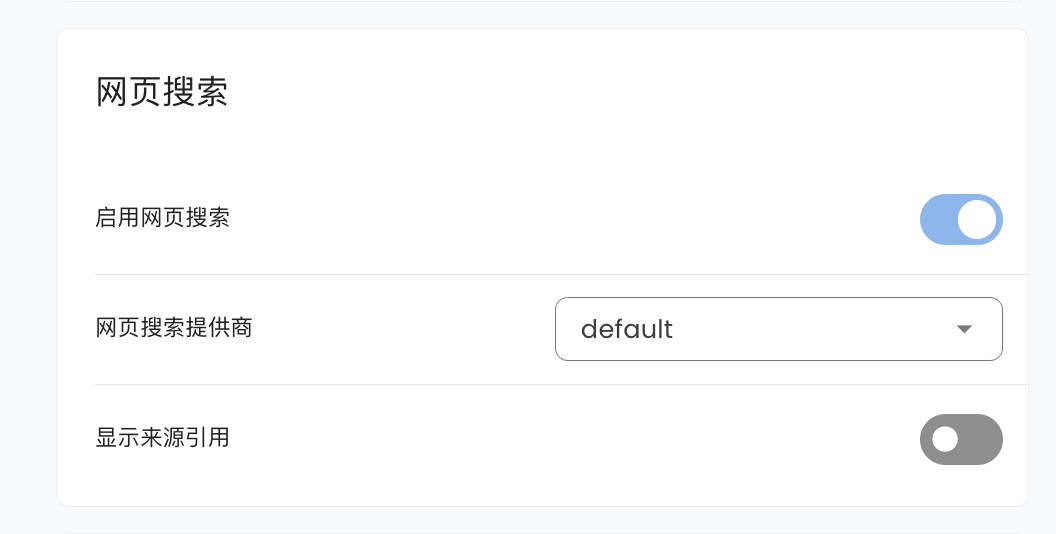
Go to `Configuration`, scroll down to find Web Search, where you can select `Tavily`, `BoCha`, `Baidu AI Search`, `Brave`, `Firecrawl`, or `Exa`.
|
|
|
|
### Tavily
|
|
|
|
Go to [Tavily](https://app.tavily.com/home) to get an API Key, then fill it in the corresponding configuration item.
|
|
|
|
### BoCha
|
|
|
|
Get an API Key from the BoCha platform, then fill it in the corresponding configuration item.
|
|
|
|
### Baidu AI Search
|
|
|
|
Get an API Key from Baidu Qianfan APP Builder, then fill it in the corresponding configuration item.
|
|
|
|
### Brave
|
|
|
|
Get an API Key from Brave Search, then fill it in the corresponding configuration item.
|
|
|
|
### Firecrawl
|
|
|
|
Go to [Firecrawl](https://firecrawl.dev) to get an API Key, then fill it in the corresponding configuration item.
|
|
|
|
### Exa
|
|
|
|
Go to [Exa](https://dashboard.exa.ai) to get an API Key, then fill it in the corresponding configuration item. Exa is an AI-native search engine that supports keyword and semantic search with category filters, domain restrictions, and date ranges.
|
|
|
|
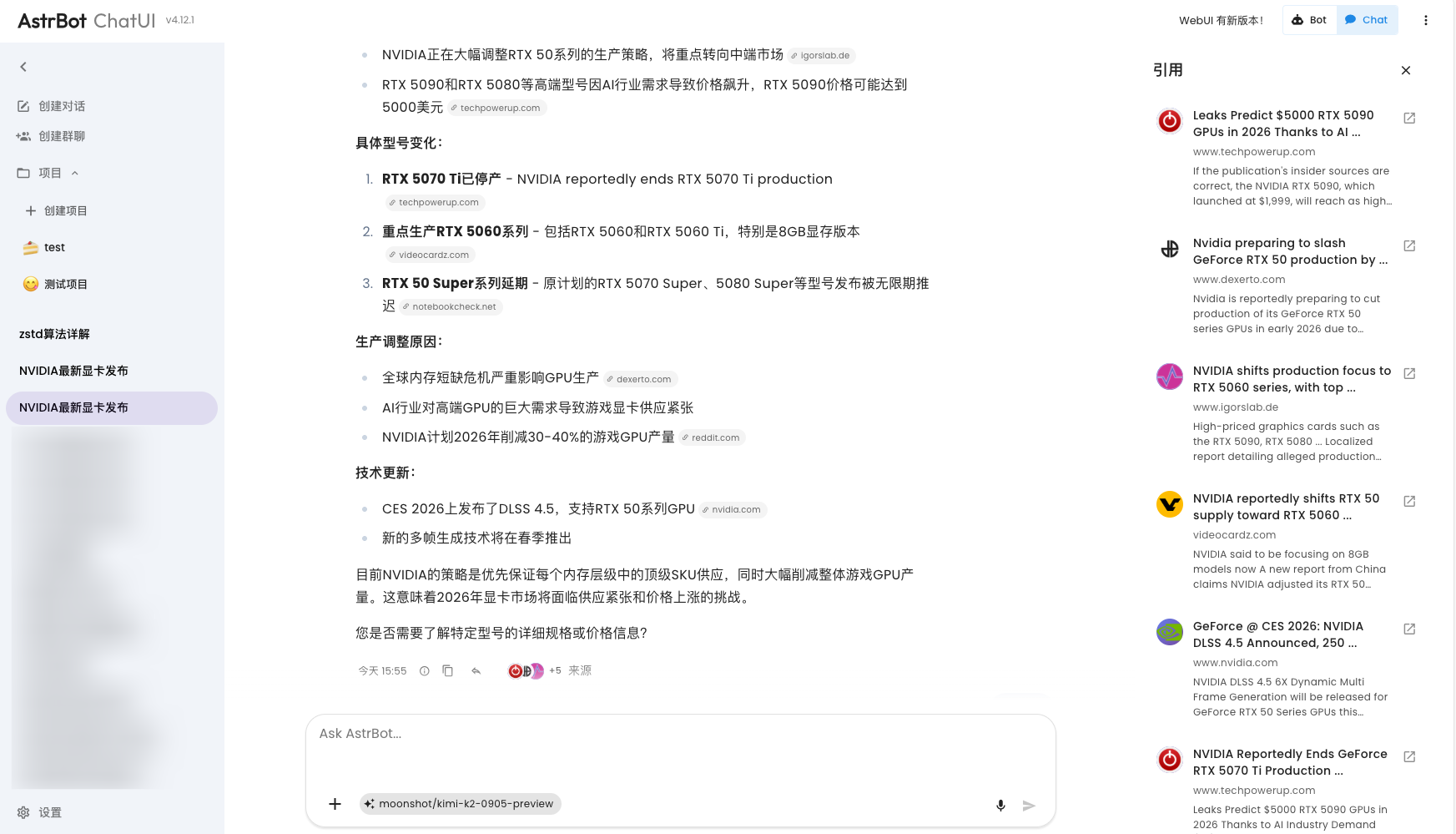
If you use Tavily as your web search source, you will get a better experience optimization on AstrBot ChatUI, including citation source display and more:
|
|
|
|
|