mirror of
https://github.com/AstrBotDevs/AstrBot
synced 2026-07-16 17:47:06 +08:00

21 lines
1.1 KiB
Markdown
21 lines
1.1 KiB
Markdown
# 接入硅基流动
|
||
|
||
硅基流动依托自研推理引擎实现大模型高效推理加速,提供高效能、低成本的多品类大模型 API 服务,按量收费,助力应用开发轻松实现。
|
||
|
||
## 配置对话模型
|
||
|
||
点击进入[硅基流动](https://cloud.siliconflow.cn/i/zMCYMSt2)平台注册并实名认证。
|
||
|
||
在硅基流动 [API Keys](https://cloud.siliconflow.cn/me/account/ak) 页面创建一个新的 API Key,留存备用。
|
||
|
||
在硅基流动[模型页面](https://cloud.siliconflow.cn/me/models)选择需要使用的模型,留存模型名称备用。
|
||
|
||
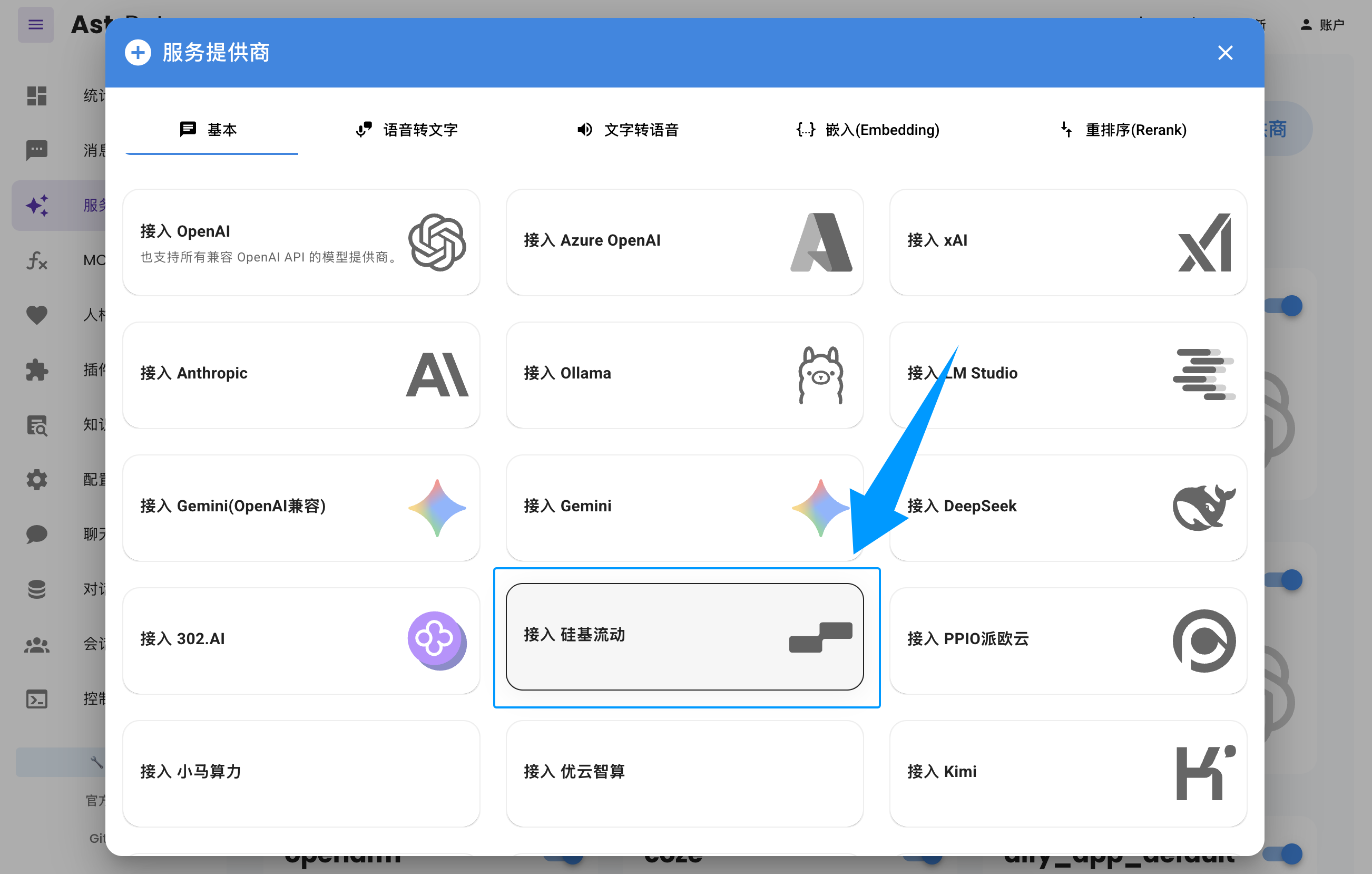
进入 AstrBot WebUI,点击左栏 `服务提供商` -> `新增提供商` -> 选择 `硅基流动`。
|
||
|
||
粘贴上面创建和选择的 `API Key` 和 `模型名称`,点击保存,完成创建。您可以点击下方 `服务提供商可用性` 的 `刷新` 按钮测试配置是否成功。
|
||
|
||
|
||
|
||
## 应用对话模型
|
||
|
||
在 AstrBot WebUI,点击左栏 `配置文件`,找到 AI 配置中的 `默认聊天模型`,选择刚刚创建的 `siliconflow`(硅基流动) 提供商,点击保存。 |