mirror of
https://github.com/AstrBotDevs/AstrBot
synced 2026-07-17 09:50:31 +08:00

45 lines
2.2 KiB
Markdown
45 lines
2.2 KiB
Markdown
# 通过 雨云 一键部署
|
||
|
||
[雨云](https://www.rainyun.com/about)成立于 2018 年,是具有自主知识产权的国产云计算服务提供商,具有可靠的营业资质和实体办公场所。
|
||
|
||
AstrBot 已经上架至雨云的预装软件列表,支持**一键安装** AstrBot 并提供高性能的云计算资源,保证 `AstrBot` 24 小时在线。
|
||
|
||
目前有两种部署方式:云服务器部署和云应用部署。
|
||
|
||
## 云服务器
|
||
|
||
1. 打开 [雨云官网](https://www.rainyun.com/NjU1ODg0_)。
|
||
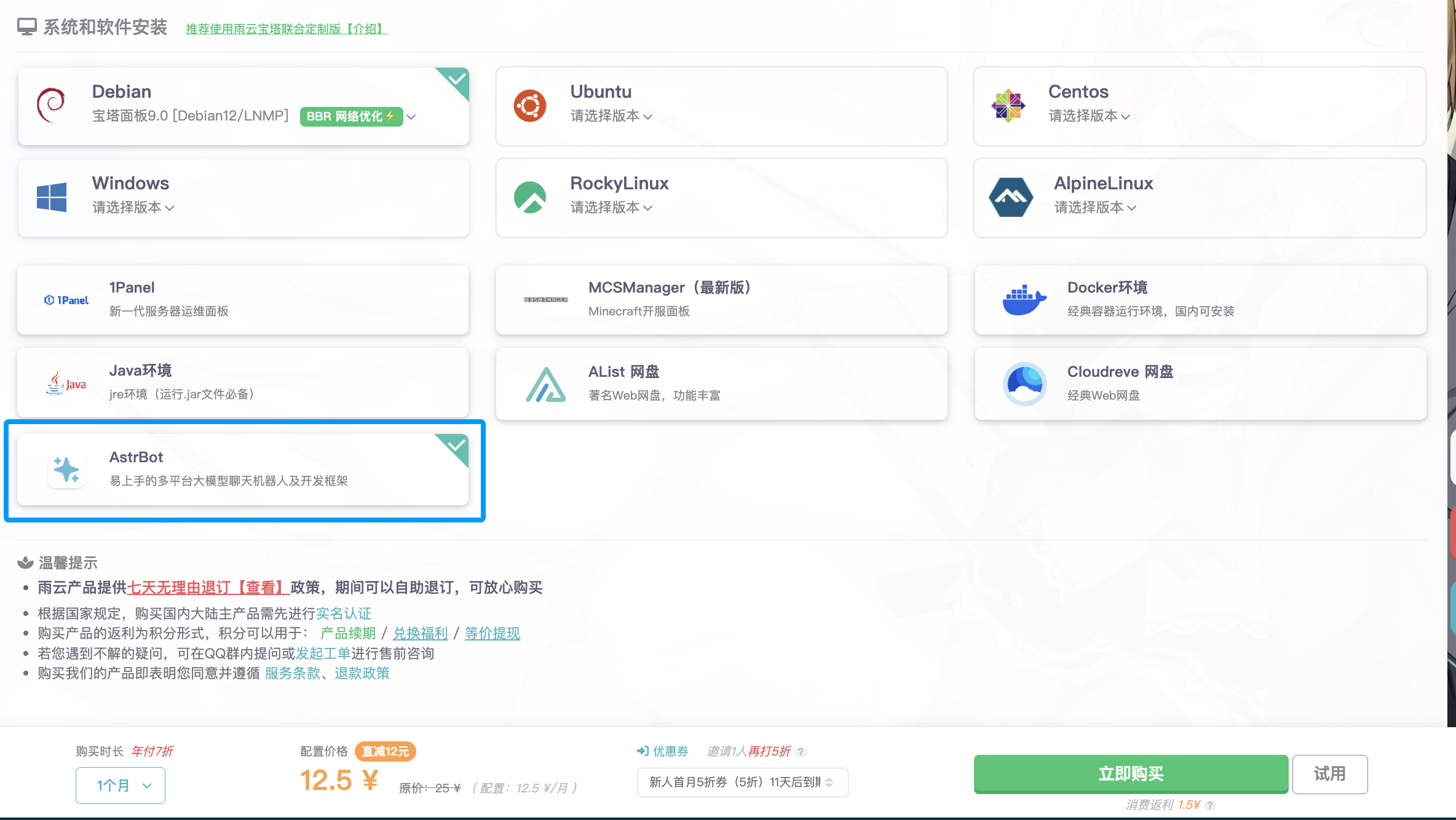
2. 根据你的喜好和预算,选择一个合适的服务器配置。建议选择 至少 2 核 CPU、4GB 内存的服务器,以确保 AstrBot 的流畅运行。
|
||
3. 在下面的 `系统和软件安装` 一节,选中 `AstrBot`,然后点击 `立即购买`。
|
||
4. 如果您的余额不足,将会跳转至充值页面。充值完成后再返回点击 `立即购买` 即可。
|
||
|
||
|
||
|
||
接下来,雨云会自动帮您安装好系统和 `AstrBot` 软件。
|
||
|
||
如果有疑问,请:
|
||
|
||
1. 点击雨云官网右下角 `咨询` 提交工单
|
||
2. 点击雨云官网上方 `交流社区` 添加雨云 QQ 群。
|
||
|
||
## 云应用
|
||
|
||
雨云支持更加优惠的云应用部署方式来一键部署 AstrBot。点击以下图标来部署:
|
||
|
||
[](https://app.rainyun.com/apps/rca/store/5994?ref=NjU1ODg0)
|
||
|
||
## 附录: 配置端口映射
|
||
|
||
> [!NOTE]
|
||
> 只有当您购买的是 `江苏宿迁` 的服务器时,才需要配置端口映射。
|
||
|
||
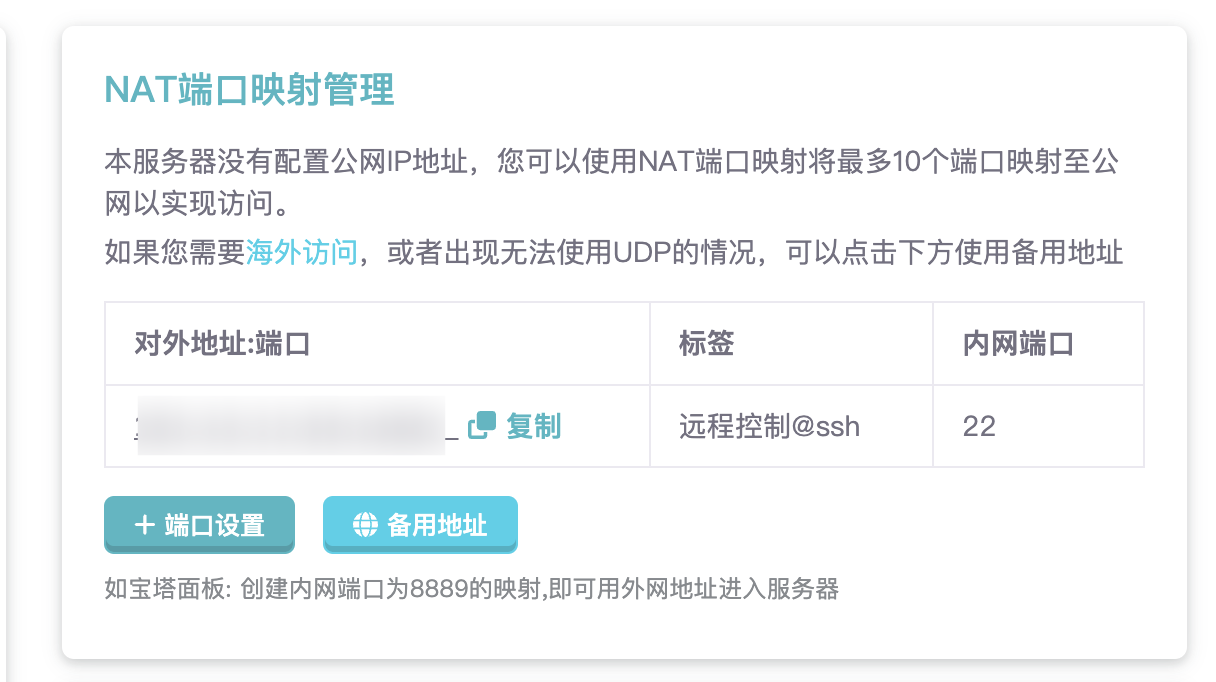
通过 `我的云服务器` 进入 `云服务器` 页面,可以看到 `NAT端口映射管理` 卡片,如下图所示:
|
||
|
||
|
||
|
||
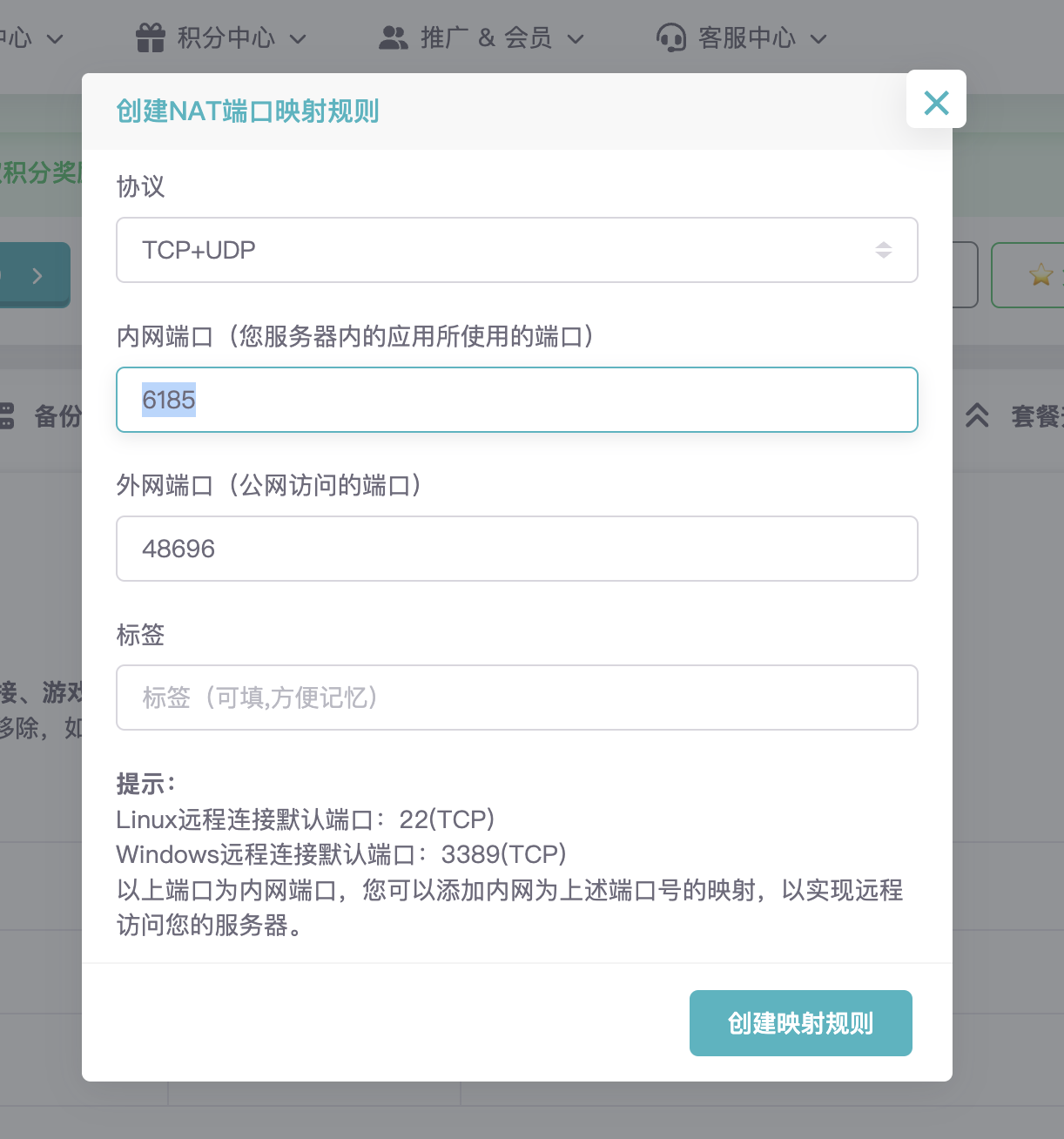
点击 `+端口设置` -> `新建规则`,如下图所示:
|
||
|
||
|
||
|
||
然后,内网端口填写 `6185`,点击 `创建映射规则`,这样就可以通过 `http://IP:上面设置好的外网端口` 访问 AstrBot 的管理面板了。如果无法打开,请点击`备用地址`,通过备用地址访问管理面板。
|