mirror of
https://github.com/AstrBotDevs/AstrBot
synced 2026-07-16 09:40:30 +08:00
 f2370cd1ba
* feat: supports plugin to add skills

* fix tests

* fix: fs tools

* Add tests for plugin skills handling and improve skill management

- Implement test for restricted local member reading plugin skill inventory even if the plugin is inactive.
- Ensure that the skill synchronization process retains built-in skills when local skills are empty, including proper handling of plugin paths.
- Update dashboard tests to verify that plugin details include components when requested.
- Enhance skill metadata enrichment tests to include inactive plugin-provided skills for inventory.
- Add filtering tests for plugin skills based on current configuration, ensuring only allowed plugins are considered and inactive plugins are skipped.

Co-authored-by: Copilot <copilot@github.com>

* fix: handle PPIO platform context-length error messages (#7888)

* fix: 压缩算法删除 user 消息 Bug 修复

* perf: improve truncate algo

* fix: improve context length error detection for PPIO platform compatibility

- Extend error detection to handle PPIO's error message format:
  'The input is longer than the model's context length'
- Add case-insensitive matching using .lower() for robustness
- Maintain backward compatibility with existing 'maximum context length' check

This fixes the issue where PPIO platform models (e.g., ppio/zai-org/glm-5-turbo)
would fail with AgentState.ERROR due to unrecognized context length errors.

---------

Co-authored-by: Soulter <905617992@qq.com>

* fix: 支持微信客服文件消息 (#7923)

* fix: 支持微信客服文件消息

* fix: remove WeCom file message placeholder

* fix(provider): fix Anthropic custom headers and system prompt compatibility (#7587)

* fix(provider): fix Anthropic custom headers and system prompt compatibility

- Pass custom_headers via AsyncAnthropic's `default_headers` parameter
  instead of creating a separate httpx.AsyncClient. This avoids
  `isinstance` check failures when multiple httpx installations exist
  on sys.path (e.g. bundled Python + system Python).

- Use list format for the `system` parameter (`[{"type": "text", ...}]`)
  instead of a plain string. The list format is supported by the official
  Anthropic API and is also compatible with third-party API proxies that
  reject the string format.

Co-Authored-By: Claude Opus 4.6 <noreply@anthropic.com>

* fix(provider): fix Anthropic custom headers and system prompt compatibility

- Pass custom_headers via AsyncAnthropic's `default_headers` parameter
  instead of creating a separate httpx.AsyncClient. This avoids
  `isinstance` check failures when multiple httpx installations exist
  on sys.path (e.g. bundled Python + system Python).

- Use list format for the `system` parameter (`[{"type": "text", ...}]`)
  instead of a plain string. The list format is supported by the official
  Anthropic API and is also compatible with third-party API proxies that
  reject the string format.

Co-Authored-By: Claude Opus 4.6 <noreply@anthropic.com>

* Add test unit

---------

Co-authored-by: Claude Opus 4.6 <noreply@anthropic.com>

* perf: improve logic of adding models

Co-authored-by: piexian <piexian@users.noreply.github.com>

* chore: remove redundant logger messages and improve log clarity

Co-authored-by: Copilot <copilot@github.com>

* chore: ruff format

* docs: update knowledge base docs

closes: #7962

* fix(#7907): send_message_to_user cron 场景下 session 容错 (#7911)

* fix: send_message_to_user cron 场景下 session 容错 (#7907)

- LLM 在主动场景可能只传 session_id 而非完整三段式,
from_str 失败时用 current_session 补全前两段。

Co-authored-by: Copilot <copilot@github.com>

* fix: 限制 session 补全仅对裸 session_id 生效,避免误修带冒号的错误输入 (#7907)

* feat: add session information to cron job payload

Co-authored-by: Copilot <copilot@github.com>

* fix: improve clarity and consistency of safety mode prompts

Co-authored-by: Copilot <copilot@github.com>

---------

Co-authored-by: Copilot <copilot@github.com>
Co-authored-by: Weilong Liao <37870767+Soulter@users.noreply.github.com>
Co-authored-by: Soulter <905617992@qq.com>

* perf: tool rendering in conversation page (#7937)

* fix(dashboard): route conversation history tool messages through ToolCallCard

When viewing conversation history, large tool outputs (e.g. a single
git log --stat producing tens of KB) caused the browser renderer to
freeze. Root cause: formattedMessages mapped every role (including
tool / system / _checkpoint) into user/bot bubbles, and bot plain
strings went through markstream-vue's MarkdownRender. Single 88KB
tool messages plus 88-of-them adding up to ~349KB of synchronous
markdown parsing was enough to block the main thread for 5+ seconds.

This patch:

- Indexes tool-role messages by tool_call_id
- Filters formattedMessages to user/assistant only — tool, system and
  _checkpoint roles no longer render as standalone bubbles
- Converts assistant.tool_calls (OpenAI shape, with tc.name/tc.arguments
  fallbacks) into the existing tool_call MessagePart, attaching the
  paired result so MessageList's ToolCallCard renders it (default
  collapsed, no longer feeds large strings into the markdown renderer)
- Drops empty placeholder plain parts when an assistant message only
  carries tool_calls
- Sets ts/finished_ts to 0 as a sentinel: ToolCallCard.toolCallDuration
  returns "" when startTime <= 0, suppressing a misleading "0ms"
  duration that would otherwise appear because conversation history
  has no real timing data

Behavior change: tool results are now embedded in their assistant's
ToolCallCard.result instead of appearing as separate bot bubbles.
This matches the main chat UI's behavior.

Fixes #7929
Refs #7372 #7456

* style(dashboard): use single scrollbar in conversation history preview

ToolCallCard's result/args panes have their own max-height + overflow,
which produced a nested scrollbar when nested inside the history
preview's already-scrollable .conversation-messages-container. Override
those constraints inside the preview only — the outer 500px-bounded
container already provides scroll bounds, so a single scrollbar feels
cleaner. The main chat UI is unaffected.

---------

Co-authored-by: wanger <wanger@example.com>

* fix: ruff format

* feat: add python tool timeout param (#7953)

* feat: add python tool timeout param

* Update python.py

---------

Co-authored-by: Weilong Liao <37870767+Soulter@users.noreply.github.com>

* fix: 钉钉连接超时后自动重连失败 (#7924)

* fix: improve DingTalk adapter error handling in run() method

* fix: add retry logic for DingTalk SDK task unexpected exit

* fix: use task.add_done_callback to wake thread on task completion, handle UnboundLocalError

* refactor: extract retry logic into handle_retry helper function

---------

Co-authored-by: Blueteemo <Blueteemo@users.noreply.github.com>

---------

Co-authored-by: Copilot <copilot@github.com>
Co-authored-by: leonforcode <leonbeyourside01@gmail.com>
Co-authored-by: AstralSolipsism <134063164+AstralSolipsism@users.noreply.github.com>
Co-authored-by: Pink YuDeer <wer00001@outlook.com>
Co-authored-by: Claude Opus 4.6 <noreply@anthropic.com>
Co-authored-by: piexian <piexian@users.noreply.github.com>
Co-authored-by: NayukiMeko <ChibaNayuki@163.com>
Co-authored-by: wanger <122891289+10knamesmore@users.noreply.github.com>
Co-authored-by: wanger <wanger@example.com>
Co-authored-by: Haoran Xu <3230105281@zju.edu.cn>
Co-authored-by: 千岚之夏 <108566281+Blueteemo@users.noreply.github.com>
Co-authored-by: Blueteemo <Blueteemo@users.noreply.github.com>
168 lines
5.8 KiB
Markdown
168 lines
5.8 KiB
Markdown
---
|
||
outline: deep
|
||
---
|
||
|
||
# AstrBot 插件开发指南 🌠
|
||
|
||
欢迎来到 AstrBot 插件开发指南!本章节将引导您如何开发 AstrBot 插件。在我们开始之前,希望你能具备以下基础知识:
|
||
|
||
1. 有一定的 Python 编程经验。
|
||
2. 有一定的 Git、GitHub 使用经验。
|
||
|
||
欢迎加入我们的开发者专用 QQ 群: `975206796`。
|
||
|
||
## 环境准备
|
||
|
||
### 获取插件模板
|
||
|
||
1. 打开 AstrBot 插件模板: [helloworld](https://github.com/Soulter/helloworld)
|
||
2. 点击右上角的 `Use this template`
|
||
3. 然后点击 `Create new repository`。
|
||
4. 在 `Repository name` 处填写您的插件名。插件名格式:
|
||
- 推荐以 `astrbot_plugin_` 开头;
|
||
- 不能包含空格;
|
||
- 保持全部字母小写;
|
||
- 尽量简短。
|
||
5. 点击右下角的 `Create repository`。
|
||
|
||
### 克隆项目到本地
|
||
|
||
克隆 AstrBot 项目本体和刚刚创建的插件仓库到本地。
|
||
|
||
```bash
|
||
git clone https://github.com/AstrBotDevs/AstrBot
|
||
mkdir -p AstrBot/data/plugins
|
||
cd AstrBot/data/plugins
|
||
git clone 插件仓库地址
|
||
```
|
||
|
||
然后,使用 `VSCode` 打开 `AstrBot` 项目。找到 `data/plugins/<你的插件名字>` 目录。
|
||
|
||
更新 `metadata.yaml` 文件,填写插件的元数据信息。
|
||
|
||
> [!WARNING]
|
||
> 请务必修改此文件,AstrBot 识别插件元数据依赖于 `metadata.yaml` 文件。
|
||
|
||
### 设置插件 Logo(可选)
|
||
|
||
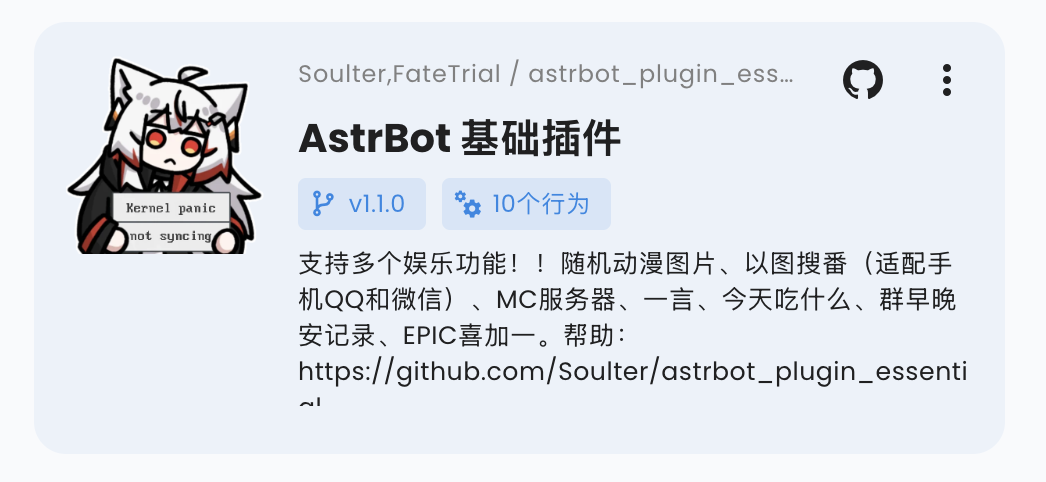
可以在插件目录下添加 `logo.png` 文件作为插件的 Logo。请保持长宽比为 1:1,推荐尺寸为 256x256。
|
||
|
||
|
||
|
||
### 插件展示名(可选)
|
||
|
||
可以修改(或添加) `metadata.yaml` 文件中的 `display_name` 字段,作为插件在插件市场等场景中的展示名,以方便用户阅读。
|
||
|
||
插件展示名和描述支持按 WebUI 语言显示,详见[插件国际化](./guides/plugin-i18n)。
|
||
|
||
### 插件短描述(可选)
|
||
|
||
你可以在 `metadata.yaml` 中新增 `short_desc` 字段,作为插件市场卡片上的短描述。它适合写成一句简短介绍;如果没有提供,卡片会回退显示 `desc`。
|
||
|
||
```yaml
|
||
short_desc: 一句话介绍你的插件。
|
||
```
|
||
|
||
### 随插件提供 Skills(可选)
|
||
|
||
插件可以在自己的目录下提供 `skills/` 文件夹。AstrBot 加载插件后会自动把其中合法的 Skill 纳入 Skill Manager,来源会显示为对应插件。
|
||
|
||
推荐一个插件包含多个 Skill 时使用以下结构:
|
||
|
||
```text
|
||
your_plugin/
|
||
metadata.yaml
|
||
main.py
|
||
skills/
|
||
web-search-helper/
|
||
SKILL.md
|
||
report-writer/
|
||
SKILL.md
|
||
```
|
||
|
||
如果 `skills/` 本身就是一个 Skill,也可以直接放置:
|
||
|
||
```text
|
||
your_plugin/
|
||
skills/
|
||
SKILL.md
|
||
```
|
||
|
||
这种情况下 Skill 名称会使用插件目录名。插件提供的 Skill 由插件管理,在 WebUI 的 Skills 页面中作为只读来源展示;可以启用或禁用,但不能从本地 Skills 页面删除或编辑。插件卸载或更新后,对应 Skill 会随插件文件变化。
|
||
|
||
### 声明支持平台(Optional)
|
||
|
||
你可以在 `metadata.yaml` 中新增 `support_platforms` 字段(`list[str]`),声明插件支持的平台适配器。WebUI 插件页会展示该字段。
|
||
|
||
```yaml
|
||
support_platforms:
|
||
- telegram
|
||
- discord
|
||
```
|
||
|
||
`support_platforms` 中的值需要使用 `ADAPTER_NAME_2_TYPE` 的 key,目前支持:
|
||
|
||
- `aiocqhttp`
|
||
- `qq_official`
|
||
- `telegram`
|
||
- `wecom`
|
||
- `lark`
|
||
- `dingtalk`
|
||
- `discord`
|
||
- `slack`
|
||
- `kook`
|
||
- `vocechat`
|
||
- `weixin_official_account`
|
||
- `satori`
|
||
- `misskey`
|
||
- `line`
|
||
|
||
### 声明 AstrBot 版本范围(Optional)
|
||
|
||
你可以在 `metadata.yaml` 中新增 `astrbot_version` 字段,声明插件要求的 AstrBot 版本范围。格式与 `pyproject.toml` 依赖版本约束一致(PEP 440),且不要加 `v` 前缀。
|
||
|
||
```yaml
|
||
astrbot_version: ">=4.16,<5"
|
||
```
|
||
|
||
可选示例:
|
||
|
||
- `>=4.17.0`
|
||
- `>=4.16,<5`
|
||
- `~=4.17`
|
||
|
||
如果你只想声明最低版本,可以直接写:
|
||
|
||
- `>=4.17.0`
|
||
|
||
当当前 AstrBot 版本不满足该范围时,插件会被阻止加载并提示版本不兼容。
|
||
在 WebUI 安装插件时,你可以选择“无视警告,继续安装”来跳过这个检查。
|
||
|
||
### 调试插件
|
||
|
||
AstrBot 采用在运行时注入插件的机制。因此,在调试插件时,需要启动 AstrBot 本体。
|
||
|
||
您可以使用 AstrBot 的热重载功能简化开发流程。
|
||
|
||
插件的代码修改后,可以在 AstrBot WebUI 的插件管理处找到自己的插件,点击右上角 `...` 按钮,选择 `重载插件`。
|
||
|
||
如果插件因为代码错误等原因加载失败,你也可以在管理面板的错误提示中点击 **“尝试一键重载修复”** 来重新加载。
|
||
|
||
### 插件依赖管理
|
||
|
||
目前 AstrBot 对插件的依赖管理使用 `pip` 自带的 `requirements.txt` 文件。如果你的插件需要依赖第三方库,请务必在插件目录下创建 `requirements.txt` 文件并写入所使用的依赖库,以防止用户在安装你的插件时出现依赖未找到(Module Not Found)的问题。
|
||
|
||
> `requirements.txt` 的完整格式可以参考 [pip 官方文档](https://pip.pypa.io/en/stable/reference/requirements-file-format/)。
|
||
|
||
## 开发原则
|
||
|
||
感谢您为 AstrBot 生态做出贡献,开发插件请遵守以下原则,这也是良好的编程习惯。
|
||
|
||
- 功能需经过测试。
|
||
- 需包含良好的注释。
|
||
- 持久化数据请存储于 `data` 目录下,而非插件自身目录,防止更新/重装插件时数据被覆盖。
|
||
- 良好的错误处理机制,不要让插件因一个错误而崩溃。
|
||
- 在进行提交前,请使用 [ruff](https://docs.astral.sh/ruff/) 工具格式化您的代码。
|
||
- 不要使用 `requests` 库来进行网络请求,可以使用 `aiohttp`, `httpx` 等异步网络请求库。
|
||
- 如果是对某个插件进行功能扩增,请优先给那个插件提交 PR 而不是单独再写一个插件(除非原插件作者已经停止维护)。
|