mirror of
https://github.com/AstrBotDevs/AstrBot
synced 2026-07-17 17:51:20 +08:00

42 lines
1.7 KiB
Markdown
42 lines
1.7 KiB
Markdown
|
|
# Web Search
|
|
|
|
The web search feature gives large language models internet retrieval capability for recent information, which can improve response accuracy and reduce hallucinations to some extent.
|
|
|
|
AstrBot's built-in web search functionality relies on the large language model's `function calling` capability. If you're not familiar with function calling, please refer to: [Function Calling](/use/websearch).
|
|
|
|
When using a large language model that supports function calling with the web search feature enabled, you can try saying:
|
|
|
|
- `Help me search for xxx`
|
|
- `Help me summarize this link: https://soulter.top`
|
|
- `Look up xxx`
|
|
- `Recent xxxx`
|
|
|
|
And other prompts with search intent to trigger the model to invoke the search tool.
|
|
|
|
AstrBot currently supports 4 web search providers: `Tavily`, `BoCha`, `Baidu AI Search`, and `Brave`.
|
|
|
|
|
|
|
|
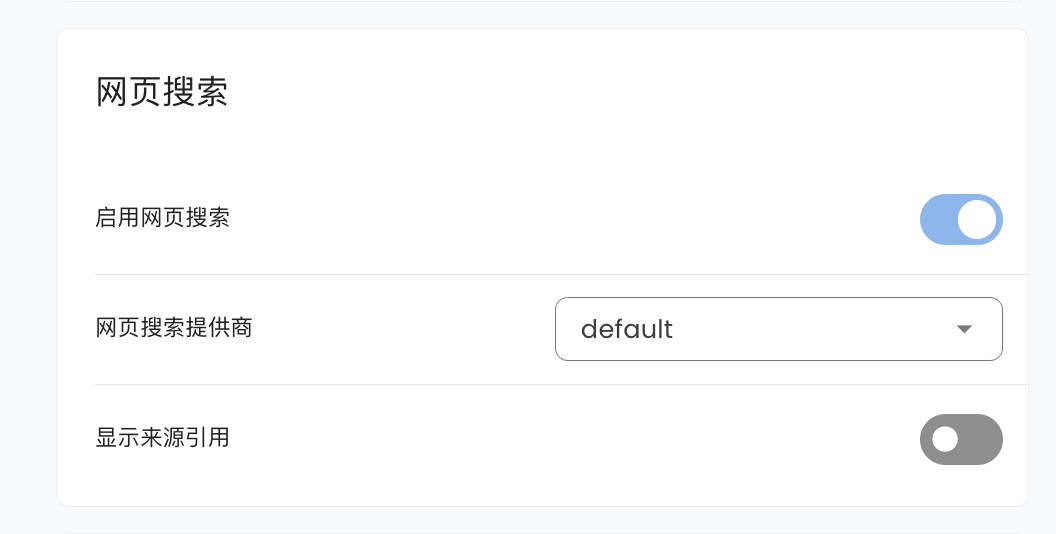
Go to `Configuration`, scroll down to find Web Search, where you can select `Tavily`, `BoCha`, `Baidu AI Search`, or `Brave`.
|
|
|
|
### Tavily
|
|
|
|
Go to [Tavily](https://app.tavily.com/home) to get an API Key, then fill it in the corresponding configuration item.
|
|
|
|
### BoCha
|
|
|
|
Get an API Key from the BoCha platform, then fill it in the corresponding configuration item.
|
|
|
|
### Baidu AI Search
|
|
|
|
Get an API Key from Baidu Qianfan APP Builder, then fill it in the corresponding configuration item.
|
|
|
|
### Brave
|
|
|
|
Get an API Key from Brave Search, then fill it in the corresponding configuration item.
|
|
|
|
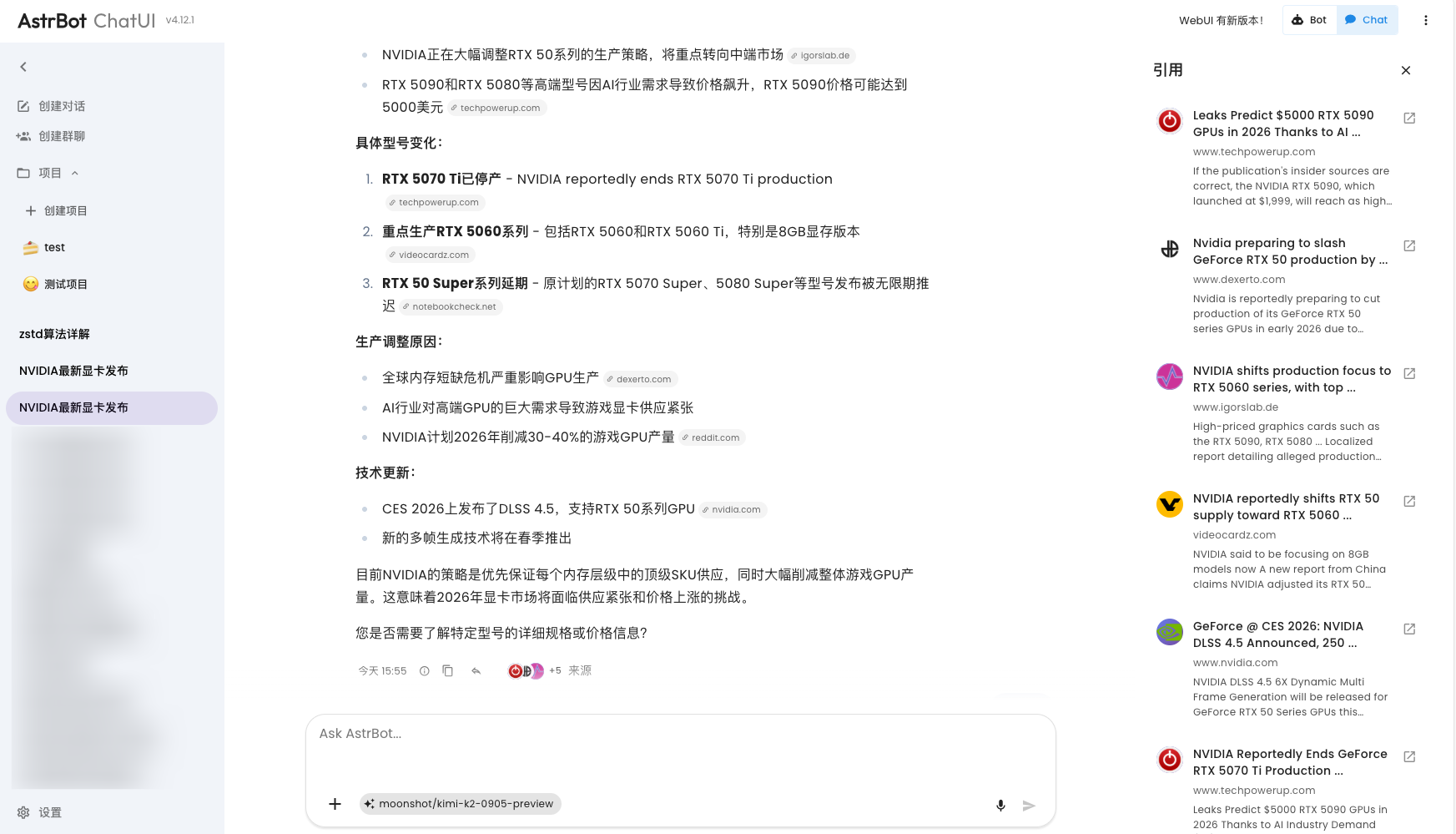
If you use Tavily as your web search source, you will get a better experience optimization on AstrBot ChatUI, including citation source display and more:
|
|
|
|
|