mirror of
https://github.com/AstrBotDevs/AstrBot
synced 2026-07-15 17:30:13 +08:00

47 lines
1.9 KiB
Markdown
47 lines
1.9 KiB
Markdown
|
|
# AstrBot Knowledge Base
|
|
|
|
> [!TIP]
|
|
> Requires AstrBot version >= 4.5.0.
|
|
|
|
|
|
|
|
## Configuring Embedding Model
|
|
|
|
Open the service provider page, click "Add Service Provider", and select Embedding.
|
|
|
|
Currently, AstrBot supports embedding vector services compatible with OpenAI API and Gemini API.
|
|
|
|
Click on the provider card above to enter the configuration page and fill in the configuration.
|
|
|
|
After completing the configuration, click Save.
|
|
|
|
## Configuring Reranker Model (Optional)
|
|
|
|
A reranker model can improve the precision of final retrieval results to some extent.
|
|
|
|
Similar to configuring the embedding model, open the service provider page, click "Add Service Provider", and select Reranker. For more information about reranker models, please refer to online resources.
|
|
|
|
## Creating a Knowledge Base
|
|
|
|
AstrBot supports multiple knowledge base management. During chat, you can **freely specify which knowledge base to use**.
|
|
|
|
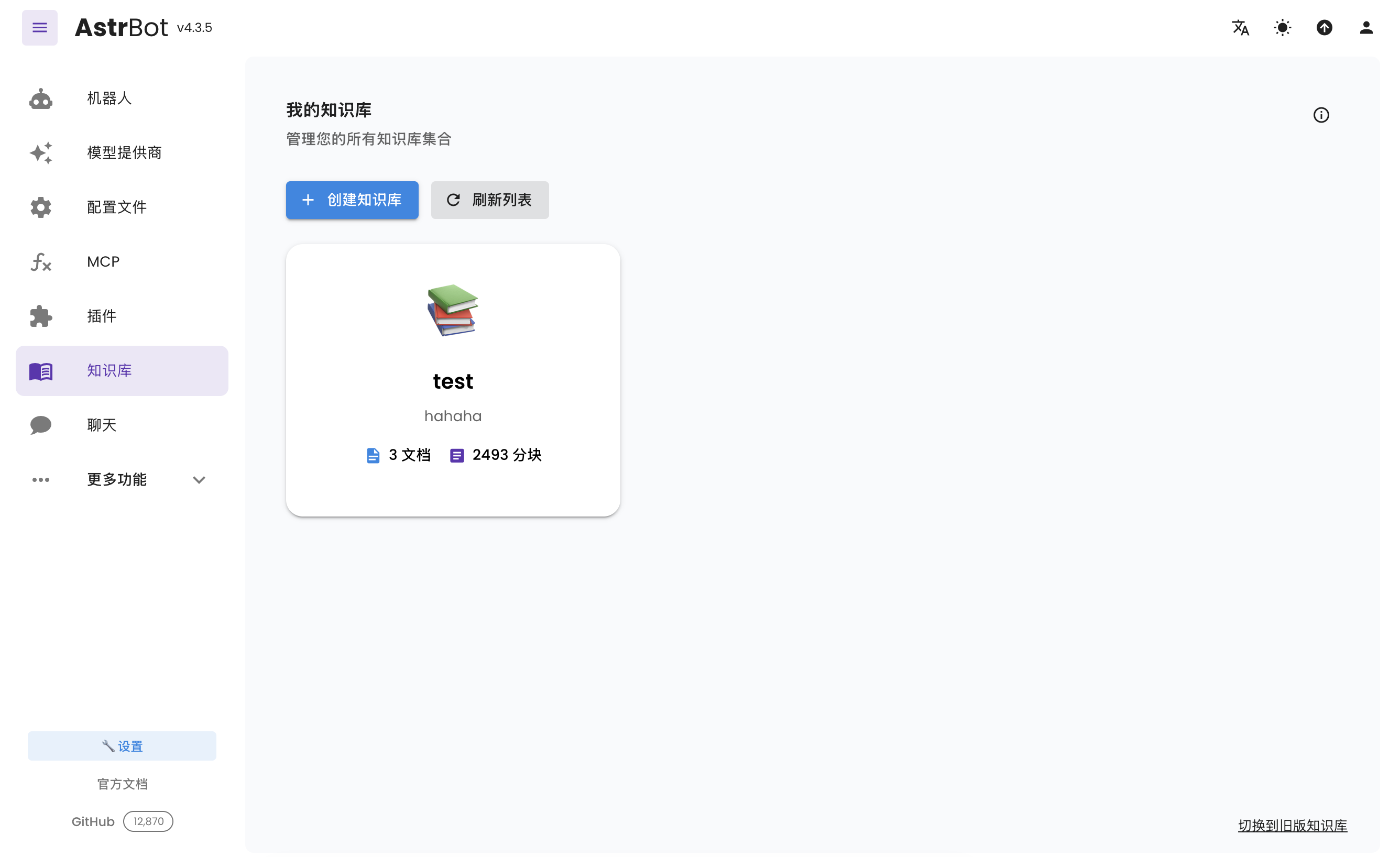
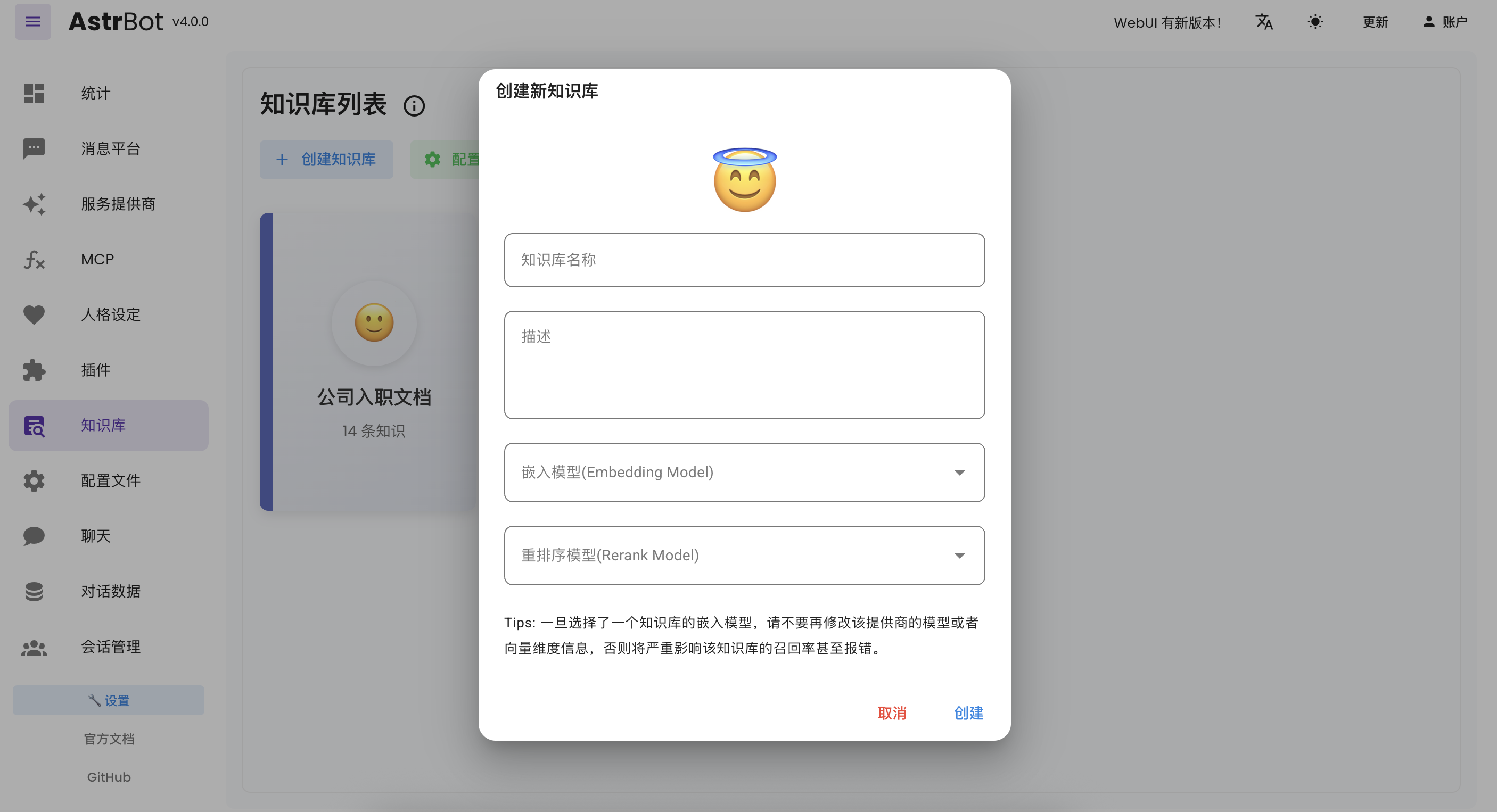
Enter the knowledge base page and click "Create Knowledge Base", as shown below:
|
|
|
|
|
|
|
|
Fill in the relevant information. In the embedding model dropdown menu, you will see the embedding model and reranker model you just created (reranker model is optional).
|
|
|
|
> [!TIP]
|
|
> Once you've selected an embedding model for a knowledge base, do not modify the **model** or **vector dimension information** of that provider, as this will **seriously affect** the retrieval accuracy of the knowledge base or even **cause errors**.
|
|
|
|
## Uploading Files
|
|
|
|
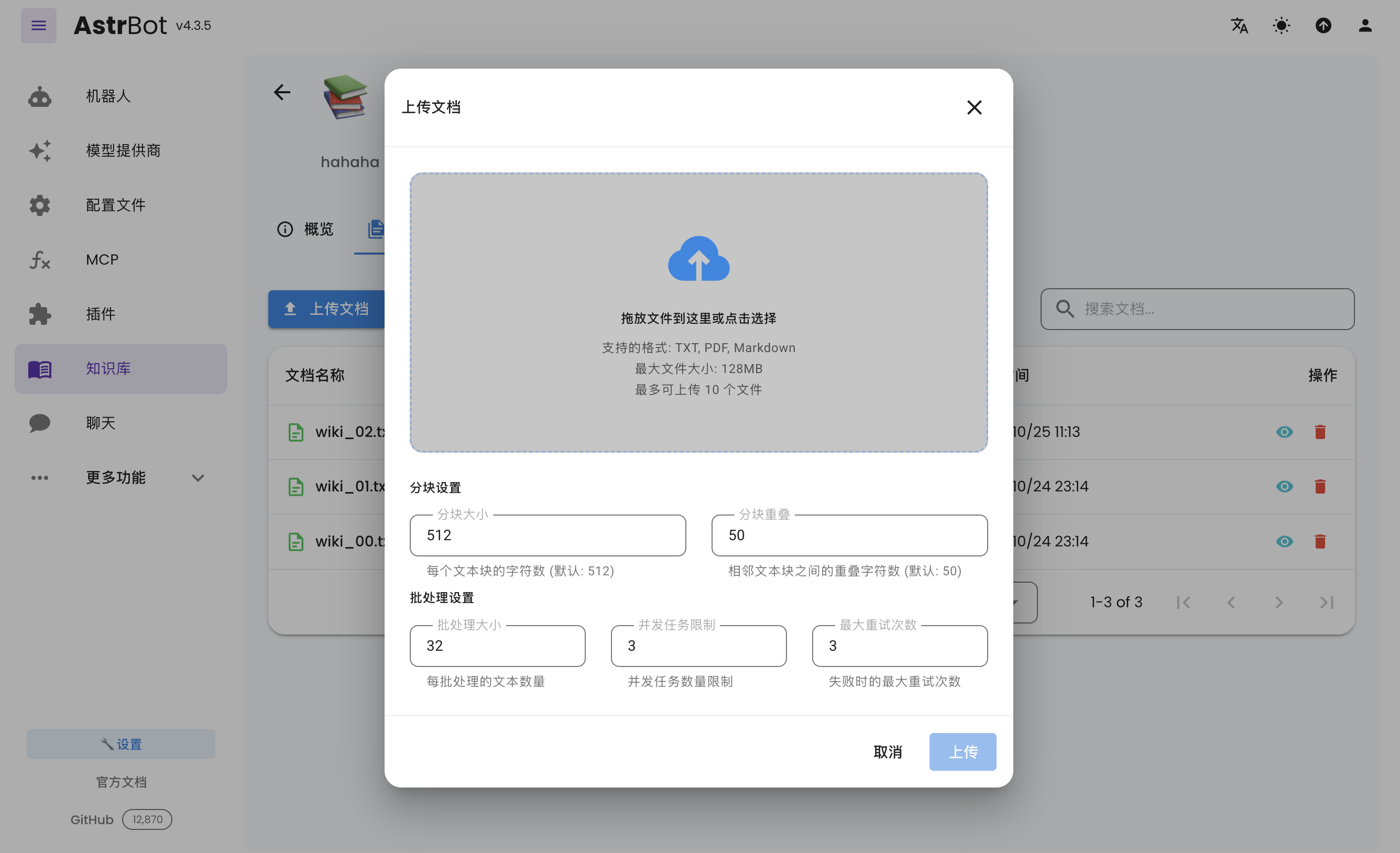
After creating a knowledge base, you can upload documents to it. Up to 10 files can be uploaded simultaneously, with a maximum size of 128 MB per file.
|
|
|
|
|
|
|
|
## Using the Knowledge Base
|
|
|
|
In the configuration file, you can specify different knowledge bases for different configuration profiles.
|