mirror of
https://github.com/AstrBotDevs/AstrBot
synced 2026-07-17 17:51:20 +08:00
 597ed67467
* fix: avoid lsp client cancel scope leaks

* fix: observe lsp reader task failures

* fix: trim trailing whitespace in docs

* fix: harden lsp client reconnect handling

* fix: refine lsp client test coverage

* fix: harden lsp reader task teardown

* fix: refine lsp reader failure handling

* fix: centralize lsp reader lifecycle

* docs: fix platform adapter session type

* test: shorten hanging lsp fixture sleep

* docs: translate ai guide details label

* fix: simplify lsp reader task lifecycle
47 lines
2.3 KiB
Markdown
47 lines
2.3 KiB
Markdown
# Connect to KOOK
|
|
|
|
## Supported Message Types
|
|
|
|
> Version v4.19.2
|
|
|
|
| Message Type | Receive | Send | Remarks |
|
|
| ------------ | ------- | ---- | -------------------------------------------------- |
|
|
| Text | Yes | Yes | Supports official [kmarkdown] syntax |
|
|
| Image | Yes | Yes | Supports external links; `jpeg`, `gif`, `png` only |
|
|
| Audio | Yes | Yes | Supports external links |
|
|
| Video | Yes | Yes | Supports external links; `mp4`, `mov` only |
|
|
| File | Yes | Yes | Supports external links |
|
|
| Card (JSON) | Yes | Yes | See [Kook Docs - Card Messages] |
|
|
|
|
Proactive message push: Supported
|
|
Message receiving mode: WebSocket
|
|
|
|
## Create a Bot on Kook
|
|
|
|
1. Go to the [Kook Developer Center] and follow these steps:
|
|
2. Log in and complete identity verification.
|
|
3. Click "Create Application" and customize your Bot's nickname.
|
|
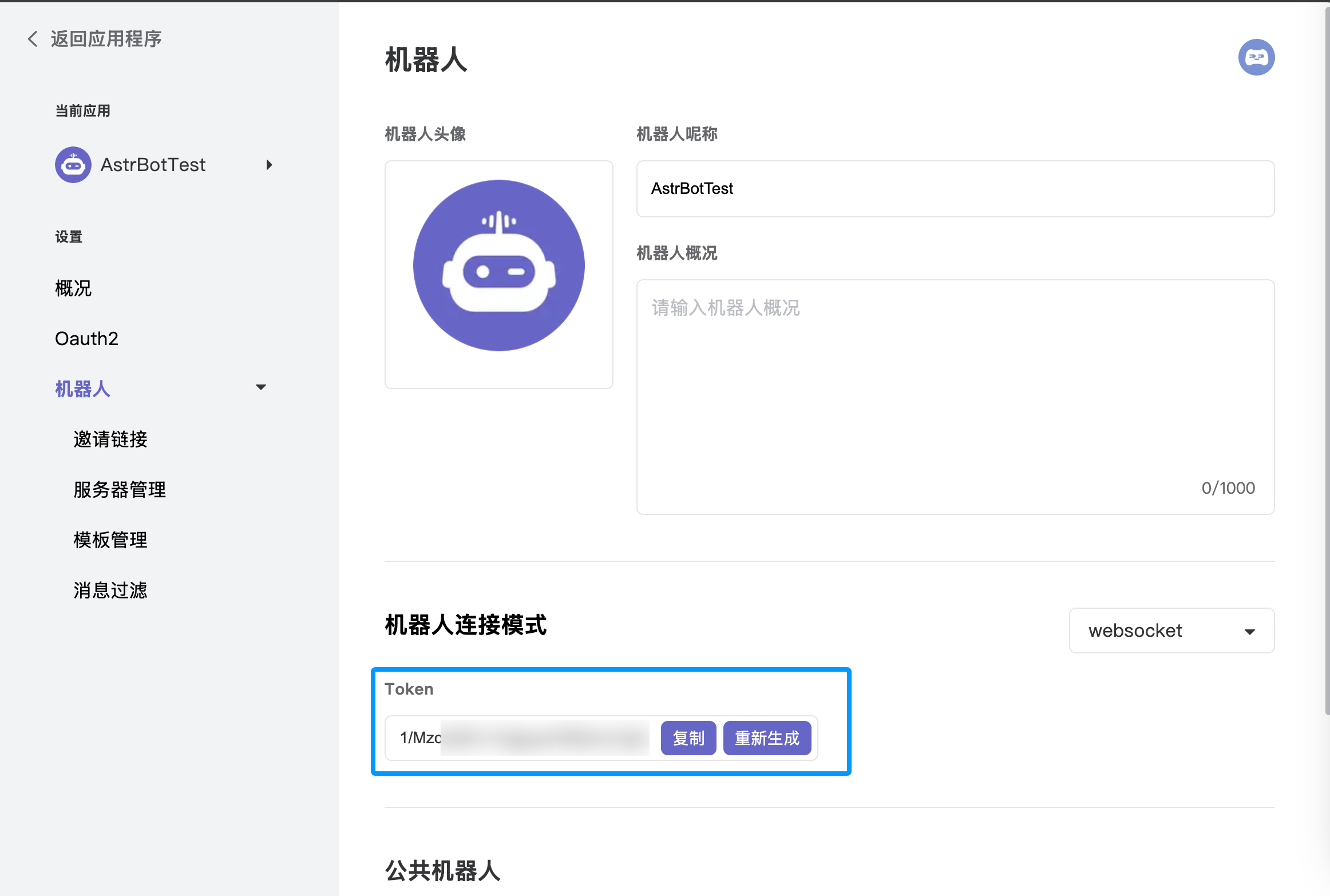
4. Enter the application dashboard, select the **Bot** module, and enable **WebSocket connection mode**. Make sure to save the generated **Token**, as you will need it for the subsequent AstrBot configuration.
|
|
5. Under the "Bot" page in the left sidebar, click "Invite Link" and set the role permissions (full permissions are recommended to ensure all features work).
|
|
6. Copy the invite link, open it in your browser, and add the bot to your desired server.
|
|
|
|
|
|
|
|
## Configure in AstrBot
|
|
|
|
1. Access the AstrBot management panel.
|
|
2. Click **Bots** in the left sidebar.
|
|
3. Click `+ Create Bot` on the right side of the interface.
|
|
4. Select the `kook` adapter.
|
|
5. Fill in the configuration fields:
|
|
- ID (id): Any name to identify this specific instance.
|
|
- Enable (enable): Check the box.
|
|
- Bot Token: Paste the Token generated from the [Kook Developer Center].
|
|
|
|
6. Click `Save` after filling in the details.
|
|
7. Finally, in a Kook server channel (create one first if you haven't), @ the bot and type `/sid`. If the bot responds, the configuration is successful.
|
|
|
|
[Kook Developer Center]: https://developer.kookapp.cn/app
|
|
[kmarkdown]: https://developer.kookapp.cn/doc/kmarkdown
|
|
[Kook Docs - Card Messages]: https://developer.kookapp.cn/doc/cardmessage
|