mirror of
https://github.com/AstrBotDevs/AstrBot
synced 2026-07-16 01:40:15 +08:00
 cb90de752d
* Update listen-message-event.md

* Update listen-message-event.md

* Update ai.md

* Update plugin-new.md

* Update plugin-new.md

* Update simple.md

* Update star_handler.py

* Update listen-message-event.md

* Update listen-message-event.md
171 lines
6.5 KiB
Markdown
171 lines
6.5 KiB
Markdown
---
|
|
outline: deep
|
|
---
|
|
|
|
# AstrBot Plugin Development Guide 🌠
|
|
|
|
Welcome to the AstrBot Plugin Development Guide! This section will guide you through developing AstrBot plugins. Before we begin, we hope you have the following foundational knowledge:
|
|
|
|
1. Some experience with Python programming.
|
|
2. Some experience with Git and GitHub.
|
|
|
|
## Environment Setup
|
|
|
|
### Obtain the Plugin Template
|
|
|
|
1. Open the AstrBot plugin template: [helloworld](https://github.com/Soulter/helloworld)
|
|
2. Click `Use this template` in the upper right corner
|
|
3. Then click `Create new repository`.
|
|
4. Fill in your plugin name in the `Repository name` field. Plugin naming conventions:
|
|
- Recommended to start with `astrbot_plugin_`;
|
|
- Must not contain spaces;
|
|
- Keep all letters lowercase;
|
|
- Keep it concise.
|
|
5. Click `Create repository` in the lower right corner.
|
|
|
|
### Clone the Project Locally
|
|
|
|
Clone both the AstrBot main project and the plugin repository you just created to your local machine.
|
|
|
|
```bash
|
|
git clone https://github.com/AstrBotDevs/AstrBot
|
|
mkdir -p AstrBot/data/plugins
|
|
cd AstrBot/data/plugins
|
|
git clone <your-plugin-repository-url>
|
|
```
|
|
|
|
Then, use `VSCode` to open the `AstrBot` project. Navigate to the `data/plugins/<your-plugin-name>` directory.
|
|
|
|
Update the `metadata.yaml` file with your plugin's metadata information.
|
|
|
|
> [!WARNING]
|
|
> Please make sure to modify this file, as AstrBot relies on the `metadata.yaml` file to recognize plugin metadata.
|
|
|
|
### Set Plugin Logo (Optional)
|
|
|
|
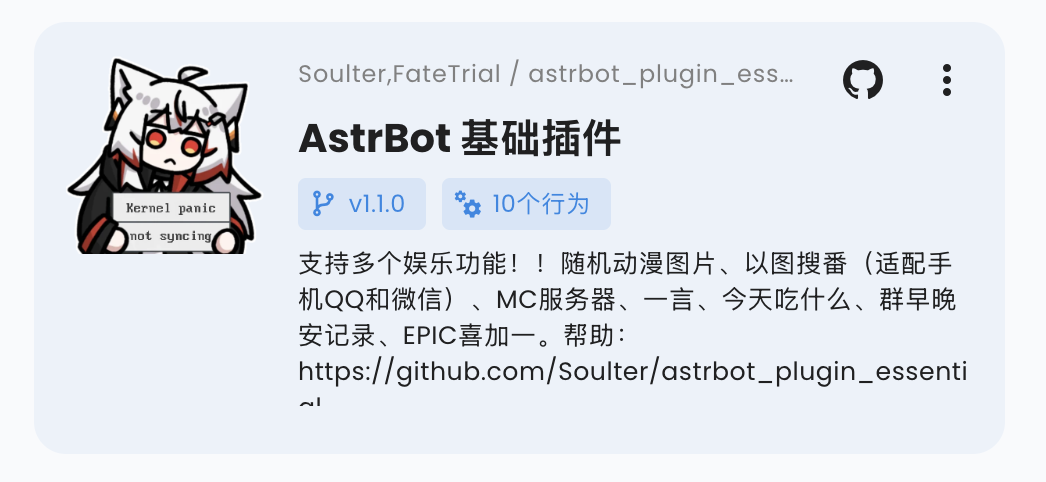
You can add a `logo.png` file in the plugin directory as the plugin's logo. Please maintain an aspect ratio of 1:1, with a recommended size of 256x256.
|
|
|
|
|
|
|
|
### Plugin Display Name (Optional)
|
|
|
|
You can modify (or add) the `display_name` field in the `metadata.yaml` file to serve as the plugin's display name in scenarios like the plugin marketplace, making it easier for users to read.
|
|
|
|
Plugin display names and descriptions can follow the WebUI language. See [Plugin Internationalization](./guides/plugin-i18n).
|
|
|
|
### Plugin Short Description (Optional)
|
|
|
|
You can add a `short_desc` field to `metadata.yaml` as the short description shown on plugin marketplace cards. Keep it to a concise one-sentence summary. If it is not provided, cards fall back to `desc`.
|
|
|
|
```yaml
|
|
short_desc: A one-line summary of your plugin.
|
|
```
|
|
|
|
### Bundle Skills with a Plugin (Optional)
|
|
|
|
Plugins can provide a `skills/` directory. After AstrBot loads the plugin, valid Skills inside that directory are automatically included in the Skill Manager, with their source shown as the plugin.
|
|
|
|
For multiple Skills, use this structure:
|
|
|
|
```text
|
|
your_plugin/
|
|
metadata.yaml
|
|
main.py
|
|
skills/
|
|
web-search-helper/
|
|
SKILL.md
|
|
report-writer/
|
|
SKILL.md
|
|
```
|
|
|
|
If `skills/` itself is one Skill, you can also place `SKILL.md` directly under it:
|
|
|
|
```text
|
|
your_plugin/
|
|
skills/
|
|
SKILL.md
|
|
```
|
|
|
|
In that case, the Skill name uses the plugin directory name. Plugin-provided Skills are managed by the plugin and appear as read-only sources in the WebUI Skills page. They can be enabled or disabled, but cannot be deleted or edited from Local Skills. When the plugin is uninstalled or updated, its bundled Skills change with the plugin files.
|
|
|
|
### Declare Supported Platforms (Optional)
|
|
|
|
You can add a `support_platforms` field (`list[str]`) to `metadata.yaml` to declare which platform adapters your plugin supports. The WebUI plugin page will display this field.
|
|
|
|
```yaml
|
|
support_platforms:
|
|
- telegram
|
|
- discord
|
|
```
|
|
|
|
The values in `support_platforms` must be keys from `ADAPTER_NAME_2_TYPE`. Currently supported:
|
|
|
|
- `aiocqhttp`
|
|
- `qq_official`
|
|
- `qq_official_webhook`
|
|
- `telegram`
|
|
- `wecom`
|
|
- `wecom_ai_bot`
|
|
- `lark`
|
|
- `dingtalk`
|
|
- `discord`
|
|
- `slack`
|
|
- `kook`
|
|
- `vocechat`
|
|
- `weixin_official_account`
|
|
- `weixin_oc`
|
|
- `satori`
|
|
- `misskey`
|
|
- `line`
|
|
- `matrix`
|
|
- `mattermost`
|
|
|
|
### Declare AstrBot Version Range (Optional)
|
|
|
|
You can add an `astrbot_version` field in `metadata.yaml` to declare the required AstrBot version range for your plugin. The format follows dependency specifiers in `pyproject.toml` (PEP 440), and must not include a `v` prefix.
|
|
|
|
```yaml
|
|
astrbot_version: ">=4.16,<5"
|
|
```
|
|
|
|
Examples:
|
|
|
|
- `>=4.17.0`
|
|
- `>=4.16,<5`
|
|
- `~=4.17`
|
|
|
|
If you only want to declare a minimum version, use:
|
|
|
|
- `>=4.17.0`
|
|
|
|
If the current AstrBot version does not satisfy this range, the plugin will be blocked from loading with a compatibility error.
|
|
In the WebUI installation flow, you can choose to "Ignore Warning and Install" to bypass this check.
|
|
|
|
### Debugging Plugins
|
|
|
|
AstrBot uses a runtime plugin injection mechanism. Therefore, when debugging plugins, you need to start the AstrBot main application.
|
|
|
|
You can use AstrBot's hot reload feature to streamline the development process.
|
|
|
|
After modifying the plugin code, you can find your plugin in the AstrBot WebUI's plugin management section, click the `...` button in the upper right corner, and select `Reload Plugin`.
|
|
|
|
If the plugin fails to load due to code errors or other reasons, you can also click **"Try one-click reload fix"** in the error prompt on the admin panel to reload it.
|
|
|
|
### Plugin Dependency Management
|
|
|
|
Currently, AstrBot manages plugin dependencies using pip's built-in `requirements.txt` file. If your plugin requires third-party libraries, please be sure to create a `requirements.txt` file in the plugin directory and list the dependencies used, to prevent Module Not Found errors when users install your plugin.
|
|
|
|
> For the complete format of `requirements.txt`, please refer to the [pip official documentation](https://pip.pypa.io/en/stable/reference/requirements-file-format/).
|
|
|
|
## Development Principles
|
|
|
|
Thank you for contributing to the AstrBot ecosystem. Please follow these principles when developing plugins, which are also good programming practices:
|
|
|
|
- Features must be tested.
|
|
- Include comprehensive comments.
|
|
- Store persistent data in the `data` directory, not in the plugin's own directory, to prevent data loss when updating/reinstalling the plugin.
|
|
- Implement robust error handling mechanisms; don't let a single error crash the plugin.
|
|
- Before committing, please use the [ruff](https://docs.astral.sh/ruff/) tool to format your code.
|
|
- Do not use the `requests` library for network requests; use asynchronous network request libraries such as `aiohttp` or `httpx`.
|
|
- If you're extending functionality for an existing plugin, please prioritize submitting a PR to that plugin rather than creating a separate one (unless the original plugin author has stopped maintaining it).
|