mirror of
https://github.com/MaaAssistantArknights/MaaAssistantArknights.git
synced 2026-07-16 01:40:46 +08:00
 e461208bf9
格式化工具部分:
1. pre-commit 引入 python 的格式化工具,包括 black(代码格式化)和 isort(对“包导入顺序”的规范)
2. 允许 prettier 对文档站的 markdown 文件格式化
3. 不允许 prettier 对 markdown 文件中的代码块的代码本身进行格式化
4. 升级了 pre-commit 的各个 hook 的版本
5. 优化了 pre-commit 的日志文本显示

容器总览部分:
1. 由原来的单一轻量环境转为区分空环境、轻量环境和全量环境
2. 空环境是裸 Linux 镜像(Ubuntu),为默认环境
3. 轻量环境适合开发文档站前端
4. 全量环境适合开发 MaaCore
5. 目前,全量环境完整包含了轻量环境,轻量环境完整包含了空环境
6. 在仓库 README.md 中更新了三个环境的描述,并将链接分别设置为对应环境的创建链接
   **注意:没有修改文档站中的对应文件**
7. 在各个语言的开发指南的最后,移除了 Codespace 部分的“安装额外依赖”相关描述,且将链接设置为全量环境的创建链接
   **注意:没有添加“开发文档站”的指南和对应 codespace 的使用方式**

容器的轻量环境和全量环境共有部分:
1. 安装 black 和 isort 包
2. 调整 VS Code 设置,取消先前(对 markdown 文件单独指定 markdownlint 扩展作为格式化工具)的错误设置,现在 markdown 文件仍然使用默认的 prettier 扩展作为格式化工具
3. 引入 markdown-all-in-one 扩展作为语法提示工具
4. 将 node_modules 和 3rdparty 排除在 VS Code 的文本的搜索路径之外

容器的全量环境部分:
1. 为 tools 下的所有 python 脚本安装依赖
2. 使用 tools/maadeps-download.py 下载 maadeps,且将必要二进制文件软链接到 /usr/local/bin/
3. 使用 apt 安装 cmake 和 clangd-20,将后者通过 update-alternatives 设置为系统 clangd 的默认版本
4. 使用 cmake tools 扩展,并按照 Linux 编译方法进行配置
5. 使用 clang-format 作为 c/cpp 的格式化工具,clang-format 程序主体来自 maadeps(已经软链接到 /usr/local/bin/)
6. 使用 clangd 作为 c/cpp 的语法提示工具
7. 将 MaaDeps、install 和 build 排除在 VS Code 的文本搜索路径之外

其它手动调整:
1. 更新文档站的 package.json,指定 pnpm 包管理器的版本
2. 手动保证 markdown 文件中的列表前后有空行(注意到 MarkdownLint 官方规则不一定能精准定位所有“列表前后空行”的问题,详见:https://github.com/DavidAnson/markdownlint/blob/main/doc/Rules.md#md032---lists-should-be-surrounded-by-blank-lines )
3. 修改了部分 markdown 文件中的 json 代码块的语法问题
   **注意:相同的问题并未全部发现,仅修改了两处**
4. 在 tools 目录中,一处 python 脚本的包名误用(本地包名和某个 pip 包重名),这里修改了相应代码
5. 在 tools 目录中,一处 python 脚本使用了弃用的包 cchardet 的问题,这里更换了推荐使用的功能相近的包并修改了相应代码

自动化脚本提交的修改:
1. 自动格式化了大量 tools 中的 python 脚本
2. 自动格式化了大量 docs 中的 markdown 文件

Commits:

* chore: pre-commit引入black和isort规范py文件

* chore: Auto update by pre-commit hooks [skip changelog]

* chore: devcontainer添加isort扩展,排序python导入

* chore: pre-commit任务命名及更名

* style: isort fix

* chore: Auto update by pre-commit hooks [skip changelog]

* chore: 更新pre-commit的hook版本

* fix: 模块名与第三方库重名,大忌

* chore: 容器构建时额外安装isort

* docs: md -> markdown

* chore: 容器安装python包和maadeps

* fix: 修复过时python包

* chore: 指定pnpm版本

* chore: container支持选择轻量环境

* chore: 去掉rust

* chore: add plain env

* chore: 使用clangd语言服务器

* chore: 无需单独设置markdown的格式化工具

* chore: 更新安装的clangd版本

* docs: 简易文档适配

* docs: 在仓库README中重新编排codespaces相关指引

* chore: Auto update by pre-commit hooks [skip changelog]

* style: 调整缩进

* chore: 格式化工具不用特意排除被gitignore忽略的文件

* chore: sh文件在gitattributes中单列一类

* chore: 格式化docs下的markdown文件

* chore: 暂时不修改md文件中的代码块

* style: 人为明确markdown中的部分列表相关格式

* docs: 补上部分markdown的json代码块中缺失的逗号

* chore: Auto update by pre-commit hooks [skip changelog]

* chore: Auto update by pre-commit hooks [skip changelog]

* fix: 补上tools的服务器排序相关代码中缺失的逗号

Co-authored-by: Copilot <175728472+Copilot@users.noreply.github.com>

* chore: 使用maadeps的clangd

* build: 更新maadeps工具链版本

* style: prettier fix

* revert: 还原maadeps版本

* revert: 取消使用maadeps的clangd依赖,改用系统apt安装

---------

Co-authored-by: pre-commit-ci[bot] <66853113+pre-commit-ci[bot]@users.noreply.github.com>
Co-authored-by: Copilot <175728472+Copilot@users.noreply.github.com>
137 lines
7.3 KiB
Markdown
137 lines
7.3 KiB
Markdown
---
|
||
order: 3
|
||
icon: mingcute:git-pull-request-fill
|
||
---
|
||
|
||
# Web-based PR Tutorial
|
||
|
||
A GitHub Pull Request guide that even beginners can understand (\*´▽ `)ノノ
|
||
|
||
::: warning
|
||
This tutorial simplifies many concepts to make them accessible to more people. It includes some ~~inelegant but simple~~ operations and not entirely accurate explanations. Please go easy on us, experts.
|
||
If you have some git experience and programming background, ~~then why are you reading this~~, you can check out the more advanced tutorial [GitHub Pull Request Process Overview](./development.md)
|
||
:::
|
||
|
||
## Basic Concepts and Terminology
|
||
|
||
This section might be a bit dry. Feel free to skip to the practical section below and come back here if you need clarification.
|
||
|
||
### Repository
|
||
|
||
Abbreviated as "repo", the place where we store our code and other resource files.
|
||
|
||
👇 You can simply understand this webpage and all its contents as MAA's repository (we generally call it MAA's main repository)
|
||
|
||
<ImageGrid :imageList="[
|
||
{
|
||
light: 'images/zh-cn/pr-tutorial/repository-light.png',
|
||
dark: 'images/zh-cn/pr-tutorial/repository-dark.png'
|
||
}
|
||
]" />
|
||
|
||
### Fork
|
||
|
||
Literally means to copy. Fork a copy of MAA's code so you can make subsequent modifications without breaking the original.
|
||
Although "copy" in Chinese might first remind us of the "copy" operation, "fork" doesn't have a clear translation, so we usually use the English term directly, like "fork a copy of the code."
|
||
|
||
Since it's a copy, it becomes `MAA (1)` (just kidding)
|
||
To distinguish from the original repository, we generally call the original MAA repository the "main repository" or "upstream repository."
|
||
Since everyone can fork their own copy, the copied version is called a "personal repository" or "origin repository."
|
||
|
||
<ImageGrid :imageList="[
|
||
{
|
||
light: 'images/zh-cn/pr-tutorial/fork-light.png',
|
||
dark: 'images/zh-cn/pr-tutorial/fork-dark.png'
|
||
}
|
||
]" />
|
||
|
||
### Pull Request
|
||
|
||
Abbreviated as PR. "Pull request" sounds strange when literally translated, ~~and it's too many characters to type~~, so everyone usually just says "make a PR."
|
||
Following the above, after you fork your personal repository and make modifications, how do you contribute your changes to the main repository? This is when you can open a PR to request that your modifications be added to the main repository.
|
||
|
||
Of course, since it's a "request," it naturally needs approval. MAA Team members might provide feedback on your modifications, though our opinions aren't necessarily always correct - let's discuss reasonably~
|
||
|
||
👇 Below are PRs currently submitted by contributors, waiting for approval
|
||
|
||
<ImageGrid :imageList="[
|
||
{
|
||
light: 'images/zh-cn/pr-tutorial/pull-request-light.png',
|
||
dark: 'images/zh-cn/pr-tutorial/pull-request-dark.png'
|
||
}
|
||
]" />
|
||
|
||
### Conflict
|
||
|
||
Imagine there's a file A in the main repository with content "111."
|
||
You fork a copy and change its content to "222," but just as you're about to submit a PR, someone else also forks a copy, submits a PR, and changes file A to "333."
|
||
Now we see that both of you modified file A differently. Whose version should we listen to? This is a Conflict.
|
||
Conflicts are somewhat troublesome to resolve. This section only explains the concept to help you understand what's happening when you encounter one.
|
||
|
||
## Complete Web-based PR Process
|
||
|
||
1. First, enter MAA's main repository and click the Fork button in the upper right corner to fork a copy of the code
|
||
|
||
<ImageGrid :imageList="[
|
||
{
|
||
light: 'images/zh-cn/pr-tutorial/fork-light.png',
|
||
dark: 'images/zh-cn/pr-tutorial/fork-dark.png'
|
||
}
|
||
]" />
|
||
|
||
2. Then directly click "Create Fork"
|
||
|
||
<ImageGrid :imageList="[
|
||
{
|
||
light: 'images/zh-cn/pr-tutorial/pr-2-light.png',
|
||
dark: 'images/zh-cn/pr-tutorial/pr-2-dark.png'
|
||
}
|
||
]" />
|
||
|
||
3. You'll arrive at your personal repository. You can see the title is "YourName/MaaAssistantArknights" with small text below saying "forked from MaaAssistantArknights/MaaAssistantArknights"
|
||
|
||
4. Find the file you want to modify. You can click "Go to file" for global search, or browse through the folders below if you know where the file is
|
||
|
||
5. After opening the file, directly click the ✏️ in the upper right corner of the file to edit
|
||
|
||
6. Start editing! (For resource files, we recommend testing modifications in your local MAA folder first, confirming they work before pasting into the webpage to avoid errors)
|
||
|
||
7. After editing, click the button in the upper right corner to open the commit page and write what you changed
|
||
|
||
We have a simple commit title [naming format](https://www.conventionalcommits.org/en/v1.0.0/). It's best to follow it, but if you really can't understand it, you can write something simple first.
|
||
|
||
8. Have a second file to modify? Discovered an error after finishing? No problem! Just repeat steps 4-7!
|
||
|
||
9. After all modifications are complete, make a PR! Click "Code" to return to your **personal repository's** homepage
|
||
If there's a "Compare & Pull Request" button, that's great - click it directly!
|
||
If not, don't worry - click the "Contribute" button below, then "Open Pull Request" - it's the same thing.
|
||
|
||
10. You'll arrive at the main repository's PR page. Please verify that what you want to PR is what you intend to submit.
|
||
As shown in the image, there's a leftward arrow in the middle, requesting to merge the right side's PersonalName/MAA dev branch into the main repository/MAA dev branch.
|
||
Scrolling down shows the differences between these two branches - what you've changed.
|
||
|
||
Then write a title and specific content of your modifications, then click confirm.
|
||
PR titles also need to follow the [naming format](https://www.conventionalcommits.org/en/v1.0.0/). If you still can't understand it, you can write something simple first.
|
||
|
||
11. Wait for MAA Team members to review! They might also provide feedback
|
||
👇 For example (purely for entertainment, don't take it seriously)
|
||
|
||
12. If team members say to modify some small issues, return to **your personal repository** and repeat steps 4-7!
|
||
Note: you don't need to repeat steps 1-2 (re-fork) and steps 9-10 (re-Pull Request). Your current Pull Request is still pending review, and subsequent modifications will directly enter this Pull Request.
|
||
👇 For example, you can see an additional modification entry at the bottom
|
||
|
||
13. Once team members approve, everything is complete! Your modifications have entered MAA's main repository!
|
||
|
||
14. Next time you want to submit another PR, first return to your personal repository's homepage and click "Sync fork" to synchronize your repository with the main repository.
|
||
Note here: if there's a red "Discard 1 commit," click the red one; if not, then click the green "Update branch."
|
||
You can then repeat steps 4-10 to make modifications again.
|
||
|
||
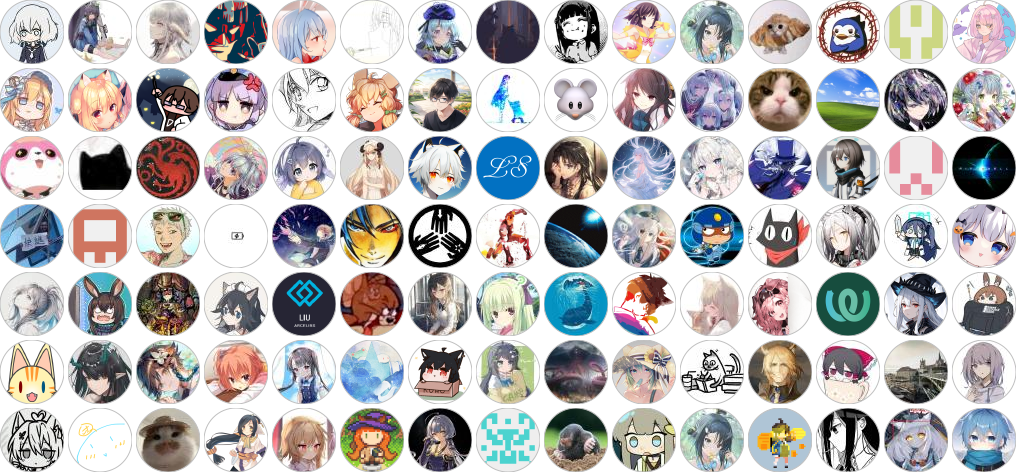
**After version release**, your GitHub avatar will automatically be added to the contributors list. Thank you very much for your selfless contributions!
|
||
~~Why are they all anime characters? Oh wait, I am too, never mind then~~
|
||
|
||
::: tip Contributors
|
||
Thanks to all friends who participated in development/testing. Everyone's help makes MAA better and better! (\*´▽ `)ノノ
|
||
|
||
[](https://github.com/MaaAssistantArknights/MaaAssistantArknights/graphs/contributors)
|
||
:::
|