mirror of
https://github.com/MaaAssistantArknights/MaaAssistantArknights.git
synced 2026-07-16 01:40:46 +08:00

157 lines
7.5 KiB
Markdown
157 lines
7.5 KiB
Markdown
---
|
||
order: 3
|
||
icon: mingcute:git-pull-request-fill
|
||
---
|
||
|
||
# Web-based PR Tutorial
|
||
|
||
A GitHub Pull Request guide that even beginners can understand (\*´▽ `)ノノ
|
||
|
||
::: warning
|
||
This tutorial simplifies many concepts to make them accessible to more people. It includes some ~~inelegant but simple~~ operations and not entirely accurate explanations. Please go easy on us, experts.
|
||
If you have some git experience and programming background, ~~then why are you reading this~~, you can check out the more advanced tutorial [GitHub Pull Request Process Overview](./development.md)
|
||
:::
|
||
|
||
## Basic Concepts and Terminology
|
||
|
||
This section might be a bit dry. Feel free to skip to the practical section below and come back here if you need clarification.
|
||
|
||
### Repository
|
||
|
||
Abbreviated as "repo", the place where we store our code and other resource files.
|
||
|
||
👇 You can simply understand this webpage and all its contents as MAA's repository (we generally call it MAA's main repository)
|
||
|
||
```component Image1
|
||
{
|
||
"imageList": [
|
||
{
|
||
"light": "images/zh-cn/pr-tutorial/repository-light.png",
|
||
"dark": "images/zh-cn/pr-tutorial/repository-dark.png"
|
||
}
|
||
]
|
||
}
|
||
```
|
||
|
||
### Fork
|
||
|
||
Literally means to copy. Fork a copy of MAA's code so you can make subsequent modifications without breaking the original.
|
||
Although "copy" in Chinese might first remind us of the "copy" operation, "fork" doesn't have a clear translation, so we usually use the English term directly, like "fork a copy of the code."
|
||
|
||
Since it's a copy, it becomes `MAA (1)` (just kidding)
|
||
To distinguish from the original repository, we generally call the original MAA repository the "main repository" or "upstream repository."
|
||
Since everyone can fork their own copy, the copied version is called a "personal repository" or "origin repository."
|
||
|
||
```component Image1
|
||
{
|
||
"imageList": [
|
||
{
|
||
"light": "images/zh-cn/pr-tutorial/fork-light.png",
|
||
"dark": "images/zh-cn/pr-tutorial/fork-dark.png"
|
||
}
|
||
]
|
||
}
|
||
```
|
||
|
||
### Pull Request
|
||
|
||
Abbreviated as PR. "Pull request" sounds strange when literally translated, ~~and it's too many characters to type~~, so everyone usually just says "make a PR."
|
||
Following the above, after you fork your personal repository and make modifications, how do you contribute your changes to the main repository? This is when you can open a PR to request that your modifications be added to the main repository.
|
||
|
||
Of course, since it's a "request," it naturally needs approval. MAA Team members might provide feedback on your modifications, though our opinions aren't necessarily always correct - let's discuss reasonably~
|
||
|
||
👇 Below are PRs currently submitted by contributors, waiting for approval
|
||
|
||
```component Image1
|
||
{
|
||
"imageList": [
|
||
{
|
||
"light": "images/zh-cn/pr-tutorial/pull-request-light.png",
|
||
"dark": "images/zh-cn/pr-tutorial/pull-request-dark.png"
|
||
}
|
||
]
|
||
}
|
||
```
|
||
|
||
### Conflict
|
||
|
||
Imagine there's a file A in the main repository with content "111."
|
||
You fork a copy and change its content to "222," but just as you're about to submit a PR, someone else also forks a copy, submits a PR, and changes file A to "333."
|
||
Now we see that both of you modified file A differently. Whose version should we listen to? This is a Conflict.
|
||
Conflicts are somewhat troublesome to resolve. This section only explains the concept to help you understand what's happening when you encounter one.
|
||
|
||
## Complete Web-based PR Process
|
||
|
||
1. First, enter MAA's main repository and click the Fork button in the upper right corner to fork a copy of the code
|
||
|
||
```component Image1
|
||
{
|
||
"imageList": [
|
||
{
|
||
"light": "images/zh-cn/pr-tutorial/fork-light.png",
|
||
"dark": "images/zh-cn/pr-tutorial/fork-dark.png"
|
||
}
|
||
]
|
||
}
|
||
```
|
||
|
||
2. Then directly click "Create Fork"
|
||
|
||
```component Image1
|
||
{
|
||
"imageList": [
|
||
{
|
||
"light": "images/zh-cn/pr-tutorial/pr-2-light.png",
|
||
"dark": "images/zh-cn/pr-tutorial/pr-2-dark.png"
|
||
}
|
||
]
|
||
}
|
||
```
|
||
|
||
3. You'll arrive at your personal repository. You can see the title is "YourName/MaaAssistantArknights" with small text below saying "forked from MaaAssistantArknights/MaaAssistantArknights"
|
||
|
||
4. Find the file you want to modify. You can click "Go to file" for global search, or browse through the folders below if you know where the file is
|
||
|
||
5. After opening the file, directly click the ✏️ in the upper right corner of the file to edit
|
||
|
||
6. Start editing! (For resource files, we recommend testing modifications in your local MAA folder first, confirming they work before pasting into the webpage to avoid errors)
|
||
|
||
7. After editing, click the button in the upper right corner to open the commit page and write what you changed
|
||
|
||
We have a simple commit title [naming format](https://www.conventionalcommits.org/en/v1.0.0/). It's best to follow it, but if you really can't understand it, you can write something simple first.
|
||
|
||
8. Have a second file to modify? Discovered an error after finishing? No problem! Just repeat steps 4-7!
|
||
|
||
9. After all modifications are complete, make a PR! Click "Code" to return to your **personal repository's** homepage
|
||
If there's a "Compare & Pull Request" button, that's great - click it directly!
|
||
If not, don't worry - click the "Contribute" button below, then "Open Pull Request" - it's the same thing.
|
||
|
||
10. You'll arrive at the main repository's PR page. Please verify that what you want to PR is what you intend to submit.
|
||
As shown in the image, there's a leftward arrow in the middle, requesting to merge the right side's PersonalName/MAA dev branch into the main repository/MAA dev branch.
|
||
Scrolling down shows the differences between these two branches - what you've changed.
|
||
|
||
Then write a title and specific content of your modifications, then click confirm.
|
||
PR titles also need to follow the [naming format](https://www.conventionalcommits.org/en/v1.0.0/). If you still can't understand it, you can write something simple first.
|
||
|
||
11. Wait for MAA Team members to review! They might also provide feedback
|
||
👇 For example (purely for entertainment, don't take it seriously)
|
||
|
||
12. If team members say to modify some small issues, return to **your personal repository** and repeat steps 4-7!
|
||
Note: you don't need to repeat steps 1-2 (re-fork) and steps 9-10 (re-Pull Request). Your current Pull Request is still pending review, and subsequent modifications will directly enter this Pull Request.
|
||
👇 For example, you can see an additional modification entry at the bottom
|
||
|
||
13. Once team members approve, everything is complete! Your modifications have entered MAA's main repository!
|
||
|
||
14. Next time you want to submit another PR, first return to your personal repository's homepage and click "Sync fork" to synchronize your repository with the main repository.
|
||
Note here: if there's a red "Discard 1 commit," click the red one; if not, then click the green "Update branch."
|
||
You can then repeat steps 4-10 to make modifications again.
|
||
|
||
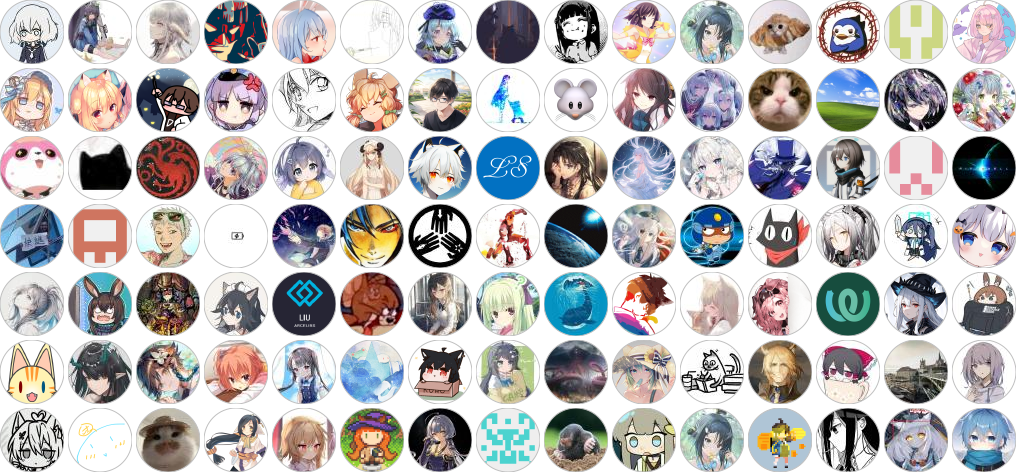
**After version release**, your GitHub avatar will automatically be added to the contributors list. Thank you very much for your selfless contributions!
|
||
~~Why are they all anime characters? Oh wait, I am too, never mind then~~
|
||
|
||
::: tip Contributors
|
||
Thanks to all friends who participated in development/testing. Everyone's help makes MAA better and better! (\*´▽ `)ノノ
|
||
|
||
[](https://github.com/MaaAssistantArknights/MaaAssistantArknights/graphs/contributors)
|
||
:::
|